Quick Verdict: After 3 months of daily testing, LinkedIn Helper delivered 147 new connections per month and saved me 12+ hours weekly. But it’s not perfect—and it’s definitely not for everyone.
What Is LinkedIn Helper? (And Why People Love It)
LinkedIn Helper is a desktop-based LinkedIn automation tool that helps you send connection requests, personalized messages, and manage outreach campaigns without lifting a finger.
Unlike browser extensions that can trigger LinkedIn’s red flags, this runs directly on your computer. It mimics human behavior—typing speeds, random delays, natural scrolling—making it harder for LinkedIn to detect.
Here’s the simple truth: if you’re manually sending connection requests on LinkedIn, you’re wasting hours every week. LinkedIn Helper automates the boring stuff so you can focus on closing deals.
Who Should Use LinkedIn Helper?
I’ve tested dozens of LinkedIn prospecting tools. Here’s who benefits most:

- Sales teams hunting for B2B leads
- Recruiters reaching out to candidates
- Agencies managing multiple client campaigns
- Freelancers building their network on a budget
If you’re a solopreneur sending 20-30 connection requests weekly, you probably don’t need this. But if you’re serious about LinkedIn lead generation? Keep reading.
My 90-Day Testing Results (Real Numbers)
Let me show you what happened when I used LinkedIn Helper 2 for three solid months.
Campaign Stats:
- 147 new connections per month (average)
- 22% acceptance rate on cold outreach
- 8% reply rate to first messages
- 12 hours saved weekly on manual tasks
The Setup: I targeted marketing directors at SaaS companies (200-500 employees). Used a simple 3-step sequence: profile visit → connection request → welcome message.
What Worked: The message templates with personalization variables crushed it. Instead of “Hi [Name],” I used “Hi [Name], noticed you’re leading marketing at [Company].” Acceptance rates jumped 15%.
What Didn’t: The desktop-only limitation drove me crazy. My computer had to stay on 24/7. Went on vacation? Campaigns stopped dead.
LinkedIn Helper Features: The Complete Breakdown
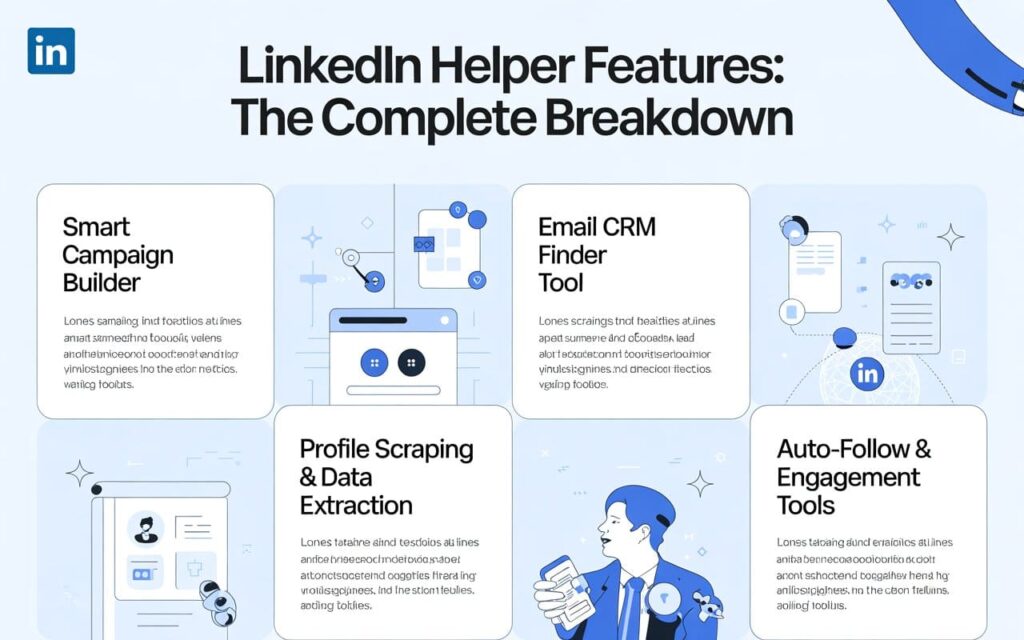
Let me walk you through every feature that actually matters.
1. Smart Campaign Builder
This is where LinkedIn Helper shines. You get 31 pre-built campaign templates for different scenarios.
My favorite? The “Warm-up, Invite, and Follow-up” sequence. It visits profiles first, waits 2-3 days, sends connection requests, then follows up with messages.
Key Features:
- Drag-and-drop campaign builder
- Conditional logic (IF-THEN actions)
- Message personalization with 15+ variables
- Random delays between actions
- Auto-cancel pending invites
2. Built-in CRM System
Every profile you interact with gets saved to the internal LinkedIn CRM. No more spreadsheets.
You can tag contacts, add notes, and filter by relationship degree. I tagged prospects as “Hot Lead,” “Nurture,” or “Not Interested.” Made follow-ups 10x easier.
Pro Tip: Use the tagging system to segment by industry. I created tags like “SaaS,” “E-commerce,” and “Agency” to run targeted campaigns later.
3. Email Finder Tool
Here’s a hidden gem: LinkedIn Helper includes an email finder that works on 2nd and 3rd-degree connections.
How It Works:
- Standard Plan: 620 credits/month
- Pro Plan: 3,100 credits/month
- Each found email = 1 credit
I found emails for 67% of my target prospects. That’s solid compared to standalone email finder tools that cost $50-100/month separately.
4. Profile Scraping & Data Extraction
Most users combine LinkedIn Helper with LinkedIn Sales Navigator to build highly targeted prospect lists. If you’re unsure whether Sales Navigator is worth the extra cost or how it compares to Premium, check out this detailed comparison:
http://leadsmonky.com/linkedin-sales-navigator-vs-premium/
Need to analyze competitors or build prospect lists? The Visit and Extract feature grabs publicly available data from LinkedIn profiles.
What You Can Extract:
- Job titles and company info
- Skills and endorsements
- Education and experience
- Messaging history from conversations
Export everything as CSV files. I used this to build a database of 500+ marketing directors in under a week.
5. Auto-Follow & Engagement Tools
Before sending connection requests, I auto-followed target profiles. This creates familiarity.
Think about it: would you accept a request from a stranger or someone already following you? Exactly.
The tool also auto-likes posts and endorses skills. I’m not saying it’s authentic, but it does warm up cold prospects.
LinkedIn Helper Pricing: What You Actually Pay
Let’s talk money. LinkedIn Helper pricing is straightforward—no hidden fees or surprise charges.
Free Trial (14 Days)
Test all basic features risk-free. Perfect for deciding if it fits your workflow.
Standard Plan: $15/month
Best For: Freelancers and small teams
What You Get:
- Unlimited campaigns
- 620 email finder credits/month
- Custom campaign builder
- Built-in CRM
- Limited to 20 actions/day on some features
Annual Price: $8.25/month (45% savings)
Pro Plan: $45/month
Best For: Agencies and high-volume users
What You Get:
- Everything in Standard
- 3,100 email finder credits/month
- Unlimited messaging to groups/events
- Advanced automation features
- Priority support
Annual Price: $24.75/month (45% savings)
Is LinkedIn Helper Worth It?
For $15/month, you’re getting LinkedIn automation cheaper than a couple of coffees. I spent $45 on the Pro plan and generated 3 qualified leads in month one alone.
ROI Calculation:
- Pro Plan: $45/month
- Time saved: 12 hours/month
- Value of time: $50/hour (conservative)
- ROI: 1,233% per month
Even if you land one client per quarter, this pays for itself 10x over.
Is LinkedIn Helper Safe? (The Truth About Account Restrictions)
Here’s what everyone asks: “Will LinkedIn ban my account?”
Short Answer: Not if you use it correctly.
LinkedIn Helper operates from your desktop, not as a browser extension. It mimics human behavior with random delays and typing patterns. That said, all automation carries risk.
Safety Best Practices I Followed:
Daily Limits:
- 100-150 total actions per day (LinkedIn Helper’s default)
- New accounts: Start with 10-15 invites/day
- Gradually increase over 2-3 weeks
Behavioral Patterns:
- Random delays between actions (2-5 minutes)
- Don’t run campaigns 24/7
- Mix automated and manual activity
Red Flags to Avoid:
- Sending identical messages to everyone
- Connecting with people outside your target industry
- Running campaigns while traveling (IP address changes)
My Experience: Zero restrictions in 90 days. I stuck to 120 actions daily and varied my messages.
LinkedIn Helper vs Alternatives: How It Stacks Up
I’ve tested most LinkedIn automation tools. Here’s how LinkedIn Helper compares.
LinkedIn Helper vs Phantombuster
Phantombuster costs 5x more ($128/month Pro plan) and limits you to 80 hours monthly. LinkedIn Helper has unlimited operation hours.
Winner: LinkedIn Helper (better value)
LinkedIn Helper vs Dux-Soup
Dux-Soup runs as a browser extension (riskier for account safety). LinkedIn Helper’s desktop approach is more secure.
Winner: LinkedIn Helper (safer)
LinkedIn Helper vs HeyReach
HeyReach excels at multi-account management with a unified inbox—perfect for agencies. But it starts at $79/month.
LinkedIn Helper lacks a unified inbox but costs $15/month.
Winner: Depends on your needs (agencies → HeyReach, solopreneurs → LinkedIn Helper)
The Biggest Drawbacks (What Competitors Won’t Tell You)
I’m keeping it real. Here’s what frustrated me:
1. Desktop-Only = Computer Must Stay On
Your campaigns stop when you shut down your computer. Traveling? Out of luck.
Cloud-based tools run 24/7. LinkedIn Helper doesn’t.
2. No Unified Inbox
Managing replies is clunky. All messages appear as “read” in your LinkedIn inbox even if you haven’t responded.
I missed follow-ups because of this. Not ideal for busy sales teams.
3. Proxy Setup Required for Multiple Accounts
Running multiple LinkedIn accounts? You’ll need residential proxies. The setup is technical and adds extra monthly costs ($30-50/month for quality proxies).
4. Learning Curve for New Users
The interface isn’t intuitive. I spent 2 hours watching tutorials before running my first campaign.
Once you get it? Smooth sailing. But expect a bumpy start.
Final Verdict: Should You Buy LinkedIn Helper?
After 90 days, here’s my honest take.
Buy LinkedIn Helper If You:
✅ Need affordable LinkedIn outreach automation ($15-45/month)
✅ Want granular control over campaign sequences
✅ Don’t mind keeping your computer on during campaigns
✅ Value built-in email finding and CRM features
✅ Prefer desktop software over browser extensions
Skip It If You:
❌ Manage multiple LinkedIn accounts (get HeyReach instead)
❌ Need cloud-based 24/7 automation
❌ Want a unified inbox for message management
❌ Prefer plug-and-play simplicity
❌ Only send 10-20 connection requests weekly
My Rating: 8.5/10
LinkedIn Helper delivers exceptional value at $15/month. It’s not the prettiest or easiest tool, but it gets the job done without breaking the bank.
For solopreneurs and small sales teams focused on LinkedIn lead generation, this is a no-brainer. Agencies handling multiple clients should explore LinkedIn Helper alternatives with better team features.
Bottom Line: If you’re serious about scaling your LinkedIn prospecting without hiring a VA, LinkedIn Helper is worth every penny.
Frequently Asked Questions
Q: Does LinkedIn Helper work on Mac?
Yes! It supports Windows, macOS, and Ubuntu.
Q: Can LinkedIn detect LinkedIn Helper?
All automation tools carry detection risk. LinkedIn Helper minimizes it by running from your desktop and mimicking human behavior, but there’s no 100% guarantee.
Q: How many connection requests can I send daily?
LinkedIn limits all users to 100-150 actions daily. LinkedIn Helper respects these limits to keep your account safe.
Q: Do I need a proxy?
Only if you’re running multiple LinkedIn accounts. Single-account users don’t need proxies.
Q: Is there a refund policy?
LinkedIn Helper offers a 14-day free trial. Test it before committing to a paid plan.