You’ve built a great email list. You’ve written solid copy. But your emails keep landing in spam.
Sound familiar? Here’s the truth most people won’t tell you: the problem isn’t your writing. It’s your infrastructure. Specifically, it’s sending bulk email from shared servers you don’t control.
A dedicated email server for bulk email changes everything. You get your own IP address, your own sending reputation, and full control over where your emails land.
In this guide, we’ll cover exactly what a dedicated bulk email server is, when you need one, how to choose the right hosting, and the step-by-step setup process competitors completely skip. We’ll also show you how agencies like Leads Monky use dedicated infrastructure to consistently hit 45% open rates while most businesses struggle to break 20%.
Let’s get into it.

What Is a Dedicated Email Server for Bulk Email?
A dedicated server for bulk email is a mail-sending infrastructure where your business gets exclusive access to one or more IP addresses. Nobody else sends from your IP. Nobody else’s bad behavior affects your deliverability.
Think of it like owning your apartment vs. renting a room in a shared house. On shared infrastructure, one bad neighbor ruins it for everyone. On a dedicated bulk email server, the reputation is 100% yours.
When Gmail, Outlook, or Yahoo receives your email, the very first thing their filters check is the reputation of the sending IP. A clean, warm dedicated IP tells them: “This sender is trustworthy.” A shared IP contaminated by other senders says the opposite.
That’s why dedicated bulk email server hosting isn’t optional anymore. It’s the baseline for anyone serious about inbox placement.
💡 Struggling with cold email deliverability?
We’ve built cold email infrastructure for 50+ B2B companies—achieving 40-60% open rates and 10-15 consultations monthly.
See how we can help →Shared SMTP vs. Dedicated Email Server: Which One Do You Actually Need?
Here’s the honest answer: it depends on your volume.
If you’re sending fewer than 10,000 emails per month, a well-managed shared SMTP provider is probably fine. But the moment you cross 50,000 emails per month or anytime your revenue depends on email delivery you need a dedicated server for bulk email.
Here’s a quick comparison:
| Factor | Shared SMTP | Dedicated Bulk Email Server |
| IP reputation control | ❌ Shared with thousands | ✅ 100% yours |
| Neighbor blacklist risk | High | None |
| Inbox placement rate | 40–75% | 85–99% (when warmed) |
| Cost at 500K emails/mo | $50–$150/mo | $80–$400/mo |
| Setup complexity | Low | Medium–High |
| Best for | Under 50K emails/mo | 50K+ emails/mo |
One thing almost no competitor mentions: you should always keep transactional emails and marketing emails on separate IP addresses. A spam complaint spike from a promotional campaign can kill your password reset and order confirmation delivery. Separate IPs protect your critical emails.
Dedicated Bulk Email Server Hosting: Your 6 Best Options in 2026
Choosing the right dedicated bulk email server hosting is the most important decision you’ll make. Here’s how the top providers stack up:
1. Amazon SES Best for developers and high volume
Amazon SES is the most affordable dedicated bulk email SMTP server on the market. You pay $0.10 per 1,000 emails period. Dedicated IPs are available as add-ons.
The trade-off? It’s technical. Amazon SES isn’t plug-and-play. You’ll need a developer to configure it properly. But once it’s running, it’s rock-solid at any scale.
Best for: SaaS companies, developers, high-volume senders already in AWS.
2. SendGrid (Twilio) Best for marketing teams
SendGrid is the industry standard for a reason. Its API is powerful, documentation is excellent, and dedicated IP pools are available from the Pro plan ($89.95/mo). The Pro plan supports up to 2.5 million sends per month.
One thing to know: the free tier only lasts 60 days. And the lowest paid plan requires a commitment to 50,000 emails per month minimum.
Best for: Marketing teams sending high volume with dedicated IP needs.
3. Mailgun Best for SaaS and developers
Mailgun is the go-to dedicated bulk email SMTP server for rent among developer teams. It offers advanced analytics, robust webhooks, and dedicated IPs from the Scale plan.
Unlike SendGrid, Mailgun doesn’t force you into minimum volume commitments on lower plans making it more flexible for growing businesses.
Best for: SaaS teams, developers managing both transactional and marketing email.
4. Brevo (formerly Sendinblue) Best all-rounder for SMBs
Brevo gives you a free plan with 300 emails per day, a drag-and-drop editor, marketing automation, and SMTP relay all in one place. Dedicated IPs are a paid add-on.
One unique advantage: unlimited log retention. Most platforms expire your logs after 30–45 days. Brevo keeps them forever.
Best for: Small businesses wanting everything in one platform.
5. Postmark Best for inbox placement
Postmark is obsessive about deliverability. It processes emails in under 10 seconds and uses separate sending streams for transactional and bulk email dedicated server traffic. This architecture is brilliant for protecting critical email delivery.
Dedicated IPs cost $50/mo as an add-on. And you get 45 days of full content history more than almost anyone else.
Best for: Businesses where every email counts (SaaS, fintech, eCommerce).
6. Mailtrap Best for developer teams
Mailtrap offers something genuinely unique: an email sandbox that lets you test deliverability before sending a single real email. Its auto warm-up feature handles the hardest part of dedicated server bulk emails automatically.
Free plan: 1,000 emails/month. Paid from $15/mo. 99.99% uptime SLA.
Best for: Development teams who need both testing and production sending.
The Best VPS Providers for Self-Hosted Bulk Email Servers
Want full control and the lowest possible cost per email? Self-hosting your dedicated email server for bulk mail on a VPS is the way to go.
But not all VPS providers allow it. Here’s what to look for and what to avoid:
| VPS Provider | Port 25 | PTR Records | Sending Limits | Starting Price |
| RackNerd | ✅ Open by default | ✅ Yes | Unlimited | ~$2/mo |
| Contabo | ✅ Open by default | ✅ Yes | 1,500 emails/hr | ~$5/mo |
| Linode (Akamai) | ✅ Open by default | ✅ Yes | Unlimited | ~$5/mo |
| Vultr | ⚠️ Blocked (request to open) | ✅ Yes | Via support ticket | ~$6/mo |
| Hetzner | ⚠️ Requires 1-month history | ✅ Yes | Via request | ~$4/mo |
| DigitalOcean | ❌ Blocked not recommended | ✅ Yes | Not viable | ~$6/mo |
Port 25 is the SMTP port your server uses to send email. If a VPS blocks it, you can’t send bulk email without routing through a relay which partially defeats the purpose.
PTR records (also called reverse DNS) are the most commonly overlooked requirement. Gmail and Microsoft both reject email from IPs where the PTR record doesn’t match the sending hostname. Always set this through your VPS control panel not your domain registrar.
Before you send a single email: Check your new IP against Spamhaus, Barracuda, and MXToolbox blacklists. Some VPS providers (especially DigitalOcean) have had IPs pre-listed on spam databases due to past tenant abuse.
How to Set Up a Dedicated Bulk Email SMTP Server: Step-by-Step
This is the section every competitor skips. Let’s fix that.
Step 1: Install Postfix on Ubuntu
Postfix is the most widely deployed mail transfer agent on Linux. Install it with:
sudo apt install postfix opendkim opendkim-tools
Choose “Internet Site” during setup. Set your hostname to mail.yourdomain.com.
Step 2: Lock down your relay settings immediately
An open relay gets discovered by spambots within hours and blacklisted within days. Add this to /etc/postfix/main.cf:
smtpd_relay_restrictions = permit_mynetworks reject_unauth_destination
Don’t skip this. Ever.
Step 3: Configure your full DNS record set
You need all five of these records before sending:
- A record: mail.yourdomain.com → your server IP
- MX record: yourdomain.com → mail.yourdomain.com
- PTR record: Set in your VPS control panel (must match your hostname)
- SPF record: v=spf1 ip4:YOUR.IP ~all
- DMARC record: Start with p=none for monitoring, then move to p=reject
Step 4: Set up DKIM signing
Generate your key pair:
opendkim-genkey -t -s mail -d yourdomain.com
Add the public key to DNS at mail._domainkey.yourdomain.com. Configure opendkim to sign every outgoing message automatically.
Step 5: Enable TLS encryption
Sending email without TLS in 2026 is an instant spam signal. Get a free SSL certificate via Let’s Encrypt (certbot) and configure Postfix to use it for all connections.
Step 6: Test everything before launch
Use mail-tester.com, MXToolbox, and Google’s Check MX tool. All three should return clean results. Check blacklists. Confirm SPF, DKIM, and DMARC all pass.
Only after a clean report do you begin warm-up.
Cold Email ROI Calculator
Calculate your revenue gap with industry-leading benchmarks
Based on 2024-2025 industry benchmarks: Average reply rate 1-5%, top performers 10-15%. Leads Monky’s 45% open rate and 3.2% reply rate reflect real client performance data.
IP Warm-Up: The Schedule Every Beginner Gets Wrong
This is the step that determines whether your dedicated email server for bulk email succeeds or fails.
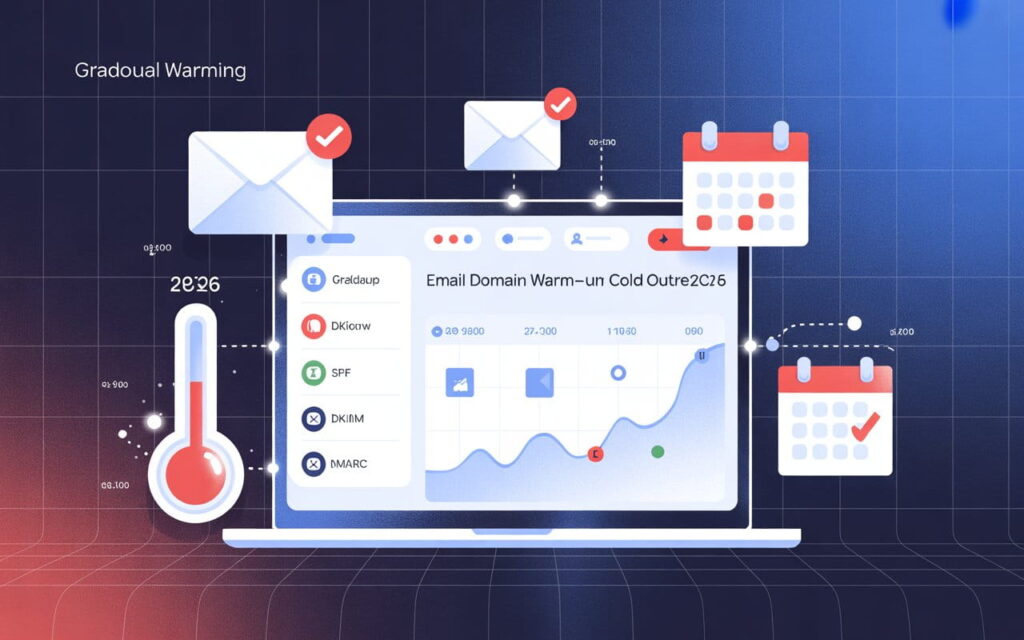
A fresh IP has zero reputation. ISPs see a new IP suddenly sending thousands of emails and assume the worst. The warm-up process fixes that by gradually building trust.
Here's the exact schedule:
| Day | Daily Volume |
| Day 1 | 250 emails |
| Day 2 | 500 emails |
| Day 3 | 1,000 emails |
| Day 5 | 2,500 emails |
| Day 7 | 5,000 emails |
| Day 10 | 15,000 emails |
| Day 14 | 50,000 emails |
| Day 21 | 100,000 emails |
| Day 28+ | Full volume |
The golden rule: Never increase daily volume by more than 25% per day.
During warm-up, send exclusively to your most engaged subscribers people who regularly open your emails. High engagement early on tells ISPs your emails are wanted.
How long does it take? Typically 2–6 weeks, depending on your volume target and list quality. Managed providers like Mailtrap and Amazon SES automate this process. Self-hosted setups require you to manage it manually.
The Spam Rate Thresholds That Will Get You Blacklisted
This is critical data that competitors bury or skip entirely. These are the real thresholds major inbox providers enforce in 2026:
| Provider | Warning Threshold | Enforcement Threshold | Consequence |
| Google (Gmail) | 0.08% spam rate | 0.3% | Deliverability drops → IP block |
| Microsoft (Outlook) | 0.1% | 0.3% | Junk routing → block |
| Yahoo / AOL | 0.1% | 0.3% | Bulk folder routing |
| Any ISP | 2% hard bounce rate | 5% hard bounce | IP reputation damage |
Monitor your spam rate weekly using Google Postmaster Tools (it's free). If you hit 0.08%, pause and clean your list immediately. Don't wait for 0.3% by then, the damage is already done.
SPF, DKIM, and DMARC: Why You Need All Three
These three authentication protocols are non-negotiable for bulk email sending management on a dedicated server. Missing even one gives ISPs a reason to route you to spam.
- SPF tells receiving servers which IPs can send on your domain's behalf. Without it, anyone can spoof your address.
- DKIM adds a cryptographic signature to every email proving it wasn't tampered with in transit.
- DMARC enforces policy based on SPF and DKIM results. Start with p=none (monitoring), move to p=quarantine, then p=reject.
Having SPF without DKIM or DKIM without DMARC leaves gaps that ISPs penalize. You need all three, fully configured, before sending a single bulk email.
How Professional Cold Email Agencies Use Dedicated Servers
Here's something worth understanding. The businesses getting the best email results in 2026 aren't managing their own servers. They're working with specialists who've already figured out the infrastructure.
Take Leads Monky, a B2B cold email agency based in Dubai. They've delivered over 2.4 million emails with a 45% average open rate more than double the industry average of 20%. Their reply rate sits at 3.2%, versus a 0.5% industry standard.
How? Their entire system is built on dedicated email infrastructure. For every client, they set up 10 separate sending domains, 30 dedicated email accounts, and complete SPF/DKIM/DMARC authentication all on infrastructure that's completely separate from the client's main business domain.
They also run a 14-day warm-up period before sending a single cold email. And they monitor spam rates daily, keeping complaints well below the 0.1% threshold that triggers ISP penalties.
The result: clients get 10–15 qualified meetings per month, and their business domain reputation is never touched.
This is exactly what proper dedicated bulk email server hosting looks like in practice. It's not just about the technology it's about the discipline of managing that infrastructure correctly, every single day.
If you'd rather have experts handle the infrastructure, the warm-up, and the entire sending operation for you, Leads Monky's done-for-you cold email service is worth a look.
Shared IP vs. Dedicated IP: The Decision Framework
Still not sure which option is right for you? Use this simple framework:
Choose shared IP if:
- You send fewer than 50,000 emails per month
- Your sending volume is inconsistent or irregular
- You're just starting out and testing email marketing
Choose a dedicated IP (and a dedicated bulk email server) if:
- You send more than 50,000 emails per month
- Email delivery directly affects your revenue (SaaS, eCommerce, fintech)
- You've been hurt by shared IP blacklisting before
- You're running cold outreach campaigns at scale
- You want complete control over your sender reputation
One more thing: dedicated IPs need consistent volume to stay healthy. Mailjet recommends sending at least 3,000 emails per day on a dedicated IP. Irregular sending say, one big blast per month actually hurts your reputation more than helps it.
Common Mistakes That Kill Your Deliverability
Let's run through the errors that destroy dedicated server bulk email campaigns. These are the mistakes we see most often:
Leaving your server as an open relay. Spambots find open relays within hours. Your IP gets blacklisted within days. Always lock down relay restrictions on day one.
Missing PTR records. Gmail and Microsoft reject email from IPs where the reverse DNS doesn't match the sending hostname. It's the single most overlooked configuration in self-hosted setups.
Sending full volume on day one. Jumping to 50,000 emails from a brand-new IP guarantees throttling and blacklisting. Follow the warm-up schedule. Every time.
Incomplete authentication. Having SPF but not DKIM, or DKIM but no DMARC, leaves exploitable gaps. All three are required.
Mixing transactional and marketing traffic. Keep them on separate IPs. A spam complaint spike on your newsletter shouldn't affect your order confirmation emails.
Final Verdict: What Should You Do?
Here's the bottom line on dedicated server bulk emails in 2026:
If you're serious about email whether that's cold outreach, newsletters, transactional messages, or marketing campaigns shared infrastructure will eventually let you down. A dedicated bulk email server gives you control, consistency, and the inbox placement rates your business deserves.
The path forward:
- Use managed SMTP (Amazon SES, Mailgun, Postmark) if you want reliability without infrastructure work
- Self-host on Postfix + a quality VPS if you need maximum volume at the lowest cost per email
- Configure SPF, DKIM, DMARC, and your PTR record before sending anything
- Follow the warm-up schedule start at 250/day and scale by 25% maximum per day
- Monitor Google Postmaster Tools weekly and act at 0.08%, not 0.3%
- Separate your transactional and marketing email onto different IP addresses
And if you'd rather skip the technical setup entirely and just get results agencies like Leads Monky build complete dedicated email infrastructure for B2B businesses, handle the warm-up, manage deliverability daily, and deliver 10–15 qualified meetings per month. They've proven the system works at scale: 2.4 million emails delivered, 45% open rates, 3.2% reply rates.
The infrastructure exists. The strategy is proven. The only question is whether you build it yourself or bring in experts to do it for you.
FAQs
1. What is a dedicated email server for bulk email?
A dedicated email server is a private SMTP infrastructure that enables high-volume sending with full control over deliverability, like the systems offered at https://leadsmonky.com/cold-email-campaigns/#
2. Why use a dedicated server instead of Gmail or shared SMTP?
Dedicated servers remove sending limits and improve inbox placement, unlike restricted shared platforms such as Gmail.
3. How does a dedicated SMTP server improve deliverability?
It improves deliverability through dedicated IPs, proper authentication, and optimized sending practices as implemented by https://leadsmonky.com/cold-email-campaigns/#
4. Can I send unlimited emails with a dedicated email server?
Yes, dedicated servers allow scalable high-volume sending without the strict caps imposed by traditional email providers.
5. What is IP warming in bulk email?
IP warming is the gradual increase of sending volume to build a strong sender reputation and avoid spam filters.
6. Do I need technical skills to run a dedicated email server?
No, managed solutions like https://leadsmonky.com/cold-email-campaigns/# handle all technical setup and optimization for you.
7. What components are required for a bulk email server?
A complete setup includes SMTP servers, dedicated IPs, domains, authentication (SPF, DKIM, DMARC), and campaign tools.
8. Is a dedicated server good for cold email outreach?
Yes, it is ideal for cold email campaigns due to better control, scalability, and inbox placement.
9. How many emails can a dedicated server send per day?
A properly configured dedicated server can send thousands to hundreds of thousands of emails daily depending on setup.
10. What are the risks of not using a dedicated email server?
Without a dedicated setup, you face higher spam rates, sending limits, and reduced campaign performance.
Ready to Fix Your Cold Email?
🛡️ We guarantee 10 consultations in 60 days or work free.
⭐⭐⭐⭐⭐ 50+ clients | 2.4M emails sent | 3.2% reply rate
What you get:
✅ Complete infrastructure (30 emails, 10 domains)
✅ 10,000 personalized emails monthly
✅ First consultations in 5-6 weeks
2 spots left for February 2026