Looking for the right LinkedIn tool to supercharge your outreach? You’re probably stuck between Expandi vs Dux-Soup.
Here’s the thing: both are solid automation tools, but they’re built for completely different users. Let me break it down so you can pick the winner for your situation.
Quick Answer: Which Should You Choose?
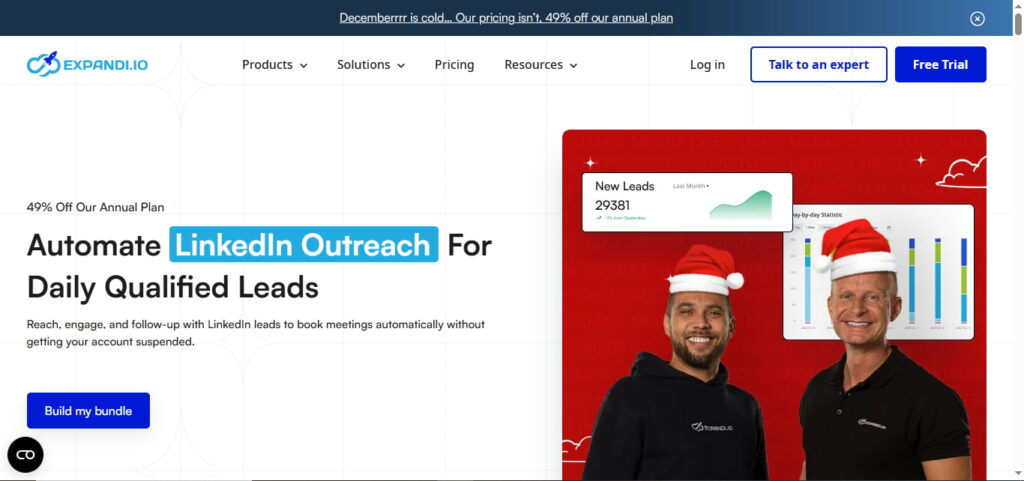
Expandi is your go-to if you’re running an agency or need rock-solid account safety with dedicated IPs. It’ll cost you $99/month, but you’re getting cloud-based automation that runs 24/7.
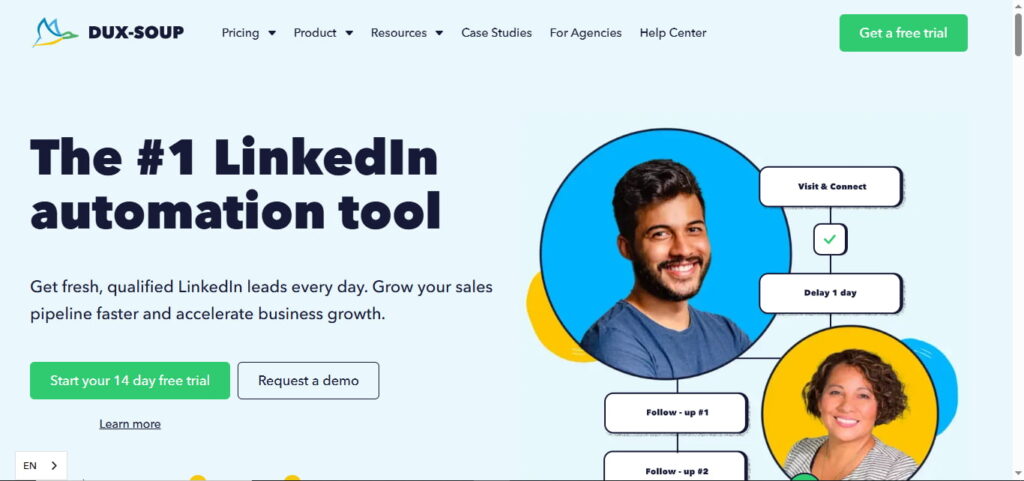
Dux-Soup makes sense when you’re solo or on a budget. Starting at just $14.99/month, it’s perfect for basic LinkedIn outreach. You’ll get both browser extension and cloud options.
The big difference? Expandi is premium and powerful. Dux-Soup is affordable and straightforward.

What Makes Expandi Stand Out?
Expandi is a cloud-based LinkedIn automation platform designed for serious lead generation. It’s been my top pick for agencies and sales teams who can’t afford to get their accounts flagged.
Here’s What You Get:
Smart Campaigns: You can build conditional workflows that adapt based on what prospects do. Accept your connection request? They get one message. Ignore it? They get another. It’s like having a sales rep who actually pays attention.
Dedicated IP Addresses: Every account runs from its own IP in your chosen country. This is huge for account safety. LinkedIn’s way less likely to flag you when you’re not sharing IPs with 500 other users.
Advanced Scraping: Pull leads from LinkedIn Sales Navigator, events, groups, even post comments. Dux-Soup can’t match this level of targeting.
Team Features: Need white-label for clients? Granular permissions? Template sharing? Expandi’s got you covered.
The catch? It’s $99/month. And you’ll need to set up webhooks if you want CRM integration.
Why Dux-Soup Still Wins for Many Users
Dux-Soup has been around since 2015. It’s one of the most established LinkedIn automation tools on the market, and there’s a reason it’s stuck around.
Here’s the Value Proposition:
Flexible Deployment: Choose between a browser extension (Pro/Turbo) or fully cloud-based (Cloud Dux). Most competitors force you into one or the other.
Native CRM Integrations: HubSpot, Salesforce, Pipedrive—they all work out of the box. No webhook setup required. This alone saves hours of headaches.
Affordable Entry Point: The Pro plan is $14.99/month. That’s 85% cheaper than Expandi. Even the Turbo plan ($55/month) with drip campaigns and analytics won’t break the bank.
Free Plan Available: You can actually test Dux-Soup for free with 50 profile views daily. Expandi only offers a 7-day trial.
The downside? The browser extension versions require your computer to stay on. And you won’t get those advanced conditional campaigns.
Pricing Breakdown: What You’re Really Paying
Let’s talk real numbers for LinkedIn automation costs.
Expandi Pricing:
- Business: $99/month ($79/month annually)
- Custom (agencies): Contact for pricing
- 7-day free trial included
Dux-Soup Pricing:
- Starter: Free (50 views/day)
- Pro: $14.99/month ($11.25 annually)
- Turbo: $55/month ($41.25 annually)
- Cloud: $99/month ($74.17 annually)
- 14-day free trial on Turbo
Here’s what nobody tells you: both tools require LinkedIn Premium or Sales Navigator ($99-149/month) for serious lead generation. Factor that into your budget.
Safety First: Which Tool Protects Your Account Better?
This is critical. LinkedIn actively hunts for automation, and getting restricted sucks.
Expandi’s approach wins here. Those dedicated IPs, automatic warm-up, and cloud-based operation make it harder for LinkedIn to detect you’re automating.
Dux-Soup’s browser extension runs from your actual computer. LinkedIn can see it. The Cloud version helps, but it’s still not as sophisticated as Expandi’s safety features.
Bottom line: If you’re managing client accounts or can’t risk restrictions, Expandi’s safety features justify the premium price.
Who Should Choose What?
Pick Expandi if you:
- Run an agency managing multiple clients
- Need white-label solutions
- Value maximum account safety
- Want advanced scraping and conditional campaigns
- Have the budget ($99+/month)
Pick Dux-Soup if you:
- You’re solo or a small team (1-5 people)
- Need affordable automation ($15-55/month)
- Want native CRM integration without setup hassle
- Prefer straightforward, linear campaigns
- Want to test free before committing
The Real Winner? It Depends on You
There’s no universal champion in the Expandi vs Dux-Soup battle.
For agencies and larger sales teams, Expandi’s advanced features and safety make it worth every penny. You’re paying for peace of mind and sophisticated automation.
For solo pros and small teams, Dux-Soup delivers incredible value. Why pay $99/month when $15 gets you everything you need for basic LinkedIn outreach?
My recommendation? Start with Dux-Soup’s free trial. Learn LinkedIn automation basics without risk. If you outgrow it or need advanced features, upgrade to Expandi.
Remember: the best LinkedIn tool isn’t the one with the most features. It’s the one you’ll actually use consistently to generate real leads.
Ready to automate your LinkedIn outreach? Both tools offer free trials. Test them yourself and see which fits your workflow better.
FAQs
What is the best lead generation software?
The best lead generation software depends on your channel—Expandi and Dux-Soup excel for LinkedIn automation, while tools like HubSpot and Salesforce work better for multi-channel campaigns.
What is the 5 3 2 rule on LinkedIn?
The 5-3-2 rule means for every 10 posts you share: 5 should be relevant content from others, 3 should be your own content, and 2 should be personal, fun posts that humanize your brand.
What is better than Dux-Soup?
Expandi is better than Dux-Soup if you need advanced safety features, dedicated IPs, and conditional campaigns, while Waalaxy and Dripify offer good middle-ground alternatives with modern interfaces.
Is Dux-Soup better than Linked Helper?
Dux-Soup is safer than Linked Helper because it offers cloud-based automation, while Linked Helper requires desktop installation and has higher LinkedIn detection risks.
Is Dux-Soup allowed on LinkedIn?
Dux-Soup isn’t officially allowed by LinkedIn’s Terms of Service—no automation tool is—but it’s designed to mimic human behavior and stay under LinkedIn’s detection radar when used responsibly.
How does Dux-Soup work?
Dux-Soup works by automating LinkedIn tasks like profile visits, connection requests, and messages through either a browser extension or cloud-based system, letting you run campaigns while it handles repetitive actions.