You’re staring at LinkedIn’s pricing page, wondering if Sales Navigator is actually worth the extra cash. Or maybe LinkedIn Premium is enough for your needs?
I’ve spent weeks testing both. I’ve talked to SDRs, account executives, and solo entrepreneurs. Here’s the truth: most people pick the wrong plan.
Let me show you exactly what you’re getting (and missing) with each option.
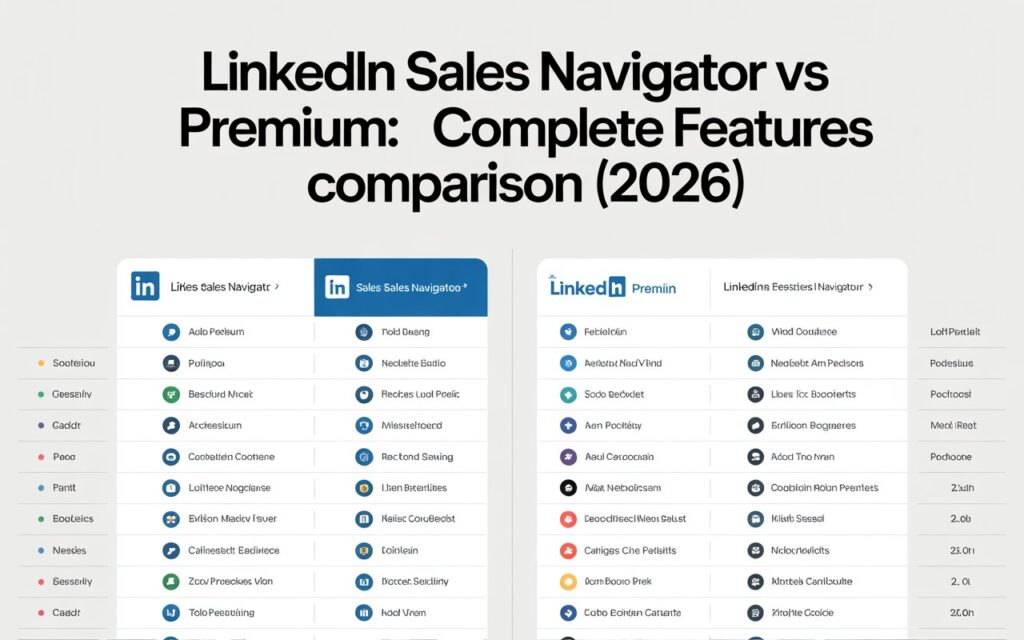
LinkedIn Sales Navigator vs Premium (60-Second Answer)
Sales Navigator is built for sales prospecting. LinkedIn Premium is for networking and career growth. That’s the core difference.
If you’re actively reaching out to cold prospects on LinkedIn every week, Sales Navigator wins. If you’re job hunting, building your personal brand, or doing casual networking, Premium is your play.

Still confused? Keep reading. I’ll break down every feature, filter, and dollar so you can make the right choice.
Understanding LinkedIn’s Three Tiers
LinkedIn offers three main options: Basic (free), Premium, and Sales Navigator. Each serves different needs.
Basic LinkedIn gives you profile creation, connection requests, and basic search. It’s fine for staying in touch with your network. But you’ll hit search limits fast.
LinkedIn Premium comes in two flavors: Premium Career (for job seekers) and Premium Business (for professionals). You get InMail credits, profile viewer insights, and LinkedIn Learning access. Think of it as LinkedIn with training wheels off.
Sales Navigator is LinkedIn’s power tool for salespeople. It’s got advanced search filters, unlimited searches, and lead management features. This is where serious B2B prospecting happens.
The Feature Breakdown That Actually Matters
Let me show you the features comparison that competitors won’t tell you about.
Search Capabilities (The Game Changer)
Regular LinkedIn limits you to 1,000 search results per query. Run too many searches? You’ll see the dreaded “commercial use limit” message.
LinkedIn Premium has the same search restrictions. Surprised? Most people are. Premium doesn’t unlock unlimited searches.
Sales Navigator removes search limits entirely. You get 2,500 results per search and unlimited monthly searches. For lead generation, this matters hugely.
Here’s a real example: You’re targeting marketing directors at SaaS companies in Texas. Regular LinkedIn shows 1,000 results, then cuts you off. Sales Navigator shows all 2,500+ matches. That’s 1,500 potential leads you’d miss otherwise.
The Filter Situation (This Is Huge)
This is where Sales Navigator truly separates from the pack.
Basic LinkedIn gives you 10 filters: location, industry, company, school, and a few others. It’s basic filtering for basic needs.
Premium adds about 5 more filters. You can search by company size and seniority level. It’s better, but not dramatically.
Sales Navigator offers 52 advanced filters. Yes, fifty-two. And 27 of those are exclusive to Sales Nav.
The exclusive filters include:
- Company headcount growth (find rapidly scaling companies)
- Technologies used (target companies using specific tools)
- Buyer intent signals (see who’s actively researching)
- Job changes in last 90 days (catch people in transition)
- Posted on LinkedIn in last 30 days (find active users)
- Years at current company (identify flight risks or loyal employees)
These Sales Navigator filters let you build laser-focused lists. You’re not just finding marketing directors you’re finding marketing directors who joined in the last 90 days at companies using HubSpot with 50-200 employees showing 20% headcount growth.
That specificity? That’s what converts.
InMail Credits (Your Outreach Ammunition)
InMail lets you message anyone on LinkedIn, even outside your network.
Basic LinkedIn: Zero InMail credits. You can only message your connections.
LinkedIn Premium Business: 15 InMail credits per month. They roll over if unused, maxing at 45.
Sales Navigator Core: 50 InMail credits monthly. Plus, you get your credits back when someone replies.
Here’s the math: If you’re doing serious outreach, 15 credits disappear in a week. You need 50+ for consistent prospecting.
Lead and Account Management
This is where Sales Navigator becomes a mini-CRM.
You can save up to 10,000 leads and 5,000 accounts. Sales Nav tracks everything: profile views, job changes, company news, and content they post.
Regular LinkedIn and Premium? You can’t save leads systematically. You’re stuck with basic bookmarking.
The alerts alone are gold. Sales Navigator notifies you when:
- Saved leads change jobs
- Your target accounts post job openings
- Leads mention topics you’re tracking
- Companies hit the news
These trigger events tell you exactly when to reach out.
CRM Integration (For Advanced Users)
Sales Navigator Advanced Plus (the top tier) syncs with Salesforce, HubSpot, and Microsoft Dynamics.
You can see LinkedIn data inside your CRM. When a lead changes jobs, your CRM updates automatically. No manual data entry.
Premium and regular LinkedIn don’t integrate with CRMs. You’re copy-pasting like it’s 2010.
AI-Powered Features (The New Stuff)
LinkedIn’s rolling out AI features across Sales Navigator.
Account IQ generates company summaries using generative AI. Instead of researching a company for 30 minutes, you get a comprehensive overview in seconds.
Lead IQ does the same for individuals. It pulls together everything you need to know about a prospect and suggests how to engage.
These features are exclusive to Sales Navigator. They’re new, so they’re still improving. But they save hours of research time.
Pricing: What You’re Actually Paying
Let’s talk dollars.
LinkedIn Premium Business: $59.99/month (annual billing) or $79.99/month (monthly billing)
Sales Navigator Core: $99.99/month (annual) or $119.99/month (monthly)
Sales Navigator Advanced: $149.99/month (annual) or $179.99/month (monthly)
Sales Navigator Advanced Plus: Custom pricing (typically $1,600+ per seat annually)
The cost difference between Premium and Sales Navigator Core is $40-50/month. That’s about $500/year.
Here’s the ROI question: Can you generate one extra sale per year using Sales Nav’s superior features? If yes, it pays for itself.
A Forrester study found Sales Navigator delivered 312% ROI over three years. Most teams saw payback in under six months.
Who Should Use What (Real Scenarios)
Let me give you specific use cases.
Choose Regular LinkedIn If:
You’re passively networking. You attend industry events, stay connected with colleagues, and occasionally job hunt. The free version handles this fine.
You’re a student or recent grad. Save your money. Use that cash for courses or certifications instead.
Choose LinkedIn Premium If:
You’re actively job hunting. Premium Career shows you salary insights, gets you noticed by recruiters, and gives you InMail to contact hiring managers directly.
You’re recruiting occasionally. Premium lets you search for candidates with better filters than Basic.
You’re building your personal brand. The profile viewer insights help you understand who’s checking you out.
Choose Sales Navigator If:
You’re an SDR or BDR doing cold outreach daily. The advanced filters and unlimited searches are non-negotiable for hitting quota.
You’re an account executive managing complex B2B sales. The account tracking and relationship mapping features are invaluable.
You’re a sales manager leading a team. The shared lead lists and CRM integration streamline your entire workflow.
You’re a solopreneur doing high value consulting. If one client is worth $10K+, Sales Navigator pays for itself with a single deal.
The Decision Framework
Ask yourself these five questions:
1. How many cold prospects do I contact weekly on LinkedIn?
- Less than 10: Premium is probably enough
- 10-50: Sales Navigator Core makes sense
- 50+: You need Sales Navigator
2. What’s my average deal size?
- Under $1,000: Stick with Premium
- $1,000-$10,000: Sales Nav could work
- Over $10,000: Sales Nav is a no-brainer
3. Am I doing account-based selling?
- If yes: Sales Navigator’s account features are built for this
- If no: Premium might suffice
4. Do I need CRM integration?
- If yes: Only Sales Nav Advanced Plus offers this
- If no: Lower tiers work fine
5. What’s my LinkedIn time investment?
- Less than 5 hours/week: Premium
- 5-20 hours/week: Sales Navigator
- 20+ hours/week: Sales Navigator Advanced
When NOT to Get Sales Navigator
Let’s be honest about limitations.
Sales Navigator isn’t worth it if you’re not doing active LinkedIn prospecting. If your leads come from referrals, conferences, or cold calls, save your money.
The data accuracy is about 70-80%. You’ll find outdated job titles and wrong company info. Always verify before reaching out.
The buyer intent signals are hit-or-miss. Some users report false positives constantly. Don’t rely on them exclusively.
If you already use tools like Apollo, ZoomInfo, or Clay, Sales Navigator might be redundant. Evaluate if you need both.
The separate messaging inbox confuses people. Sales Nav messages don’t appear in your regular LinkedIn inbox. You need to check both.
My Final Recommendation
Here’s what I’d do in your shoes.
If you’re in sales and LinkedIn is a primary channel, get Sales Navigator. Start with the Core plan. Test it for 30 days (free trial available).
If you’re networking, job hunting, or building your brand, LinkedIn Premium Business or Premium Career is your move.
If you’re unsure, try Premium for three months. If you keep hitting search limits and need better filters, upgrade to Sales Navigator.
Most people overthink this decision. Pick one, use it intensely for 90 days, then evaluate. You can always switch.
The worst choice? Paying for a plan you don’t use. That’s money down the drain.
Quick FAQ
Can I downgrade from Sales Navigator to Premium?
Yes, but you’ll lose saved leads, InMail history, and advanced search saves. Back up your data first.
Does Premium include Sales Navigator?
No. They’re separate products with different pricing. Premium is for general LinkedIn use. Sales Nav is sales-specific.
How many searches can I do with Sales Navigator?
Unlimited. There’s no monthly cap on search volume.
What’s the best Sales Navigator alternative?
For lead generation, consider Apollo.io or LinkedIn Recruiter Lite. Each has different strengths.
Can I share Sales Navigator with my team?
Advanced and Advanced Plus plans support multiple seats with team collaboration features.