
You’ve probably Googled this question three times already. Maybe your team is switching tools. Maybe you’re starting fresh. Either way, you need a straight answer — not a wall of marketing fluff.
Here it is: SharePoint vs Google Workspace isn’t about which platform is “better.” It’s about which one is right for your business, right now.
Let’s break it down simply. No jargon. No brand bias. Just the facts you need to decide today.
What Are These Tools, Really?
Microsoft SharePoint is an enterprise content management and intranet platform built inside the Microsoft 365 ecosystem. It’s designed for structured document management, complex permissions, and large-scale business collaboration.
Google Workspace (formerly G Suite) is Google’s all-in-one cloud collaboration suite. Think Gmail, Google Drive, Docs, Sheets, Meet, and Calendar — all seamlessly connected and built to keep teams moving fast.

The simplest way to understand the difference? SharePoint is built for control. Google Workspace is built for speed.
Neither one is wrong. They just serve different types of businesses.
SharePoint vs Google Workspace: Pricing in 2026
Let’s talk money — because this is where most comparisons get lazy.
Google Workspace Pricing
| Plan | Storage | Price/User/Month |
| Business Starter | 30 GB | $7.00 |
| Business Standard | 2 TB | $14.00 |
| Business Plus | 5 TB | $22.00 |
Microsoft SharePoint / Microsoft 365 Pricing
| Plan | Price/User/Month |
| Microsoft 365 Business Basic (includes SharePoint Online) | $6.00 |
| Microsoft 365 Business Standard | $12.50 |
| Microsoft 365 Business Premium | $22.00 |
| SharePoint Plan 1 (standalone) | $5.00 |
On paper, Microsoft SharePoint looks slightly cheaper. But here’s what most articles don’t tell you.
The real cost of SharePoint goes beyond the license. Most businesses need a dedicated SharePoint admin or consultant — that’s an extra $5,000–$15,000 per year. Add 8–12 hours of onboarding per employee and a 4–12 week deployment timeline, and the total cost of ownership jumps fast.
Google Workspace deploys in days. Employee onboarding takes 2–3 hours. For a 50-person team, you’re looking at $10,000–$12,000 all-in per year versus $18,000–$30,000 for SharePoint when everything is counted.
💡 Need help setting up Google Workspace?
We’re certified Google partners offering 64% off + free professional setup ($2,000 value). Used by 151+ companies.
Get your quote →Collaboration Features: Where Each Platform Shines
Google Workspace Collaboration
Google Workspace is genuinely brilliant at real-time collaboration. Multiple people can edit the same Google Doc simultaneously without conflicts. No “file is locked” errors. No version chaos.
The cloud-native experience means everything works instantly in any browser, on any device, without setup. Google Drive keeps your files organized, and Google Meet connects your team in seconds directly from Calendar.
For remote teams and fast-moving businesses, this smoothness is a game-changer.
SharePoint Collaboration Features
SharePoint collaboration features are powerful — but they require more configuration to unlock. You get advanced version control, metadata-based document organization, complex permission hierarchies, and deep workflow automation through Power Automate.
SharePoint Online integrates beautifully with Microsoft Teams, OneDrive, Power BI, and the full Microsoft 365 suite. If your team already lives in Word, Excel, and Outlook, SharePoint will feel very natural.
The tradeoff? External guest access and client collaboration need configuration that Google Workspace handles out-of-the-box.
Microsoft SharePoint vs Google Workspace: Security & Compliance
Both platforms take security seriously. But for regulated industries, Microsoft SharePoint has a deeper compliance toolkit.
SharePoint / Microsoft 365 compliance features include:
- Data Loss Prevention (DLP) policies
- Information Rights Management (IRM)
- GDPR, HIPAA, SOC 2, FedRAMP compliance
- Advanced eDiscovery and legal hold
- Microsoft Purview for enterprise data governance
Google Workspace covers:
- GDPR, HIPAA (with Business Associate Agreement), SOC 2
- Google Vault for archiving and eDiscovery
- Context-Aware Access and DLP rules for Gmail and Google Drive
- Admin-level security controls
Bottom line: Both platforms are secure and compliance-ready. For US federal, defense, or heavily regulated financial work — SharePoint and Microsoft 365‘s compliance depth edges ahead. For most small businesses and remote teams, Google Workspace is completely sufficient.
🤖 The 2026 Factor Every Comparison Misses: AI Tools
This is the angle your competitors completely skipped. In 2026, choosing between these platforms is also choosing between two AI ecosystems.
Microsoft Copilot is embedded across Microsoft 365 and SharePoint. It drafts documents, summarizes SharePoint pages, generates reports from your data, and integrates into Teams, Outlook, and Excel. It’s impressive — but it costs an extra $30/user/month on top of your existing Microsoft 365 plan.
Google Gemini is built directly into Google Workspace — Docs, Sheets, Gmail, and Slides all get AI-powered writing, summarization, and analysis. Several Workspace plans already include Gemini features, making it a more cost-effective AI option for most businesses.
For enterprise teams already deep in Microsoft 365, Copilot’s depth is worth it. For small businesses watching costs, Gemini in Google Workspace delivers strong AI productivity at a fraction of the price.
Google Workspace vs SharePoint: Which Is Right for Your Business?
Here’s the honest breakdown by business type:
Choose Google Workspace If You’re:
- A startup or small business under 200 people
- A remote-first team that needs instant, device-agnostic access
- A creative agency or marketing team collaborating with clients
- A business wanting fast deployment (days, not months)
- An organization watching total costs and AI feature value
Choose Microsoft SharePoint If You’re:
- A large enterprise (500+ employees) with complex document workflows
- Already paying for Microsoft 365 — SharePoint is essentially free to activate
- In healthcare, finance, legal, or government requiring deep compliance tools
- Running sophisticated workflow automation with Power Automate and Power BI
- Managing thousands of documents that need metadata-based organization
How to Save Up to 64% on Google Workspace — The Smart Move Most Businesses Miss
Here’s something genuinely valuable that nobody in this comparison space talks about enough.
You don’t have to buy Google Workspace directly from Google.
Leads Monky is an authorized Google Workspace reseller — a certified Google Cloud Partner serving 150+ companies globally. Through Leads Monky, you get the exact same Google Workspace product at significantly lower pricing:
| Plan | Google Direct Price | Through Leads Monky | You Save |
| Business Starter | $7–$8.40/user/month | $2.50–$2.99/user/month | Up to 64% |
| Business Standard | $14/user/month | Discounted rate | 50%+ |
And it’s not just the price. Here’s what Leads Monky includes free with every setup:
- ✅ Full SPF, DKIM, and DMARC configuration for maximum email deliverability
- ✅ USA-based IP addresses (critical if you run cold email outreach)
- ✅ Domain verification and DNS setup
- ✅ User account creation with proper permissions
- ✅ 2FA security configuration
- ✅ 24/7 WhatsApp support (response under 3 hours)
- ✅ Migration assistance from Microsoft 365, SharePoint, or any legacy system
This is the same Google Workspace you’d get from Google directly — same features, same security, same uptime guarantee. You’re just paying wholesale instead of retail because Leads Monky buys in bulk through Google’s official partner program.
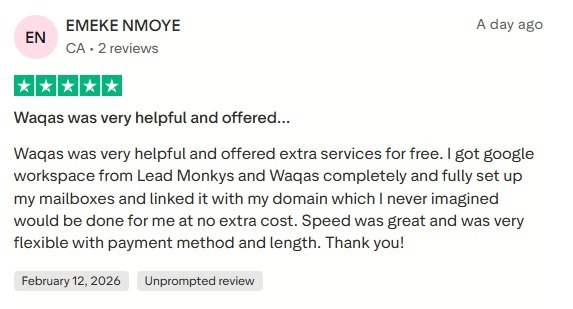
For startups and small businesses especially, the savings are significant. A 20-person team on Business Starter saves roughly $1,200+ per year compared to buying direct. No contracts. No hidden fees. Flexible billing via PayPal, Wise, Crypto, or Payoneer.
👉 Get your Google Workspace quote from Leads Monky →
Frequently Asked Questions
Q: Is SharePoint better than Google Workspace?
A: It depends on your business. SharePoint is better for large enterprises needing compliance, governance, and deep Microsoft 365 integration. Google Workspace is better for small businesses, remote teams, and companies that value simplicity and fast deployment.
Q: Which is cheaper — SharePoint or Google Workspace?
A: SharePoint Plan 1 starts at $5/user/month, but the real cost includes admin, setup, and training. Google Workspace through an authorized reseller like Leads Monky starts at just $2.50/user/month with free setup — making it significantly cheaper in total.
Q: Can I use Google Workspace instead of SharePoint?
A: Yes — for most businesses under 200 people, Google Workspace covers everything SharePoint does for document management, cloud collaboration, and file sharing. You’ll trade some governance depth for much greater ease of use.
Q: How do I get Google Workspace cheaper than Google’s direct price?
A: Buy through an authorized Google Workspace reseller like Leads Monky. You get the exact same product at up to 64% off, plus free professional setup, SPF/DKIM/DMARC configuration, and ongoing support.
Q: What’s the difference between SharePoint Online and Google Drive?
A: SharePoint Online is a structured enterprise document management platform with metadata, complex permissions, and workflow automation. Google Drive is a simpler, more intuitive cloud storage and file sharing tool — faster to use but less powerful at scale.
The Final Verdict
Microsoft SharePoint vs Google Workspace comes down to one question: Do you need control or speed?
If you’re a large enterprise with compliance requirements and an existing Microsoft 365 investment — SharePoint is your answer.
If you’re a growing small business, a remote team, or anyone who just wants tools that work beautifully without a 12-week setup — Google Workspace wins every time.
And if you choose Google Workspace, don’t buy it at full price. Leads Monky — a certified Google Workspace authorized reseller — gives you the exact same product at up to 64% off, with free setup and real human support.
👉 Get started with Google Workspace through Leads Monky and save up to 64% →
Get Google Workspace at 64% Off
Same service. Better price. Professional setup included.
⭐⭐⭐⭐⭐ 151+ companies trust us
Partner Pricing:
• Business Starter: $3/month (Google: $8)
• Business Standard: $13/month (Google: $17)
• Business Plus: $20/month (Google: $26)
FREE:
Complete DNS setup + 24/7 support + USA IPs
15-user minimum | Setup in 24 hours


