Email deliverability shapes whether your message reaches the inbox or disappears into filters, and it’s now a critical skill for anyone sending outreach or marketing emails. When inbox providers judge your trust level, they examine signals like domain reputation check, sender reputation signals, email reputation scoring, spam filter triggers, and inbox placement rate.
If any signal looks suspicious, your message gets blocked before your prospect even sees it. That’s why mastering Email Deliverability matters so much in today’s competitive digital space. It helps protect your domain, improve engagement, and give every email a real chance to create results instead of getting lost in spam
What Is Email Deliverability and Why It Matters in 2026
Email deliverability shows whether your emails reach the inbox instead of going into spam. It measures your inbox placement rate, your bounce rate impact, and how mailbox providers feel about your sending pattern. If your outreach gets flagged by spam filter triggers, your messages never appear where your prospects can see them. The rules changed drastically in the USA because Google and Yahoo updated authentication and engagement requirements. Now senders must follow message authentication protocols or risk instant filtering.
Good deliverability protects business revenue. USA companies rely heavily on outbound outreach, and even a small drop in inbox placement can hurt sales pipelines. This is why regular domain reputation check routines, Talos reputation check reviews, and IP reputation score monitoring matter so much. If you ignore these, poor signals build up. When that happens, email throttling begins and you lose control of your campaigns. Deliverability is no longer optional. It’s survival.
💡 Struggling with cold email deliverability?
We’ve built cold email infrastructure for 50+ B2B companies—achieving 40-60% open rates and 10-15 consultations monthly.
See how we can help →How Email Deliverability Works Behind the Scenes
Email deliverability depends on how servers and filters evaluate your trust level. When you send a message, the SMTP server IP communicates with mailbox providers. They examine your SPF record setup, DKIM authentication, and DMARC policy configuration. If these settings are wrong, your domain becomes suspicious. Providers also check your SMTP configuration and your history of high-risk sending behavior before deciding inbox or spam.

Behind every inbox placement is a scoring process. Providers check your email reputation scoring, judge your verified email addresses, analyze open activity, measure positive email interactions, and watch for spam complaints. They compare your patterns to known spam models. When they find problems, they send the message to the spam folder. When they see steady and ethical behavior, they reward you with better inbox placement.
Key Metrics That Define Email Deliverability Success
Deliverability performance relies on measurable indicators. The most important is the inbox placement rate, which shows how many emails actually reach the inbox. Another key metric is bounce rate impact, because bounces weaken trust and tell filters your list contains bad contacts. Providers also watch spam complaints carefully because complaints damage your domain instantly. They also track spam traps, which silently record suspicious behavior.
Mailbox providers study your engagement. They monitor replies, clicks, scroll time, and prospect engagement signals. When they see declining activity, your messages get pushed down or filtered. They also monitor technical data like email throttling, sender reputation signals, email provider sending limits, and even Gmail sending limits. All these metrics combine into a reputation file that follows your domain permanently.
The Biggest Factors Affecting Email Deliverability Today
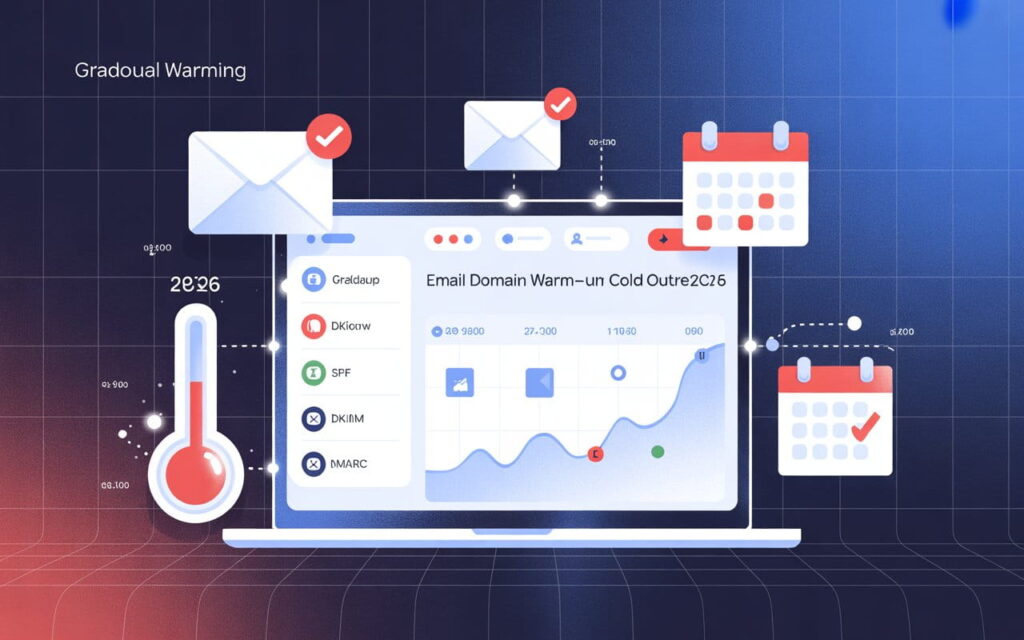
Deliverability now depends heavily on your sending domain. Using an outbound email domain or a separate domain for cold email is essential in 2026 because filters treat cold outreach differently from promotional or transactional vs outreach emails. If your main domain gets damaged, your entire brand suffers. This is why cold email teams build fresh domains, perform gradual email warming, and choose clean IPs to avoid becoming a blacklisted domain.
Content also matters deeply. Filters detect spam trigger words, heavy salesy language filters, and bad text-to-image ratio. Using a sloppy signature with broken signature HTML code or poor HTML signature optimization will also hurt inbox placement. Providers even scan your links and punish you for risky redirects. This is where the redirect links warning and link tracking risks play a big role.
Essential Deliverability Checks Before Sending Any Email Campaign
Before sending any campaign, you must perform a complete email deliverability checklist review. This includes checking authentication, confirming proper SMTP configuration, verifying DNS settings, and running a domain reputation check. It is also important to inspect your targeting. Make sure your list contains business email addresses only and that your contact quality control process removes invalid or outdated accounts.
You must also test your email content. Look for spam filter triggers, broken links, heavy HTML, and excessive images. Confirm your plain-text email format is included because inbox systems prefer it. Make sure your CTA flows naturally, your email tone and messaging feels human, and your value proposition clarity is strong enough to avoid looking spammy. This initial preparation protects your reputation before you even send your first message.
How to Improve Email Deliverability (12 Proven Strategies)
Improving deliverability requires consistent habits. Begin with proper warm-up using warm-up tools automation that create a human-like sending pattern. Increase your daily sending volume slowly so filters never feel shocked. Use multiple inboxes inside a dedicated cold email account to spread risk. Always maintain steady outbound sending frequency and avoid sudden spikes that resemble bots.
Focus on message quality. Avoid spam trigger words, keep a controlled text-to-image ratio, and remove risky URLs that may trigger link tracking risks. Personalize using custom fields for personalization and short personalization snippets that show real intent. When you create cold outreach messages, make sure email tone and messaging sound real, your offer feels helpful, and your CTA placement best practices support real engagement instead of looking aggressive.
Tools You Need to Test and Monitor Email Deliverability
Many USA senders rely on deliverability tools to stay safe. These tools track email reputation scoring, run Talos reputation check scans, and monitor DNS settings. They check your SPF record setup, help you verify DKIM authentication, and confirm your DMARC policy configuration is correct. They also measure blocklist activity to identify early issues in your domain safety score.
Other tools test inbox placement. They measure your inbox placement rate, detect email throttling, and check if you triggered anti-spam mechanisms. They even scan content to find spam filter triggers within your templates. Many tools provide detailed spam filter breakdowns, showing where your issue began. These insights help you send safer, cleaner, and more reliable outreach campaigns.
How to Conduct a Full Email Deliverability Test (Step-by-Step)
A complete deliverability test begins with your domain. You must run a domain reputation check, review IP reputation score, and inspect all DNS records. After confirming these settings, test your SMTP server IP and send messages to seed accounts. Seed tests reveal how different providers treat your emails. They also show if your content activates spam filter triggers.
Next, analyze engagement behavior. Use test inboxes to monitor open activity. Check if Gmail sends your email to the updates tab or the promotions tab. Study your value proposition clarity, scan for spam complaints, and watch for blacklist monitoring signals. After testing, compare these results with previous campaigns. This helps refine your strategy and maintain healthy inbox placement.
How to Run a Spam Filter Test & Fix Issues Immediately
Running a spam filter test allows you to see how filters score your message. Providers detect keywords, formatting, and broken HTML. When the system flags salesy language filters, spam trigger words, or a harmful signature HTML code, it lowers your rating. If your HTML signature optimization is weak, you may instantly hit spam.
Fixing these issues requires careful rewriting. Update your content with natural email tone and messaging, replace spammy words, rewrite your CTA, and improve personalization. Repair your HTML by cleaning unnecessary elements. Remove suspicious URLs and correct your text-to-image ratio. After adjustments, send the message again until your score turns positive.
Mastering Email List Management for High Deliverability
List quality defines your future deliverability. Always clean your lists using email validation tools to remove invalid, risky, or outdated contacts. Avoid a high-bounce contact list because it harms your email reputation scoring quickly. Upload your contacts using uploading contacts in batches instead of dumping large volumes at once. This reduces risk and helps inbox algorithms trust your sending behavior.
Use list segmentation to improve relevance. Organize contacts by industry, location, role, or buyer stage. Use prospect list sourcing that focuses on fresh business email addresses only. Protect your domain by avoiding purchased lists because they often contain spam traps. When your list is healthy, providers trust you more and reduce filtering.
Interpreting Deliverability Data and Optimizing Performance
Deliverability data shows patterns that reveal hidden problems. Watch your inbox placement rate daily to catch sudden drops. Monitor bounce rate impact, email throttling, and blacklist monitoring results to maintain stability. Study your positive email interactions and see how they improve your domain trust with every campaign.
To optimize performance, compare past campaigns, run regular tests, and follow strict maintaining send quality standards. Track changes in engagement, open patterns, sender trust signals, and overall domain reputation. When you see negative signals, slow your sending, improve content, and revise your strategy.
Cold Email Deliverability: How to Stay Safe Without Hurting Reputation
Cold email requires more caution because filters treat it differently from warm marketing campaigns. Start by sending from an outbound email domain that protects your main domain. Build trust using a gradual email warming routine and follow cold email compliance rules to avoid penalties. Be careful with volume because high activity triggers high-risk sending behavior warnings.
Your content matters even more in cold outreach. Use personalized templates with cold email template personalization, strong value proposition clarity, and gentle CTA placement best practices. Avoid spammy phrasing and focus on helpful messaging. Doing this improves reply rate optimization and protects your domain reputation.
Frequently Asked Questions About Email Deliverability
Many people ask why their emails land in spam. The most common cause is missing authentication or poor list hygiene. Others want to know how long warm-up takes. The truth is the email warm-up process depends on your domain age and engagement history. Another question asks whether link tracking hurts deliverability. Yes, it often triggers warnings because of link tracking risks.
Some users wonder if buying lists helps. It doesn’t. Purchased lists often contain spam traps, invalid contacts, and low-quality leads. Others want to understand sending limits. Every provider has rules. You must follow email provider sending limits and Gmail sending limits to stay safe. Deliverability improves when your behavior looks natural and consistent.
Ready to Fix Your Cold Email?
🛡️ We guarantee 10 consultations in 60 days or work free.
⭐⭐⭐⭐⭐ 50+ clients | 2.4M emails sent | 3.2% reply rate
What you get:
✅ Complete infrastructure (30 emails, 10 domains)
✅ 10,000 personalized emails monthly
✅ First consultations in 5-6 weeks
2 spots left for February 2026
Final Checklist & Tools to Ensure Your Emails Land in the Inbox
Before sending any campaign, confirm your DNS settings, scan your domain reputation, and validate your list. Review your content for spam filter triggers, ensure plain-text email format exists, and double-check your signature. Run a full seed test and analyze your inbox placement rate carefully. If anything looks off, adjust immediately.
FAQs
Q: What is meant by email deliverability?
A: Email deliverability measures whether your emails reach the recipient’s inbox instead of spam or promotions.
Q: How does email deliverability work?
A: It works by ISPs evaluating your sender reputation, authentication (SPF, DKIM, DMARC), engagement metrics, and spam signals.
Q: What are the 5 C’s of email?
A: The 5 C’s are Clarity, Conciseness, Correctness, Courtesy, and Completeness for effective email communication.
Q: What is the 30/30/50 rule for cold emails?
A: Send 30% to new contacts, 30% to engaged leads, and 50% to verified decision-makers to maintain deliverability.
Q: What is the 3 email rule?
A: The 3 email rule suggests sending up to 3 follow-ups to a prospect before stopping outreach.
Q: How do I improve my email deliverability?
A: Improve it by warming up domains, authenticating emails, cleaning your list, and avoiding spam triggers.
Q: What are email deliverability tools?
A: Tools like Talos Intelligence, MXToolbox, Google Postmaster Tools, and Sender Score monitor reputation and inbox placement.
Q: What are the 5 steps of an email?
A: The 5 steps are Compose, Authenticate, Test, Send, and Monitor for optimal email performance.
Q: What is the 60 40 rule in email?
A: Keep 60% text and 40% images to avoid spam filters and ensure readability.
Q: What are the three types of email?
A: The three types are Transactional (system-generated), Promotional (marketing), and Cold/Outreach emails.
What is the 60 40 rule in email?
It means keeping your email content 60% text and 40% images to avoid spam filters and maintain better readability.
How to check emails before sending?
Use a pre-send checker or spam-testing tool to scan your email for errors, broken links, spam triggers, and formatting issues.
What is the +1 email trick?
It’s a method where you add “+1” to your Gmail address to create a tagged version that still forwards to the same inbox for testing or tracking.
What is the 60 40 rule in email?
The rule suggests balancing 60% text with 40% visuals so your email doesn’t look spammy.
How to check emails before sending?
Run your email through a spam test, preview it on multiple devices, and verify that all links, formatting, and authentication settings work correctly.