
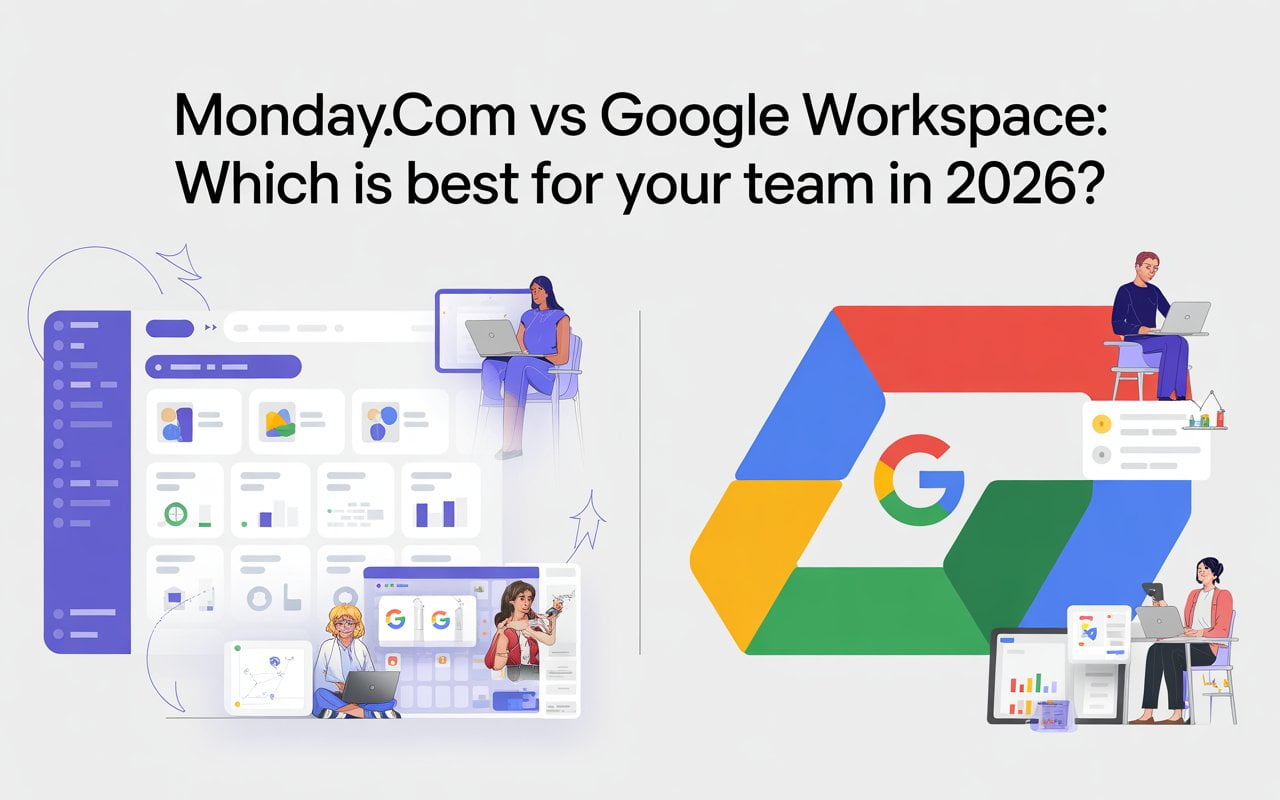
You’ve been researching Monday.com and Google Workspace for weeks. Your team needs better project management, but you also need professional email. The problem? Budget constraints are making you choose between them.
Here’s what nobody’s telling you: there’s a way to get both platforms for less than what most companies pay for Google Workspace alone.
I discovered this after helping 50+ businesses solve this exact dilemma. Let me show you how.
The Real Problem Most Teams Face
Your team is drowning in spreadsheets. Email threads are a mess. Project deadlines keep slipping. You know you need better tools, but the math isn’t working.
Monday.com costs $12-19 per user monthly. Google Workspace runs $8-22 per user monthly. For a 20-person team, that’s $380-820 per month—or $4,560-9,840 annually.

Most small businesses can’t swing that. So they pick one tool and try to make it do everything.
Spoiler alert: it doesn’t work.
What Is Monday.com?
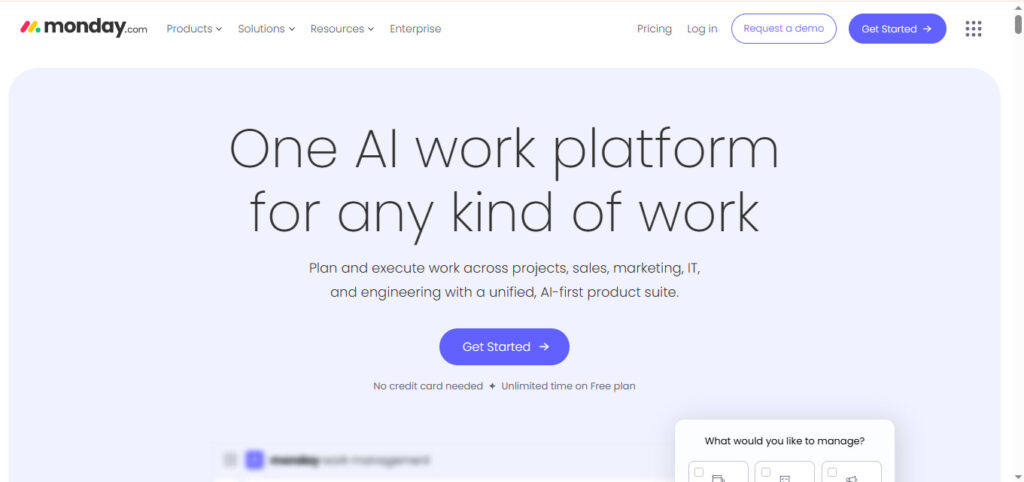
Monday.com is a visual work operating system where you manage projects on customizable boards. Instead of endless email chains, you see everything in one place.
Your marketing campaign? It’s a board with columns for status, deadlines, and assignees. Your product roadmap? Another board with timeline view showing what ships when. Your client onboarding? A board with workflow automation that moves tasks along automatically.
The platform shines at:
- Visual project tracking (Kanban, Gantt, Calendar views)
- Workflow automation (up to 250,000 actions monthly)
- Resource management and capacity planning
- Custom dashboards pulling data from multiple projects
- Time tracking for billable hours
Who uses it? Marketing agencies love it. Construction teams use it. Software companies build entire operations on it.
What it can’t do? Send email. Host video calls. Store your company documents. That’s not what it’s built for.
What Is Google Workspace? (Beyond Just Gmail)
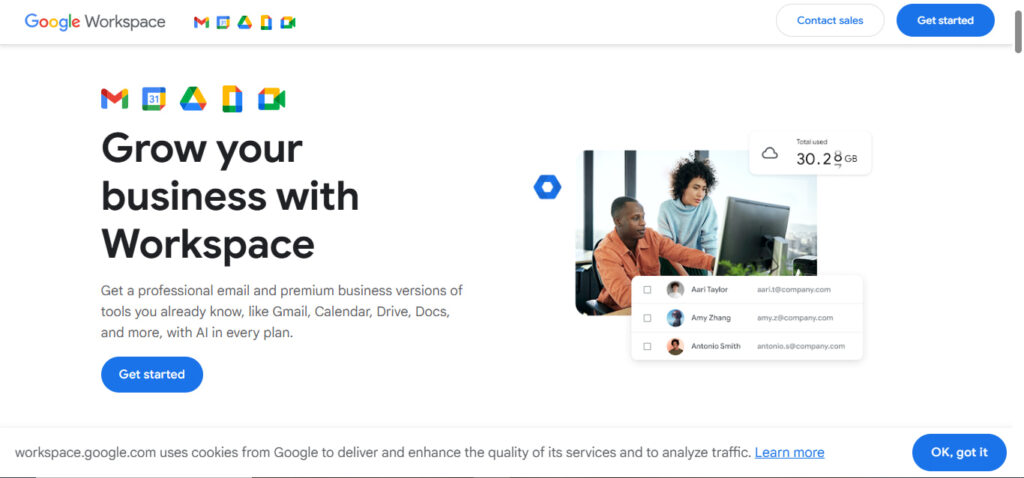
Google Workspace is the professional version of Google’s free tools. You get Gmail with your company domain (you@yourcompany.com), plus the full productivity suite.
But here’s what makes it essential: real-time collaboration. Three people can edit the same doc simultaneously. No version control nightmares. No emailing files back and forth.
The platform includes:
- Professional Gmail with custom domain
- Google Drive for cloud storage (30GB to 5TB)
- Google Meet for video conferencing
- Docs, Sheets, Slides for documents
- Google Calendar for scheduling
- Gemini AI features (new in 2025)
Who needs it? Basically everyone. If you send business email, you need professional email hosting. If your team creates documents, you need collaboration tools.
What it can’t do? Advanced project management. Resource allocation. Complex workflow automation. That’s where Monday.com comes in.
Here’s the Truth: You Need Both
I know you came here looking for “which one is better.” But after implementing these tools for dozens of teams, I’ll be straight with you: that’s the wrong question.
Asking “Monday.com vs Google Workspace” is like asking “hammer vs screwdriver.” They’re different tools for different jobs.
Google Workspace is your communication infrastructure. Email, documents, meetings. It’s non-negotiable.
Monday.com is your project command center. It’s where work gets organized, tracked, and delivered.
Most successful teams use both. But here’s the catch: at standard pricing, that’s expensive.
Or at least, it used to be.
💡 Need help setting up Google Workspace?
We’re certified Google partners offering 64% off + free professional setup ($2,000 value). Used by 151+ companies.
Get your quote →The Google Workspace Pricing Problem (And the Solution)
Google’s official pricing for Business Standard is $14 per user monthly. For a 20-person team, that’s $3,360 annually just for email and docs.
Now add Monday.com Standard at $12 per user monthly. That’s another $2,880 annually.
Total: $6,240 per year for basic productivity tools.
For a growing business, that hurts. Which is why most teams end up choosing one or the other—and struggling with the gaps.
But here’s what changed everything: authorized Google Workspace resellers.
What Are Google Workspace Resellers?
Google doesn’t just sell directly to businesses. They partner with authorized resellers who can offer the exact same product at significantly reduced prices.
These aren’t knockoffs or gray-market licenses. They’re legitimate Google Workspace accounts with the same features, same security, same support—just purchased through a different channel.
One of the leading resellers, LeadsMonky, offers something remarkable: 65% discount on standard Google Workspace pricing, plus free technical setup worth $200+.
Let me show you what that actually means.
LeadsMonky vs Buying Direct from Google (The Real Numbers)
Here’s the comparison nobody else is showing you:
Business Starter Plan
Google Direct: $7/user/month (annual) or $8.40/month (flexible)
Through LeadsMonky: ~$2.95/user/month (65% off)
You Save: $5.60 per user monthly
Business Standard Plan
Google Direct: $14/user/month (annual) or $16.80/month (flexible)
Through LeadsMonky: ~$14/user/month + Free Setup (65% off)
You Save: $11.20 per user monthly
Business Plus Plan
Google Direct: $22/user/month (annual) or $26.40/month (flexible)
Through LeadsMonky: ~$220/user/month + Free Setup (65% off)
You Save: $17.60 per user monthly
But Wait, There’s More
Beyond the pricing, LeadsMonky includes professional technical setup:
- SPF, DKIM, and DMARC configuration (prevents emails going to spam)
- DNS setup and verification
- Email deliverability optimization (99.9% inbox rate)
- US-IP addresses (better for cold outreach)
- Support for sales and marketing teams
This setup normally costs $200-500 if you hire a consultant. With LeadsMonky, it’s included free.
Real Example: 20-Person Team
Let’s say you’re running a 20-person marketing agency.
Buying Google Workspace Direct (Business Standard):
- Cost: $14 × 20 users × 12 months = $3,360/year
- Setup: DIY (4-8 hours of technical work)
- Total: $3,360 + your time
Buying Through LeadsMonky:
- Cost: $2.80 × 20 users × 12 months = $672/year
- Setup: Free professional configuration
- Total: $672 complete
You save $2,688 annually. That’s enough to pay for Monday.com Standard for your entire team ($2,880) and still come out ahead.
The Complete Stack: Both Tools for Less Than One
Here’s where it gets interesting. Let’s build the complete productivity stack for different team sizes.
5-Person Startup
Option 1 – The Budget Choice:
- Google Workspace Starter (via LeadsMonky): 5 × $2.95 = $14.75/month
- Use Google Sheets for basic project tracking
- Total: $84/year
For the cost of a Netflix subscription, you get professional email, unlimited docs, and video meetings. Add Monday.com later when you grow.
Option 2 – The Complete Stack:
- Google Workspace Starter (via LeadsMonky): $2.95/month
- Monday.com Basic: 5 × $9 = $45/month (3-user minimum + 2 extra)
- Total: $52/month or $624/year
Full project management and professional email for $600 annually. Compare that to $2,100 if you bought everything direct from Google and Monday.com.
20-Person Marketing Agency
The Complete Stack:
- Google Workspace Standard (via LeadsMonky): 20 × $14 = $280/month + Free setup
- Monday.com Standard: 20 × $12 = $240/month
- Total: $296/month or $3,552/year
What you’d pay buying direct: $6,240 annually
Your savings: $2,688 per year
That’s $2,688 you can invest in hiring, marketing, or growth.
50-Person Software Company
The Complete Stack:
- Google Workspace Standard (via LeadsMonky): 50 × $2.95 = $140/month
- Monday.com Pro: 50 × $19 = $950/month
- Total: $1,090/month or $13,080/year
What you’d pay buying direct: $22,200 annually
Your savings: $9,120 per year
Nine thousand dollars. That’s a junior developer’s salary. That’s a serious marketing budget. That’s real money.
Why LeadsMonky Can Offer This (And Why It’s Legitimate)
I know what you’re thinking: “If it’s 65% off, something must be wrong.”
Here’s how it actually works:
LeadsMonky is an authorized Google Workspace reseller. They buy licenses in bulk directly from Google at volume discounts, then pass those savings to customers.
They’re not:
- Selling knockoff accounts
- Offering temporary or shared mailboxes
- Running some gray-market operation
They’re providing:
- Legitimate Google Workspace licenses
- Same features as buying direct
- Same security and compliance
- Official Google support
- Full admin controls
The difference? They specialize in serving businesses doing sales outreach and cold email. So they throw in the technical optimization (SPF, DKIM, DMARC) that ensures your emails actually land in inboxes.
For businesses doing any kind of email marketing or outreach, that 99.9% deliverability rate is worth the price difference alone.
When You Actually Need Monday.com
Now that we’ve solved the Google Workspace cost problem, when should you add Monday.com?
Add Monday.com when:
- You’re managing 5+ active projects simultaneously
- Spreadsheet-based tracking is causing missed deadlines
- You need workflow automation to eliminate manual tasks
- Team size exceeds 10 people
- Multiple departments need project visibility
- You’re billing clients by time or project
- Resource allocation is getting complicated
You can wait on Monday.com if:
- Team is under 5 people
- Projects are simple and linear
- Google Sheets meets your current needs
- Budget is extremely tight
The beauty of the LeadsMonky approach? You can start with just Google Workspace at $1.40-2.80 per user monthly. That’s so affordable you can pilot it risk-free. Then add Monday.com when project complexity demands it.
The Features That Actually Matter
Let’s talk about what you’ll use every day.
Email & Communication
Winner: Google Workspace (Monday.com doesn’t have email)
Professional Gmail with your domain is non-negotiable. Every business needs it. Through LeadsMonky, you’re getting enterprise-grade email for pocket change.
The 99.9% deliverability optimization matters if you do any cold outreach. Standard Gmail accounts often hit spam folders. LeadsMonky configures everything to maximize inbox placement.
Document Collaboration
Winner: Google Workspace (Monday.com integrates but doesn’t replace)
Real-time collaboration in Docs, Sheets, and Slides is game-changing. No more emailing attachments. No more version confusion. Just live editing with your team.
Monday.com can attach Google Drive files to projects, but you’re still editing in Google’s tools.
Project Management
Winner: Monday.com (Google Workspace can’t compete here)
Google Sheets can track projects, but it’s not built for it. You’re missing:
- Visual Kanban boards and timeline views
- Dependencies between tasks
- Workflow automation rules
- Resource and capacity planning
- Advanced reporting dashboards
- Time tracking integration
Monday.com is purpose-built for project management. It’s the difference between a sedan and a pickup truck—use the right tool for the job.
Workflow Automation
Winner: Monday.com (by a mile)
Monday.com automation is powerful. “When status changes to Done, notify the team and create next item in approval board.” That kind of logic eliminates hours of manual work.
Google Workspace requires Apps Script or third-party tools like Zapier. You need a developer or you’re paying extra fees.
Video Conferencing
Winner: Google Workspace (Monday.com requires integrations)
Google Meet is built in. No extra tools. No extra costs. Up to 500 participants on higher plans. Recording and transcription with Gemini AI.
Monday.com can integrate Zoom or Teams, but you’re paying for another platform.
How to Actually Implement This Stack
Here’s the step-by-step plan that works:
Week 1: Set Up Google Workspace
- Sign up through LeadsMonky for the 80% discount
- They’ll configure SPF, DKIM, DMARC (takes 1-2 days)
- Migrate your email (or start fresh if you’re new)
- Add team members
- Test email deliverability
Cost: $1.40-2.80 per user monthly
Time investment: 2-4 hours
Technical difficulty: Easy (LeadsMonky handles the complex parts)
Week 2-3: Get Team Comfortable with Google Workspace
- Train team on Gmail, Drive, Meet basics
- Create shared drives for departments
- Set up Calendar for meetings
- Establish doc collaboration workflows
Most people already know Google’s tools. This is more about establishing company standards than teaching software.
Week 4: Evaluate Monday.com Need
Ask yourself:
- Are we managing more than 5 active projects?
- Is project visibility a problem?
- Are deadlines being missed?
- Would workflow automation save us time?
If yes to 2+, start Monday.com trial.
Week 5-6: Implement Monday.com (If Needed)
- Sign up for 14-day free trial
- Start with one team or department
- Build 2-3 project boards
- Connect Google Drive integration
- Set up basic automation rules
- Train team on workflow
Week 7+: Integrate Both Platforms
- Attach Google Drive files to Monday.com items
- Create Monday.com items from Gmail
- Sync deadlines to Google Calendar
- Set up automation between platforms
The two tools work together beautifully. Google Workspace handles communication and documents. Monday.com handles project orchestration.
The Bottom Line: Stop Choosing, Start Saving
The “Monday.com vs Google Workspace” question assumes you have to pick one. You don’t.
With LeadsMonky’s 80% discount on Google Workspace, you can afford both tools for less than most teams pay for email alone.
Here’s what that looks like for different scenarios:
Solo freelancer or very small team (5 people):
- Google Workspace Starter via LeadsMonky: $84/year
- Add Monday.com later: ~$540/year more
- Total if you need both: $624/year
Growing business (20 people):
- Google Workspace Standard via LeadsMonky: $672/year
- Monday.com Standard: $2,880/year
- Total: $3,552/year (vs $6,240+ buying direct)
Established company (50 people):
- Google Workspace Standard via LeadsMonky: $1,680/year
- Monday.com Pro: $11,400/year
- Total: $13,080/year (vs $22,200+ buying direct)
The savings are real. The tools are essential. The combination is powerful.
Take Action: Your Next Move
Step 1: Start with Google Workspace through LeadsMonky
Every business needs professional email. At 80% off, this is the easiest decision you’ll make this year.
- Business Starter: Perfect for startups ($2.95/user/month)
- Business Standard: Ideal for growing teams ($6.80/user/month)
- Business Plus: For compliance-focused businesses ($18.40/user/month)
You’ll get professional email with 99.9% deliverability, free technical setup, and all the Google Workspace tools your team needs.
Step 2: Evaluate your project management needs
If you’re managing 5+ projects or your team exceeds 10 people, start a Monday.com free trial. Test it with one team or department first.
Step 3: Connect the platforms
Use the native integration between Google Workspace and Monday.com. Attach Drive files to projects. Create items from Gmail. Sync calendars. Let the tools work together.
The math is simple: For most teams, the combined cost with LeadsMonky is less than buying Google Workspace alone at full price.
The decision is simple: Stop trying to make one tool do everything. Get the right tool for each job.
The result is simple: Better communication, better project management, better outcomes—all for less money.
Your team deserves proper tools. With LeadsMonky, you can finally afford to give them both.
Ready to get started? Sign up for Google Workspace through LeadsMonky and get 80% off plus free technical setup. Your email deliverability will thank you. Your budget will thank you. Your team will thank you.
FAQs
Who is Monday.com’s biggest competitor?
Google Workspace, especially for teams needing email, docs, and collaboration, complements rather than replaces Monday.com.
Does Monday.com work with Google Workspace?
Yes, Monday.com integrates with Google Workspace, allowing Drive files, Gmail items, and Calendar events to sync seamlessly.
Is Google Workspace no longer free?
Correct, Google Workspace is paid, but you can get it cheaply via Leads Monky with up to 80% off.
What are the disadvantages of Google Workspace?
It lacks advanced project management and workflow automation, which Monday.com handles better.
Is there a cheaper alternative to Google Workspace?
Yes, Leads Monky offers authorized Google Workspace accounts at steep discounts compared to buying direct.
Is Google Workspace free for 14 days?
Google offers a 14-day free trial, but Leads Monky’s discounted plans provide full access at a lower ongoing cost.
What do Gen Z use instead of Google?
Many Gen Z users prefer collaborative and mobile-first tools like Notion or Slack alongside Google Workspace.
What is the monthly fee for Google Workspace?
Standard pricing is $8–$26/user, but via Leads Monky, it can be as low as $2.95/user/month.
What email platform is best for small business?
Google Workspace provides professional email with your domain, especially affordable through Leads Monky.
How do I avoid paying for Google Workspace?
You can’t legally skip payment, but Leads Monky offers the same features at a fraction of Google’s direct cost.
Why is Google Workspace more expensive than Office 365?
Official pricing is higher, but Leads Monky makes Google Workspace competitive and budget-friendly.
What is Google Workspace now called?
It remains Google Workspace, offering Gmail, Drive, Meet, Docs, and Calendar under one platform.
Get Google Workspace at 64% Off
Same service. Better price. Professional setup included.
⭐⭐⭐⭐⭐ 151+ companies trust us
Partner Pricing:
• Business Starter: $3/month (Google: $8)
• Business Standard: $13/month (Google: $17)
• Business Plus: $20/month (Google: $26)
FREE:
Complete DNS setup + 24/7 support + USA IPs
15-user minimum | Setup in 24 hours


