You just bought three fresh domains for your B2B cold email campaign.
You set up your inboxes. You wrote sharp, personalized emails. You hit send on Day 1 excited, confident, ready to book meetings.
By Day 3? Every email is landing in spam.
This happens to almost every B2B team that skips email domain warm-up. And it’s completely avoidable.
In this guide, you’ll learn exactly how to find the best email warm-up for new domains in B2B outreach in 2026 the right way. We’ll cover the technical setup, the daily sending schedule, the best tools, and the common mistakes that destroy sender reputation before you send a single real email.

What Is Email Warm-Up And Why Does It Matter in B2B?
Email warm-up is the process of gradually building a new domain’s sending reputation by starting with low email volume and increasing it slowly over 2–4 weeks.
Here’s the thing: inbox providers like Gmail, Outlook, and Yahoo don’t trust new domains. They’ve never seen yours before. When a brand-new address suddenly sends 200 emails on Day 1, it looks exactly like spam behavior.
Warm-up solves this by proving slowly and consistently that you’re a legitimate human sender.
For B2B cold email outreach, this matters more than ever. According to a 2025 B2B Email Deliverability Report, new domains face an approximately 30-percentage-point inbox placement penalty compared to aged domains. Domains that skip warm-up see 67% higher bounce rates and frequent blacklisting within just 14 days.
That’s not a risk worth taking especially when your pipeline depends on it.
💡 Struggling with cold email deliverability?
We’ve built cold email infrastructure for 50+ B2B companies—achieving 40-60% open rates and 10-15 consultations monthly.
See how we can help →Step 1: Set Up Your Domain Authentication First (Non-Negotiable)
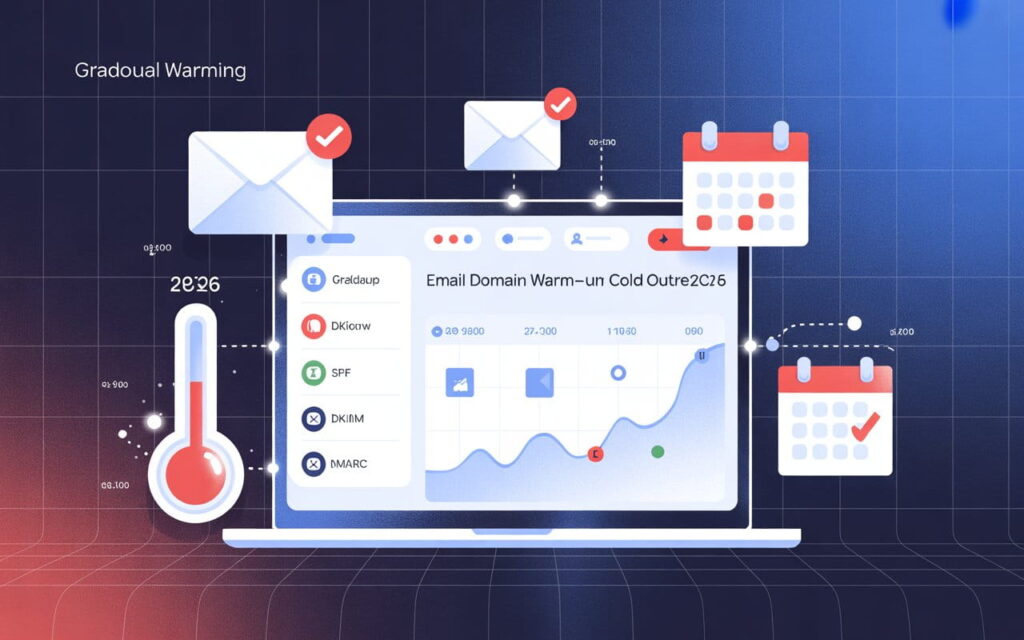
Before you send a single warm-up email, you need three DNS records configured correctly:
- SPF (Sender Policy Framework) tells inbox providers which servers are authorized to send from your domain
- DKIM (DomainKeys Identified Mail) adds a digital signature to every email, proving it’s genuinely from you
- DMARC (Domain-based Message Authentication, Reporting & Conformance) ties SPF and DKIM together and tells providers what to do if authentication fails
Think of these as your domain’s passport. Without them, inbox providers can’t verify who you are and they’ll treat you like an imposter.
Fully authenticated domains are 2.7x more likely to reach the inbox compared to unauthenticated ones. Yet only 7.6% of domains currently enforce DMARC. That’s a massive competitive advantage if you set it up correctly.
Quick setup tip: Start your DMARC policy at p=none (monitoring only). After 30 days of clean sending, move to p=quarantine. Use MXToolbox to verify all records are passing before you start any warm-up.
Important: Never use your primary business domain for cold outreach. Use a secondary domain variant like getacme.com instead of acme.com. If the outreach domain gets blacklisted, your main domain stays safe.
At Leads Monky, this is Step Zero of every campaign we build. We set up 10 dedicated sending domains with full SPF/DKIM/DMARC authentication completely separate from your business domain before a single email goes out.
Step 2: Choose the Right Domain for B2B Outreach
Not all domain choices are equal. Here’s what actually works in 2026:
- Use .com TLDs where possible .xyz, .info, and similar TLDs have 22% higher spam classification rates straight out of the box
- Use natural-sounding names like trybrand.com, getbrand.com, or brandhq.com
- Avoid hyphens and numbers they signal automation to spam filters
- Let the domain rest for 2–4 weeks after registration before sending anything this gives it age and lets DNS records propagate properly
If you’re running B2B outreach at scale (10,000+ emails/month), you’ll want multiple sending domains with 2–3 inboxes each. This distributes sending volume and protects your sender reputation across accounts.
Step 3: Follow a Proven Warm-Up Schedule
This is where most teams get impatient and destroy their email deliverability.
Here’s a 14-day email warm-up schedule that consistently achieves 95%+ inbox placement:
| Day Range | Emails Per Inbox Per Day | Focus |
| Days 1–3 | 5–10 | Friendly contacts, internal emails only |
| Days 4–7 | 15–25 | Mix of warm contacts and test accounts |
| Days 8–10 | 25–35 | Gradually introduce cold prospects |
| Days 11–14 | 35–50 | Full cold outreach volume |
Three rules that make or break this schedule:
- Never double volume overnight. A sudden spike looks like a spam attack. Increase by no more than 10–15 emails per inbox per day.
- Generate real engagement. Opens and replies during warm-up are positive signals. Emails that get zero interaction are a negative signal in 2026.
- Keep bounce rate under 2%. If you hit 3%+ during warm-up, stop immediately. Clean your list before continuing.
For B2B cold email teams sending at serious scale, plan for a 3–4 week ramp rather than 14 days. The extra time builds a more durable reputation, especially on Microsoft/Outlook where enforcement has gotten significantly stricter in 2026.
Step 4: Use the Best Email Warm-Up Tools for B2B
Manual warm-up works for one or two inboxes. But for B2B email warm-up at scale running 10, 20, or 30 sending accounts you need an automated warm-up tool.
Here are the top options worth considering in 2026:
Lemwarm Great for teams already on Lemlist. Asks about your ICP and clusters you with similar B2B senders for more natural engagement patterns. Built-in deliverability tests show inbox vs. spam placement per email provider before you launch.
MailReach Optimized specifically for B2B cold outreach (not newsletters or B2C). Uses a network of 30,000+ real Google Workspace and Microsoft 365 inboxes. Excellent for teams managing 10+ sending accounts who need domain-level monitoring.
TrulyInbox Best value for most B2B teams. Unlimited inboxes on every plan, starts at $29/month, and achieves 97%+ inbox placement within 4 weeks. The only tool with a forever-free plan. Automatically checks blacklist status and verifies SPF/DKIM/DMARC on setup.
Instantly / Smartlead All-in-one platforms that handle warm-up alongside campaign management. Ideal if you want your warm-up and outreach sending in the same platform.
Warmy AI-driven warm-up that uses Google Postmaster signals to adjust behavior in real time. Good for teams that want a more hands-off approach.
Never run two warm-up tools simultaneously on the same domain. They’ll send conflicting signals to inbox providers and hurt email deliverability instead of helping it.
Step 5: Monitor These Metrics Daily During Warm-Up
Email deliverability doesn’t take days off, and neither should your monitoring. Watch these numbers every single day during warm-up:
- Bounce rate → Stop immediately if it exceeds 3%
- Spam complaint rate → Must stay under 0.1% (Google’s enforced threshold)
- Inbox placement rate → Target 85%+ before launching real campaigns
- SPF/DKIM/DMARC pass rate → Should be 100% from Day 1
If your spam complaint rate creeps above 0.1%, Gmail will throttle or reject your emails. Google actively blocks nearly 15 billion unwanted emails every day they have zero tolerance above that threshold.
Set up Google Postmaster Tools for your domain. It’s free, and it shows your domain reputation score, spam rate, and IP reputation in one dashboard.
The Biggest Mistakes That Kill New Domain Warm-Up
Let’s talk about what actually destroys sender reputation because most B2B teams make at least one of these.
Sending from your primary business domain. Your main domain is your company’s most valuable digital asset. One bad campaign can damage it permanently. Always use dedicated sending domains.
Skipping email verification. Unverified contact lists have 25–30% decay per year in B2B. Sending to invalid addresses spikes your bounce rate and during warm-up, even 3% is a stop signal.
Using repetitive templates. Inbox providers can fingerprint identical email templates. If every warm-up email looks the same, spam filters recognize the pattern. Vary your content during warm-up.
Rushing the ramp. Everyone wants results on Week 1. But a domain that tries to skip warm-up ends up blacklisted and recovering a blacklisted domain takes 45–90 days. Sometimes it’s unrecoverable.
Treating warm-up as a one-time task. The best B2B email senders run continuous low-level warm-up activity even during active campaigns to maintain sender reputation over time.
How Leads Monky Handles Domain Warm-Up for B2B Clients
Here’s what a professional warm-up setup looks like in practice.
At Leads Monky, every new client campaign starts with 10 dedicated sending domains and 30 email accounts none connected to the client’s business domain. We configure SPF, DKIM, and DMARC on every domain before Day 1. Then we run a 14-day gradual warm-up with smart sending patterns that look completely manual to inbox providers.
The result? Our clients consistently hit 40–60% open rates compared to the industry average of 20%. We’ve delivered over 2.4 million emails with a 45% average open rate and a 3.2% reply rate (vs. 0.5% industry average).
That’s what proper B2B email infrastructure combined with strategic warm-up delivers. Not 20% open rates. Not spam folders. Consistent, scalable inbox placement that fills your calendar.
If you want the full breakdown of our cold email system including how we build prospect lists, write personalized sequences, and handle reply management visit our cold email campaigns page.
The Bottom Line
Email warm-up for new B2B domains isn’t optional in 2026. It’s the foundation that determines whether your outreach works or wastes your budget.
The formula is straightforward:
- Set up SPF, DKIM, and DMARC before Day 1
- Use dedicated sending domains never your primary business domain
- Follow a gradual 14–21 day ramp schedule
- Use a reputable email warm-up tool for B2B accounts
- Monitor bounce rates, spam complaint rates, and inbox placement daily
- Treat warm-up as ongoing sender reputation management not a one-time setup
Do this right, and you’ll hit inbox placement rates of 85–95% the foundation for open rates that are double the industry average.
Want it done for you? Leads Monky builds and manages your entire B2B cold email infrastructure domains, warm-up, authentication, sequences, and reply management. We guarantee 10 booked consultations in 60 days or we work for free.
Book a free 15-minute strategy call →
FAQs
1. How long should I warm up a new domain before sending cold emails?
Warm up any new domain for at least 14 days, with 21–30 days recommended for serious B2B cold email outreach.
2. What is the ideal daily sending volume during the warm-up phase?
Begin at 5–10 emails per inbox daily and increase by 10–15 emails each day until you safely reach 40–50 per inbox.
3. Can I send cold campaigns while my domain is still warming up?
No always complete the full warm-up cycle first, or you risk immediate spam placement and irreversible domain blacklisting.
4. Do I need to set up SPF, DKIM, and DMARC before starting warm-up?
Yes SPF, DKIM, and DMARC must be fully configured before Day 1, as warming up without authentication is completely ineffective.
5. What happens if I skip the warm-up process entirely?
Your domain gets blacklisted within 14 days, your emails land in spam, and recovery takes 45–90 days minimum far costlier than warming up properly.
6. How many inboxes should I create per domain for effective warm-up?
Create 2–3 inboxes per domain using natural name formats like john@domain.com to distribute volume and replicate genuine human sending patterns.
7. Should I continue warm-up after starting live campaigns?
Yes running continuous background warm-up alongside live campaigns is exactly how Leads Monky maintains long-term sender reputation for every B2B client.
8. What metrics indicate that my domain is successfully warmed up?
Your domain is ready when inbox placement exceeds 85%, bounce rate stays below 2%, spam complaints remain under 0.1%, and SPF, DKIM, and DMARC all pass at 100%.
9. What are the most common mistakes that damage domain reputation during warm-up?
Sending from your primary business domain, skipping list verification, and rushing the volume ramp are the three mistakes that kill sender reputation fastest.
10. Does email warm-up actually improve inbox placement or is it overrated?
It is absolutely not overrated warmed domains with full authentication consistently achieve 85–95% inbox placement, which is why Leads Monky clients average 45% open rates against a 20% industry benchmark.
Ready to Fix Your Cold Email?
🛡️ We guarantee 10 consultations in 60 days or work free.
⭐⭐⭐⭐⭐ 50+ clients | 2.4M emails sent | 3.2% reply rate
What you get:
✅ Complete infrastructure (30 emails, 10 domains)
✅ 10,000 personalized emails monthly
✅ First consultations in 5-6 weeks
2 spots left for February 2026