
You’ve decided to launch cold email outreach. Smart move.
But before you send a single email, you need to answer one critical question: which account should you actually send from?
Get this wrong and your emails never reach anyone. Get it right and you’ve built a revenue-generating machine that runs on autopilot.
This guide covers everything from what cold email sending accounts actually are, to the best account setup for your goals, to a surprisingly affordable way to launch in 24 hours.
What Is a Cold Email Sending Account?
A cold email sending account is a dedicated email address used exclusively for outreach to people who don’t know you yet.

It lives on a separate domain not your main business domain. Think of it as a burner phone for email. It protects your real reputation while you prospect aggressively.
Here’s the short answer for voice search users: A cold email sending account is a dedicated Gmail or Outlook account on a secondary domain, authenticated with SPF, DKIM, and DMARC, warmed up over 2–4 weeks, and used only for sending prospecting emails to new contacts.
Can You Send Cold Emails From a Hotmail Account?
Short answer: technically yes. Practically, absolutely not.
Sending cold emails from a Hotmail account is one of the fastest ways to get your outreach killed before it starts. Here’s why:
- Hotmail (now Outlook.com) flags high-volume sending from free consumer accounts almost instantly
- You have zero control over DNS records on a free account no SPF, no DKIM, no DMARC
- Your “sender reputation” starts at zero with no way to build it properly
- Most B2B prospects see a Hotmail address and delete immediately it screams unprofessional
The same applies to free Gmail. If you’re serious about cold email outreach, you need a business email account on a domain you own and control.
Should You Send Cold Emails From Your Business Email Account?
This is the most dangerous mistake beginners make.
Sending cold emails from your business email account the one you use for client meetings, invoices, and team communication puts everything at risk.
Imagine this: your sales team sends 500 cold emails from yourname@yourbusiness.com. Ten people mark it as spam. Suddenly your deliverability tanks. Your client invoices start landing in spam. Deals fall apart because nobody saw your follow-up.
That’s not a hypothetical. It happens constantly.
The rule is simple: never use your primary domain for cold email. Ever. Your main domain is your business reputation built over years. Don’t gamble it on outreach campaigns.
What’s the Best Account to Send Cold Email?
Here’s the answer everyone searches for.
The best account to send cold email is a Google Workspace Gmail account on a dedicated secondary domain, with full email authentication configured SPF, DKIM, and DMARC and a completed 2–4 week warmup period.
Why Google Workspace specifically?
- Highest trusted sender reputation Gmail-to-Gmail delivery is the gold standard
- 1.8 billion active Gmail users your B2B prospects almost certainly use Gmail
- Native integration with every major cold email tool Instantly, Smartlead, Lemlist, Mailshake
- Professional credibility you@yourdomain.com, not you@gmail.com
- USA-based IP addresses critical for US-targeted outreach and inbox placement rates
Microsoft 365 is a solid second choice, especially if you’re targeting enterprise prospects heavy on Outlook. But for most outbound teams, Google Workspace wins.
Quick comparison:
| Provider | Monthly Cost | Best For | Deliverability |
| Google Workspace | $2.50–$6/user | Most cold email teams | ⭐⭐⭐⭐⭐ |
| Microsoft 365 | $6/user | Enterprise/Outlook-heavy targets | ⭐⭐⭐⭐ |
| Zoho Mail | Free–$1/user | Budget testing | ⭐⭐⭐ |
| Free Gmail/Hotmail | $0 | Never for cold email | ⭐ |
💡 Need help setting up Google Workspace?
We’re certified Google partners offering 64% off + free professional setup ($2,000 value). Used by 151+ companies.
Get your quote →How to Send Cold Emails From a Google Business Account
This is the step-by-step many beginners search for and most guides bury in technical jargon. Let’s fix that.
Sending cold emails from a Google Business account requires five things done in the right order.
Step 1: Buy a Secondary Domain
Never use your main domain. Buy a variation getyourbrand.com, tryyourbrand.com, meetyourbrand.com.
Use Cloudflare (cheapest, best DNS management) or Namecheap. Expect to pay $8–12 per domain per year.
Step 2: Connect Google Workspace
Sign up for Google Workspace Business Starter. Normally $6/user/month directly from Google.
Smart move: Skip buying direct. More on a much cheaper option below.
Step 3: Configure DNS Authentication Records
This is where most people get tripped up and where most deliverability problems start.
You need three records set up in your domain’s DNS settings:
- SPF record tells email servers your domain is authorized to send. Without it, you look like a spammer.
- DKIM record adds a cryptographic signature to every email, proving it’s genuinely from you.
- DMARC record tells receiving servers what to do if SPF or DKIM fails. Required by Google and Yahoo since February 2024.
Miss any one of these and your emails go straight to spam regardless of how good your copy is.
Step 4: Warm Up Your Account
A brand-new account sending 100 emails on day one gets flagged immediately. You need to warm up your email account gradually starting at 5–10 emails per day, increasing over 4 weeks.
Use a warmup tool like Lemwarm, MailReach, or the built-in warmup inside Instantly or Smartlead.
Warmup timeline:
| Week | Daily Send Limit | Status |
| Week 1 | 5–10 emails | Building base reputation |
| Week 2 | 10–20 emails | Improving |
| Week 3 | 20–35 emails | Soft campaign testing |
| Week 4+ | 30–50 emails | Full campaign launch |
Step 5: Connect to Your Cold Email Tool
Once warmed up, connect your account to your cold email sending software Instantly, Smartlead, Lemlist, or Mailshake. Set your daily limit to 30–50 emails per account. Never exceed 100.
How Many Cold Email Sending Accounts Do You Need?
Here’s the formula nobody explains clearly enough.
Safe daily sends: 30–50 per account.
Divide your daily email goal by 30 to get the number of accounts you need.
| Daily Goal | Accounts Needed | Domains Needed | Monthly Volume |
| 90 emails/day | 3 accounts | 1 domain | ~2,000 prospects |
| 300 emails/day | 10 accounts | 3–4 domains | ~6,600 prospects |
| 500 emails/day | 17 accounts | 6 domains | ~11,000 prospects |
| 1,000 emails/day | 34 accounts | 11–12 domains | ~22,000 prospects |
Most growing businesses start at 3 accounts on 1 domain. Agencies typically run 30–90 accounts across 10–30 domains.
Sending Cold List Emails From a Google Business Account: The Right Way
When you’re sending cold list emails from a Google Business account, a few extra rules apply.
First verify every email address before you send. A bounce rate above 3% signals a dirty list, damages your sender reputation, and risks blacklisting. Use ZeroBounce, NeverBounce, or Hunter.io.
Second personalize every email, even at scale. Use merge tags for first name, company name, and one specific detail. Generic mass emails trigger spam filters. One-to-one personal emails don’t.
Third limit daily sends per account to 50. You already know this, but it bears repeating. Email deliverability is a long game. Don’t burn your accounts for one campaign.
Fourth set up a custom tracking domain. Using your platform’s default tracking pixel means you share a reputation pool with every other user including bad senders. A custom CNAME tracking domain ties your reputation to your domain only.
The Biggest Mistake: Skipping Authentication
We’ve said it before. We’ll say it again because it’s that important.
SPF, DKIM, and DMARC aren’t optional extras. As of February 2024, Google and Yahoo enforce these as hard requirements for commercial senders.
What each one does:
- SPF (Sender Policy Framework) authorizes specific servers to send email on your behalf
- DKIM (DomainKeys Identified Mail) signs every email with a cryptographic key proving authenticity
- DMARC (Domain-based Message Authentication, Reporting & Conformance) sets policy for failed authentication and sends you reports
Setting these up correctly takes 30–60 minutes if you know what you’re doing. It takes days of troubleshooting if you don’t. Most senders either skip them or configure them wrong.
There’s a much easier solution.
The Smartest Way to Set Up Cold Email Sending Accounts in 2026
Here’s where most guides stop. Ours doesn’t.
Setting up Google Workspace yourself costs $6/user/month plus the time to configure DNS, authentication records, warmup tools, and troubleshoot deliverability issues. That’s hours of technical work and one misconfigured record ruins everything.
Leads Monky solves this entirely.
They’re a certified Google Workspace reseller based in the USA, trusted by over 151 companies globally. They offer Business Starter at just $2.50/user/month compared to Google’s standard $8.40 with free technical setup included.
That’s 64% cheaper than buying directly from Google. Same product. Same Google infrastructure. Same security. Just a fraction of the price.
What Leads Monky Does That Nobody Else Does
Leads Monky isn’t a generic reseller handing you a license and saying “good luck.” They specialize in building cold email infrastructure that actually delivers at prices that make scaling affordable.
Every account setup includes:
- ✅ DKIM configuration email authentication that prevents spoofing
- ✅ DMARC setup domain authentication protecting your sender reputation
- ✅ SPF records authorizes your sending servers, reduces spam flags
- ✅ Spam protection advanced filters to protect your domain reputation
- ✅ Warmup guidance safely build sender reputation before you scale
- ✅ USA-based IP addresses better inbox placement for US-targeted outreach
- ✅ Full admin access 100% account ownership, zero restrictions
Most resellers charge $50–200 for this professional setup. Leads Monky includes it free with every account.
Leads Monky Pricing at a Glance
| Plan | Monthly Cost | Best For |
| 15–200 accounts | $2.99/user/month | Small to mid-size teams |
| 200+ accounts | $2.50/user/month | Agencies and high-volume senders |
| Transfers from existing Workspace | $4.50/user/month | Moving existing domains |
For cold email teams, this matters. Proper SPF, DKIM, and DMARC setup keeps your emails out of spam folders. Google doesn’t optimize for email deliverability. Resellers specializing in cold outreach do.
What Real Users Say
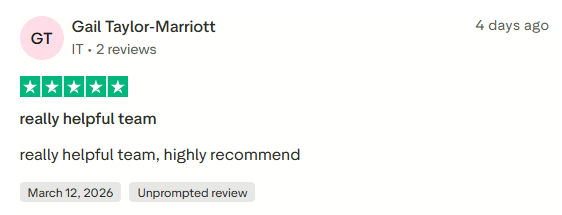
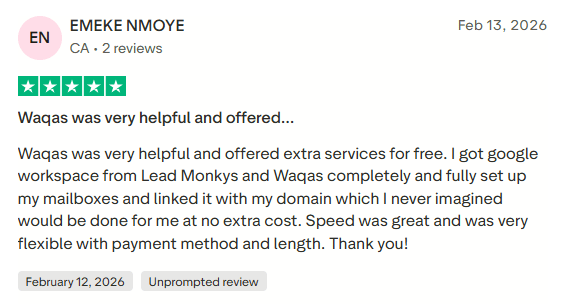
Ready to start? Visit Leads Monky’s Google Workspace page and get your entire cold email infrastructure set up within 24 hours at less than half what Google charges directly.
Quick FAQs: Cold Email Sending Accounts
What is the 30/30/50 rule for cold emails?
Spend 30% on your subject line, 30% on personalization, and 50% on your call-to-action because a great opener means nothing if your CTA doesn’t convert.
Is it illegal to send cold emails?
No, cold emailing is legal in most countries as long as you comply with CAN-SPAM (US), GDPR (EU), or CASL (Canada) which means including your business address, a clear unsubscribe option, and no deceptive subject lines.
Why don’t Gen Z respond to emails?
Gen Z overwhelmingly prefers DMs, voice notes, and social messaging over email studies show 63% find email stressful and most check it less than once a day.
What is the +1 email trick?
Adding “+1” (or any word) before the “@” in a Gmail address like you+newsletter@gmail.com creates a unique alias that still delivers to your main inbox, useful for filtering, tracking signups, or testing cold email tools.
What is the most hacked email provider?
Yahoo Mail holds the record for the largest data breach in history 3 billion accounts compromised in 2013 making it historically the most hacked major email provider.
Is cold calling dead in 2026?
Cold calling isn’t dead, but it’s on life support answer rates have dropped below 4%, and most B2B buyers now prefer a well-personalized cold email over an unexpected phone call.
Can I create 100 Gmail accounts?
You can, but Google’s systems will flag and suspend bulk account creation especially from the same IP making it impractical and unreliable for any serious cold email operation.
What not to do in cold emails?
Never use spam trigger words, write walls of text, make it all about yourself, send without personalization, or skip a clear single call-to-action any one of these kills your reply rate instantly.
What is the safest email account to have?
Proton Mail is widely considered the safest consumer email account it uses end-to-end encryption, stores no IP logs, and is headquartered in Switzerland under strict privacy laws.
How do hackers get into email accounts?
Most email accounts are compromised through phishing attacks, credential stuffing from leaked password databases, weak or reused passwords, and fake login pages not sophisticated hacking.
What is the downside of Proton Mail?
Proton Mail’s biggest downside is limited storage on the free plan (500MB), no integration with third-party email clients without a paid bridge, and near-zero compatibility with cold email sending tools.
The Bottom Line
Cold email sending accounts aren’t complicated but they do require doing things in the right order.
Buy secondary domains. Use Google Workspace. Configure SPF, DKIM, and DMARC. Warm up for 4 weeks. Send 30–50 emails per account per day. Monitor your deliverability every week.
The senders who land in inboxes consistently aren’t sending more emails. They’re sending the right way with infrastructure built to last.
If you want to skip the technical headaches entirely, Leads Monky handles every piece of this setup for you at $2.50/user/month that’s 64% less than Google’s direct price, with all authentication records configured free, USA-based IPs, and 24/7 support.
Your prospects are out there. It’s time to reach their inboxes.
Get Google Workspace at 64% Off
Same service. Better price. Professional setup included.
⭐⭐⭐⭐⭐ 151+ companies trust us
Partner Pricing:
• Business Starter: $3/month (Google: $8)
• Business Standard: $13/month (Google: $17)
• Business Plus: $20/month (Google: $26)
FREE:
Complete DNS setup + 24/7 support + USA IPs
15-user minimum | Setup in 24 hours


