
![Microsoft Teams vs Google Workspace: Which One Actually Fits Your Business? [2026 Guide]](https://leadsmonky.com/wp-content/uploads/2025/12/a-professional-infographic-style-illustr_4hrhkjabSLeqo5VNIA4IXw_gHBIy7fBTO6lJF4c0FFOMg.jpg)
Choosing between Microsoft Teams vs Google Workspace shouldn’t feel like rocket science. Yet here you are, probably drowning in feature lists and pricing tables that all look the same.
I get it. You need tools that actually work—not another tech headache.
Here’s the truth: both platforms excel at different things. Microsoft Teams dominates if you’re already living in the Microsoft universe. Google Workspace wins when you want simple, cloud-first collaboration.
By the end of this guide, you’ll know exactly which one matches your workflow, budget, and team size. No fluff, just practical insights.
Let’s dive in.

What’s the Real Difference Between Microsoft Teams and Google Workspace?
Here’s where most comparisons get it wrong—they treat these as identical products. They’re not.
Microsoft Teams is a collaboration hub inside Microsoft 365. Think of it as your digital office where chat, calls, and files live together. It connects deeply with Outlook, SharePoint, and OneDrive.
Google Workspace is a complete productivity suite. You get Gmail, Drive, Docs, Sheets, Meet, and Chat all working together seamlessly. It’s built for the cloud from day one.
The key difference? Teams needs Microsoft 365 to shine. Google Workspace stands alone.
Quick Comparison Overview
| Feature | Microsoft Teams | Google Workspace |
| Starting Price | $4/user/month | $6/user/month |
| Email Included | Requires Microsoft 365 | Yes (Gmail) |
| Storage | 1TB OneDrive | 30GB-5TB depending on plan |
| Video Participants | Up to 300 | Up to 500 |
| Best For | Microsoft ecosystem users | Cloud-first teams |
💡 Need help setting up Google Workspace?
We’re certified Google partners offering 64% off + free professional setup ($2,000 value). Used by 151+ companies.
Get your quote →Microsoft Teams vs Google Workspace Pricing: Which Costs Less?
Let’s talk money because that’s probably why you’re here.
Microsoft Teams Essentials starts at $4 per user monthly. Sounds great, right? But here’s the catch—you don’t get email, cloud storage, or Office apps at this tier.
For the full experience, you need Microsoft 365 Business Basic at $6/user/month. This includes Teams, Outlook, OneDrive, and web versions of Word, Excel, and PowerPoint.
Google Workspace Business Starter costs $8.40/user/month upfront. You get everything: Gmail with custom domain, 30GB storage per user, Meet, Chat, Docs, Sheets, and Slides. No hidden tiers.
Real Cost Breakdown
Small team of 10 people:
- Teams Essentials: $40/month (limited features)
- Microsoft 365 Basic: $60/month (full suite)
- Google Workspace Starter: $60/month (full suite)
Growing team of 50 people:
- Microsoft 365 Standard: $750/month ($15/user – includes desktop Office apps)
- Google Workspace Business Standard: $600/month ($12/user – 2TB storage)
For most small businesses, the pricing is nearly identical. Google pulls ahead for mid-sized teams who don’t need desktop Office apps.
Collaboration Features: Where Each Platform Shines
This is where things get interesting. Both handle collaboration, but they do it differently.
Real-Time Document Editing
Google Workspace invented real-time collaboration. Multiple people can edit the same Doc, Sheet, or Slide simultaneously. You see cursors moving, changes happening instantly, and zero version conflicts.
Microsoft Teams offers this too through Office Online. But here’s the thing—it works best when everyone has desktop Office apps installed. The web versions feel limited compared to Google’s native cloud apps.
Winner for pure collaboration? Google Workspace.
Chat and Communication
Microsoft Teams dominates here. Its chat feels like Slack on steroids. You get channels, threads, @mentions, GIFs, and deep integration with your calendar and files.
Google Chat works fine for basic messaging. But it lacks the polish and features that Teams offers. Most teams using Google Workspace actually prefer Slack for serious team communication.
Winner for chat? Microsoft Teams, no contest.
Video Conferencing Quality
Google Meet delivers consistently reliable video conferencing. Up to 500 participants, automatic captions, and background blur work flawlessly. The mobile experience is smooth.
Microsoft Teams video calls support 300 people and include features like Together Mode (puts everyone in the same virtual space). Quality is excellent, but some users report occasional lag on slower connections.
Both handle most business needs. Google Meet edges ahead for simplicity and reliability.
File Storage and Management: The Hidden Differences
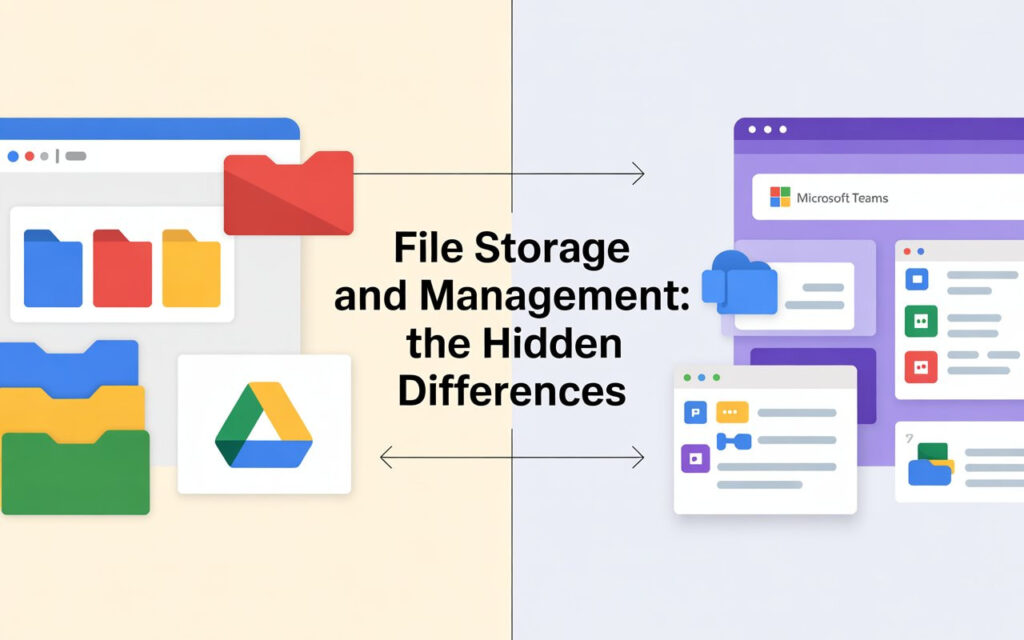
Here’s something most Google Workspace vs Microsoft Teams comparison articles skip—how files actually work.
Google Drive vs OneDrive
Google Drive is straightforward. Every file lives in Drive. Share a link, set permissions, done. The search is incredible—it can even find text inside images.
OneDrive integrates tightly with Windows File Explorer. This is great if your team lives in desktop apps. But it adds complexity some files live in OneDrive, others in SharePoint team sites.
For remote teams who work in browsers? Google Drive wins on simplicity.
For teams deeply invested in Windows? OneDrive feels more natural.
Storage Limits That Actually Matter
Google Workspace:
- Business Starter: 30GB per user (tight for heavy users)
- Business Standard: 2TB per user (plenty for most teams)
- Business Plus: 5TB per user (overkill for most)
Microsoft 365:
- All plans include 1TB OneDrive per user
- SharePoint gives you 1TB + 10GB per user for team files
The math: Microsoft gives you more base storage. Google makes you pay for serious space.
Security and Compliance: Which Platform Protects You Better?
Both platforms take security seriously. But they approach it differently.
Google Workspace includes 2-factor authentication, encryption at rest and in transit, and admin controls across all plans. Their security model is transparent and well-documented.
Microsoft Teams (via Microsoft 365) offers similar security features plus Advanced Threat Protection on higher tiers. You get more granular control, but it’s also more complex to configure.
Compliance Certifications
Both meet major standards:
- HIPAA (healthcare)
- GDPR (European privacy)
- SOC 2 (security auditing)
- ISO 27001 (information security)
For most businesses, either platform passes the security bar. Enterprise teams might prefer Microsoft’s deeper control options.
Mobile Experience: Working on the Go
Your team isn’t always at desks. Mobile matters.
Google Workspace was born for mobile. The Gmail app, Drive app, and Meet app all feel native and fast. Editing docs on your phone actually works without frustration.
Microsoft Teams mobile app is feature-packed but can feel heavy. It drains battery faster and sometimes feels sluggish on older devices. The trade-off? You get more features.
If your team works primarily on phones and tablets, Google Workspace delivers a smoother experience.
AI Features: Copilot vs Gemini
Welcome to 2025, where AI isn’t optional anymore.
Microsoft Copilot integrates across Teams, Outlook, Word, and Excel. It can summarize meetings, draft emails, and analyze data. But it costs an extra $30/user/month on top of your Microsoft 365 subscription.
Google’s Gemini for Workspace helps write emails in Gmail, summarize docs, and generate content. It starts at $20/user/month as an add-on.
Both AI assistants are genuinely helpful. Microsoft’s costs more but offers deeper integration. Google’s is cheaper and simpler.
Integration Ecosystem: What Connects Where
Your business communication platform needs to play nice with other tools.
Microsoft Teams integrates natively with:
- All Microsoft 365 apps (obviously)
- Power BI for data visualization
- Dynamics 365 for CRM
- 1,000+ apps in their marketplace
Google Workspace connects seamlessly with:
- All Google Cloud services
- Thousands of apps via Google Workspace Marketplace
- Better compatibility with popular tools like Slack, Asana, and Trello
If you’re locked into the Microsoft ecosystem, Teams is the obvious choice. If you use best-of-breed SaaS tools, Google Workspace plays better with others.
Who Should Choose Microsoft Teams?
Microsoft Teams vs Google Workspace comes down to your existing setup.
Choose Microsoft Teams if you:
- Already use Microsoft 365 or Office desktop apps
- Need advanced chat features and channels
- Work in industries requiring complex compliance (finance, government)
- Have an IT team that manages Windows infrastructure
- Want deep integration with Outlook and SharePoint
Microsoft makes sense when you’re already in their world.
Who Should Choose Google Workspace?
Pick Google Workspace if you:
- Want simple, cloud-first tools that just work
- Have remote or distributed teams
- Prioritize real-time collaboration over desktop apps
- Need excellent mobile experiences
- Prefer straightforward pricing without hidden tiers
Google shines for modern, flexible teams who live in browsers.
Can You Use Both Together?
Yes, and many companies do.
You can use Microsoft Teams for chat while running Gmail and Google Drive for email and storage. Or use Google Meet for video calls while keeping Microsoft 365 for Office apps.
The catch? Managing two systems costs more and confuses employees. Most businesses pick one and commit.
Migration: Switching Between Platforms
Thinking about switching? Here’s what you need to know.
Moving from Teams to Google Workspace:
- Export emails from Outlook to Gmail (Google provides migration tools)
- Move files from OneDrive to Drive (manual or use third-party tools)
- Retrain team on new interface (usually takes 1-2 weeks)
Moving from Google Workspace to Microsoft 365:
- Migrate Gmail to Outlook (Microsoft’s migration service handles this)
- Transfer Drive files to OneDrive/SharePoint
- Expect a steeper learning curve (Microsoft’s tools are more complex)
Both platforms offer migration support. Budget 2-4 weeks for a smooth transition.
The Bottom Line: Which One Wins?
There’s no universal winner in the Microsoft Teams vs Google Workspace comparison. It depends entirely on your needs.
Choose Microsoft Teams if you need powerful chat, already use Microsoft products, or require desktop Office apps.
Choose Google Workspace if you want simplicity, superior collaboration, excellent mobile apps, and straightforward pricing.
For most small to mid-sized businesses, Google Workspace offers better value and ease of use. For enterprises deeply invested in Microsoft infrastructure, Teams makes more sense.
Take Action: Try Both Free
Don’t guess. Both platforms offer free trials:
- Google Workspace: 14-day free trial
- Microsoft 365: 30-day free trial
Test them with your actual team doing real work. You’ll know within a week which one fits better.
The best productivity suite is the one your team actually uses. Choose the tool that gets out of your way and lets you work.
Where to Buy Google Workspace: Top Authorized Resellers
You can purchase Google Workspace through authorized resellers, which often provide local support, setup assistance, and flexible billing options for businesses. Buying from a trusted reseller ensures you get professional guidance and additional services alongside your subscription.
Top 5 Google Workspace Resellers:
- Leads Monky ( Enjoy up to 70% off with promo code GWS12 – Plus free setup and support)
- Agosto (Save up to 10% off on Google Workspace plans with expert migration support)
- Onix (Get up to 5% off on Google Workspace with enterprise-level deployment and support)
- Cumulus Global (Enjoy up to 20% off Google Workspace plans with certified reseller support)
- GsuiteReseller (USA) (Get up to 10% off on Google Workspace plans with dedicated support)
FAQs
Is Google Workspace better than Teams?
Google Workspace is better for simple, cloud-first collaboration and real-time editing. Teams is better for advanced chat, channels, and Microsoft 365 users.
What are the disadvantages of using Google Workspace?
Less powerful desktop apps, limited storage on lower plans, fewer advanced admin controls, and weaker chat features compared to Microsoft Teams.
Is Google Workspace going away?
No. Google Workspace is active and expanding, especially with new Gemini AI features.
What is the difference between Teams and Workspace?
Teams is a communication platform within Microsoft 365. Workspace is a full productivity suite with email, storage, and collaboration apps.
What is replacing MS Teams?
Nothing. Microsoft Teams is still active and continues to receive major updates.
Why do people prefer Microsoft over Google?
Because of powerful desktop apps, better enterprise controls, deeper Windows integration, and strong collaboration features in Teams.
Get Google Workspace at 64% Off
Same service. Better price. Professional setup included.
⭐⭐⭐⭐⭐ 151+ companies trust us
Partner Pricing:
• Business Starter: $3/month (Google: $8)
• Business Standard: $13/month (Google: $17)
• Business Plus: $20/month (Google: $26)
FREE:
Complete DNS setup + 24/7 support + USA IPs
15-user minimum | Setup in 24 hours


