You’ve sent 50 LinkedIn messages. Got 2 replies. Sound familiar?
Here’s the truth: most cold outreach on LinkedIn fails because people are using 2022 tactics in a completely different landscape. LinkedIn’s algorithm changed. Buyer behavior shifted. And AI rewrote the playbook.
Our analysis of 20 million LinkedIn outreach attempts in 2024-2026 revealed something surprising: cold outreach on LinkedIn generates 10.3% response rates on average. That’s more than double the 5.1% you’ll get from cold email.
In this guide, you’ll discover how to cold outreach on LinkedIn using proven frameworks, AI-powered strategies, and real templates that get replies. We’ll show you exactly how to do cold outreach on LinkedIn step-by-step, including tactics like how to double text a cold outreach on LinkedIn without looking desperate.
Let’s turn those crickets into conversations.

What is Cold Outreach on LinkedIn?
Cold outreach on LinkedIn means reaching out to professionals you don’t know yet to start a conversation. Unlike spam, it’s targeted. Unlike warm outreach, there’s no prior relationship.
LinkedIn is designed for professional connections. When you send a thoughtful message, people expect it. They’re there to do business, find opportunities, and expand their network.
Cold outreach on LinkedIn differs from cold email in three critical ways:
- Higher visibility – People check LinkedIn notifications more than promotional emails
- Profile preview – Prospects can vet you before replying
- Better targeting – Advanced filters help you find exact decision-makers
The numbers back this up. A 2025 study analyzing 13,000+ LinkedIn accounts found that personalized connection requests achieve 9.36% response rates. Without personalization? Just 5.44%.
That 4% difference is the gap between success and wasted time.
How to Start a Cold Outreach on LinkedIn (Even if You’re New)
Before you send a single message, your profile needs to work harder than you do.
Here’s the brutal reality: 14 times more people will view profiles with professional photos. Your LinkedIn profile is your landing page. If it looks incomplete, your cold outreach is dead before it starts.
Your Pre-Outreach Checklist
Fix these five elements first:
- Professional photo – Face fills 60-70% of frame
- Compelling headline – Show value (e.g., “Helping SaaS Companies Scale to $10M+ ARR”)
- Updated work history – Recent roles, clear company names
- Recommendations – At least one glowing testimonial
- Custom URL – linkedin.com/in/yourname looks credible
Your banner image matters too. Use it to showcase your expertise.
Understanding Safety Limits
LinkedIn has protections against spam. Break these rules and your account gets restricted:
- 100 connection requests per week (not per day)
- 300 characters for connection request messages
- InMail credits vary by account type (50-150 per month)
Start slow if your account is new. Send 10-15 connection requests daily for the first week. This “warm-up” period trains LinkedIn’s algorithm to trust your behavior.
How to Cold Outreach on LinkedIn: The 7-Step Framework
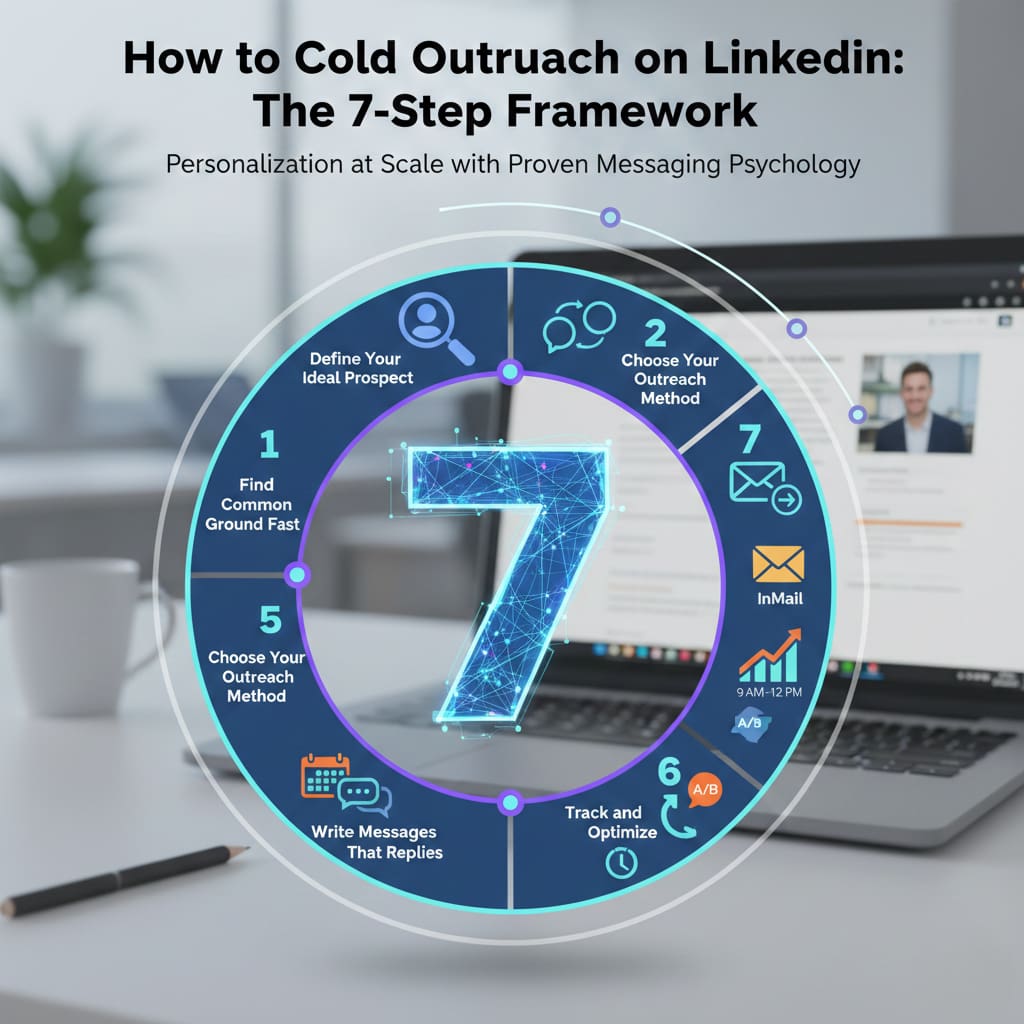
This framework combines personalization at scale with proven messaging psychology. We’ve tested it across B2B sales, recruiting, and agency lead generation.
Step 1: Define Your Ideal Prospect
Vague targeting kills cold outreach on LinkedIn. “Marketing managers” is too broad. “SaaS marketing managers at 50-200 person companies who posted about customer retention in the last 30 days” gets results.
Use LinkedIn’s Sales Navigator filters:
- Job title and seniority level
- Company size and industry
- Geography (if location matters)
- Recent activity (posted, changed jobs, shared content)
The tighter your filter, the more relevant your message becomes.
Step 2: Find Common Ground Fast
Before you reach out, spend 60 seconds scanning their profile. Look for:
- Mutual connections (instant credibility)
- Shared background (same university, city, or industry)
- Recent posts or comments (what they care about right now)
- Company news (funding, launches, hiring)
This research is the difference between “I saw your profile” and “I noticed you just joined the marketing team at TechCorp.”
Step 3: Choose Your Outreach Method
You’ve got two main options for how to do cold outreach on LinkedIn:
Connection Request with Message (Free)
- 300 character limit
- Prospect must accept to continue conversation
- 20-55% acceptance rate with personalization
InMail (Requires Premium/Sales Navigator)
- Up to 2,000 characters
- Reaches anyone, even non-connections
- 18-25% average response rate
Here’s the strategy: use both. Send a connection request first. If they don’t accept within 3-5 days, follow up with InMail. Learn the nuances of writing LinkedIn InMail and compare LinkedIn InMail vs connection request strategies. Master LinkedIn connection requests that get accepted.
Step 4: Write Messages That Get Replies
Your first message has one job: start a conversation. Not close a deal. Not pitch your product. Just get a reply.
The anatomy of a high-converting LinkedIn message:
- Personalized hook (1 sentence) – Reference something specific
- Credibility builder (1 sentence) – Why you’re worth their time
- Value proposition (1-2 sentences) – What’s in it for them
- Soft call-to-action (1 sentence) – Question or low-friction next step
Keep it under 100 words. Shorter messages perform better on mobile.
Here’s a template:
“Hi [Name], saw your post about [specific topic]. Smart take on [detail].
We help [their industry] teams solve [specific problem]. Thought you might find our approach interesting.
Worth a quick chat?”
Notice what’s missing? No pitch slapping. No desperate energy.
Step 5: How to Double Text a Cold Outreach on LinkedIn (The Right Way)
Double texting means sending a second message when someone hasn’t replied. It’s not desperate—it’s strategic follow-up.
Here’s the data: campaigns with 3-5 follow-ups generate 3x more responses than single-touch outreach.
When to double text:
- Wait 3-5 days after your first message
- Add new value or a different angle
- Keep it brief (2-3 sentences max)
Follow-up message template:
“Hi [Name], following up on my message from last week.
Just came across [recent news about their company]. Made me think this might be relevant.
Quick 10-minute call to explore?”
The key is introducing something new. New information. New angle. New reason to respond.
After 2-3 follow-ups, use a “breakup message“:
“Hi [Name], seems like timing isn’t right. I’ll stop cluttering your inbox. If things change, you know where to find me!”
Breakup messages trigger 15-30% response rates because they create psychological urgency. For systematic follow-up, build LinkedIn outreach sequences and learn how to improve your LinkedIn response rate across all touchpoints.
Step 6: Time Your Outreach Strategically
Not all days are equal for cold outreach on LinkedIn.
Best days to send messages:
- Tuesday: 6.90% reply rate
- Monday: 6.85% reply rate
- Wednesday: 6.82% reply rate
Best times:
- 9 AM – 12 PM (morning decision-making window)
Send your connection requests during these windows. Prospects are more engaged when they’re in “work mode.”
Step 7: Track and Optimize
Track these metrics:
- Connection acceptance rate (target: 30%+)
- Message reply rate (target: 10%+)
- Conversation-to-meeting rate (target: 25%+)
Test one variable at time:
- Message length (50 vs. 100 words)
- Call-to-action style (question vs. statement)
- Personalization depth
- Subject matter (pain point vs. opportunity)
A/B testing is how you go from 5% to 15% response rates.
AI-Powered LinkedIn Outreach (The 2026 Advantage)
AI changed cold outreach on LinkedIn in 2024. AI-assisted first messages get 4.19% reply rates vs. 2.60% without AI. That’s a 61% improvement.
Smart Ways to Use AI
ChatGPT for message personalization:
Create this prompt framework:
“Write a LinkedIn connection request for [prospect name], who is [job title] at [company]. They recently posted about [topic]. Keep it under 290 characters, conversational tone.”
The AI generates a draft. You edit for authenticity. Never send AI-generated messages unedited.
AI tools for research:
- Reachy.ai – Auto-translates messages into prospect’s language
- SalesRobot – Generates personalized voice notes
- Closely – Pulls context from profiles to create 1-to-1 messages
Voice Notes: The Secret Weapon
LinkedIn now supports voice messages. A 30-second voice note feels personal in a sea of text.
Try this: after someone accepts your connection request, send a voice note instead of text. Introduce yourself, reference why you connected, ask a question.
Teams using AI-generated voice notes report 40%+ reply rates. That’s 4x the average.
Common Mistakes That Kill Your Cold Outreach
Mistake 1: Generic Templates
Copy-paste messages scream “mass outreach.” LinkedIn’s algorithm detects repetitive content. Send the same message 100+ times and you’ll get filtered.
Vary your messages using:
- Spintax – Rotate phrases while keeping core structure
- Profile-specific details
- Different opening hooks
Mistake 2: Pitch Slapping
Leading with your product gets you ignored.
Bad: “We’re the #1 CRM. Can I show you a demo?”
Good: “Noticed you’re scaling your sales team. What’s your biggest challenge with pipeline visibility?”
Start with curiosity, not a sales pitch.
Mistake 3: No Follow-Up System
76% of sales happen after the 5th touch. Most people stop after one message.
Build a multi-touch sequence:
- Connection request (Day 1)
- Thank you message (Day 2)
- Value-add message (Day 5)
- Double text (Day 10)
- Breakup message (Day 20)
Consistent follow-up separates professionals from amateurs.
FAQ:
How effective is cold outreach on LinkedIn in 2025?
Extremely effective. The average LinkedIn message response rate is 10.3%, more than double cold email’s 5.1%. With personalization and AI, top performers achieve 18-25% response rates.
Do I need LinkedIn Premium for cold outreach?
No, but it helps. Free accounts can send connection requests with 300-character messages. LinkedIn Premium gives you InMail credits (50-150/month) to message non-connections.
How many connection requests can I send per day?
LinkedIn limits you to 100 connection requests per week. To stay safe, send 15-20 daily and keep your weekly total under 80.
What’s a good response rate?
6-7% is average. 10%+ is excellent. Personalized connection requests see 9-10% reply rates vs. 5-6% without personalization.
How long should a LinkedIn cold message be?
Keep messages under 100 words (or 300 characters for connection requests). Shorter messages perform better on mobile.
When’s the best time to send messages?
Tuesday mornings (9-12 PM) show the highest reply rates at 6.90%. Monday is close at 6.85%. Avoid weekends.
Start Your LinkedIn Cold Outreach Campaign Today
Cold outreach on LinkedIn isn’t broken. Most people just do it wrong.
You know how to cold outreach on LinkedIn using 2025’s proven strategies. You understand how to do cold outreach on LinkedIn step-by-step. You’ve learned how to start a cold outreach on LinkedIn with proper profile optimization. And you’ve discovered how to double text a cold outreach on LinkedIn without being annoying.
The tools are ready. The templates are proven. The data backs everything up.
Start with 10 connection requests today. Personalize each one. Track your acceptance rate. Test different messages. Optimize as you go.
Cold outreach on LinkedIn rewards consistency and intelligence. You’ve got the intelligence. Now commit to consistency.
Your next big client, investor, or hire is already on LinkedIn. They’re just waiting for the right message to arrive.
Make yours the one that stands out.