Here’s something that’ll surprise you: while everyone’s chasing viral posts and spending thousands on LinkedIn ads, there’s a goldmine hiding in plain sight. LinkedIn Groups for lead generation is quietly generating 277% more leads than Facebook and Twitter combined—yet most marketers completely ignore it.
I’m going to show you exactly how to tap into this. No fluff, no theory. Just proven strategies that’ll help you generate 30+ qualified B2B leads every month.
Why LinkedIn Groups Still Dominate in 2026
Let’s cut through the noise. You’ve probably heard that LinkedIn Groups are “dead” or “inactive.” That’s what your competitors think too—which is exactly why this works.
Here’s the reality: LinkedIn’s algorithm changed everything in 2025. It now prioritizes authentic conversations over promotional spam. Groups are the perfect place for these conversations to happen naturally.
The numbers don’t lie. LinkedIn generates leads at a cost that’s 28% lower than Google Ads. Your cost per lead drops significantly when you’re building genuine relationships instead of paying for clicks.

Think about it. Where else can you find thousands of decision-makers actively discussing their pain points? LinkedIn Group members are pre-qualified prospects who’ve literally raised their hands saying, “I’m interested in this topic.”
Finding Your Goldmine: The Right Groups Matter More Than You Think
Not all LinkedIn Groups are created equal. Join the wrong ones and you’ll waste hours with zero results. Join the right ones and you’ll have more qualified leads than you can handle.
Use Sales Navigator Like a Pro
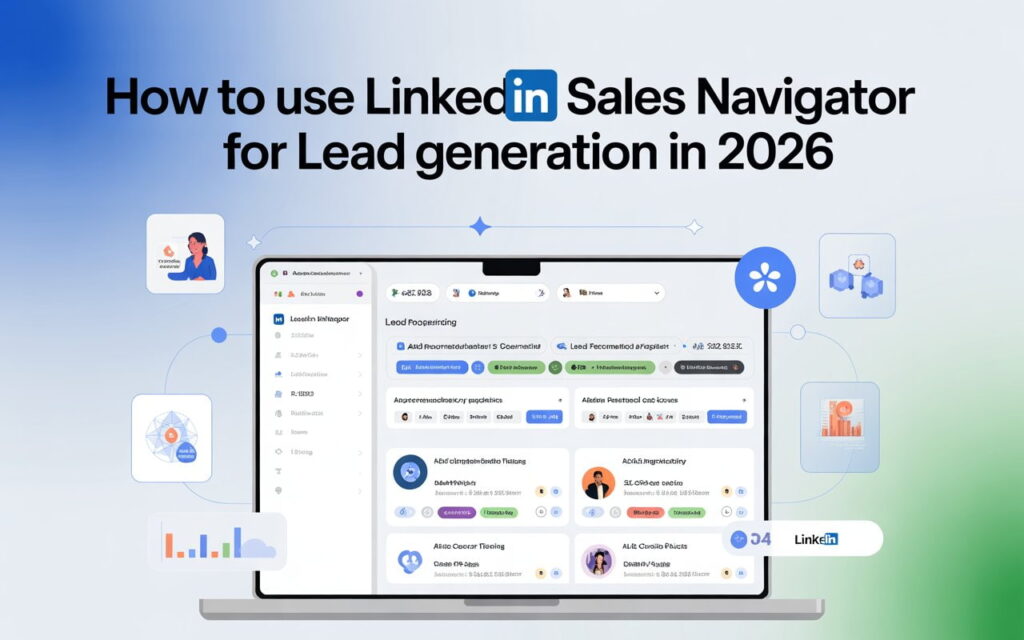
LinkedIn Sales Navigator has a hidden superpower most people miss. The Groups filter lets you target multiple communities at once.
Open Sales Navigator and click on “Lead filters.” Scroll to Groups and type your industry keywords—”B2B SaaS,” “Marketing Leaders,” or “Startup Founders.”
You’ll see exactly how many group members match your criteria. This is your prospecting goldmine. Target 5-10 relevant communities for maximum LinkedIn outreach without looking spammy.
Spot the Red Flags Fast
Here’s how you identify dead groups in 30 seconds: check the latest posts. Nothing in the past week? Move on. Only admin posting promotional content? Red flag. Zero comments? Zero opportunity for lead generation.
Active groups have daily discussions. Members ask questions, share insights, and respond to each other. That’s where you want to be.
Engagement Strategies That Actually Generate Leads
Here’s where most people fail. They join groups and immediately start pitching. That’s the fastest way to get ignored—or banned.
LinkedIn’s algorithm rewards authentic engagement. So does your potential customer.
The 15-Minute Daily Routine
You don’t need hours. Spend 15 minutes daily and watch your lead generation explode.
Start by commenting on three recent posts. Add real value—share an insight, ask a thoughtful question, or offer a different perspective. No links. No pitches. Just genuine conversation.
Next, answer one question from a group member. Position yourself as helpful, not salesy. When people see you consistently adding value, they’ll check out your profile.
Finally, share one piece of valuable content .LinkedIn event marketing strategies to generate high-intent leads Learn more about creating content that converts This could be an industry article, a quick tip, or a thought-provoking question. Make it about starting conversations, not promoting yourself.
Video Content Is Your Secret Weapon
Here’s a stat that’ll blow your mind: video posts get 5x more engagement than text posts in LinkedIn Groups.
The LinkedIn algorithm loves video. So do humans. A 60-second video answering a common question will generate more visibility than any text post ever could.
You don’t need fancy equipment. Your smartphone works perfectly. Share a quick industry insight, demonstrate a solution, or record a short reaction to trending news.
The key? Keep it conversational. Talk like you’re explaining something to a colleague, not delivering a sales pitch.
Message Templates That Convert (Copy These)
Let’s talk about LinkedIn outreach. Your connection requests need to work harder.
Here are three proven templates you can swipe:
Template 1: The Common Interest Approach
“Hi [FirstName], I noticed you’re also in the [GroupName] community. Your comment on [specific topic] really resonated with me. I’d love to connect and exchange ideas on [relevant topic]. Are you open to connecting?”
This works because you’re referencing something specific. It shows you’re not mass-messaging everyone.
Template 2: The Value-First Method
“Hey [FirstName], saw your question in [GroupName] about [pain point]. I’ve helped several [job titles] solve this exact issue. Would you be interested in a quick tip that might help? Happy to share with no strings attached.”
Notice what’s happening here? You’re offering value before asking for anything. That’s how you build trust fast.
Template 3: The Industry Peer Connection
“Hi [FirstName], fellow [industry] professional here from [GroupName]. I’m always looking to connect with like-minded people who are passionate about [topic]. Let’s connect and share insights!”
Keep it simple. Keep it genuine. Your conversion rate will thank you.
For more advanced messaging strategies, check out our guide on how to write LinkedIn InMail and InMail vs connection requests.”
Automation Done Right (Without Getting Banned)
Here’s the truth about LinkedIn automation tools: they can 10x your results or get your account banned. The difference? Knowing what you’re doing.
Use cloud-based tools like Expandi, LinkedHelper, or Dux-Soup. They run on dedicated servers and are safer than Chrome extensions.
Never exceed LinkedIn’s limits: 100 connection requests per week maximum. Keep messages under 200 daily. The LinkedIn algorithm tracks unusual activity.
Always personalize messages using variables like {FirstName}, {Company}, {JobTitle}. Generic messages tank your response rates.
For LinkedIn Sales Navigator users, Expandi or Dripify work best ($99-135/month). On a budget? LinkedHelper offers similar features for $15-45/month.
Measuring Your Success (Because Guessing Doesn’t Work)
You can’t improve what you don’t measure. Here’s what actually matters for LinkedIn Groups lead generation.
Track These Metrics Weekly
Count your connection request acceptance rate. Aim for 40%+. Anything lower means your messages need work.
Monitor your message response rate. Industry average is 18-25%. If you’re hitting 30%+, you’re crushing it.
Calculate your cost per lead. Factor in your time and any tools you’re paying for. Compare this to your other channels. You’ll probably find LinkedIn is your most cost-effective source.
The ROI Formula That Matters
Here’s the simple math: (Revenue from LinkedIn leads – Cost of time and tools) / Cost of time and tools × 100.
If you’re generating 30 leads monthly at $50 per lead invested, and closing 3 deals at $1,000 each, your ROI is 500%. That’s the power of LinkedIn prospecting done right.
Common Mistakes That Kill Your Results
Let’s talk about what NOT to do. Avoid these mistakes that torpedo even the best LinkedIn strategies.
Your first message shouldn’t be a pitch. Build rapport first. Share value. Only after establishing trust should you mention how you help.
Every group has rules. Read them and follow them. Some ban promotional posts entirely. Violate these and you’ll get kicked out fast.
Quality over quantity always wins. Stick to 10-15 highly active groups rather than spreading yourself thin across 50 mediocre ones.
Your profile is your landing page. Make sure your headline clearly states what you do. Your About section should focus on problems you solve. Include a clear call-to-action.
Your 30-Day Action Plan
Let’s make this concrete. Here’s your roadmap for the next month.
Week 1: Join 10 relevant LinkedIn Groups. Set up your Sales Navigator filters. Optimize your profile for lead generation.
Week 2: Engage daily using the 15-minute routine. Comment, answer questions, share value. No pitching yet.
Week 3: Start sending personalized connection requests using the templates above. Aim for 20 per day maximum.
Week 4: Measure your metrics. What’s your acceptance rate? Response rate? Adjust your approach based on the data.
Rinse and repeat. By month two, you’ll have a consistent stream of qualified leads flowing in.
Frequently Asked Questions
How many LinkedIn Groups should I join for lead generation?
Start with 10-15 highly active groups. Quality beats quantity every time. You want groups where your ideal customers actually engage, not just lurk.
Are LinkedIn Groups still effective in 2025?
Absolutely. They’re actually more effective now because LinkedIn’s algorithm prioritizes authentic engagement. Most marketers ignore groups, which means less competition for you.
Can I automate LinkedIn group outreach without getting banned?
Yes, but you need the right tools and safe practices. Use cloud-based automation tools, never exceed daily limits, and always personalize your messages. Follow these rules and you’ll be fine.
What’s the best time to post in LinkedIn Groups?
Tuesdays through Thursdays between 9-11 AM in your prospects’ timezone see the highest engagement. But test this for your specific groups—every community is different.
How long before I see results from LinkedIn Groups?
Most people see their first qualified leads within 2-3 weeks of consistent engagement. By 90 days, you should have a predictable pipeline of 30+ monthly leads.
Your Next Steps Start Right Now
Here’s the bottom line: LinkedIn Groups for lead generation works. It’s not sexy. It’s not quick. But it’s incredibly effective when done right.
Your competitors are probably spending thousands on ads while completely ignoring this strategy. That’s your advantage.
Start today. Join your first 5 groups. Leave 3 valuable comments. Send 5 personalized connection requests. That’s it.
Do this consistently for 30 days and watch what happens. Your calendar will fill with discovery calls. Your pipeline will explode with qualified B2B leads. Your cost per lead will drop to levels that make paid ads look ridiculous.
The opportunity is sitting there. The only question is: will you take it?