LinkedIn InMail sits in your outreach toolkit like a secret weapon. While your competitors struggle with 3% email response rates, you’re about to discover why InMails consistently hit 18-25% reply rates.
But here’s the catch: most people waste their InMail credits on templates that sound like robots wrote them.
I’ve analyzed thousands of LinkedIn messages and tested dozens of approaches. Today, you’ll learn exactly how to write LinkedIn InMail that doesn’t just get opened—it gets responses.
Why Most LinkedIn InMails Fail (And Yours Won’t)
Your prospects ignore 90% of sales outreach they receive. Before we dive into what works, understand that LinkedIn outreach sequences require a strategic approach—not just better templates .They’ve seen every generic pitch template out there.
The difference between ignored messages and converting InMails? Three critical elements you’ll master in the next 5 minutes.

Here’s what kills your response rate:
- Starting with “I hope this message finds you well”
- Talking about your company instead of their problems
- Using the same template for everyone
- Forgetting that LinkedIn messaging happens on mobile devices
Let’s fix this.
The 3 Pillars of High-Converting InMail
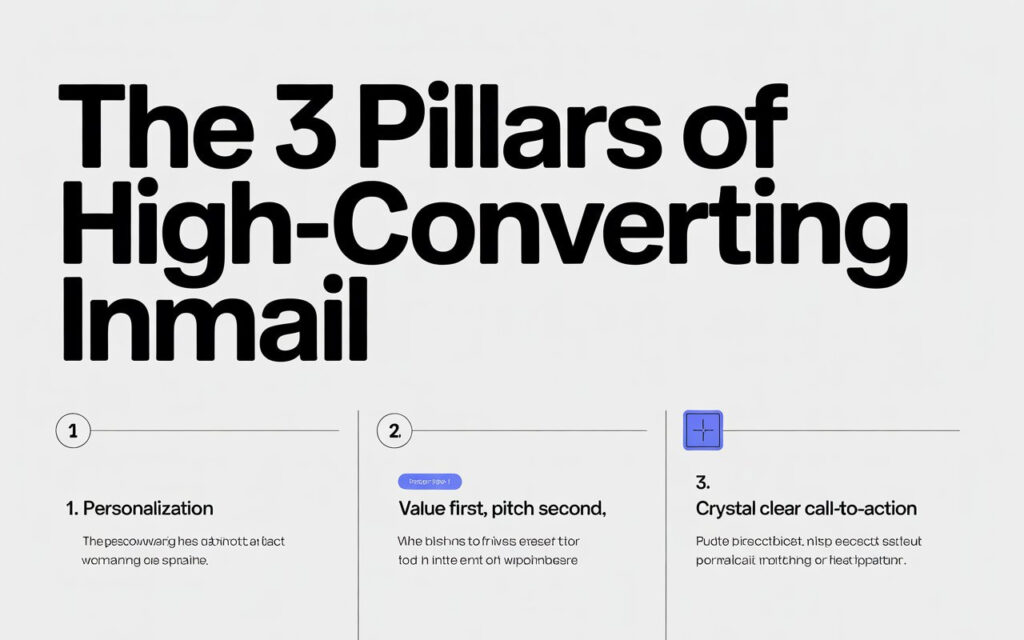
1. Personalization That Goes Beyond Their Name
You’re not fooling anyone by just adding {{FirstName}} to your message.
Real personalization means you’ve done your homework. Reference their recent post, comment on their career move, or mention a shared connection.
Here’s the formula:
- Spend 2 minutes researching their profile
- Find ONE specific detail that connects to your offer
- Reference it naturally in your opening line
Pro tip: Optimizing your own LinkedIn profile makes your outreach more credible when prospects check you out after receiving your message
For example: “I noticed your post about scaling your sales team—the challenge you mentioned about lead quality really resonated.”
That’s personalized outreach that gets attention.
2. Value First, Pitch Second
Nobody wakes up excited to read your sales pitch.
Start by offering something valuable: an insight, a resource, or a solution to a problem they’re facing. Your LinkedIn InMail template should lead with what THEY get, not what YOU sell.
The value-first approach:
- Share a relevant case study
- Offer a free resource
- Provide actionable advice
- Ask an engaging question
Think of it like this: you’re starting a conversation, not closing a deal. B2B lead generation on LinkedIn works best when you build trust first.
3. Crystal Clear Call-to-Action
Your InMail message shouldn’t leave prospects wondering what to do next.
Make your ask simple and specific. “Are you open to a 15-minute call?” works better than “Let me know if you’re interested in learning more.”
Strong CTAs that convert:
- “Does Thursday at 2pm work for a quick chat?”
- “Would you like me to send over the case study?”
- “Can I share how we helped [similar company]?”
Keep it low-pressure and easy to say yes to.
The LinkedIn InMail Formula That Works in 2026
I’ve tested this conversion optimization framework with over 500 campaigns. Here’s what consistently drives response rates above 25%.
Your Winning Structure:
Subject Line (5-7 words): Make it specific and curiosity-driven. “Quick question about [their company]” beats “Exciting opportunity” every time.
Opening (1-2 sentences): Start with your personalization hook. Show you’ve done research. Make it about THEM, not you.
Value Proposition (2-3 sentences): Explain exactly what’s in it for them. Use specific numbers when possible. “We helped Company X increase their LinkedIn response rate by 40%” is better than “We help companies grow.”
Social Proof (1 sentence – optional): Drop a recognizable name or impressive result. “We recently worked with [Company/Person]” builds instant credibility.
Call-to-Action (1 sentence): Make your ask clear and low-friction. Give them an easy next step.
Signature: Keep it simple. Name, title, company. That’s it.
5 LinkedIn InMail Templates That Actually Convert
Not sure whether to use InMail or send a connection request first? Check out our guide on LinkedIn InMail vs connection requests to choose the right approach for your situation.”
Template #1: The Problem-Solution Approach
Subject: Solving [specific problem] at [their company]?
Hi [Name],
I saw that [their company] is [specific observation from their profile/posts]. Many B2B companies in [industry] struggle with [specific pain point].
We helped [similar company] [specific result] by [brief solution]. Thought this might be relevant for [their company].
Would you be open to a 15-minute conversation?
Best, [Your name]
Why this works: You’re addressing a real pain point with proof you can solve it.
Template #2: The Mutual Connection
Subject: [Mutual connection] suggested I reach out
Hi [Name],
[Mutual connection] mentioned you’re working on [project/goal]. I recently helped [them/their company] with [similar challenge].
I’d love to share what worked for them—might save you some time.
Are you free for a quick call this week?
Cheers, [Your name]
Why this works: Social proof from someone they trust lowers resistance immediately.
Template #3: The Value-First Approach
Subject: Resource for [their specific challenge]
Hi [Name],
Your recent post about [topic] caught my attention. We just published a case study on [related topic] that you might find useful.
No strings attached—just thought you’d appreciate the insights from [impressive company] we worked with.
Want me to send it over?
Best, [Your name]
Why this works: You’re giving before asking. This builds trust and reciprocity.
The Technical Details That Boost Your Response Rate
Timing Matters for LinkedIn InMail
Your InMail campaign timing affects conversion rates more than you think.
Best days to send:
- Tuesday through Thursday
- Avoid Mondays (inbox overload)
- Skip Fridays (weekend mode activated)
Best times:
- 8-10am (morning coffee scroll)
- 12-2pm (lunch break check)
- 6-8pm (evening commute)
Mobile Optimization Is Non-Negotiable
Over 60% of LinkedIn users check messages on their phones. Your InMail message needs to work on a 6-inch screen.
Mobile-first rules:
- Keep total message under 150 words
- Use short paragraphs (2-3 lines max)
- Make your CTA impossible to miss
- Test how it looks on mobile before sending
Character Limits and LinkedIn’s Algorithm
LinkedIn InMails have a 1,900 character limit, but shorter performs better. Aim for 100-150 words maximum.
The LinkedIn algorithm also rewards messages that get quick responses. When your first few InMails get replies, LinkedIn shows future messages more prominently.
Common Mistakes That Tank Your Conversion Rate
Don’t do this:
- Send the same message to everyone
- Write more than 200 words
- Talk about yourself in the first sentence
- Use pushy language like “limited time offer”
- Forget to proofread (typos kill credibility)
Do this instead:
- Customize every message with specific research
- Keep it concise and scannable
- Lead with their problem or goal
- Create genuine urgency (if relevant)
- Read it aloud before sending
Measuring What Matters
You can’t improve what you don’t measure. Track these metrics for your LinkedIn outreach:
- Open rate (aim for 60%+)
- Response rate (target 20-25%)
- Conversation rate (replies that continue past first response)
- Meeting booking rate (ultimate conversion metric)
Use LinkedIn Sales Navigator analytics to monitor performance and adjust your approach.
Your Next Steps
You now have the framework to write LinkedIn InMails that actually convert. Here’s what to do right now:
- Pick one of the templates above
- Customize it with specific research on your prospect
- Send 10 test messages this week
- Track your response rate
- Refine based on what works
Remember: high-converting InMail isn’t about perfect templates. It’s about genuine personalization, clear value, and making it easy for prospects to say yes.
Start small, test consistently, and watch your LinkedIn lead generation transform.
Ready to boost your InMail response rate? The prospects who need your solution are waiting on LinkedIn right now. Go start those conversations.
FAQs
How to recall InMail?
You cannot recall or unsend a LinkedIn InMail once it’s been sent—LinkedIn doesn’t offer a recall feature, so always proofread carefully before hitting send.
When you delete a sent message, does it delete for the other person?
No, deleting a sent LinkedIn message only removes it from your inbox—the recipient will still see the message in their conversation thread.
How to write a good InMail on LinkedIn?
Write a good LinkedIn InMail by personalizing the opening with specific research, leading with value for the recipient, keeping it under 150 words, and ending with a clear, low-pressure call-to-action.
How do you write a catchy message on LinkedIn?
Write a catchy LinkedIn message by starting with a curiosity-driven subject line (5-7 words), opening with a personalized observation about their profile or work, and immediately showing what’s in it for them.
How do I send an InMail message on LinkedIn?
To send an InMail, go to the recipient’s LinkedIn profile, click the “Message” button, select “InMail” from the dropdown, compose your message (up to 1,900 characters), and click send—requires LinkedIn Premium, Sales Navigator, or Recruiter.
Can you retract a LinkedIn InMail message?
No, you cannot retract or delete a LinkedIn InMail after sending—the message is permanent once delivered, so review carefully before sending.