
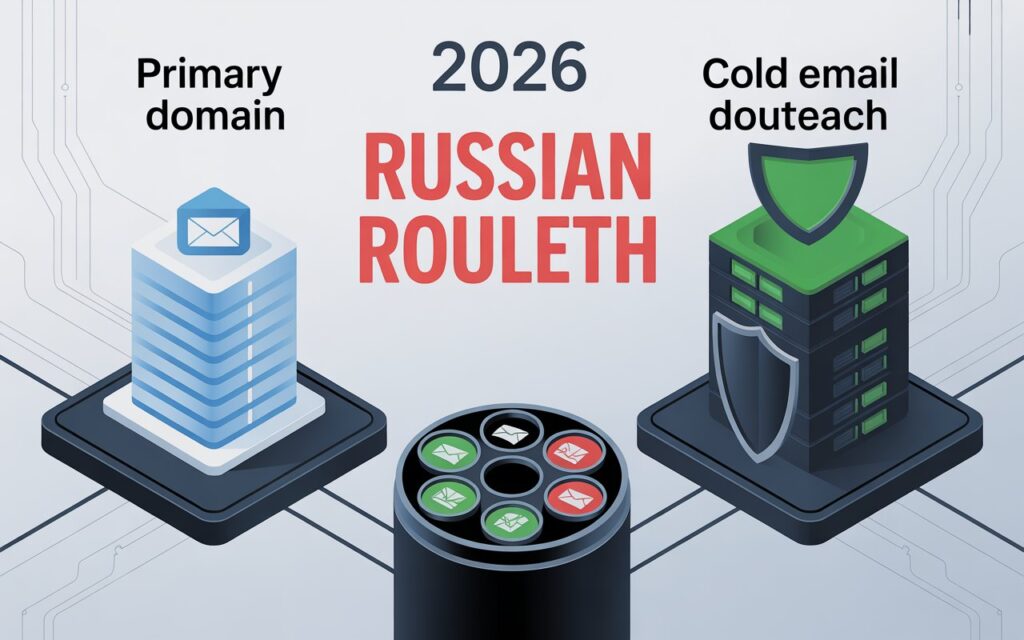
Should you send cold emails from your primary domain?
The short answer: Absolutely not.
Here’s what nobody tells you. Using your primary domain for cold email is like using your house keys as a bottle opener. Sure, it works—until you break the key and can’t get inside.
One bad campaign, and you’ll blacklist the domain that powers everything. Customer emails. Invoices. Password resets. Internal communication. All gone.
Let me show you exactly why separating your cold email domain from your business domain isn’t optional anymore.

What Is a Primary Domain? (And Why It’s Your Digital Lifeline)
Your primary domain is your company’s main web address. It’s on your website, business cards, and every official email.
Think: yourcompany.com or yourbusiness.io.
This domain handles critical stuff:
- Customer support emails
- Sales communications with existing clients
- Internal team messages
- Transactional emails (order confirmations, password resets)
- Official announcements
Here’s the catch: Email providers like Gmail track every interaction from your domain. They build a sender reputation score that determines if your emails land in inboxes or spam folders.
Your primary domain carries your brand’s entire reputation. Burn it, and you’re toast.
What Is a Cold Email Domain? (Your Safety Net)
A cold email domain is a separate domain you use exclusively for outreach to prospects who haven’t opted into your emails.
It’s your testing ground. Your protective barrier.
Example setup:
- Primary domain: acmecorp.com (all business operations)
- Secondary domains for cold email: tryacmecorp.com, acmecorp.io, getacmecorp.com
Why the separation? Cold emails carry higher risk than regular business communications. You’re reaching out to people who don’t know you yet.
That means higher bounce rates, lower engagement, and potential spam complaints.
💡 Need help setting up Google Workspace?
We’re certified Google partners offering 64% off + free professional setup ($2,000 value). Used by 151+ companies.
Get your quote →The Nightmare Scenario: Why You Should Never Use Your Primary Domain for Cold Outreach
Let me paint you a picture.
You launch a cold email campaign from john@yourcompany.com. The campaign hits a bad list. Generates spam complaints. Triggers Gmail’s filters.
Within 48 hours, your primary domain gets blacklisted.
What happens next?
Every email from yourcompany.com starts landing in spam. Not just your cold emails—everything.
Your sales team can’t reach existing clients. Customer support responses vanish. Order confirmations disappear. Internal emails between team members get blocked.
The recovery process? Brutal. Getting removed from blacklists takes weeks or months. Some blacklists are permanent.
The 0.3% Spam Complaint Death Sentence
Major email service providers like Gmail enforce strict anti-spam policies. Your spam complaint rate must stay below 0.3%.
Here’s the math:
- Send 1,000 cold emails
- Just 3 people mark you as spam = you’ve hit the threshold
- One more complaint = deliverability problems for your entire domain
Your Domain Reputation Affects SEO Too
Most articles skip this part. Domain reputation doesn’t just impact email—it affects search rankings.
A domain flagged for spam can experience:
- Lower search rankings
- Reduced organic visibility
- Potential removal from search results
When you burn your primary domain, you’re not just hurting email. You’re damaging your entire online presence.
There’s No Easy Fix
Unlike most marketing mistakes, burning your domain reputation isn’t fixable. You can’t:
- Switch to a new email address
- Wait a few weeks
- Apologize and start fresh
Once your domain is blacklisted, that’s your company’s domain. The only real solution? Completely rebrand under a new domain.
That means losing all brand equity, breaking email communications, redirecting your website, and updating every piece of marketing material.
Nuclear option.
How Cold Email Domains Protect Your Business
Risk Isolation: The Firewall Strategy
Secondary domains act as sacrificial layers. When you send cold emails from tryacmecorp.com instead of acmecorp.com:
- Spam complaints hit the secondary domain only
- Blacklisting affects just the outreach domain
- Your primary domain stays clean for critical communications
- You can abandon a burned secondary domain in days
Real scenario: Your campaign accidentally hits a spam trap. With a separate domain for cold email, you shut it down and spin up a new one. With your primary domain, your entire business collapses.
Scalability: Send Thousands of Emails Safely
Here’s the math that changes everything.
Single domain approach:
- Maximum: 50 emails per day
- To send 1,000/day: Impossible without getting flagged
Multiple secondary domain approach:
- Set up 5 cold email domains
- Create 3 email accounts per domain (15 total)
- Send 50 emails per account daily
- Total capacity: 750 emails/day safely
This distribution looks natural to email providers. Instead of one domain blasting thousands (spam behavior), you have multiple domains with moderate volumes (normal business behavior).
Testing Freedom Without Consequences
Secondary domains give you permission to experiment:
- Test aggressive subject lines
- Try different messaging angles
- A/B test offers
- Experiment with timing
If something bombs? No problem. That secondary domain takes the hit. Not your business.
How to Choose the Perfect Cold Email Domain
Naming Strategy: Stay Close to Your Brand
Your secondary domain should be immediately recognizable as related to your brand. This builds trust.
If your primary domain is acmecorp.com:
Good options:
- tryacmecorp.com
- getacmecorp.com
- acmecorp.io
- acmecorphq.com
- myacmecorp.com
Bad options:
- acme-offers.biz (spammy)
- awesomeproducts.com (no brand connection)
- acme123.online (looks sketchy)
Domain Extension Best Practices
Not all domain extensions perform equally for cold email deliverability.
High-performing extensions:
- .com (gold standard)
- .io (tech-friendly)
- .co (professional)
- .net (trusted)
Low-performing extensions:
- .biz (spam-associated)
- .info (red flag)
- .xyz (instant filter trigger)
Pro tip: For geographic targeting, country extensions like .co.uk actually boost engagement with local prospects.
The Redirect Strategy Nobody Mentions
Always set up domain redirects. Here’s why.
Prospects might type your sending domain into their browser. If they land on a parked domain or error page, you’ve killed their trust instantly.
Solution: Configure your secondary domains to redirect to your primary website.
Example:
- Prospect gets email from john@tryacmecorp.com
- They type tryacmecorp.com into browser
- Automatic redirect to acmecorp.com
- They see your professional website
This maintains credibility while keeping domains separate.
Setting Up Your Cold Email Infrastructure (Quick Guide)
Step 1: Purchase Your Secondary Domains
Calculate based on your volume target:
- Sending goal: 5,000 emails/month
- Daily target: ~167 emails/day
- Safe sending per account: 40-50 emails/day
- Accounts needed: 4 accounts
- Domains needed: 2 domains
Cost breakdown:
- Domain registration: $12/year per domain
- Email hosting (Google Workspace): $6/month per account
- Total for 2 domains, 4 accounts: $24/year + $288/year = $312/year
Step 2: Configure DNS Records (The Foundation)
Proper DNS configuration separates amateurs from professionals. These records tell email providers your emails are legitimate.
Required records:
SPF (Sender Policy Framework):
- Lists which servers can send email for your domain
- Example: v=spf1 include:_spf.google.com ~all
DKIM (DomainKeys Identified Mail):
- Adds digital signature for authenticity
- Use 2048-bit keys (more secure)
DMARC (Domain-based Message Authentication):
- Tells servers what to do with failed authentication
- Start with p=none (monitoring mode)
Step 3: The Warmup Process (Non-Negotiable)
Brand new domains have zero sender reputation. Blast 500 emails immediately, and you’ll trigger spam filters.
Warmup timeline:
Weeks 1-2:
- Days 1-3: 5-10 emails/day
- Days 4-7: 15-20 emails/day
- Days 8-14: 25-30 emails/day
Weeks 3-4:
- Days 15-21: 35-40 emails/day
- Days 22-30: 45-50 emails/day
Automated warmup tools:
These tools automatically exchange emails with other accounts, building positive engagement signals.
Step 4: Monitor Domain Health Religiously
Key metrics to track:
Deliverability rate: Target >95% Bounce rate: Target <2%
Spam complaint rate: Critical threshold 0.3% Open rate: Baseline 30-40% Reply rate: Good = 5-10%
Tools for monitoring:
- Google Postmaster Tools
- MXToolbox
- Mail-Tester
Path 2: Done-For-You Setup (Skip All the Technical Headaches)
Here’s what most smart teams don’t know: authorized Google Workspace resellers can set everything up for you at a fraction of Google’s direct pricing.
What You Get with Professional Setup:
Services like Leads Monky (a certified Google Cloud Partner) handle everything:
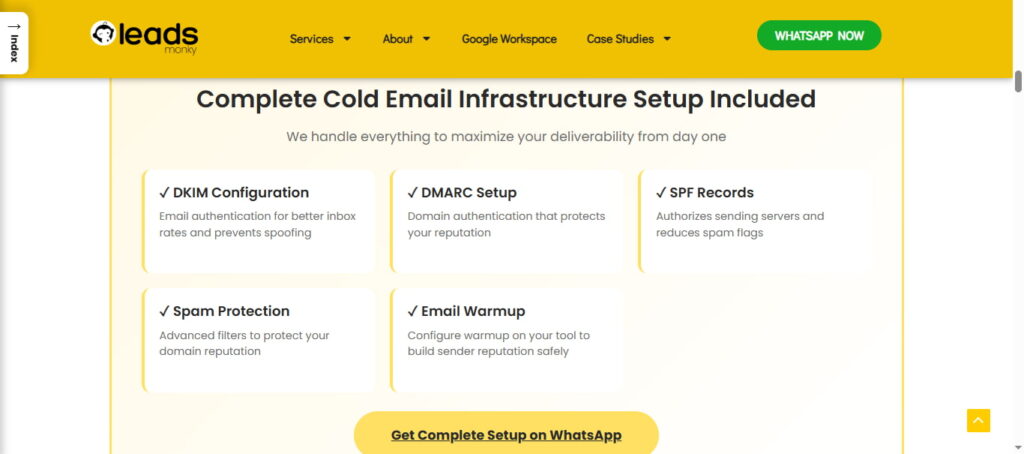
✅ Domain verification – Done for you (no DNS confusion)
✅ SPF, DKIM, DMARC setup – Configured correctly the first time
✅ MX records – Properly set and tested
✅ Domain forwarding – Automatically redirects to your main site
✅ Professional email accounts – Profile pictures, signatures, the works
✅ US-based IP addresses – Better deliverability than foreign IPs
✅ Zero setup fees – All technical work included free
Common Mistakes That Kill Domains Fast
Mistake #1: Skipping the Warmup
You buy a domain Friday, blast 1,000 emails Monday morning. Result? Instant spam folder, possible blacklist by end of day.
Fix: Always warm up for minimum 2-3 weeks. No exceptions.
Mistake #2: Using Generic Email Addresses
Generic addresses like info@ or sales@ scream “mass email” to filters and humans.
Engagement data:
- Personal name emails: 35% open rates
- Generic emails: 12% open rates
Fix: Use real names that sound like actual employees.
Mistake #3: Ignoring Technical Setup
No SPF/DKIM/DMARC = failed authentication = spam folder = worse reputation = permanent blacklisting.
Non-negotiable: Configure all three before sending anything.
FAQ: Primary Domain vs Cold Email Domain
Is email marketing still effective in 2026?
Yes, email marketing remains one of the highest-ROI channels when personalized and properly warmed up.
What is the 30/30/50 rule for cold emails?
Send up to 40–50 emails/day per account after proper warmup; roughly 3 accounts per domain for safe scaling.
What is the 60/40 rule in email?
Send 60% educational or value-driven emails and 40% promotional content to keep engagement high.
What is the best domain for cold emails?
Use completely separate domains from your primary business domain with independent Google Workspace accounts.
What industry is going to boom in 2026?
AI-powered services, green tech, e-learning, and remote work solutions are expected to grow rapidly.
Is cold email marketing dead?
No, cold email still works if you isolate domains, warm up accounts, and personalize messaging.
What is the best marketing strategy in 2026?
A mix of personalized cold email outreach, AI-driven ads, and content marketing targeting niche audiences.
What will replace email in the future?
Nothing will fully replace email; messaging apps may complement it, but email remains the business communication backbone.
Which niche is best for blogging in 2026?
Health, AI tools, remote work productivity, personal finance, and sustainable living are top blogging niches.
What is the marketing prediction for 2026?
Hyper-personalization, AI automation, multichannel outreach, and trust-based engagement will dominate marketing strategies.
Can I send low-volume cold emails from my primary domain?
Technically yes, but it’s risky. Even 20 emails can generate spam complaints. A secondary domain costs $12/year—far less than burning your primary domain.
How many secondary domains do I need?
Under 100 emails/day: 2-3 domains
100-500 emails/day: 3-7 domains 500-1,000 emails/day: 7-15 domains
Each domain should have 2-3 accounts, each sending 40-50 emails/day maximum.
Should I use subdomains instead?
No. Subdomains like mail.acmecorp.com are still tied to your primary domain. If the subdomain gets blacklisted, it affects your entire domain.
Separate domains offer true isolation.
How long does domain warmup take?
Minimum 2-3 weeks for basic warmup. Optimal: 4-6 weeks for solid reputation.
Rush this, and you’ll waste your money.
The Bottom Line: Your Primary Domain Is Too Valuable to Risk
The question isn’t “Should I use my primary domain for cold email?” It’s “Why would I risk my business for $12/year?”
Your primary domain powers customer communications, transactions, team collaboration, and your brand’s digital reputation. Risk it for cold outreach, and you’re gambling with your company’s lifeline.
Secondary domains cost less than two coffees. The cost of burning your primary domain? Potentially your entire business.
Set up correctly:
- Purchase 2-5 cold email domains similar to your brand
- Configure SPF, DKIM, and DMARC
- Create 2-3 accounts per domain with real names
- Warm up for 3-6 weeks minimum
- Set up domain redirects to your primary site
- Monitor deliverability metrics weekly
Do this right, and you’ll build a sustainable cold email system that generates leads without risking your business.
Cut corners, and you’ll explain to your CEO why customer emails aren’t getting through.
The choice is yours. But the answer is clear.
Get Google Workspace at 64% Off
Same service. Better price. Professional setup included.
⭐⭐⭐⭐⭐ 151+ companies trust us
Partner Pricing:
• Business Starter: $3/month (Google: $8)
• Business Standard: $13/month (Google: $17)
• Business Plus: $20/month (Google: $26)
FREE:
Complete DNS setup + 24/7 support + USA IPs
15-user minimum | Setup in 24 hours


