⚡ Quick Answer: Effective inbox management for cold email teams means centralizing all replies into a master inbox, classifying each response by type, and handing off positive replies to your sales team within 5 minutes. Without a system, warm leads die in unmonitored sending inboxes.
You spent weeks building your cold email sequence. You wrote the perfect subject line. You hit send across 30 inboxes.
Then a hot prospect replied — and nobody saw it for 18 hours.
That’s the real cost of poor cold email inbox management. Not spam folders. Not bounce rates. It’s the warm reply that goes cold while it sits in a shared inbox nobody’s checking.
This guide fixes that. You’ll get a practical, step-by-step system for managing replies at scale — no matter how many sending inboxes your team is running.

Why Cold Email Teams Have a Unique Inbox Problem
Most inbox advice is written for customer support teams. It doesn’t apply to cold email — at all.
When you’re running cold email outreach, you’re dealing with something totally different. You might have 15 domains, 45 sending addresses, and replies scattered across inboxes that only one person per campaign can access.
Here’s what makes cold email team workflow so hard to manage:
• Replies land in individual sending inboxes — not one central place
• Team members don’t have access to each other’s accounts
• Reply triage has to happen fast — leads are hottest in the first hour
• Every reply type needs a different response workflow
The result? Most teams lose 20–40% of warm replies without ever knowing. That’s not a copywriting problem. It’s an inbox management problem.
The Master Inbox: Your Command Center for Cold Email Replies
The solution to the scattered-inbox problem is a master inbox — also called a unibox.
A unibox pulls replies from all your sending inboxes into one dashboard. Your team sees every reply in real time, regardless of which domain or account it came from.
Think of it like a control tower. All the planes (replies) are still landing on different runways (inboxes), but your team sees every single one from one screen.
A proper master inbox setup gives you:
• Centralized reply management — no more logging into 30 accounts
• Full campaign context — which sequence, which step, which prospect
• One-click team assignment — route replies to the right person instantly
• CRM handoff — trigger deal creation the moment a positive reply arrives
Tools like Smartlead, Instantly, and Lemlist all have native unibox features built specifically for cold email teams. We’ll compare them shortly.
The 6 Types of Cold Email Replies (And How to Handle Each)
Here’s what no competitor has ever published: a complete reply classification system for cold email.
Not all replies are equal. Treating them the same is why most teams drop the ball. Every reply falls into one of these six categories — and each one needs its own workflow.
| Reply Type | Example Signal | Action Required | SLA |
| ✅ Positive / Interested | “Tell me more” / “Let’s talk” | Assign to closer. Respond in 5 min. Log in CRM. | < 5 minutes |
| ⏰ Not Now | “Reach back in Q3” / “Bad timing” | Log in CRM with future follow-up date (60–90 days) | < 2 hours |
| 🏖️ Out of Office (OOO) | Auto-reply with return date | Pause sequence. Resume after return date. | Automated |
| 🤝 Referral | “Talk to Sarah, she handles this” | Reply to sender. Email Sarah with warm intro. | < 1 hour |
| 🚫 Unsubscribe | “Remove me” / “Stop emailing” | Remove immediately. Add to suppression list. | < 15 minutes |
| 😠 Negative / Hostile | “This is spam” / “Leave me alone” | Apologize briefly. Close thread. Tag domain in CRM. | < 30 minutes |
Master this table and your team will handle every reply correctly — every time.
The 5-Minute Reply Rule: Why Speed Wins Deals
Here’s a fact that changes how you think about cold email inbox management: leads are up to 100x more likely to convert when you respond within 5 minutes.
When a prospect replies to your cold email, they’re in a specific moment. Something clicked. Your timing was right. That window closes fast — meetings start, distractions hit, and they forget they replied.
Every minute of delay is opportunity bleeding out.
Here’s how to make the 5-minute reply rule actually work:
• Connect your master inbox to a dedicated Slack channel
• Positive replies trigger an instant Slack alert to the on-call closer
• The closer has a 5-minute SLA to acknowledge and respond
• After business hours, route positive replies to an on-call SDR’s personal queue
If you’re an agency running outreach for clients, build this SLA into your contract. One closed deal from a fast reply justifies the entire operational investment.
The Foundation Everything Runs On: Your Cold Email Infrastructure
Here’s something most guides skip completely: your cold email inbox management is only as good as the infrastructure underneath it.
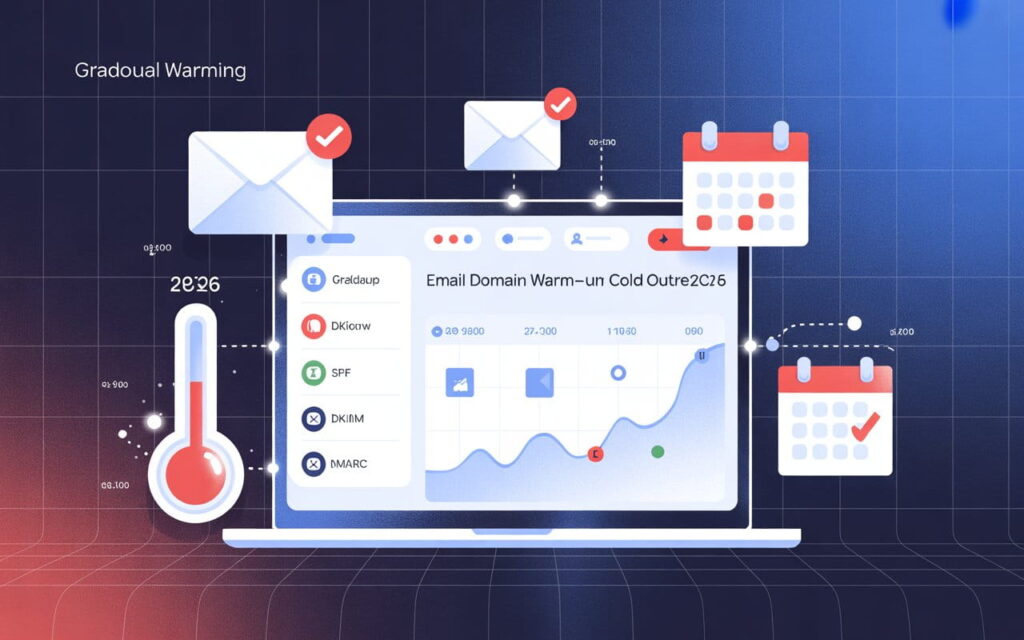
If your sender reputation is weak, if your DKIM, SPF, and DMARC records aren’t configured properly — replies aren’t your problem. Email deliverability is.
Poor infrastructure means your emails land in spam. You’ll manage zero replies because none arrive.
This is exactly where Leads Monky solves the problem most teams ignore.
Why Cold Email Teams Use Leads Monky for Infrastructure Leads Monky is a certified Google Workspace reseller and authorized partner, trusted by 151+ companies globally. They specialize in building cold email infrastructure that actually delivers — and at prices that make scaling affordable.
As a certified Google Workspace reseller, Leads Monky configures your entire cold email infrastructure from scratch — not just the email accounts.
| Plan | Price | Best For | What’s Included |
| Business Starter | $2.99/user/mo (15–200) | Cold email outreach teams & agencies | Gmail + DKIM, SPF, DMARC setup + warmup guidance + USA IPs |
| Business Starter (Volume) | $2.50/user/mo (200+) | High-volume cold email at scale | Everything above + volume pricing + priority support |
| Business Standard | $13.20/user/mo | Growing teams (10–100 people) | 2 TB storage + advanced AI + meeting recording |
| Business Plus | $20/user/mo | Teams needing compliance & security | 5 TB + advanced security + email archiving |
Every plan includes their complete cold email infrastructure setup:
• DKIM configuration — email authentication that prevents spoofing
• DMARC setup — domain authentication that protects your sender reputation
• SPF records — authorizes your sending servers, reduces spam flags
• Email warmup — builds sender reputation safely before you scale
• USA-based IPs — better inbox placement for US-targeted outreach
The Business Starter plan at $2.50/mailbox is specifically designed for cold email outreach — it’s the most affordable, deliverability-focused Google Workspace for cold email setup available.
Compare that to buying directly from Google — no infrastructure setup, no warmup support, no cold email expertise. With Leads Monky, your cold email team starts sending from day one with everything configured correctly.
Ready to set up your cold email infrastructure? Visit leadsmonky.com/google-workspace to get started.
💡 Need help setting up Google Workspace?
We’re certified Google partners offering 64% off + free professional setup ($2,000 value). Used by 151+ companies.
Get your quote →Your Cold Email Inbox SOP: The Step-by-Step System
A system only works if everyone follows it. Here’s the daily SOP your cold email team needs to run a clean, profitable inbox operation.
Step 1: Set Up Your Master Inbox (Once)
Connect all your sending inboxes to a unibox platform like Smartlead, Instantly, or Lemlist. Every reply from every domain should flow into one dashboard.
Step 2: Assign an Inbox Monitor (Daily)
This person checks the master inbox every 30–60 minutes during business hours. Their job is reply triage — classify every new reply and assign it to the right team member.
Step 3: Classify and Route (Per Reply)
Use the 6-reply-type system above. Positive replies go to a closer immediately. Unsubscribe requests trigger the removal workflow. OOO replies pause the sequence.
Step 4: CRM Handoff (Per Positive Reply)
Every positive reply should auto-create a contact and deal in your CRM — HubSpot, Salesforce, or Pipedrive. Tag the source as the specific campaign. Assign to the responsible AE.
Step 5: Log Everything (Always)
Every reply — positive, negative, or neutral — gets logged. This is how you track cold email team workflow performance and fix what’s leaking.
Step 6: Weekly Review (Every Monday)
Review your inbox management metrics: reply rate by campaign, positive reply rate, average response time, and pipeline created. Fix what’s slow. Double down on what works.
Quick Checklist: Daily Inbox Management for Cold Email Teams
• Check master inbox every 30–60 minutes during business hours
• Classify every new reply using the 6-type system
• Positive replies assigned and responded to within 5 minutes
• Unsubscribe requests removed immediately + added to suppression list
• OOO replies logged with return date + sequence paused
• All replies logged in CRM with correct status
• Inbox rotation monitored — no domain sending above safe volume
• Sender reputation checked weekly at domain level
FAQ: Inbox Management for Cold Email Teams
What exactly is a “Master Inbox” (Unibox) and why is it essential for cold email teams?
A master inbox (unibox) centralizes replies from all sending accounts into one dashboard so teams can monitor, classify, and respond to leads quickly.
Why is the “5-Minute Rule” considered the gold standard for lead conversion in 2026?
Responding within 5 minutes dramatically increases conversion chances because prospects are most engaged immediately after replying.
How do you manage replies across 50+ different sending accounts without losing track?
Use a unibox tool that aggregates replies from all inboxes into one interface and assigns them to the correct team member.
What is the most efficient way to classify and route different types of cold email responses?
Use a reply-triage system that categorizes responses into types like positive, referral, OOO, unsubscribe, negative, or “not now,” each with a specific workflow.
How can I automate the handoff between my master inbox and my CRM (HubSpot/Salesforce)?
Connect your outreach platform to your CRM using native integrations or automation tools so positive replies automatically create contacts and deals.
Should I use AI or a human team member for initial “reply triage”?
The best approach is AI for basic filtering and tagging, combined with a human reviewer for accurate lead qualification and response handling.
How do I handle “Out of Office” (OOO) replies to ensure I don’t burn the lead?
Automatically pause the sequence and schedule a follow-up when the prospect’s return date appears in the OOO reply.
What is the best internal Slack or communication workflow for notifying sales closers of hot leads?
Set up real-time Slack alerts from your master inbox that notify closers instantly when a positive reply arrives so they can respond within minutes.
What is a master inbox for cold email teams?
A master inbox (also called a unibox) is a centralized dashboard that pulls all replies from multiple sending inboxes into one place. Instead of checking 30 individual email accounts, your team sees every reply from a single interface — with full campaign context.
How do you manage inbox replies across multiple cold email accounts?
Use a unibox platform like Smartlead, Instantly, or Lemlist to centralize replies. Assign a dedicated inbox monitor for reply triage. Classify every reply by type and route to the right team member. Log everything in your CRM.
What is the best Google Workspace setup for cold email teams?
Leads Monky’s Google Workspace Business Starter at $2.50/mailbox is built specifically for cold email outreach. It includes full DKIM, SPF, and DMARC configuration, email warmup guidance, USA-based IPs, and complete cold email infrastructure setup — at a fraction of the cost of direct Google pricing.
How fast should you respond to cold email replies?
Respond to positive replies within 5 minutes. Response rates drop dramatically after the first hour. Use real-time Slack notifications from your master inbox to ensure your team can act immediately — even on replies that arrive outside business hours.
What is cold email reply triage?
Cold email reply triage is the process of reviewing incoming replies, classifying them by type (positive, negative, OOO, referral, unsubscribe, or not now), and routing each one to the right workflow. Effective reply triage ensures no warm lead gets missed and every contact is handled correctly.
Why does cold email infrastructure affect inbox management?
Weak cold email infrastructure — missing DKIM, SPF, or DMARC records — means your emails land in spam. No spam folder escape means no replies to manage. Proper setup through a service like Leads Monky ensures your email deliverability is strong before your team even starts sending.
The Bottom Line: Your Inbox Is Where Deals Are Won or Lost
Cold email is a volume game on the sending side. But it’s a speed and process game on the reply side.
The best cold email teams win because they have infrastructure that delivers, a master inbox that centralizes replies, and a reply triage system that routes warm leads to closers in minutes — not hours.
Set up your unibox. Build your cold email inbox SOP. Implement the 5-minute rule. Get your cold email infrastructure right from the start.
And if you need Google Workspace for cold email configured properly — with DKIM, SPF, DMARC, email warmup, and USA IPs — Leads Monky handles everything at $2.50/mailbox. Trusted by 151+ companies globally and built specifically for outreach teams who need to scale.📬 Ready to build your cold email infrastructure the right way? Visit leadsmonky.com/google-workspace — $2.50/mailbox with full setup included.
Get Google Workspace at 64% Off
Same service. Better price. Professional setup included.
⭐⭐⭐⭐⭐ 151+ companies trust us
Partner Pricing:
• Business Starter: $3/month (Google: $8)
• Business Standard: $13/month (Google: $17)
• Business Plus: $20/month (Google: $26)
FREE:
Complete DNS setup + 24/7 support + USA IPs
15-user minimum | Setup in 24 hours