Quick Answer
To find your Google Workspace invoice, go to admin.google.com, click Billing in the left menu, select Payment accounts, then click View invoices next to your subscription. Each month’s invoice appears as a downloadable PDF after the first day of the following month. You need Super Admin access with Billing Management privileges to access invoices. If your invoice shows incorrect company details or is missing your VAT ID, use the Regenerate invoice option to update the document with current account information.
Google Workspace invoice management is straightforward once you know where to look — but the Admin Console layout hides billing behind enough menu layers to frustrate even experienced admins. This guide covers everything in one place: how to find and download your Google Workspace invoice PDF, how to add your VAT ID or purchase order number, how to fix the most common billing document problems, how to automate invoice downloads for your accounting workflow, and how to use Google Workspace tools to create professional invoices for your own clients.
What Is a Google Workspace Invoice?
A Google Workspace invoice is the official billing document Google generates each month for your subscription. It is not the same as a payment receipt.
Your invoice shows the total charges for the billing period, the number of active user licenses, your billing account name and ID, applicable taxes including VAT or GST, and the invoice number your accounting team needs for records.
Google sends a PDF invoice by email at the start of each month covering the previous month’s activity. You can also download it at any time from your Google Admin Console. The invoice serves as your formal billing record and is the document your accountant or finance team will need for expense processing and VAT reclaim.
One important distinction: Google Workspace invoices and payment receipts are different documents in Google’s system. If your accounting team needs a formal tax invoice rather than a transaction receipt, you access them through different menus in the Admin Console — which is the source of significant confusion for many administrators.
How to Download Your Google Workspace Invoice PDF
You need Super Admin access with Billing Management privileges to access invoices. If you cannot see the Billing menu, ask your primary admin to verify your access level.
Go to admin.google.com and sign in as a Super Admin. Click Billing in the left navigation menu. Select Payment accounts from the submenu. Next to your subscription, click View invoices. Use the calendar dropdown to navigate to the month you need. Click PDF Invoice to download.
Your Google Workspace invoice download begins immediately as a PDF file. Pop-ups must be enabled for admin.google.com in your browser settings — invoices open in a new window, and if pop-ups are blocked the download will silently fail.
Why is this month’s invoice missing? Each invoice is generated after the billing period closes. April’s invoice appears after May 1st. PDF versions can take up to one additional week after CSV invoices become available. If an invoice is not yet visible, wait a few days before contacting support.
For invoices older than 12 months: the Admin Console only displays 12 months of history. For older billing records, contact Google Workspace support directly to request historical invoices.
Google Workspace Invoice Billing: Automatic vs Invoiced Accounts
Most businesses use automatic billing — these are two very different arrangements and the distinction matters for your finance team.
With automatic billing, Google charges your credit card each month automatically and generates an invoice for your records. This is the default for most small and medium businesses.
With an invoiced billing account, Google does not auto-charge you. Instead, Google sends a formal invoice and your organization initiates payment manually within the stated payment terms — typically 30 days from the invoice date. Invoiced billing accounts are designed for enterprise and high-volume customers and require approval from Google sales. They are not available on request through the standard Admin Console.
| Feature | Automatic Billing | Invoiced Billing Account |
|---|---|---|
| Payment method | Auto-charged to card | Manual payment after invoice |
| Who it suits | Most businesses | Enterprise and high-volume |
| Payment timing | Auto each billing cycle | Due 30 days after invoice date |
| Setup | Default | Requires Google sales approval |
If your organization needs invoiced billing, contact a Google sales representative or reach out to an authorized reseller who can facilitate the arrangement.
How to Add Your VAT ID, GST Number, or Purchase Order to Your Invoice
This is the most common customization request from accounting teams — and one that most guides fail to explain clearly.
If your Google Workspace invoice does not display your VAT ID, company registration number, or purchase order number, here is how to add it.
Go to the Admin Console. Click Billing, then Payment accounts. Click View payment settings next to your subscription. Find Tax information and click Edit. Enter your VAT ID, GST number, or tax registration number and save.
To regenerate an existing invoice with the updated information, go to your invoice list, click PDF Invoice for the relevant month, and select Regenerate invoice with updated information. The updated PDF reflects your current account details.
Important limitation: the Regenerate invoice option is not available for accounts in India. Indian businesses that need corrected tax invoices must contact Google Workspace support directly.
For EU businesses: Google Workspace invoices already comply with VAT Directive Article 226 (Council Directive 2006/112/EC). They are legally valid for your local tax authorities without needing a stamp or original signature. VAT-registered EU businesses can use them directly for input VAT reclaim without modification.
For UK businesses: UK VAT at the standard 20% rate applies to Google Workspace subscriptions. Invoices include the VAT amount and Google’s UK VAT registration number. VAT-registered UK businesses can reclaim the VAT through their standard VAT return.
How to Create an Invoice Using Google Workspace Tools
Google Workspace is not only where you receive your subscription invoices — it is also a capable platform for creating professional invoices to send to your own clients. Most businesses already have everything they need.
Google Docs Invoice Template
Google Docs includes built-in invoice templates available at no extra cost within any Google Workspace subscription.
Open docs.google.com. Click Template Gallery at the top right. Scroll to Work and select Invoice. Customize the template with your business name, logo, client details, and line items. Download as PDF or send directly via Gmail.
The Google Docs invoice template is clean, professional, and immediately usable. For freelancers, sole traders, and small businesses that send occasional invoices, it handles the job without any additional tools.
Google Sheets Invoice Template
For businesses tracking multiple invoices across clients and time periods, Google Sheets provides more functionality than Docs.
A Google Sheets invoice setup lets you track paid versus unpaid invoices in a single spreadsheet, use formulas to auto-calculate totals and tax amounts, build recurring invoice rows for regular clients, and share the document with your accountant in real time without emailing files.
The living-document nature of Sheets — always accessible and always current — makes it more practical than generating static PDFs when you need an ongoing billing record.
Google Workspace Marketplace Invoicing Apps
For businesses that need more automation or integration with accounting systems, the Google Workspace Marketplace has purpose-built invoicing applications.
Zoho Invoice integrates with Gmail, Google Drive, and Google Contacts. It has a free plan suitable for small teams and supports automated payment reminders. GS Invoice creates and sends PDF invoices directly from Google Sheets — a good option for teams already working in Sheets. For larger organizations needing accounts receivable automation at scale, enterprise-grade options are available through the Marketplace, though pricing increases significantly at that tier.
For most small businesses, the Docs template or Zoho Invoice covers all practical invoicing requirements within the existing Google Workspace subscription.
Troubleshooting: Google Workspace Invoice Not Showing or Missing
Invoice not available for this month: invoices appear after the first day of the following month. PDF versions may take up to one week longer than CSV versions. Wait a few days and check again before escalating.
Invoice email not received: go to Admin Console → Billing → Payment accounts → View payment settings → check Email invoice delivery. Confirm your accounting team’s email address is listed and verified. New email addresses must be verified before Google can deliver invoices to them.
Cannot download PDF — nothing happens: enable pop-ups for admin.google.com in your browser settings. Google Workspace invoice PDFs open in a new browser window, and blocked pop-ups silently prevent the download from starting.
Invoice shows wrong billing address, company name, or missing VAT ID: use the Regenerate invoice option after updating your account information in Tax information under Payment settings. This updates the invoice document with current details. Note that regenerating does not alter the financial amounts — only account information fields.
Invoice history only goes back 12 months: the Admin Console displays 12 months of history. For invoices older than this, contact Google Workspace support directly with your billing account ID and the approximate dates of the invoices you need.
Need a tax invoice but only see receipts: these are different documents in Google’s system. Navigate to View invoices (not View transactions or billing history) in your Billing menu. If you can only access receipts and need formal tax invoices, contact Google Workspace support.
How to Automate Google Workspace Invoice Downloads
Manually downloading invoices each month is a repetitive task that accounting automation can eliminate entirely.
Xero integrates with Google Workspace via OAuth and can pull billing data, reconcile transactions, and maintain records without manual file handling. QuickBooks Online connects to Google Workspace billing through third-party sync tools that automate invoice retrieval on a schedule. Zoho Books has native Google Workspace integration — invoices, expenses, and payments sync in one place with minimal setup.
For teams that prefer direct file automation, tools like Invoice Radar download invoices automatically on a schedule by connecting to your Google Admin account. These tools run locally and do not require storing your Google credentials with a third party — a useful consideration for security-conscious organizations.
For organizations managing multiple Google Workspace accounts — agencies or resellers administering client accounts — scripted automation through the Google Admin SDK provides programmatic access to billing documents across accounts.
Save More on Your Google Workspace Invoice Total
If your Google Workspace invoice amount feels higher than it should be, there is a practical way to reduce it without changing your plan or losing any features.
Authorized Google Workspace resellers purchase licenses at wholesale volume rates and offer them to businesses at below-retail pricing. The product is identical — same Gmail, same Drive, same Admin Console, same security infrastructure, same 99.9% uptime guarantee from Google. The only difference is the per-user price on your monthly invoice.
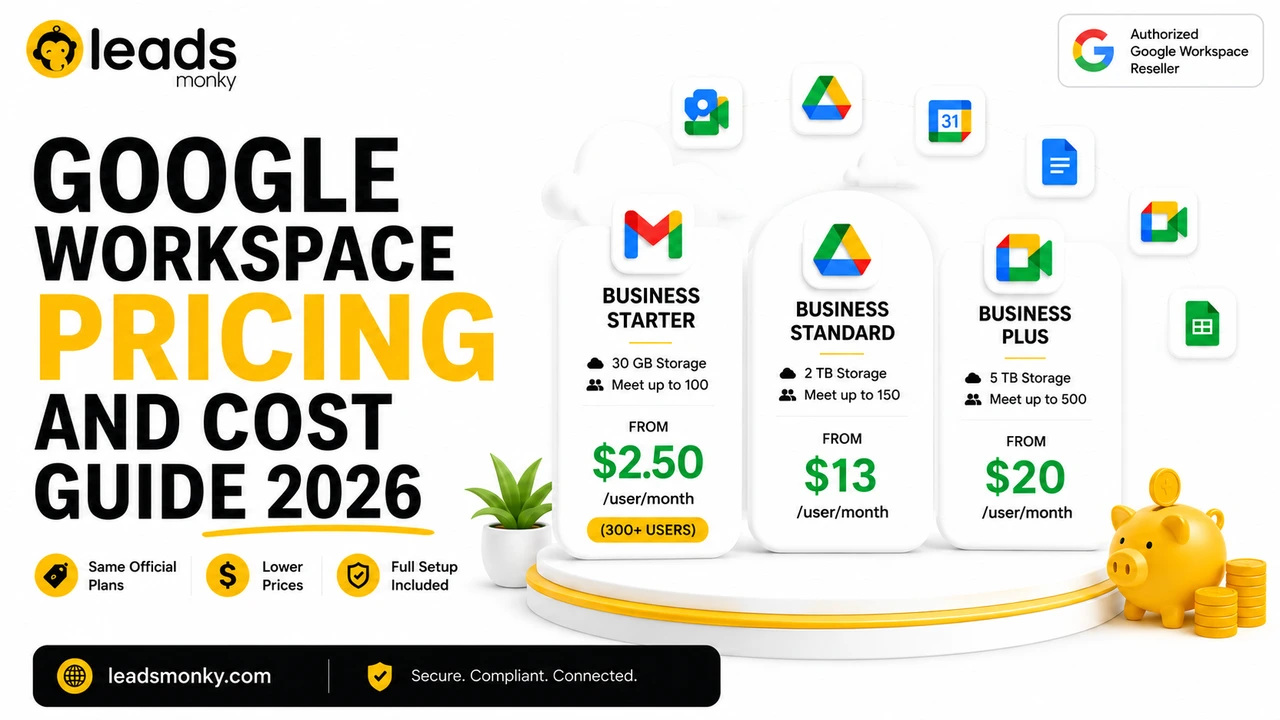
Leads Monky is a certified Google authorized reseller trusted by 1,000+ companies for reliable Google Workspace solutions across the USA, UK, Pakistan, India, and UAE. Business Starter is available from $3/user/month for teams below 300 users and $2.50/user/month for teams of 300 or more. Setup — including domain verification, MX records, SPF, DKIM, and DMARC configuration — is included at no extra charge.
For a 50-person team on Business Starter, switching to Leads Monky reseller pricing saves $3,000 per year on licensing alone compared to Google’s direct rate of $8/user/month. Visit leadsmonky.com/google-workspace for current pricing and setup details.
💡 Need help setting up Google Workspace?
We’re certified Google partners offering 64% off + free professional setup ($2,000 value). Used by 1000+ companies.
Get your quote →Frequently Asked Questions
Where do I find my Google Workspace invoice?
Go to admin.google.com → Billing → Payment accounts → click View invoices next to your subscription. You need Super Admin access with Billing Management privileges. Each month’s invoice is available after the first day of the following month.
How do I download a Google Workspace invoice PDF?
In the Admin Console, navigate to Billing → Payment accounts → View invoices. Find the relevant month and click PDF Invoice. Make sure pop-ups are enabled for admin.google.com in your browser settings, as invoices open in a new window.
Why is my Google Workspace invoice not showing?
Invoices appear after the first day of the month following the billing period. PDF versions can take up to one week longer than CSV invoices. If it has been more than a week and the invoice is still absent, check your billing account status in the Admin Console or contact Google Workspace support.
How do I add my VAT ID to a Google Workspace invoice?
Go to Admin Console → Billing → Payment accounts → View payment settings → Tax information → Edit. Add your VAT ID and save. Then use the Regenerate invoice option on any existing invoice to produce a PDF with the updated information. This is not available for accounts in India.
Does Google Workspace have an invoicing tool for creating client invoices?
Google does not have a dedicated standalone invoicing application, but Google Workspace covers it through free Docs and Sheets invoice templates and Marketplace apps like Zoho Invoice and GS Invoice that integrate with Gmail and Drive.
How long does Google keep my invoice history?
The Admin Console displays 12 months of invoice history. For invoices older than 12 months, contact Google Workspace support with your billing account ID and the date range you need.
What is an invoiced billing account in Google Workspace?
An invoiced billing account is a special arrangement where Google sends a formal invoice and your organization makes payment manually within 30 days, rather than being auto-charged. It requires Google sales approval and is designed for enterprise and high-volume customers.
Can EU businesses use Google Workspace invoices for VAT reclaim?
Yes. Google Workspace invoices for EU accounts comply with VAT Directive Article 226 and are legally valid for local tax authorities without requiring a stamp or original signature. VAT-registered EU businesses can use them directly for input VAT reclaim.
Ready to Fix Your Cold Email?
What you get:
- ✓ Complete infrastructure: 30 emails + 10 domains
- ✓ 10,000 personalized emails monthly
- ✓ First consultations in 5–6 weeks