Cold email deliverability setup is the reason your carefully written email never reaches the inbox. Gmail rejected non-compliant senders outright starting November 2025.
Microsoft Outlook joined enforcement in May 2025. The rules changed and most guides written before mid-2025 have not caught up. This guide covers every DNS record, warmup schedule, and monitoring tool your sending infrastructure needs in 2026. SPF, DKIM, and DMARC are the starting point.
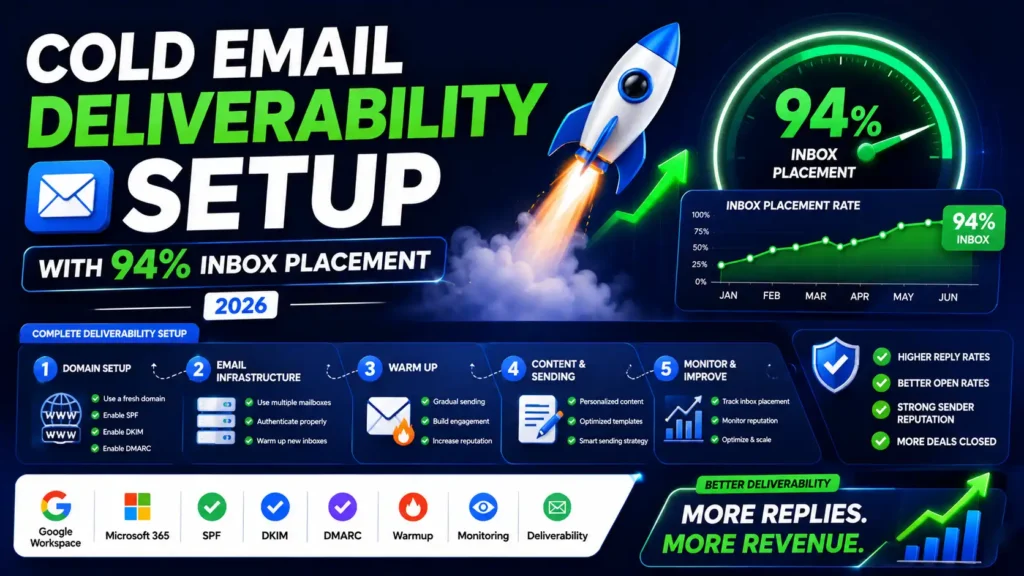
The records most senders miss are what actually separate 94% inbox placement from the spam folder.
Quick Answer
Publish SPF, DKIM at 2048-bit, and DMARC at p=none on your sending domain. Add MX records so your domain accepts replies. Warm your domain for 2 weeks minimum before real sends.
Monitor compliance status weekly in Google Postmaster Tools V2. Skip DMARC progression to p=reject and you lose BIMI eligibility and the 10% open rate lift that comes with it.
What Is Cold Email Deliverability Setup?
Cold email deliverability setup is the process of configuring your domain’s technical infrastructure so that your emails land in the primary inbox not spam, not promotions, not a black hole.
It covers your DNS authentication records, your sending domain strategy, your email warmup process, and your ongoing monitoring.
Get it right and your emails reach real inboxes. Get it wrong and everything else your copy, your offer, your targeting is completely wasted.
Why the Rules Changed in 2026

Here’s what most guides won’t tell you: the email landscape shifted hard between 2024 and 2026.
Google and Yahoo mandated SPF, DKIM, and DMARC authentication for all bulk senders in early 2024. Then Microsoft joined with Outlook enforcement starting May 2025. And in November 2025, Gmail stopped gently filtering non-compliant emails. It started rejecting them outright.
Google also retired Postmaster Tools V1 in September 2025. The new V2 shows a binary Pass/Fail compliance status not the old reputation colors. A “Fail” doesn’t mean your emails go to spam anymore. It means they may not arrive at all.
If you’re working from a guide written before mid-2025, you’re flying blind.
Step 1: Never Send Cold Email From Your Main Domain
This is the most expensive mistake in cold outreach. Your primary domain the one tied to your real business carries years of reputation. One bad campaign can permanently damage it.
The rule is simple: Use a separate, dedicated domain for all cold outreach.
Buy a domain that resembles your brand. If your main site is acme.com, use getacme.com, tryacme.com, or acmehq.com. They look professional. They protect what matters.
Here’s where a lot of teams waste money: they buy straight from Google at $6 per mailbox per month. At scale 10, 20, 30 inboxes that gets expensive fast.
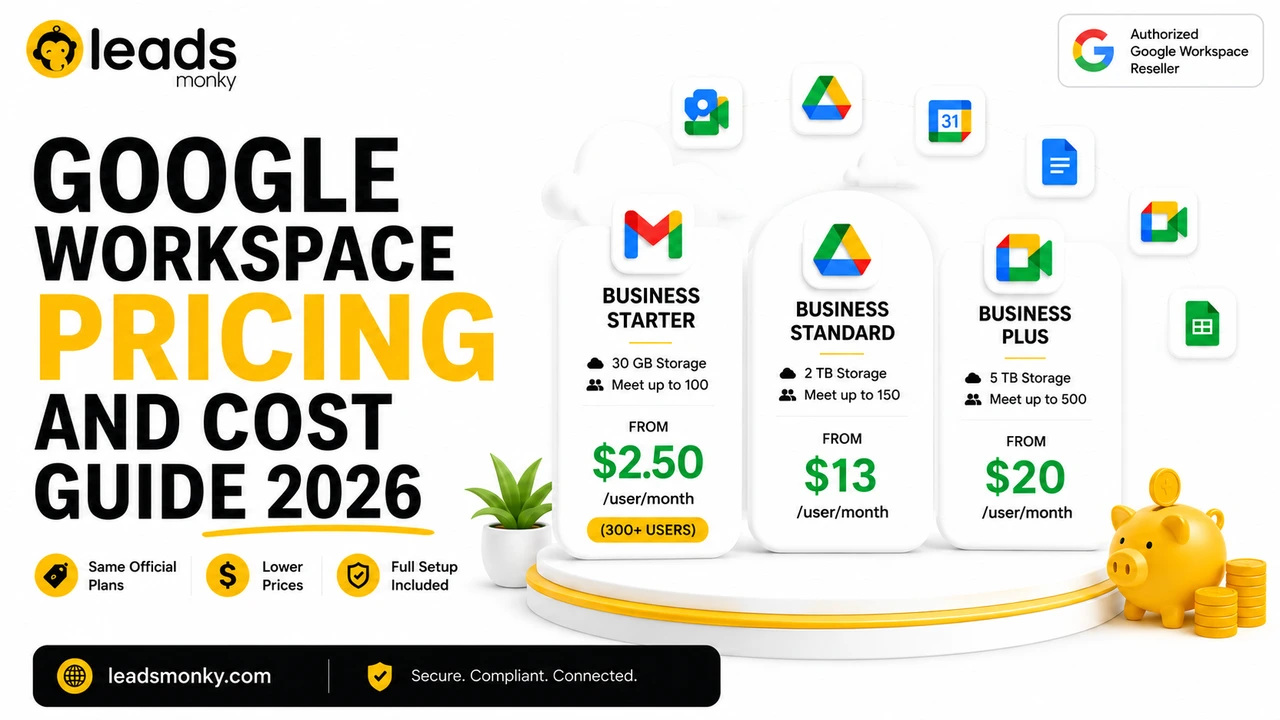
The smarter move is using a certified Google Workspace reseller likeLeads Monky. They’re an official Google Cloud Partner offering the same Google Workspace accounts starting at just $2.50 per mailbox per month that’s 60% less than buying direct. They handle your full infrastructure setup for free: SPF record configuration, DKIM authentication, DMARC setup, DNS records, and even email warmup guidance from day one.
Over 151 companies globally trust Leads Monky for their cold email infrastructure. For non-technical founders or agencies managing 10+ inboxes, this is the obvious choice.
Step 2: Set Up Your Core DNS Authentication Records
These three records are now mandatory. Without them, your emails face active rejection from Gmail, Yahoo, and Outlook.
SPF (Sender Policy Framework)
SPF tells receiving servers which IP addresses are authorized to send email from your domain. It’s your first line of authentication.
For Google Workspace, your SPF record looks like this:
v=spf1 include:_spf.google.com ~all
Publish this as a TXT record on your domain’s DNS. Use ~all (softfail) during warmup. Once everything is stable, switch to -all (hardfail) for maximum sender reputation protection.
DKIM (DomainKeys Identified Mail)
DKIM adds a cryptographic signature to every email you send. It proves the message is authentic and wasn’t tampered with in transit.
Your ESP generates the DKIM key for you. Google Workspace, go to Admin Console → Gmail → Authenticate Email → Generate New Record. Copy the TXT record and publish it in DNS.
Always use 2048-bit DKIM keys in 2026. The older 1024-bit keys are considered outdated.
- Sending domain strategy
- SPF record
- DKIM 2048-bit
- DMARC policy
- MX records
- Domain warmup
- Custom tracking domain
- List verification
- Postmaster monitoring
DMARC (Domain-based Message Authentication, Reporting & Conformance)
DMARC is the glue between SPF and DKIM. It tells receiving servers what to do when authentication fails and sends you reports so you can monitor your domain health.
Start here:
v=DMARC1; p=none; rua=mailto:dmarc@yourdomain.com
After 2–3 weeks of clean reports, move to p=quarantine, then p=reject. That progression is important don’t jump straight to p=reject or you risk blocking legitimate emails during setup.
Key insight your competitors miss: DMARC at p=quarantine or p=reject is required for BIMI (Brand Indicators for Message Identification) the 2026 trust signal that puts your logo next to your sender name in Gmail and Yahoo inboxes. Early data shows up to a 10% open rate lift for senders with BIMI enabled. Not a single top competitor mentions this in their setup guides.
Step 3: The Records Nobody Talks About (But Google Checks)
Your SPF, DKIM, and DMARC are table stakes. These are the records that separate real inbox placement from amateur setups.
MX Records Don’t Skip These
MX records tell the internet which servers accept incoming email for your domain. If your cold email domain has no MX records, you look like a throwaway spam domain to receiving servers because legitimate senders can receive replies.
Add MX records from your ESP to every secondary domain you use for outreach. Verify them at MXToolbox.com.
PTR/rDNS Records The Silent Google Trust Check
A PTR record (reverse DNS) maps your sending IP address back to your domain. Google explicitly checks for valid forward-confirmed reverse DNS (FCrDNS) where your domain points to an IP and that IP points back to your domain.
If you’re using Google Workspace through a provider like Leads Monky, you’re automatically on USA-based IPs with clean reverse DNS. That’s one less thing to configure manually and one big reason infrastructure setup matters as much as DNS records.
MTA-STS + TLS-RPT The 2026 Security Layer
MTA-STS forces other mail servers to only deliver to your domain over encrypted TLS connections. TLS-RPT sends you daily reports if any server failed to connect securely.
These aren’t required yet but they’re increasingly used as trust signals by enterprise email filters. Setting them up takes under an hour and gives you a real technical edge over competitors who don’t bother.
Step 4: Warm Your Domain Before You Send Anything
This is where impatient senders destroy themselves. A brand-new domain with zero history looks suspicious. You need to build sender reputation gradually.
Here’s the ramp schedule that works in 2026:
| Week | Warmup Emails/Day | Real Sends/Day |
| Week 1 | 15–20 | 0 |
| Week 2 | 15–20 | 5–10 |
| Week 3 | 10–15 | 20–30 |
| Week 4+ | 10 | 30–40 |
Never send at exactly the same volume every day. Vary it by 10–15% to mimic human behavior. Robotic consistency is a pattern spam filters flag.
Tools like Instantly.ai, Warmbox, and Mailreach automate this using networks of real inboxes that open and reply to your warmup emails, sending positive engagement signals.
You’re done warming when: inbox placement on seed tests hits 80%+ and Gmail open rates show no sudden dips over 7 consecutive days.
Step 5: Set Up a Custom Tracking Domain
When you track email opens and link clicks, your cold email tool replaces your links with tracking links. By default, those links live on your tool’s shared domain shared with thousands of other senders, including bad ones.
A custom tracking domain isolates your reputation from everyone else.
Set it up in three steps:
- Choose a subdomain: trk.yourdomain.com or inst.yourdomain.com
- Add a CNAME record in your DNS pointing to your tool’s proxy address
- Enable it in your tool’s settings and click Verify
This takes 15 minutes to configure. It protects your inbox placement permanently.
Step 6: Monitor With Google Postmaster Tools V2
Google Postmaster Tools V2 is the only free, direct window into how Gmail evaluates your domain. If you haven’t set it up, do it today.
Visit postmaster.google.com → Add Domain → verify ownership via DNS TXT record. Data appears within 24 hours of your first send to Gmail addresses.
What to watch weekly:
- Compliance Status must read Pass. A Fail means active rejection risk. Stop sending immediately and fix your authentication stack.
- Spam Rate keep below 0.1%. Hitting 0.3% triggers Gmail’s automatic deliverability mitigation.
- Authentication Rate should be 100%. Any drop means a DKIM configuration issue.
Also set up Microsoft SNDS (postmaster.live.com) for Outlook monitoring. Your competitors never mention this but if your prospects use Outlook, you need visibility into Microsoft’s spam filter decisions too.
Step 7: Keep Your List Clean or Lose Everything
Your list quality is your reputation. Sending to unverified contacts is the fastest way to get blacklisted.
Before every send:
- Verify every address with NeverBounce, ZeroBounce, or Hunter.io’s Email Verifier
- Remove role addresses: info@, support@, admin@ they generate complaints at a disproportionate rate
- Remove catch-all domains unless you’ve validated them separately
- Never buy, rent, or scrape email lists
Keep these metrics green:
- Bounce rate below 2%
- Hard bounces near zero
- Spam complaint rate below 0.1%
The Quick-Reference Deliverability Checklist
Before your first send, verify every item:
- ✅ Secondary cold email domain registered (never your main domain)
- ✅ Google Workspace set up through a certified reseller like Leads Monky (USA-based IPs, $2.50/mailbox, free infrastructure setup)
- ✅ SPF record published and verified
- ✅ DKIM authentication enabled (2048-bit key)
- ✅ DMARC policy published (start at p=none)
- ✅ MX records added to every outreach domain
- ✅ Custom tracking domain CNAME configured
- ✅ Domain warmup running (minimum 2 weeks before real sends)
- ✅ Email list verified only deliverable addresses imported
- ✅ Google Postmaster Tools V2 domain registered
- ✅ One-click List-Unsubscribe headers enabled in your tool
Frequently Asked Questions
How long does cold email deliverability setup take?
The DNS records take 2–4 hours to configure. DNS propagation takes up to 48 hours. Domain warmup takes 2–4 weeks. Budget 30 days from domain registration to full production volume.
What’s the best ESP for cold email deliverability in 2026?
Google Workspace is the gold standard it achieves 94% inbox placement, higher than Microsoft 365 (78–85%) or shared infrastructure providers. Through a reseller like Leads Monky, you get it at $2.50/mailbox instead of Google’s direct $6.
Do I need BIMI for cold email?
BIMI isn’t required, but it’s a competitive advantage. It requires DMARC at p=quarantine or p=reject which you should have anyway. Adding BIMI can lift open rates up to 10% in Yahoo and Gmail for eligible senders.
What DMARC policy should I start with?
Start at p=none to monitor without impacting delivery. Move to p=quarantine after 2–3 weeks of clean reports. Target p=reject for maximum trust and BIMI eligibility.
Q: How do I set up cold email deliverability for Outlook?
A: Publish SPF, DKIM, and DMARC records on your sending domain, use Microsoft 365 as your ESP, and monitor your sender reputation weekly through Microsoft SNDS at postmaster.live.com.
Q: How do I set up cold email deliverability for Gmail?
A: Configure SPF, DKIM, and DMARC on your secondary domain, send through Google Workspace, warm up your inbox for 2–4 weeks, and track your compliance status in Google Postmaster Tools V2.
Q: How can I set up cold email deliverability for free?
A: Use Google Postmaster Tools V2 and Microsoft SNDS for free monitoring, verify your DNS records with MXToolbox.com at no cost, and start warmup on free tiers of tools like Mailreach or Warmbox.
Q: What is the best ESP for cold email?
A: Google Workspace is the top choice for cold email it delivers 94% inbox placement, and through a certified reseller like Leads Monky you get it at $2.50 per mailbox instead of Google’s standard $6.
Q: How do you write a good cold email?
A: Keep it under 150 words, personalize the opening line, make one clear ask, write in plain text, and always include a one-click unsubscribe link to stay compliant with 2026 bulk sender rules.
The Bottom Line
Cold email deliverability setup isn’t a one-time checklist. It’s infrastructure. And like any infrastructure, the difference between good and great is in the details most people skip.
Configure your SPF, DKIM, and DMARC records. Add MX and PTR records. Warm your domain before you touch real prospects. Use a custom tracking domain. Monitor Google Postmaster Tools V2 and Microsoft SNDS weekly.
And if you want the whole thing done for you the Google Workspace accounts, DNS configuration, USA-based IPs, and free setup Leads Monky is the certified Google partner that 151+ cold email teams trust to build it right from day one.
Your emails are only as good as their ability to reach the inbox. Build the infrastructure first. Then write the copy.