
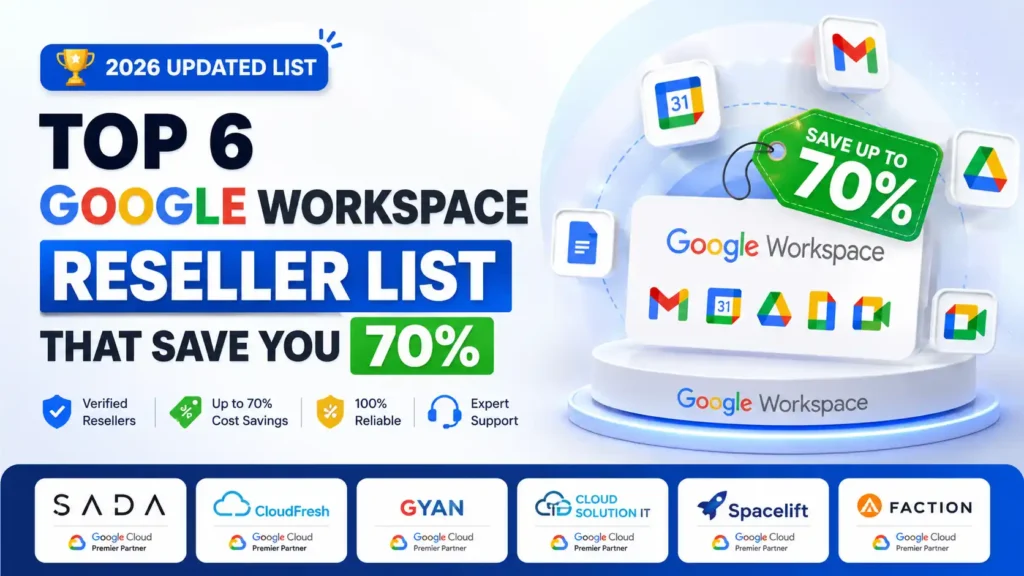
Most businesses searching for a Google Workspace reseller list end up on outdated directories that mix legitimate providers with sketchy ones. You deserve better than that.
This guide covers 10 verified Google Workspace resellers compared side by side on pricing, setup speed, DNS configuration, cold email readiness, and support quality with real numbers, not vague claims so you find the right provider fast and stop overpaying Google’s full retail price.
Google Workspace’s Go-to-Market Strategy with Partners and Resellers (2025-2026)
Google’s partner ecosystem has evolved significantly. Authorized resellers now play a critical role in Google Workspace’s distribution strategy, offering wholesale pricing and specialized services that Google doesn’t provide directly.
This guide solves that.
If you want a complete breakdown of verified Google Workspace reseller options in 2026 with real comparisons, this detailed list covers everything:
We’ve vetted 50+ Google Workspace partners and organized them by use case, pricing, and location. Whether you need standard business licenses or cold email infrastructure, you’ll find your perfect match here.
Let’s start with the best option available right now.
Google Workspace Resellers Comparison table

| Provider | Starting Price | vs Leads Monky | Cold Email Ready | DNS Auto Setup | Warmup Included | Best For |
|---|---|---|---|---|---|---|
| Leads Monky | $3/user/month | Cheapest certified | Yes | Yes | Works with any tool | Cold email + business email |
| PrimeForge | $4.50/mailbox/month | $1.50 more per mailbox | Yes | Yes | Pre-warmed included | Cold outreach agencies needing instant inboxes |
| Zapmail | $3.90/mailbox/month effective | $0.90 more per mailbox | Yes | Yes | Not included | DIY cold email teams, 10 to 50 mailboxes |
| Premium Inboxes | $3.50/inbox/month | $0.50 more per inbox | Yes | Yes | Not included | Teams needing free inbox replacements |
| Inboxlogy | $3.50/inbox/month | $0.50 more per inbox | Yes | Yes | Not included | Bulk cold email at 500+ inboxes |
| Maildoso | $3.10/mailbox/month | $0.10 more per mailbox | Yes | Yes | Included | New inboxes needing built-in warmup |
Top Google Workspace Resellers (2026 Rankings)
1. Leads Monky – Best Overall Google Workspace Reseller
The only certified reseller on this list covering both cold email and business email at the lowest verified price starting from $2.50/user/month.
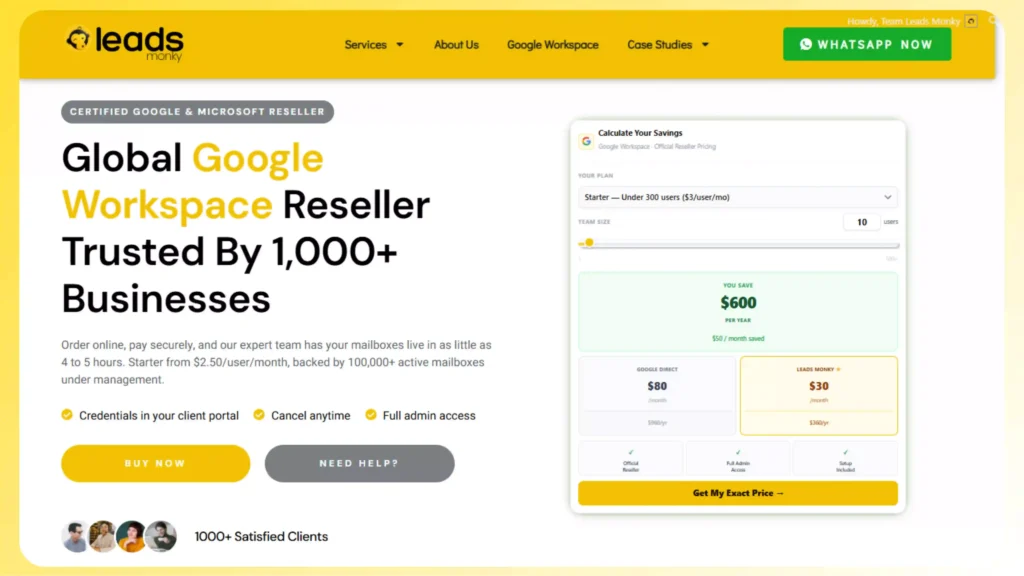
Leads Monky is an official Google Workspace and Microsoft 365 authorized reseller trusted by 1,000+ companies globally . Most resellers here serve one use case. Leads Monky serves both cold outreach and full business email from a single certified account with complete admin ownership handed to you from day one. Orders go live within 4 to 5 hours with SPF, DKIM, and DMARC configured by a real technical expert on every domain.
Leads Monky Pricing
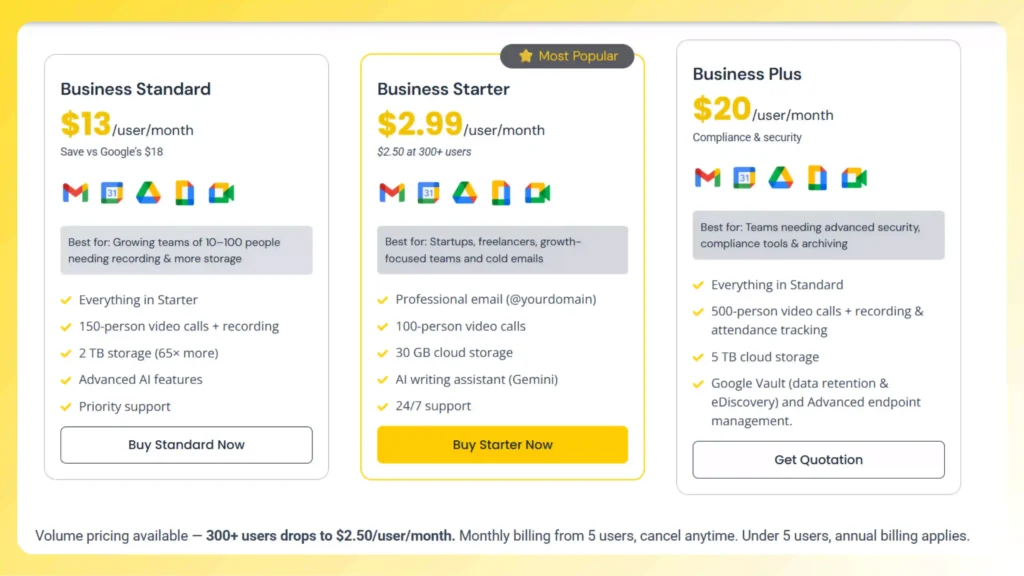
No hidden charges. No extra taxes. The price you see is the price you pay.
Key Features
- Official Google Workspace and Microsoft 365 authorized reseller verifiable in Google’s partner directory. Every license is a legitimate plan with no EDU accounts or recycled inboxes
- SPF, DKIM, and DMARC configured by a certified human expert on every domain not automated scripts. A real person verifies your DNS before your account goes live
- Full admin console ownership from day one you control user creation, password resets, storage, and all settings. Leads Monky configures everything then steps back completely
- Works for both cold email campaigns and regular business email on the same account Gmail, Drive, Meet, and Calendar all included
- Microsoft 365 also available at reseller pricing for teams running mixed infrastructure
- Migration assistance included switch from Google direct or any other provider with zero downtime
- Human support via WhatsApp and live chat across UK, USA, Pakistan, India, and UAE time zones with under 3-hour response times
Pros and Cons
| Pros | Cons |
|---|---|
| Lowest certified price on this entire list | No built-in warmup tool |
| Official Google and Microsoft 365 authorized reseller | Human setup means 4 to 5 hours delivery, not instant |
| Expert DNS setup on every domain | Sunday orders can take up to 24 hours |
| Works for cold email and business email | Under 5 users billed annually |
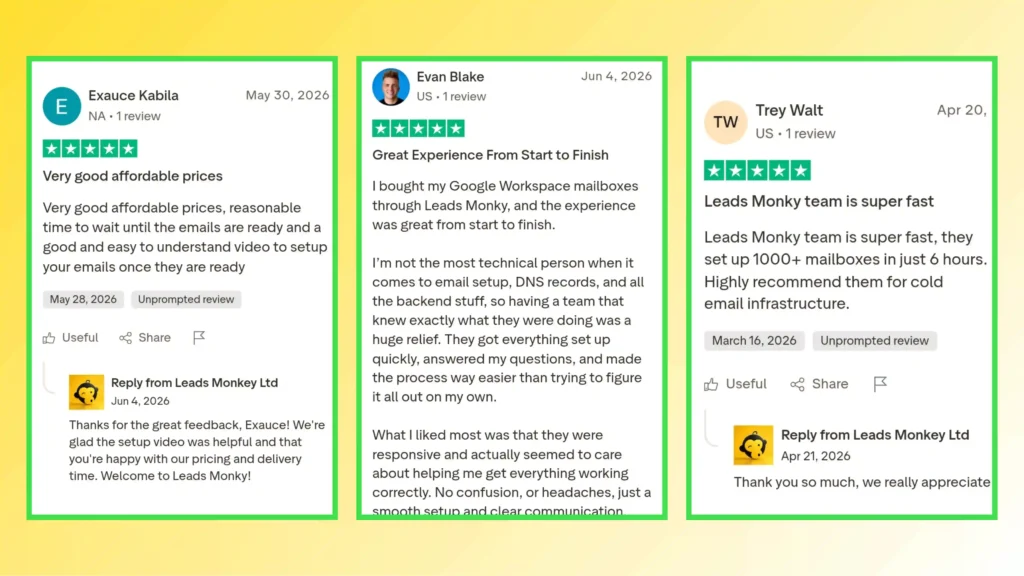
| 5.0 Trustpilot rating — every review 5 stars | |
| No contracts, cancel anytime | |
| Migration assistance included |
Who Should Use Leads Monky
- Small businesses and startups wanting official Google Workspace at 62.5% below Google’s retail price
- Cold email agencies managing 15 to 300 mailboxes who need certified licenses and properly authenticated domains
- Teams switching from another provider who need migration support and zero downtime
- Businesses wanting both cold email infrastructure and team email under one certified reseller
- Anyone who wants a real human to handle setup, DNS, and ongoing support not a chatbot
2. PrimeForge – Best for Pre-Warmed Cold Email Inboxes
Pre-warmed inboxes ready in 30 minutes but at $4.50/mailbox/month you pay 50% more than Leads Monky before adding warmup and monitoring costs.
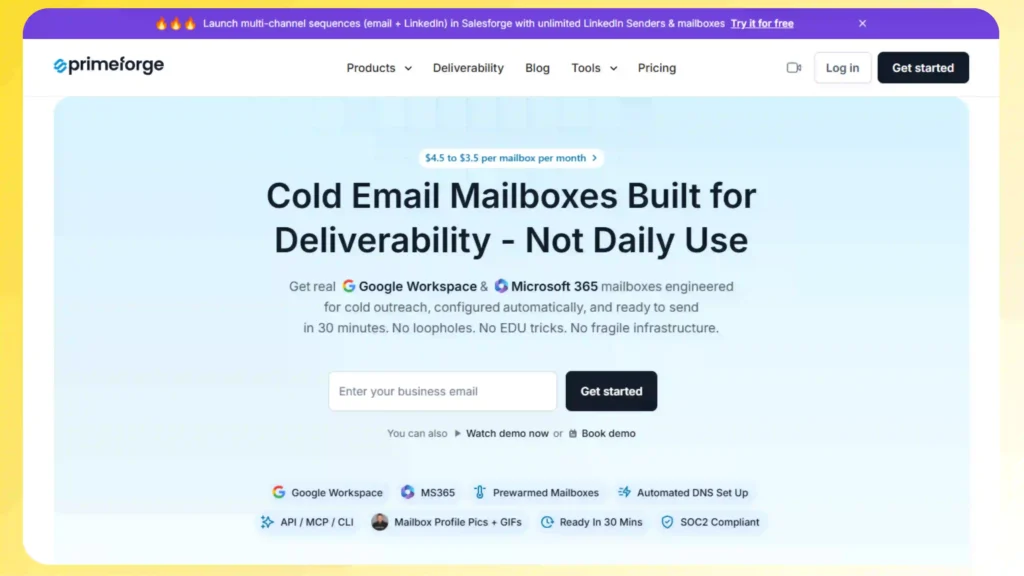
PrimeForge provisions real Google Workspace and Microsoft 365 mailboxes built specifically for cold outreach. It is part of the Forge Stack alongside Salesforge, Infraforge, and Warmforge. The standout feature is pre-warmed inboxes eliminating the 2 to 4 week warmup period most new inboxes require. The honest cost reality is that the base price is just the starting point. Adding Warmforge warmup and Infraforge monitoring pushes the real per-mailbox cost to $7 to $10 per month.
Primeforge Pricing
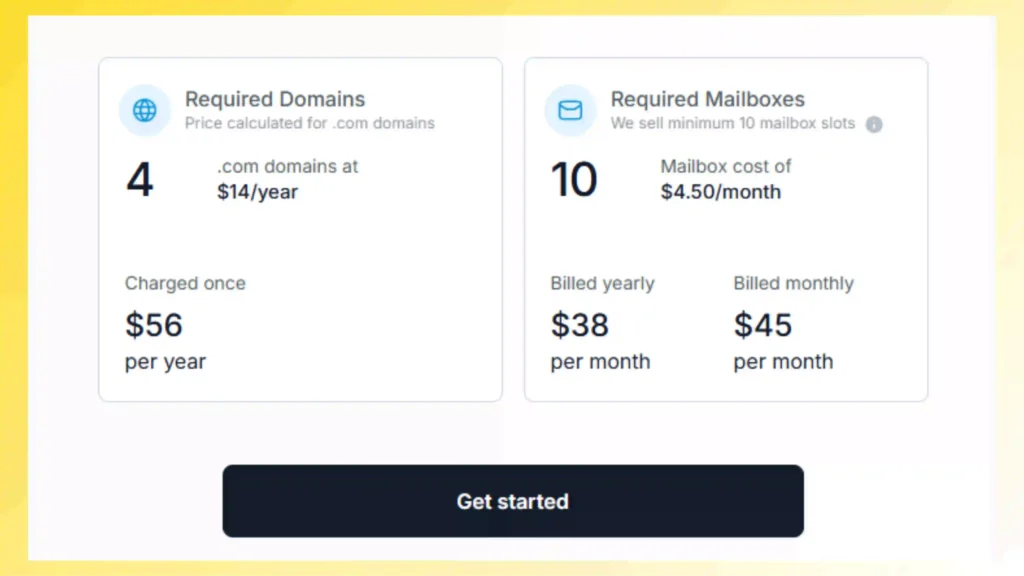
Real cost: 20 mailboxes yearly = $70/month at PrimeForge vs $60/month at Leads Monky. Add warmup ($2/mailbox) and monitoring ($1.50/mailbox) and the true cost hits $10/mailbox/month.
Key Features
- Pre-warmed inboxes ready to send in 30 minutes no warmup waiting period
- Automated DNS setup SPF, DKIM, and DMARC configured without any manual steps
- US-based IP addresses on every mailbox for better deliverability to US prospects
- Works with Instantly, Smartlead, Salesforge, and all major cold email platforms
- Slot model delete and recreate mailboxes without extra cost
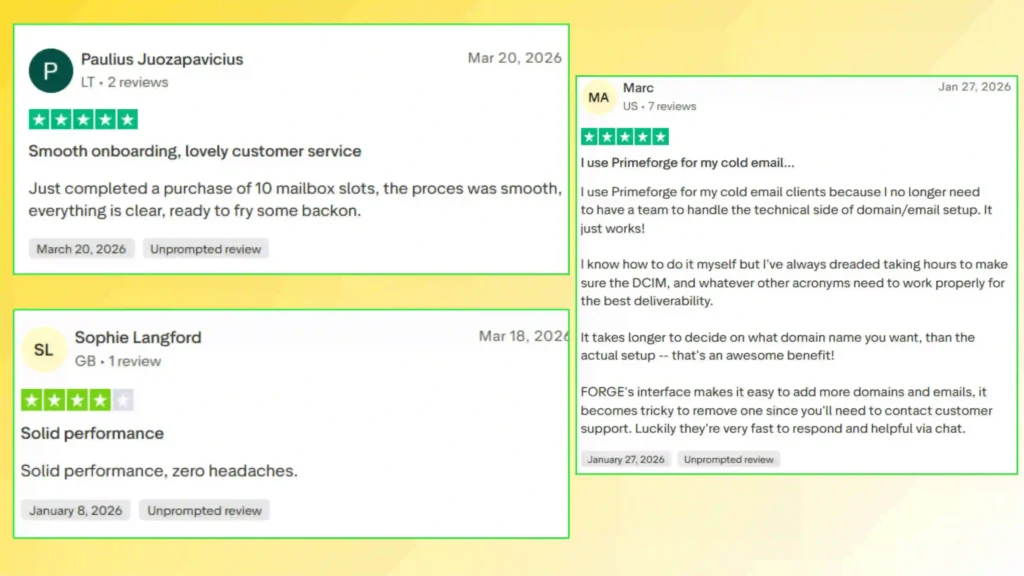
Pros and Cons
| Pros | Cons |
|---|---|
| Pre-warmed inboxes, send-ready in 30 minutes | $4.50/mailbox — 50% more than Leads Monky |
| Real Google Workspace and Microsoft 365 licenses | Full stack cost reaches $7 to $10/mailbox with add-ons |
| Automated DNS setup | 10 mailbox minimum — no small orders |
| US-based IPs on every mailbox | Cold email only — no business email use case |
| Integrates with all major cold email tools | No free trial |
Who Should Use PrimeForge
- Cold outreach agencies needing pre-warmed inboxes live within 30 minutes
- SDR teams running high-volume campaigns who need US-based IPs and ESP matching
- Teams already inside the Forge Stack using Salesforge as their sequencer
3. Zapmail — Fast Automated Setup for Cold Email Teams
Zapmail’s effective per-mailbox cost starts at $3.90 on the entry plan — and climbs further once warmup is added separately on top.
Zapmail manages over 1 million mailboxes and 330,000 domains, making it one of the larger cold email infrastructure operators available. Setup is fast and integrations with Instantly, Smartlead, and Lemlist work cleanly. The hidden cost problem is the mandatory platform fee a 10-mailbox Starter plan at $39/month means you are paying $3.90 per mailbox before adding a single extra inbox.
Zapmail Pricing Page
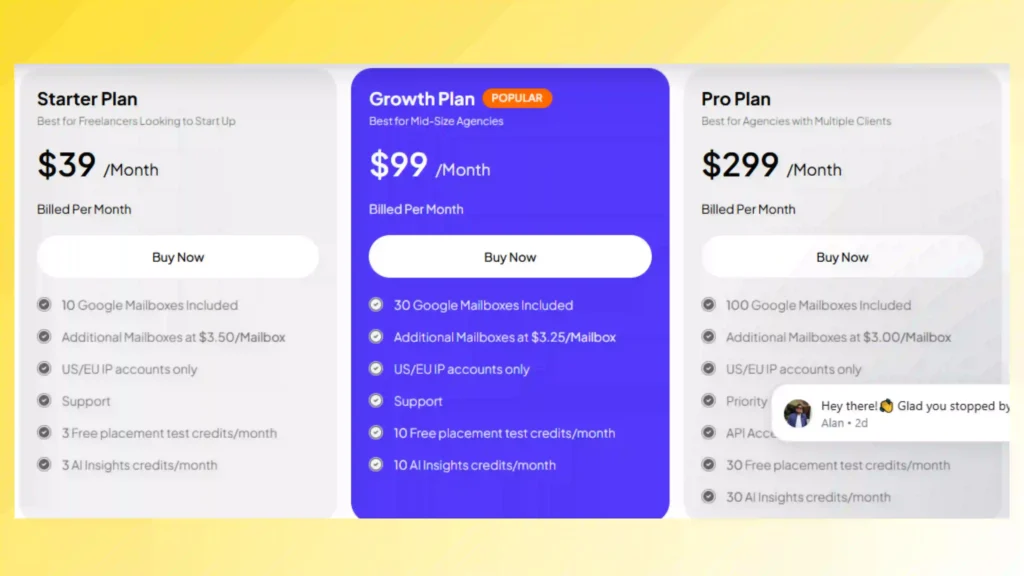
Real cost: 20 mailboxes on Starter = $39 + (10 × $3.50) = $74/month vs $60/month at Leads Monky. Warmup not included at any tier.
Key Features
- SPF, DKIM, and DMARC auto-configured on every domain
- One-click export to 50+ cold email platforms including Instantly, Smartlead, and Lemlist
- Single dashboard for managing multiple client domains and mailboxes
- Bring your own domain or purchase directly through Zapmail
Pros and Cons
| Pros | Cons |
|---|---|
| Fast setup and clean Google Workspace inboxes | Platform fee pushes real cost to $3.90/mailbox at entry |
| 50+ cold email tool integrations | No warmup included — purchased separately |
| Single dashboard for multiple clients | Microsoft 365 disconnections reported in community forums |
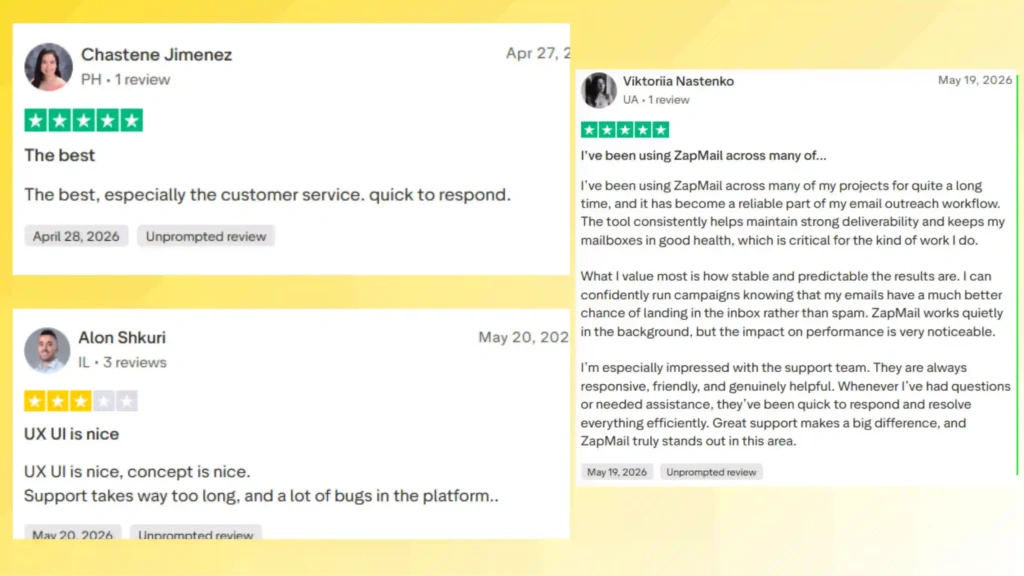
| 4.5 Trustpilot rating | No inbox placement testing or monitoring at any tier |
Who Should Use Zapmail
- DIY cold email teams managing 10 to 50 mailboxes wanting fast automated setup
- Agencies on Growth or Pro plans where platform fee becomes a smaller per-mailbox proportion
- Teams already using Instantly or Smartlead wanting one-click integration
4. Premium Inboxes Best for Inbox Replacement Guarantee
Starts at $3.50/inbox/month 16% more than Leads Monky but the only provider on this list offering unlimited free inbox replacements.
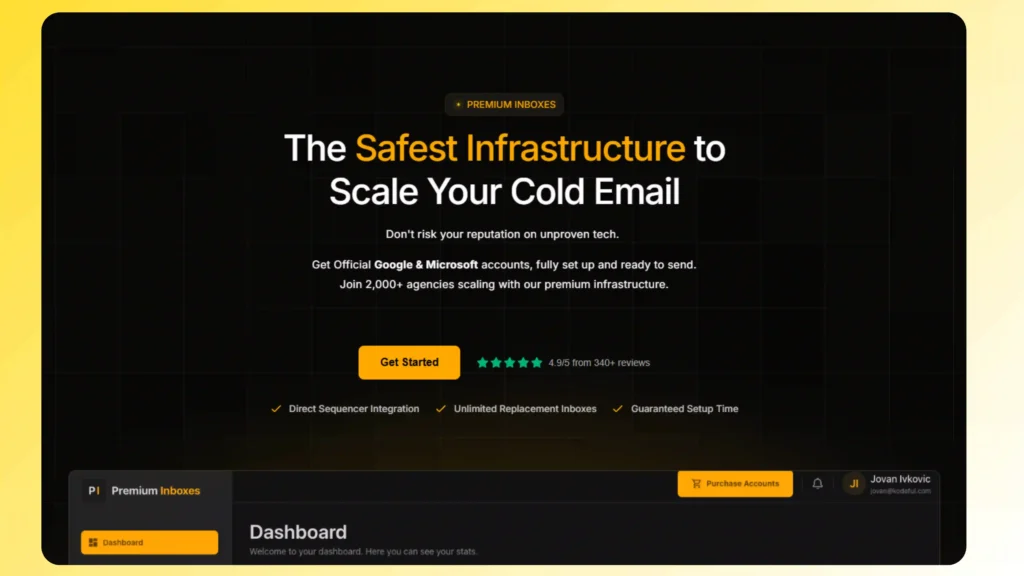
Premium Inboxes focuses exclusively on cold email deliverability. Its core differentiator is a free inbox replacement policy that no other reseller on this list offers if any mailbox gets flagged or burned, you receive a replacement at zero extra cost. For agencies running high-volume campaigns where inbox burnout is a recurring expense, this guarantee has measurable financial value that partially offsets the higher per-inbox price.
Pricing
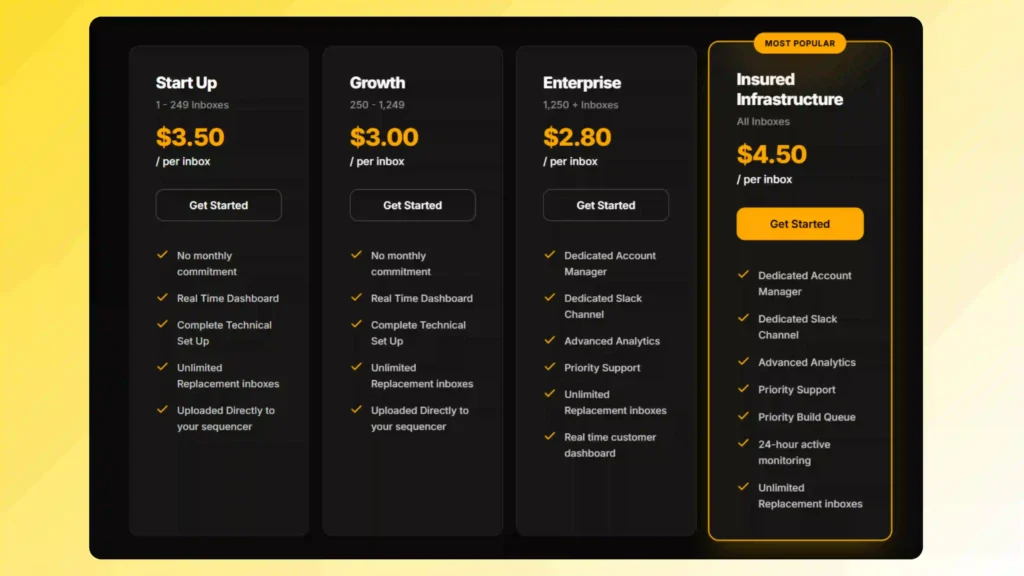
Real cost: 20 inboxes = $70/month vs $60/month at Leads Monky. The $10/month difference funds the replacement guarantee.
Key Features
- Unlimited free inbox replacements — no other provider on this list offers this
- US IP addresses on every inbox for consistent deliverability to US prospects
- Inboxes delivered within 12 hours of order
- Real-time dashboard showing inbox status and deliverability signals
- Direct one-click upload to Instantly and Smartlead
Pros and Cons
| Pros | Cons |
|---|---|
| Unlimited free inbox replacements | $3.50 entry 16% more than Leads Monky |
| US IP addresses on every inbox | Google Workspace only no Microsoft 365 |
| Real-time deliverability dashboard | Cold email only no business email use |
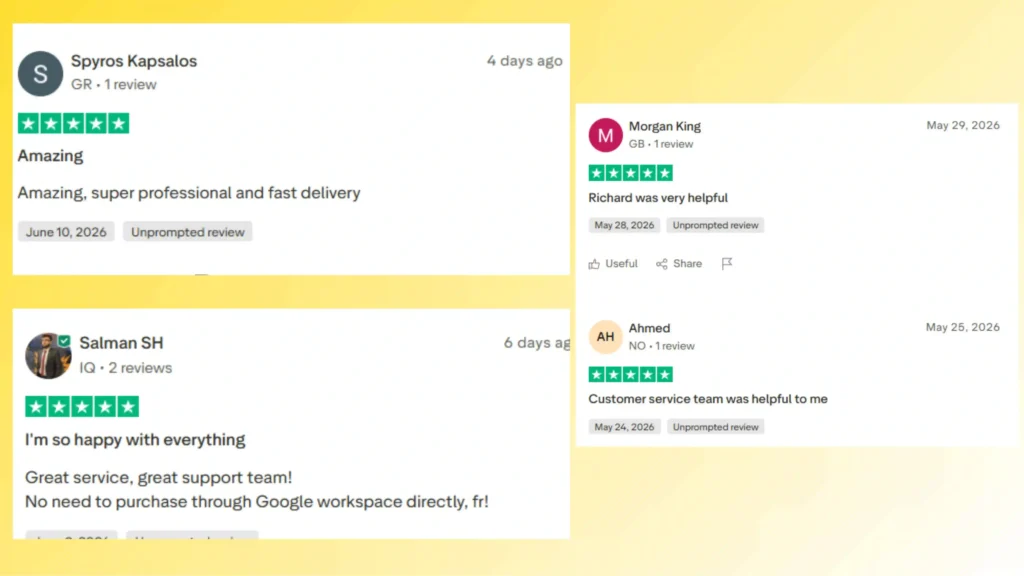
| 12-hour delivery | No warmup tools included |
Who Should Use Premium Inboxes
- Cold email agencies where inbox burnout is a recurring operational cost
- Sales teams sending at high volume to US-based prospects
- Teams scaling to 250+ inboxes where the $3.00 Growth tier becomes more competitive
5. Inboxlogy Best for Bulk Cold Email at 500+ Inboxes
Starts at $3.50/inbox/month and only becomes cost-competitive with Leads Monky at 500+ inboxes — the wrong choice for small and mid-size teams.
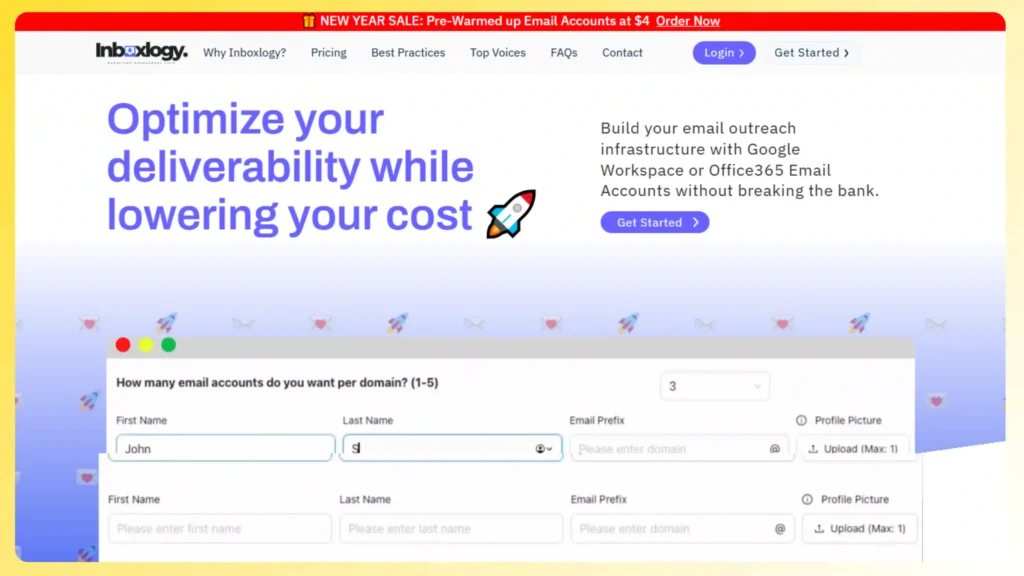
Inboxlogy is a Google Workspace and Microsoft 365 reseller using legitimate Business Starter licenses an important distinction in a market where EDU accounts remain common. The pricing model rewards volume aggressively with per-inbox cost dropping at each tier. The value proposition only materialises at scale. Below 500 inboxes, Leads Monky is cheaper every time.
Pricing
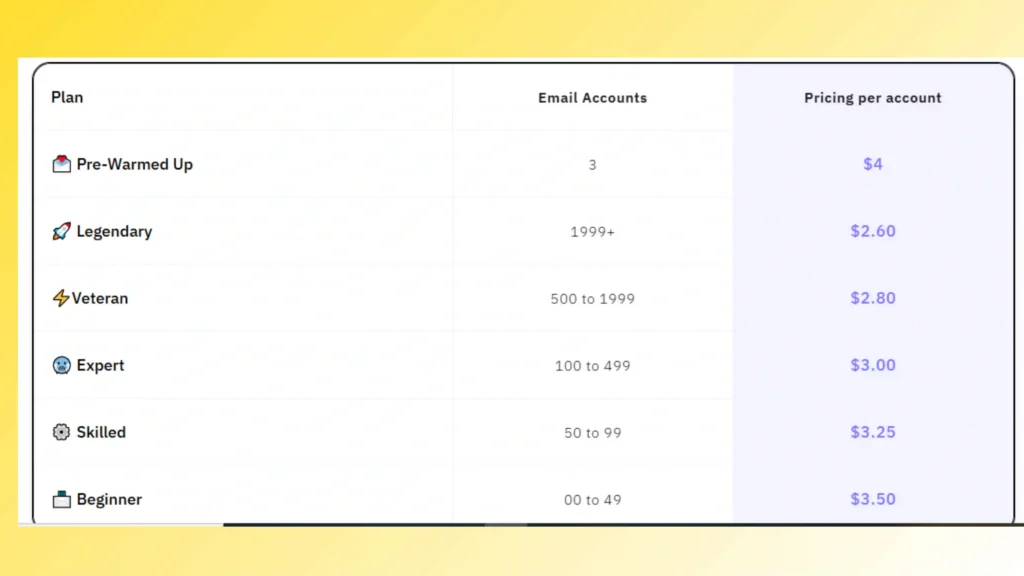
| Volume | Price Per Inbox |
|---|---|
| 0 to 49 inboxes | $3.50/inbox/month |
| 50 to 99 inboxes | $3.25/inbox/month |
| 100 to 499 inboxes | $3.00/inbox/month |
| 500 to 1,999 inboxes | $2.80/inbox/month |
| 2,000+ inboxes | $2.60/inbox/month |
Real cost: 20 inboxes = $70/month vs $60/month at Leads Monky. Inboxlogy only undercuts Leads Monky at 2,000+ inboxes.
Key Features
- Legitimate Google Workspace Business Starter licenses no EDU or grey market accounts
- Full admin console access on every account
- Pre-configured SPF, DKIM, and DMARC on delivery
- Cancel anytime — no annual lock-in or penalty
- Scales from 10 to 10,000+ inboxes from one account
Pros and Cons
| Pros | Cons |
|---|---|
| Legitimate Business Starter licenses | $3.50 entry — 16% more than Leads Monky |
| Full admin console access | Cost-competitive only at 500+ inboxes |
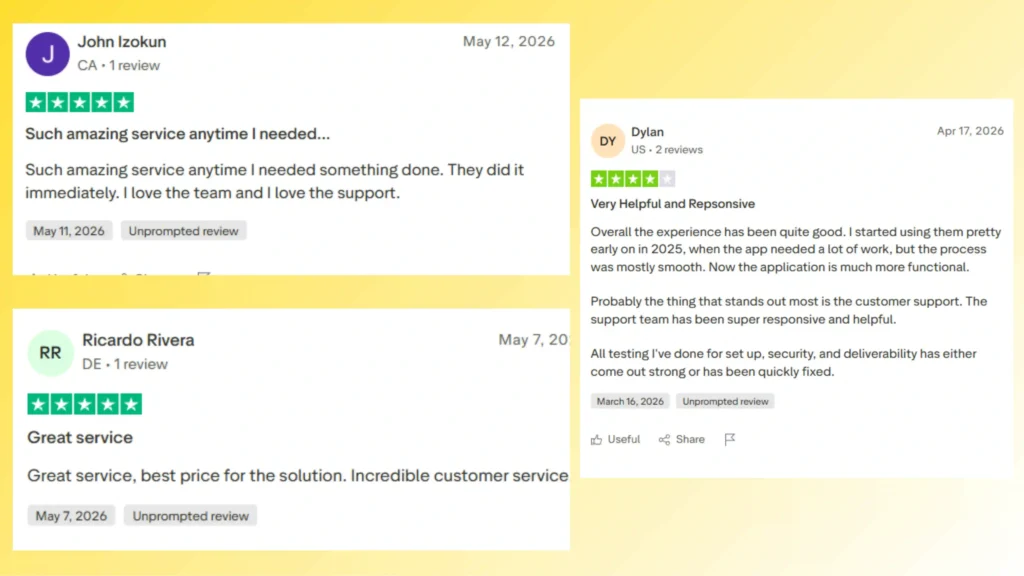
| Cancel anytime billing | Trustpilot 3.7/5 from only 15 reviews |
| Scales to 10,000+ inboxes | No warmup tools included |
| No setup fee | 24 to 36 hour provisioning time |
Who Should Use Inboxlogy
- Cold email agencies already at 500+ inboxes where volume pricing delivers real savings
- Lead generation firms managing outreach across multiple brands needing no annual lock-in
- Teams scaling to 1,000+ inboxes who have outgrown smaller providers
6. Maildoso Best for Built-In Warmup on New Inboxes
Starts at $3.10/mailbox/month with warmup included but quarterly billing lock-in means no flexibility to scale up or down month to month.
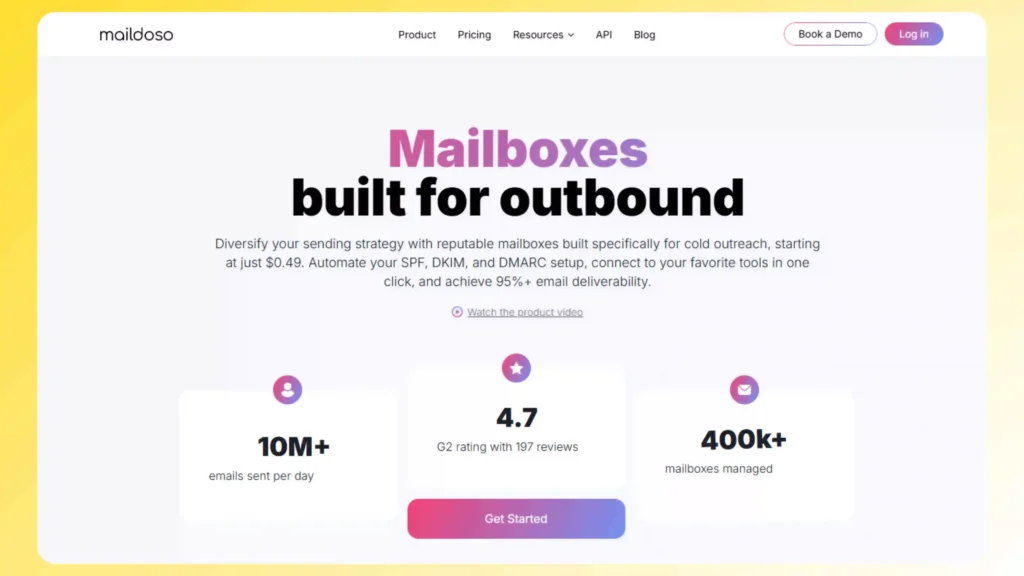
Maildoso is the only provider on this list that bundles warmup into the base price. Every other reseller requires a separate warmup tool costing $15 to $29 per inbox per month. For teams launching new inboxes regularly, that bundled warmup changes the total cost of ownership calculation. The trade-off is quarterly billing there is no monthly option at any tier.
Pricing
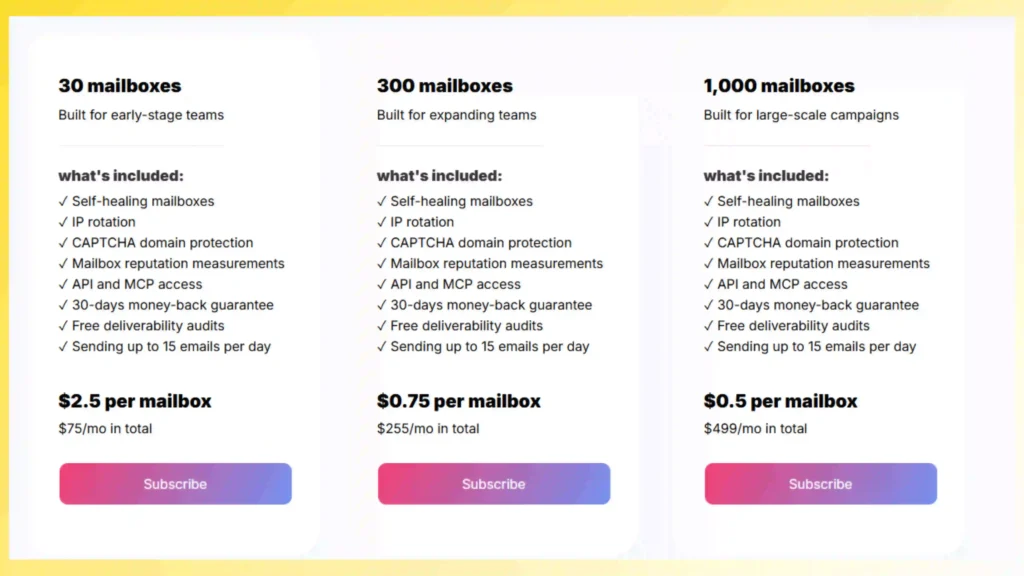
Real cost: Starter plan = $3.10/mailbox/month. Warmup included. Leads Monky at $3/mailbox does not include warmup — add a separate warmup tool and Maildoso can be cheaper total.
Key Features
- Built-in automatic warmup on every inbox no separate warmup tool needed
- SPF, DKIM, and DMARC auto-configured with free domains included on every plan
- Daily inbox health checks across your entire account
- Manage all replies from multiple inboxes in one master inbox dashboard
- Google Workspace and SMTP mailboxes both available
Pros and Cons
| Pros | Cons |
|---|---|
| Built-in warmup — unique value at this price point | Quarterly billing only — no monthly flexibility |
| Free domains included on every plan | Shared IPs — reputation affected by other users |
| Daily inbox health checks | Minor disconnection bugs reported by users |
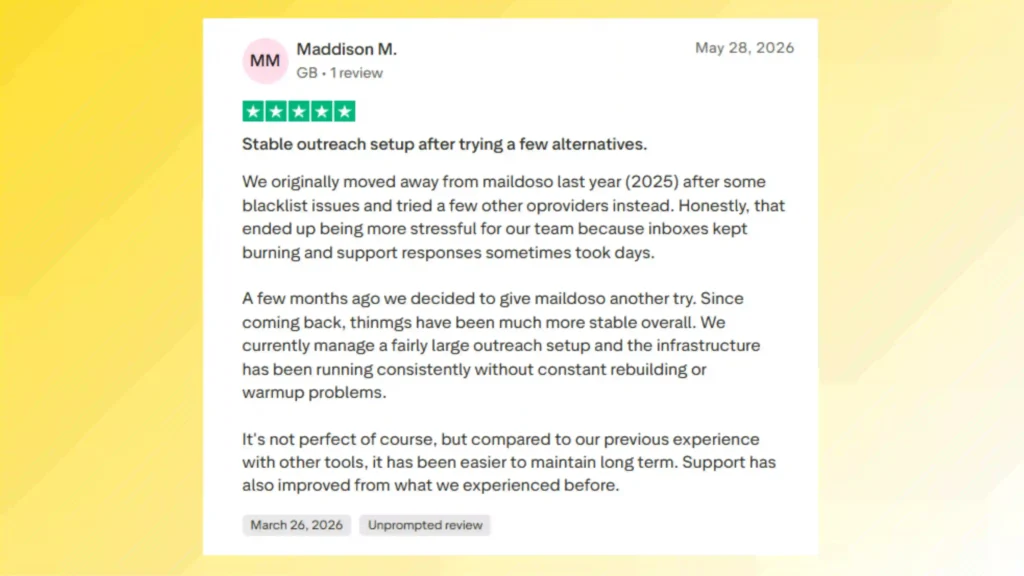
| 140+ G2 reviews — strongest social proof in this category | Higher entry cost than Leads Monky |
| SMTP and Google Workspace options | Cold email focused — not for business email |
Who Should Use Maildoso
- Teams launching batches of new inboxes regularly who need warmup included
- Small agencies wanting domains and warmup bundled into one quarterly payment
- Cold email operators comfortable with shared IP infrastructure at competitive pricing
💡 Need help setting up Google Workspace?
We’re certified Google partners offering 64% off + free professional setup ($2,000 value). Used by 151+ companies.
Get your quote →Why Buy from a Google Workspace Reseller Instead of Google Direct?
Most people assume buying directly from Google is safer or cheaper. That’s wrong.
Authorized Google Workspace partners offer identical products at better prices because Google’s partner program allows wholesale pricing. Here’s what you gain:
Lower Costs: Resellers typically discount 20-60% off retail. That’s real money saved monthly.
Expert Setup: DNS configuration, domain verification, and email authentication done for you. Google doesn’t offer hands-on setup help.
Better Support: Dedicated account managers who actually know your business. Google’s support is generic and slow.
Migration Assistance: Moving from Microsoft 365, Zoho, or another platform? Resellers handle data transfer without downtime.
Flexible Billing: Monthly invoicing, quarterly payments, or custom arrangements. Google only does credit card monthly.
Bundle Services: Many partners include extras like domain registration, SSL certificates, or backup solutions.
The products are identical. Google even allows reseller customers to transfer back to direct billing anytime. You risk nothing by starting with a reseller.
How to Choose the Right Google Workspace Reseller
Not all Google Workspace resellers deliver equal value. Use this framework to decide:
Step 1: Verify Official Partner Status
Visit Google Cloud’s partner directory and search the company name. Legitimate authorized resellers appear there with verified badges.
Red flags: Can’t find them listed? No partner badge? Run away.
Step 2: Match Your Use Case
Different resellers specialize in different needs:
- Standard business use? Choose traditional partners like Leads Monky or HiView Solutions
- Cold email campaigns? Go with infrastructure providers like PrimeForge or Inframail
- Education sector? Find partners offering nonprofit/education discounts
- International team? Pick regional specialists with local currency billing
Once you’ve selected a reseller, the next critical step is proper setup and deployment. To avoid configuration mistakes during onboarding, DNS setup, and user provisioning, you can follow our Google Workspace onboarding checklist for a complete step-by-step implementation guide.
Step 3: Compare Pricing Models
Some Google Workspace partners charge per-user monthly. Others offer flat rates for unlimited inboxes. Others bundle services at package prices.
Calculate total cost including:
- Monthly license fees
- Setup/migration charges
- Support fees (if any)
- Add-on costs (storage, vault, etc.)
Step 4: Check Support Quality
Ask potential resellers:
- What’s your average response time?
- Do you offer phone/chat support or just email?
- Can you help with custom integrations?
- What happens if we need emergency assistance?
The cheapest reseller often has terrible support. Balance cost with service quality.
Step 5: Read Real Reviews
Check G2, Capterra, and TrustPilot for customer experiences. Look for patterns:
- Consistent billing issues? Warning sign
- Migration problems? Red flag
- Slow support? Deal breaker
- Happy long-term customers? Green light
How to Verify a Google Workspace Reseller Is Legitimate
Scams exist in every industry. Protect yourself with this verification checklist:
Official Partner Directory Check: Search Google Cloud partners for the company. They must appear with product specialization badges.
Domain Age: Legitimate resellers have established web presences. Check domain registration dates using WHOIS lookup. New domains (under 1 year) raise suspicion.
Contact Information: Real companies list physical addresses, phone numbers, and multiple contact methods. Only email contact? Risky.
Pricing Reality Check: If they claim 80-90% discounts, it’s likely a scam. Real authorized reseller discounts range 20-60% for standard plans.
Payment Security: They should accept secure payment methods (credit cards, wire transfers to business accounts). Cryptocurrency-only or prepaid cards only? Huge red flag.
Contract Clarity: Legitimate Google Workspace partners provide clear contracts specifying exactly what you’re buying, renewal terms, and cancellation policies.
When in doubt, contact Google support and ask them to verify the reseller’s authorization status.
Common Mistakes to Avoid
Mistake #1: Choosing Based Only on Price
The cheapest reseller might lack proper support, hide fees, or use questionable provisioning methods. Balance cost with service quality.
Mistake #2: Skipping the Migration Plan
Moving email data is complex. If your Google Workspace partner doesn’t offer detailed migration support, data loss risks increase significantly.
Mistake #3: Ignoring Contract Terms
Some resellers lock you into annual contracts with hefty cancellation fees. Read terms carefully before committing.
Mistake #4: Not Testing Support First
Contact their support team before buying. Ask technical questions and gauge response quality. This reveals what working with them will actually be like.
Final Recommendations: Which Reseller Should You Choose?
Here’s our recommendation based on your situation:
For most businesses: Start with Leads Monky. Their 64% discount, free setup, and strong support make them the best overall value on our Google Workspace reseller list.
For cold email teams: Choose PrimeForge if deliverability matters most, or Inframail if you need unlimited scaling at predictable costs.
For enterprises (100+ users): Contact Gear Cloud Solutions for negotiated volume pricing with dedicated account management.
For international teams: Pick a regional authorized reseller supporting your local currency and compliance requirements.
The right Google Workspace partner saves you money, time, and headaches. The wrong one causes billing nightmares and support frustration.
Use this reseller list to make an informed choice. Your productivity suite should work for you, not against you.
Ready to switch? Visit Leads Monky to get verified Google Workspace plans at 64% off with professional setup included. Or explore other partners from this list based on your specific needs.
Get Google Workspace at 64% Off
Same service. Better price. Professional setup included.
⭐⭐⭐⭐⭐ 151+ companies trust us
Partner Pricing:
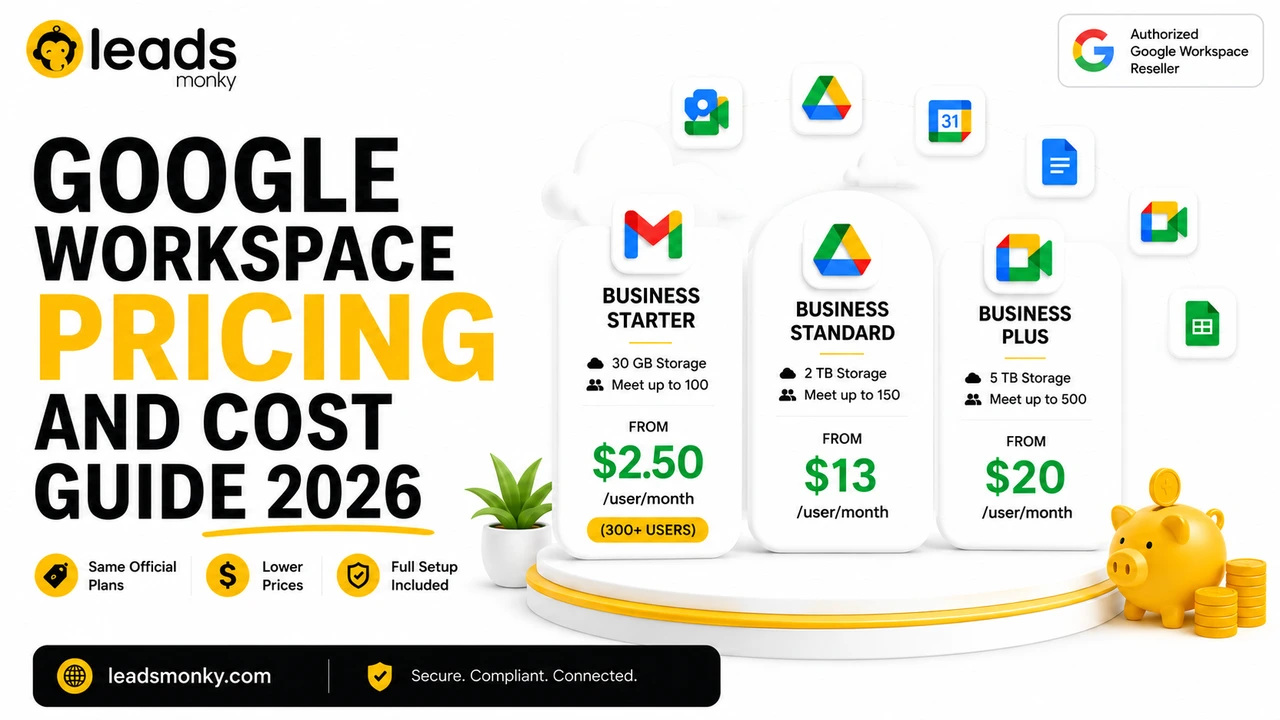
• Business Starter: $3/month (Google: $8)
• Business Standard: $13/month (Google: $17)
• Business Plus: $20/month (Google: $26)
FREE:
Complete DNS setup + 24/7 support + USA IPs
15-user minimum | Setup in 24 hours