Ever watched potential customers visit your website, look around, and disappear forever?
You’re not alone. 97% of first-time visitors leave without converting. They’re interested—just not ready yet.
That’s where LinkedIn retargeting changes everything.
Instead of letting warm leads slip away, you can follow up with targeted ads on the platform where they’re already spending time. And the results? 30% higher click-through rates and 14% lower costs compared to cold prospecting.
Let’s dive into everything you need to know about retargeting in LinkedIn for 2026.

What Is LinkedIn Retargeting? (The Simple Answer)
LinkedIn retargeting lets you show ads to professionals who’ve already engaged with your brand.
Maybe they visited your pricing page. Watched your video. Or clicked on your last LinkedIn post.
Instead of starting from scratch with cold audiences, you’re reconnecting with people who already know who you are.
Think of it like this: you met someone at a networking event. They seemed interested in your business. Retargeting is your follow-up email—except it’s an ad in their LinkedIn feed.
Here’s why it works so well.
Why LinkedIn Retargeting Beats Cold Ads Every Time
The numbers don’t lie.
LinkedIn’s pilot study tracked over 2,000 retargeting campaigns. The results were impressive:
- 30% increase in CTR with website retargeting
- 14% decrease in cost-per-conversion
- 3x higher conversion rates compared to cold prospects
But here’s what really matters: you’re not wasting money on people who don’t care.
Cold LinkedIn outreach and traditional ads cost $8-10 per click. Retargeting ads? You’ll pay $5-7 per click.
. That’s a 30-40% cost reduction right there.
Plus, B2B buyers need 8+ touchpoints before they convert. Retargeting accelerates this journey by staying top-of-mind throughout their decision process.
How Much Does LinkedIn Retargeting Actually Cost?
Let’s talk real numbers.
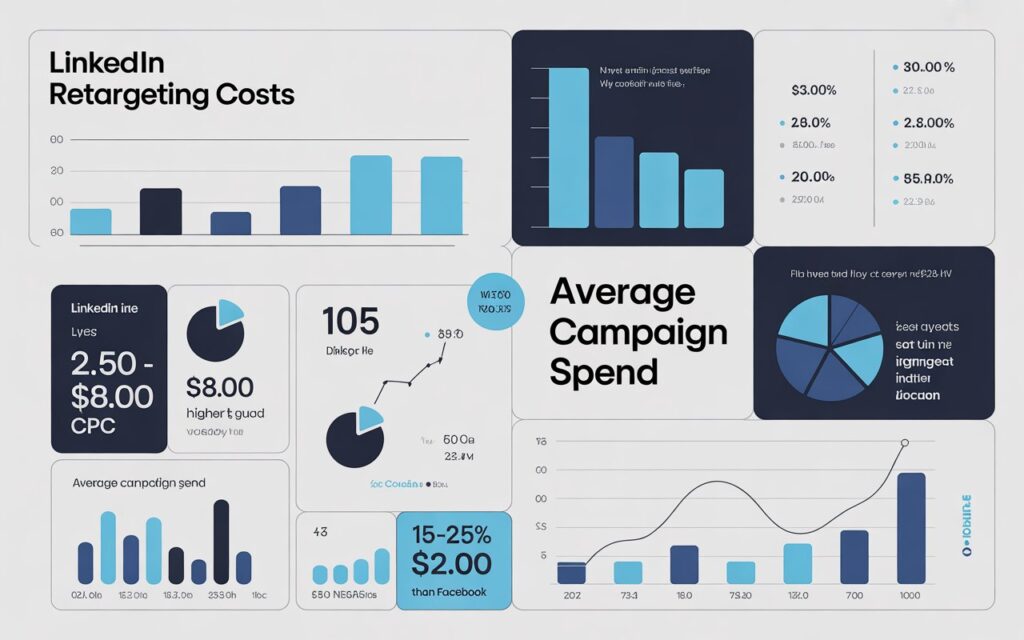
Most articles give you vague ranges or outdated data. Here’s what LinkedIn retargeting costs in 2026 based on hundreds of active campaigns . You can also check our complete guide on LinkedIn lead generation cost for broader context :
Average Costs by Metric
Cost Per Click (CPC):
- Retargeting campaigns: $5.70-7.50
- Cold prospecting: $8.00-10.00
- Your savings: 25-35%
Cost Per Lead (CPL):
- Retargeting: $75-150
- Cold prospecting: $150-250
- Your savings: 40-50%
Cost Per 1,000 Impressions (CPM):
- Retargeting: $25-40
- Cold prospecting: $35-55
- Your savings: 20-30%
Regional Cost Breakdown
North America (highest costs):
- CPC: $7-10
- CPL: $100-200
EMEA (moderate):
- CPC: $5-8
- CPL: $75-150
APAC (most affordable):
- CPC: $4-6
- CPL: $50-100
The bigger your audience, the lower your costs. We’ll cover optimal audience size in a minute.
8 Ways to Create Retargeting Audiences in LinkedIn
Most marketers only use website retargeting. Big mistake.
LinkedIn offers eight different audience types. Here’s how to use each one:
1. Website Retargeting (Most Powerful)
This is your bread and butter.
Install the LinkedIn Insight Tag on your website. It tracks visitors and matches them to LinkedIn profiles.
Best practices:
- Target pricing page visitors with demo offers
- Target blog readers with related content
- Exclude thank-you page visitors (they already converted)
Lookback window: 90 days works best for most B2B campaigns.
Minimum audience size: 300 members (but aim for 1,000+)
2. Video Retargeting (Underused Gold)
LinkedIn lets you target people based on video completion rates.
Here’s the smart approach:
- 25% completers: Slight interest → nurture with educational content
- 50% completers: Moderate interest → share value propositions
- 75% completers: High interest → offer demos or consultations
- 97% completers: Very high intent → direct sales approach
Pro tip: People who watch 97% of your video are often as valuable as form submitters—but cost way less to acquire.
3. Lead Gen Form Retargeting
This one’s critical.
LinkedIn Lead Gen Forms create two valuable audiences that fit perfectly into your LinkedIn lead generation funnel:
Form openers (didn’t submit): They’re interested but hesitant. Retarget them with objection-handling content.
Form submitters (hot leads): These people want to hear from you. Show them next-step offers.
Warning: Always exclude form submitters from cold campaigns. Otherwise you’re wasting budget on people who already converted.
4. Company Page Retargeting
Target people who visited your LinkedIn Company Page or clicked your CTA buttons.
These audiences show company-level interest—perfect for:
- Product announcements
- Event invitations
- Recruitment campaigns
- Brand awareness
Growth is slower (100-500 members/month for SMBs), but quality is high.
5. Single Image Ad Retargeting
Target people who engaged with your Sponsored Content.
This includes anyone who:
- Clicked the ad
- Liked, commented, or shared
- Expanded the post
Use this to reach platform-loyal users who prefer staying on LinkedIn instead of visiting external sites.
6. Contact List Upload
Upload your CRM data directly to LinkedIn.
You can upload up to 300,000 email addresses. LinkedIn matches them to member profiles (expect 40-60% match rates for B2B lists).
Best uses:
- Retarget recent leads
- Run ABM campaigns to specific accounts
- Follow up with webinar attendees
- Upsell existing customers
Pro tip: Include LinkedIn Page URLs (linkedin.com/company/NAME) for 20-30% better match rates.
7. Video Ad Retargeting
Similar to regular video retargeting, but specifically for LinkedIn video ads.
Create sequential campaigns based on completion rates. Show different messages to people at different engagement levels.
8. Event Retargeting
If you host LinkedIn Events, you can retarget attendees. Learn more about LinkedIn event marketing strategies to maximize attendance first.
Use cases:
- Pre-event: Build excitement, share agenda
- Post-event: Share recordings, related resources
Limitation: Requires 300+ attendees (challenging for smaller events).
How to Set Up LinkedIn Retargeting (Step-by-Step)
Let’s get your first retargeting campaign running.
Step 1: Install the LinkedIn Insight Tag
The Insight Tag is JavaScript code that tracks website visitors.
Here’s how to create it:
- Log into LinkedIn Campaign Manager
- Click “Account Assets” → “Insight Tag”
- Click “Install my Insight Tag”
- Copy the code
- Paste it before the closing </body> tag on every page
Verification:
- Go back to Campaign Manager
- Click “Test Installation”
- Enter your website URL
- Visit your site in a new tab
- You should see “Partner Insight Tag found”
Common issue? Make sure the tag appears on ALL pages, not just your homepage.
Step 2: Create Your Retargeting Audience
Wait 24-48 hours after installing the tag. Then:
- Go to Campaign Manager → “Account Assets” → “Matched Audiences”
- Click “Create Audience“
- Select “Website” under “Retarget by”
- Name your audience: “Website-All-Pages-90-Days”
- Set time range: 90 days (recommended)
- Add URL rules if needed
- Click “Create”
Your audience needs at least 300 members to activate. Most campaigns perform better with 1,000+ members.
Step 3: Build Your Campaign
- Campaign Manager → “Create Campaign”
- Choose objective: “Website visits” or “Lead generation”
- Add your retargeting audience
- Critical: Don’t add extra targeting filters (job titles, industries). Your behavioral audience is already qualified.
- Set daily budget: Minimum $50/day recommended
- Choose ad format: Single image, carousel, or video
- Create your ad creative
Step 4: Optimize and Scale
Run your campaign for 2 weeks without changes. This is the learning phase.
After that:
- Pause ads with CTR under 0.5%
- Increase budget on winners by 20-30%
- Refresh creative every 2-3 weeks
- Monitor frequency (pause if members see your ad 5+ times)
The Sweet Spot: Optimal Audience Size
LinkedIn says you need 300 members minimum. They recommend 50,000+.
Both are wrong for most businesses.
Here’s what actually works:
The Size-Cost Relationship
Small audiences (300-5,000): $12-20 per click (too expensive)
Sweet spot (20,000-80,000): $5-8 per click ✅
Large audiences (80,000+): $4-6 per click (diminishing returns)
For most B2B companies, aim for 20,000-80,000 members. This balances cost efficiency with targeting precision.
How to Hit the Sweet Spot
Too small? Expand your time window from 30 to 90 days. Include more URL paths. Combine multiple retargeting sources.
Too large? Narrow your time window. Target specific pages instead of your entire site. Create separate audiences for different funnel stages.
Common LinkedIn Retargeting Mistakes (And Fixes)
Mistake #1: Audience Too Small
The problem: Campaigns with under 1,000 members struggle to deliver. You’ll pay $15-25 per click.
The fix: Expand your time range to 90 days. Include more pages. Drive more traffic to your site first.
Mistake #2: Forgetting to Exclude Converters
The problem: You’re showing ads to people who already bought or signed up. Waste of money.
The fix:
- Upload customer lists as exclusions
- Exclude Lead Gen Form submitters
- Exclude thank-you page visitors
Update these lists monthly.
Mistake #3: Never Refreshing Creative
The problem: Same ad for 3 months = severe ad fatigue. Your CTR drops 50%+.
The fix: Rotate creative every 2-3 weeks. Create 3-4 variants from the start. Monitor frequency reports.
Mistake #4: Over-Layering Targeting
The problem: Adding job titles and industries on top of retargeting shrinks your audience unnecessarily.
The fix: Let behavioral retargeting be your primary filter. Website visitors are already qualified.
Mistake #5: Budget Too Low
The problem: $10/day on a 50K audience won’t deliver results. You need meaningful data to optimize.
The fix:
- 5K audience = $30/day minimum
- 20K audience = $75/day minimum
- 50K+ audience = $150/day minimum
LinkedIn vs Facebook vs Google: Which Platform Wins?
Here’s the honest comparison for B2B retargeting:
When to Choose LinkedIn Retargeting
✅ B2B sales cycles (90+ days)
✅ High-ticket products/services ($5,000+)
✅ Enterprise or mid-market targeting
✅ Decision-makers by job title
✅ Professional services including LinkedIn lead generation for SaaS, coaches, and recruitment agencies
LinkedIn delivers 3-5x higher lead quality for B2B despite being 2-3x more expensive than Facebook.
When to Choose Facebook/Meta
✅ B2C products
✅ Lower price points ($50-500)
✅ Visual products (fashion, food, lifestyle)
✅ Budget under $2,000/month
The Winning Strategy
Use both. Allocate 60% to LinkedIn (primary), 25% to Google Display (reinforcement), 15% to Facebook (additional touchpoints).
Multi-platform retargeting increases conversion rates by 40-60% compared to single-platform campaigns.
Your LinkedIn Retargeting Action Plan
Ready to start?
Week 1: Install Insight Tag and verify tracking
Week 2-3: Let your audience build (aim for 1,000+ members)
Week 4: Launch first campaign with 3 ad variants
Week 5-6: Run without changes (learning phase)
Week 7+: Optimize based on performance data
Remember these benchmarks:
- Target CTR: 0.8-1.4%
- Target CPC: $5-7
- Target CPL: $75-150
If your numbers are significantly worse, check your audience quality, creative relevance, and exclusion lists.
Final Thoughts: Why Retargeting Isn’t Optional Anymore
Cold LinkedIn ads cost $8-10 per click. Retargeting costs $5-7.
Cold prospects convert at 2-3%. Retargeted audiences convert at 6-10%.
The math is simple: retargeting in LinkedIn gives you better results for less money.
Your competitors are already doing this. The question isn’t whether to start—it’s how well you’ll execute.
Start with website retargeting. Master that first. Then expand to video, Lead Gen Forms, and uploaded lists.
Build systematically. Test relentlessly. Optimize continuously.
The warm leads are waiting. Go get them.
Frequently Asked Questions
How long should I retarget people on LinkedIn?
90 days works best for most B2B campaigns. For longer sales cycles (6+ months), extend to 180 days. For quick decisions, use 30-60 days.
Can I retarget without a website?
Yes! LinkedIn offers seven retargeting options beyond website visitors: video viewers, Lead Gen Form engagers, company page visitors, event attendees, and uploaded contact lists.
What’s the minimum budget for LinkedIn retargeting?
Start with $2,000/month minimum. $5,000-10,000/month is optimal for meaningful testing and scale.
Should I exclude Lead Gen Form submitters?
Absolutely yes (unless you’re running upsell campaigns). Showing ads to converters wastes 10-25% of your budget.
Why is my audience too small?
Common causes: Insight Tag not on all pages, low website traffic (<1,000 visitors/month), narrow URL targeting, or short time window (30 days). Fix by expanding to 90 days and including more URLs.