

Locked out of your Google Workspace account right before an important meeting? You’re not alone.
Thousands of users face Google Workspace login problems every day. The frustrating part? Most issues have simple fixes that take less than 5 minutes.
Here’s the good news: I’ve tested every solution in this guide. Whether you’re stuck at select account, forgot your admin password, or seeing mysterious error messages, you’ll find your fix here.
Let’s get you back in.
Why Can’t I Access My Google Workspace Account?
Google Workspace login issues happen for several reasons. Understanding the cause helps you fix it faster.

The most common culprits are browser cache conflicts, wrong account types, and authentication problems. Sometimes it’s as simple as using the wrong email format.
Here’s a quick diagnostic: Can you reach the login page? If yes, it’s likely an authentication problem. If the page won’t load, you’re dealing with browser or network issues.
💡 Need help setting up Google Workspace?
We’re certified Google partners offering 64% off + free professional setup ($2,000 value). Used by 151+ companies.
Get your quote →The #1 Quick Fix (Works 60% of the Time)
Before diving into complex solutions, try this first.
Clear your browser cache and use incognito mode. This solves most Google Workspace login problems instantly.
Here’s how:
- Press Ctrl+Shift+N (Windows) or Cmd+Shift+N (Mac) to open incognito
- Go to admin.google.com
- Click “Use another account”
- Enter your full business email (like [email protected])
- Never use an @gmail.com address
Still stuck? Keep reading.
Common Error Messages (And What They Mean)
“admin.google.com is for Google Workspace accounts only”
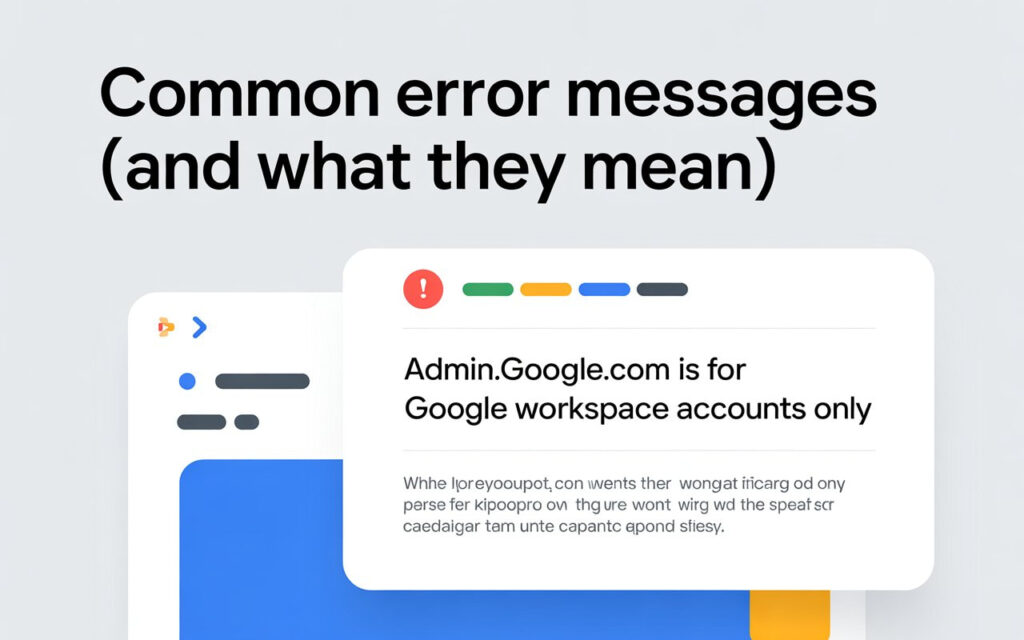
You’re trying to use a personal Gmail account. Google Workspace requires a business email with your company domain.
The fix: Sign out of all accounts. Open incognito mode. Use your work email that ends with your company name, not @gmail.com.
Think of it like this: your personal house key won’t open your office building. Different accounts need different credentials.
“Your Google Workspace account has been suspended”
This usually means billing problems. Your payment failed or your subscription lapsed.
The fix: Update your payment information in the Admin Console. Contact your billing admin if you’re not sure who manages payments.
Account reactivation takes 24-48 hours after payment clears. Be patient.
“You’ve reached a login page for a domain that isn’t using Google Workspace”
Your account was deleted or deactivated. This is serious.
The fix: Wait 24 hours from deletion time. Then sign up again at workspace.google.com. Learn more about account deletion and recovery You can’t recover deleted account data, so prevention is key.
Stuck at “Select Account” Loop? Here’s the Real Solution
This is the most frustrating Google Workspace login problem. You click your account. It loops back to “Choose an account.” Repeat forever.
Competitors barely mention this issue. But it’s incredibly common.
Why it happens: Your browser cached old authentication data. When you try logging in, the old tokens conflict with new ones.
Solution #1: Nuclear Option (Most Effective)
Clear ALL Google data from your browser:
- Open Chrome Settings
- Go to Privacy and Security
- Click “Cookies and other site data”
- Select “See all site data”
- Search for “google.com”
- Click “Remove all” for every Google domain
- Restart your browser completely
- Try logging in again
This wipes the slate clean. Works 90% of the time.
Solution #2: Try a Different Browser
If you’re using Chrome, switch to Firefox or Edge. Sometimes browser-specific issues cause the loop.
Your admin console access should work immediately in a fresh browser. This confirms it’s a cache problem, not an account issue.
Solution #3: Mobile Browser Workaround
Open Safari or Chrome on your phone. Request the desktop site. Login there.
Mobile browsers don’t share cache with desktop. If this works, you’ve confirmed the desktop browser is the problem.
Forgot Your Admin Password? Recovery Steps
Lost admin credentials are scary. But recovery is straightforward.
If Another Admin Exists
Ask them to reset your password:
- They login to Admin Console
- Go to Users section
- Find your account
- Click “Reset password”
- They’ll send you a temporary password
Change it immediately after logging in.
If You’re the Only Admin
Don’t panic. Google has a recovery process.
- Go to admin.google.com
- Click “Forgot password?”
- Enter your recovery email or phone
- Follow the verification steps
- Create a new strong password (12+ characters minimum)
No recovery email? You’ll need to fill out Google’s account recovery form. This takes 1-3 business days.
Two-Step Verification Lockout Solutions
2-step verification protects your account. But losing access to your verification device creates problems. For a complete setup guide, check our Google Workspace Two-Factor Authentication tutorial
Quick Fixes
Try these in order:
Use backup codes: If you saved them during setup, enter one now. Each code works once.
Backup phone number: Google sends a code to your alternate number. Check your backup phone.
Contact another admin: They can temporarily disable 2-step verification for your account. You’ll have 10 minutes to login and set up new verification.
Important Note
Changing your password alone WON’T fix login challenges. Admins must disable the challenge first. Then you can login.
This catches many users off guard. Remember: challenge first, password second.
Browser & Cache Problems (The Technical Stuff)
Sometimes your browser fights against you. Here’s how to win.
Chrome-Specific Fixes
Chrome stores aggressive cache data. Clear it properly:
- Settings → Privacy and security
- “Clear browsing data”
- Select “All time” from dropdown
- Check both “Cookies” and “Cached images”
- Click “Clear data”
- Restart Chrome completely
Still having Google Workspace login issues? Reset Chrome to factory settings. You’ll lose extensions, but you’ll gain admin console access.
Firefox Users
Firefox handles Google accounts differently:
- Options → Privacy & Security
- “Cookies and Site Data”
- “Manage Data”
- Search “google.com”
- “Remove Selected”
- Clear history for good measure
Restart Firefox. Try logging in again.
Multiple Account Confusion
Managing personal Gmail and Google Workspace on the same browser? This causes constant headaches. This is especially common for small businesses managing Google Workspace for the first time.
The Smart Solution
Use Chrome profiles. Keep work and personal completely separated:
- Chrome Settings → “Manage people”
- Click “Add person”
- Name it “Work” or your company name
- Login ONLY to Google Workspace in this profile
- Keep personal Gmail in your default profile
Now you’ll never click the wrong account. Each profile has its own cache, cookies, and saved passwords.
Game changer for productivity.
Mobile Login Issues (Often Overlooked)
Can’t login on your phone? The mobile experience has unique problems.
iOS Problems
The Google Workspace app sometimes corrupts its cache:
- Delete the app completely
- Restart your iPhone or iPad
- Reinstall from App Store
- Login with your FULL email address
- Allow all permissions when prompted
Alternatively, use Safari. Request the desktop site. Login normally. Works when the app fails.
Android Solutions
Clear the Gmail app cache:
- Settings → Apps → Gmail
- “Storage”
- “Clear Cache” (NOT Clear Data yet)
- Force Stop the app
- Restart and try logging in
If that fails, clear data and re-add your business email account manually. Still having email problems? Check our guide on fixing Google Workspace email issues
When Nothing Works: Contact Support
Tried everything? Time for professional help.
Before Contacting Google
Have this information ready:
- Your domain name
- Affected email addresses
- Screenshots of error messages
- List of troubleshooting steps you’ve tried
- Account creation date (if known)
- Billing or order number
How to Reach Support
If another admin has access:
- They login to Admin Console
- Click Support
- Create new case
- Choose “Account access issues”
- Describe your problem with screenshots
No admin access? Fill out the recovery form at support.google.com/a/contact/recovery_form.
You’ll need to prove domain ownership via DNS records. Response time is typically 1-3 business days.
Prevention: Never Get Locked Out Again
Smart admins prevent problems before they happen.
Setup Multiple Admins
Never have just one admin account. What if they leave the company? What if they get locked out?
Create 2-3 super admins minimum. Different people for redundancy. Learn how to properly configure admin roles in Google Workspace
Add Recovery Options
Protect your Google Workspace account:
- Recovery email (personal email address)
- Recovery phone number
- Backup verification codes (print and store safely)
- Security key backup
For complete security setup, see our Google Workspace security solutions guide.
Update these quarterly. Outdated recovery info is useless.
Keep Billing Current
Most account suspended problems come from billing issues.
Set calendar reminders for credit card expiration. Add a backup payment method. Enable billing notifications.
Your future self will thank you.
Quick Reference: Problem → Solution
Stuck at select account: Clear all Google cookies, use incognito mode
Wrong account type error: Use @yourcompany.com, never @gmail.com
Account suspended: Update payment info, wait 24-48 hours
Forgot password: Use password reset or contact another admin
2-step locked out: Use backup codes or have admin disable temporarily
Mobile won’t login: Clear app cache or use mobile browser
Works at home, fails at office: Corporate firewall blocking Google
Where to Buy Google Workspace: Top Authorized Resellers
You can purchase Google Workspace through authorized resellers, which often provide local support, setup assistance, and flexible billing options for businesses. Buying from a trusted reseller ensures you get professional guidance and additional services alongside your subscription.
Top 5 Google Workspace Resellers:
- Leads Monky ( Enjoy up to 70% off with promo code PARTNER2026(Redeem Here)- Plus free setup and support)
- Agosto (Save up to 10% off on Google Workspace plans with expert migration support)
- Onix (Get up to 5% off on Google Workspace with enterprise-level deployment and support)
- Cumulus Global (Enjoy up to 20% off Google Workspace plans with certified reseller support)
- GsuiteReseller (USA) (Get up to 10% off on Google Workspace plans with dedicated support)
Final Thoughts
Google Workspace login problems are frustrating but usually fixable. Most solutions take less than 5 minutes.
Start with the quick fix: incognito mode with your full business email. If that doesn’t work, clear your browser cache completely.
Still stuck? Work through the specific solutions for your error message. The stuck at select account loop needs special attention—competitors don’t cover this well, but it’s one of the most common issues.
Remember to set up recovery options today. Future you will appreciate the 5 minutes of prevention.
Have a fix that worked for you? Or still having trouble? Drop a comment below and I’ll help troubleshoot your specific situation.
FAQs
How to fix Google login problem?
Clear your browser cache, use incognito mode, and log in with your full business email (not @gmail.com) to fix most Google Workspace login problems in minutes.
How do I contact Google for Workspace issues?
Log into the Admin Console and create a support case, or submit the account recovery form if no admin access is available.
What is the login challenge for Google Workspace?
A login challenge is a security verification step (like 2-step verification or device confirmation) that protects your Google Workspace account from unauthorized access.
Why is my Workspace not working?
Google Workspace may not work due to browser cache conflicts, billing suspension, incorrect account type, or 2-step verification issues.
Does Google Workspace have 24-7 support?
Yes, Google Workspace offers 24/7 support for business plans, and authorized partners like Leads Monky also provide round-the-clock assistance.
How do I report a problem to Google support?
Sign in to your Admin Console, click “Support,” create a new case, and attach screenshots for faster resolution.
Does Google Workspace have a phone service?
Yes, Google Workspace provides phone, chat, and email support depending on your subscription plan and region.
Does Google Workspace offer support?
Yes, Google Workspace includes admin support, and certified resellers like Leads Monky offer additional setup and migration assistance.
What email to use for Google Workspace?
Always use your business domain email (e.g., [email protected]) — never a personal @gmail.com address.
What to do when Google locked my account?
Use the account recovery option, verify your identity via recovery email or phone, or contact your admin to temporarily disable login challenges.
Get Google Workspace at 64% Off
Same service. Better price. Professional setup included.
⭐⭐⭐⭐⭐ 151+ companies trust us
Partner Pricing:
• Business Starter: $3/month (Google: $8)
• Business Standard: $13/month (Google: $17)
• Business Plus: $20/month (Google: $26)
FREE:
Complete DNS setup + 24/7 support + USA IPs
15-user minimum | Setup in 24 hours


