
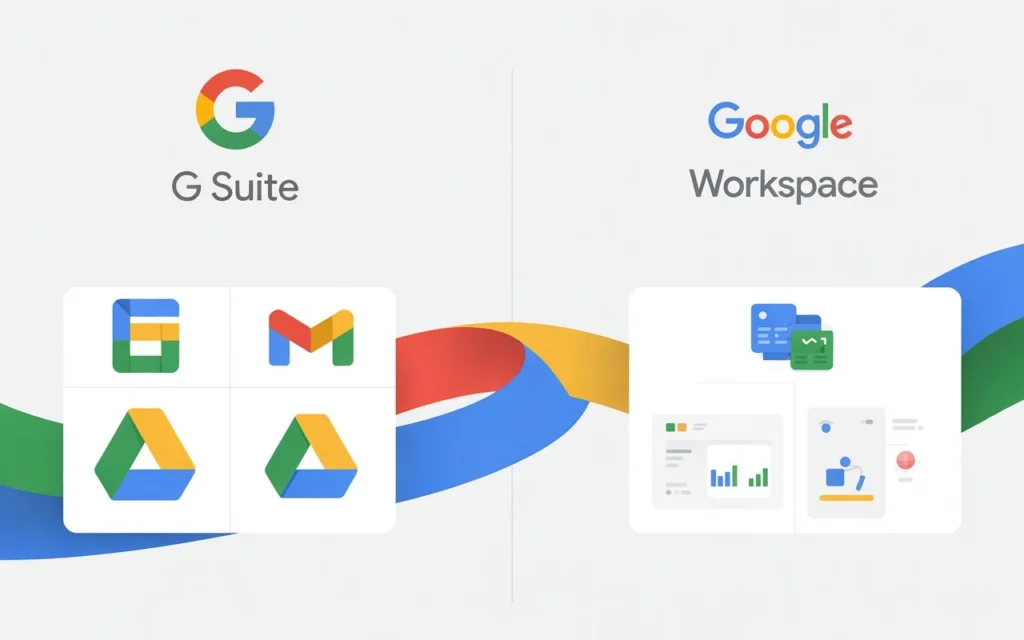
If you’re searching for “G Suite vs Google Workspace”, you’re probably confused about what happened to Google’s beloved business email service. Here’s the quick answer: Google Workspace is the new name for G Suite. But it’s not just a rebrand—there are real differences that could affect your business.
Let me break down everything you need to know.
What Happened to G Suite?
In October 2020, Google officially retired the G Suite name and introduced Google Workspace. Think of it like when Facebook became Meta—same company, new vision, but with actual product changes this time.
G Suite was a collection of separate apps. You’d jump between Gmail, Drive, and Meet like they were different tools.
Google Workspace brings everything together. Now you can start a Meet call from Gmail, preview Drive files without opening new tabs, and collaborate in real-time across all apps.

The rebrand wasn’t just about a new logo. Google redesigned how their tools work together, making remote work smoother for teams scattered across different time zones.
Key Differences Between G Suite and Google Workspace
Here’s what actually changed when G Suite became Google Workspace:
1. Integrated User Experience
G Suite made you switch between apps constantly. Need to chat with your team? Open Chat. Want to see their calendar? Switch to Calendar. Join a video call? Click over to Meet.
Google Workspace changed this completely. Everything lives in one interface now. You’ll see your colleague’s availability while drafting an email. You can preview shared documents without leaving your inbox.
This saves real time. Studies show workers lose 60 minutes daily just switching between apps. That’s 32 days per year per employee.
2. New Pricing Tiers
G Suite offered three main plans: Basic, Business, and Enterprise.
Google Workspace introduced a fourth tier called Business Plus. Here’s the current breakdown:
- Business Starter: $6/user/month (30GB storage)
- Business Standard: $12/user/month (2TB storage)
- Business Plus: $18/user/month (5TB storage + advanced security)
- Enterprise: Custom pricing (unlimited storage)
But here’s a secret: you don’t have to pay Google’s retail prices. More on that in a minute.
3. Enhanced Security Features
Google Workspace added layers of protection that G Suite didn’t have:
- Advanced endpoint management (control which devices access your data)
- Data Loss Prevention (DLP) tools that stop sensitive info from leaking
- Context-aware access (blocks logins from suspicious locations)
- Email encryption with S/MIME
If you handle customer data, these features aren’t optional anymore. They’re essential.
4. AI-Powered Collaboration
This is where Google Workspace vs G Suite really diverges. The new platform includes:
- Smart Canvas: Mention teammates with @ and see their contact info instantly
- Smart Chips: Preview links without clicking them
- Gemini AI: Google’s AI assistant that helps you write emails, summarize documents, and generate images (available in select plans)
G Suite had basic autocomplete. Google Workspace has an AI teammate.
5. Meeting Capacity Upgrades
G Suite video calls maxed out at 250 participants for most plans.
Google Workspace increased limits significantly:
- Business Starter: 100 participants
- Business Standard: 150 participants
- Business Plus: 500 participants
- Enterprise: Up to 1,000 participants
Perfect timing, considering how many teams went remote after 2020.
💰 Calculate Your Google Workspace Cost
Is G Suite Still Available in 2024?
No. G Suite is completely discontinued. If you’re still on a legacy G Suite plan, you’ve already been migrated to Google Workspace automatically.
Some users got to keep their old pricing temporarily, but Google stopped accepting new G Suite subscriptions in 2022. Everyone’s on Workspace now.
Should You Upgrade to Google Workspace?
Wait—didn’t I just say everyone’s already on it? Yes, but many businesses are still on the basic Business Starter plan when they should upgrade.
Here’s when you need more than Starter:
Upgrade to Business Standard if:
- You need more than 30GB storage per user
- Your team records meetings frequently
- You want noise cancellation on video calls
- You need eDiscovery for compliance
Upgrade to Business Plus if:
- You handle sensitive customer data
- You need advanced security controls
- Your industry has compliance requirements
- You want automatic email archiving
Go Enterprise if:
- You have 300+ employees
- You need unlimited storage
- You require dedicated support
- You want custom retention policies
The Smart Way to Buy Google Workspace
Here’s something most articles won’t tell you: buying directly from Google costs way more than necessary.
Authorized Google Workspace resellers like Leads Monky offer the same product at 50-60% lower prices. Same features. Same support from Google. Just better pricing.
Why the difference? Resellers buy in bulk and pass savings to customers. They also handle the technical setup that makes most people nervous—SPF records, DKIM configuration, and DMARC setup.
For example, Leads Monky offers Business Starter at just $2.50 per user (minimum 15 users) instead of Google’s $6. That’s over 58% savings.
They also specialize in cold email infrastructure if you run outreach campaigns. They’ll configure everything for maximum deliverability: proper DNS settings, IP reputation management, and email warmup protocols.
Google Workspace vs Microsoft 365: Quick Comparison
Since we’re comparing Google Workspace, let’s quickly stack it against Microsoft 365:
Google Workspace wins on:
- Easier collaboration (real-time editing works better)
- Simpler interface (less learning curve)
- Better for remote teams
- Lower starting price
Microsoft 365 wins on:
- Desktop app power (Excel and Word are still superior offline)
- Enterprise integrations (works with more legacy systems)
- Advanced Excel features
Most startups and small businesses choose Google Workspace. Enterprises with heavy Microsoft infrastructure stick with 365.
Migration from G Suite to Google Workspace
If you’re still on a legacy plan, here’s what happens during migration:
- No data loss: Everything transfers automatically
- Same login: Your credentials don’t change
- New features unlock: You get all Workspace improvements immediately
- Pricing might change: Check your new rate before migration completes
Google handles this automatically for most users. But if you have custom setups or need help, a Google Workspace reseller can manage the entire process.
Common Questions About G Suite and Google Workspace
Can I still use my G Suite account?
Technically, legacy G Suite accounts were migrated to Google Workspace by mid-2023. You’re already using Workspace now.
Will I lose my emails during the switch?
No. The transition from G Suite to Google Workspace is automatic and seamless. Your emails, files, and settings stay intact.
Is Google Workspace better than G Suite?
Yes. Google Workspace has better integration, more storage options, stronger security, and AI features that G Suite never had.
How much does Google Workspace cost?
Retail prices range from $6 to $18+ per user monthly. But through authorized resellers like Leads Monky, you can get Business Starter for $2.50/user.
What’s included in Google Workspace?
All plans include Gmail, Drive, Docs, Sheets, Slides, Meet, Chat, and Calendar. Higher tiers add advanced security, more storage, and compliance tools.
The Bottom Line on Google Workspace vs G Suite
G Suite is dead. Long live Google Workspace.
The rebrand brought real improvements: better integration, stronger security, AI assistance, and flexible pricing tiers. Whether you’re a 5-person startup or a 500-person company, there’s a plan that fits.
Just don’t pay retail prices. Work with an authorized Google Workspace reseller like Leads Monky to save 50%+ on the exact same product.
They’ll handle the technical setup (DNS records, email authentication, security configuration) so you can focus on running your business instead of Googling “what is DKIM.”
Ready to get started? Visit Leads Monky’s Google Workspace page to see current pricing and get set up in 24 hours or less.
Get Google Workspace at 64% Off
Same service. Better price. Professional setup included.
⭐⭐⭐⭐⭐ 151+ companies trust us
Partner Pricing:
• Business Starter: $3/month (Google: $8)
• Business Standard: $13/month (Google: $17)
• Business Plus: $20/month (Google: $26)
FREE:
Complete DNS setup + 24/7 support + USA IPs
15-user minimum | Setup in 24 hours


