Quick Answer
Google Workspace and Slack are not direct competitors. Google Workspace is a full productivity suite covering email, documents, storage, video meetings, and chat through Google Chat. Slack is a dedicated messaging platform built around channels and third party integrations. Most small teams already on Google Workspace can run on Google Chat alone, while teams needing deep integrations with tools like Jira, Salesforce, or GitHub, or external client channels, often add Slack on top rather than choosing one over the other.
Google Workspace vs Slack is a comparison that assumes the two products compete for the same job, when they usually don’t. Google Workspace is a bundled suite covering Gmail, Drive, Docs, Meet, and Google Chat under one subscription. Slack is a standalone messaging platform that plugs into whatever other tools your team already uses. The real decision most businesses face isn’t Workspace or Slack, it’s whether Google Chat covers your messaging needs on its own, or whether your team’s workflow depends on integrations and features that only Slack provides. This guide compares both directly, including Google Chat specifically against Slack, current pricing for each, and how to decide without paying for a tool you don’t need.
What Google Workspace and Slack Actually Do
Google Workspace is a productivity suite; Slack is a messaging platform, and treating them as interchangeable is where most comparisons go wrong. Google Workspace bundles business email, document editing, cloud storage, video meetings, and team chat into a single per user subscription. Slack does one thing, real time and asynchronous team messaging, and does it through channels, direct messages, and a large ecosystem of third party app connections.
This distinction matters for how you should actually compare them. Asking “which is better” treats them as substitutes. The more useful question is whether your team’s chat needs are simple enough for Google Chat, included in a Workspace subscription you likely already need for email, or whether you need Slack’s deeper integration ecosystem badly enough to justify a second subscription on top.
Google Chat vs Slack: The Real Comparison
Since Google Chat is the part of Workspace actually competing with Slack, it deserves a direct comparison rather than being folded into a general feature list.
Messaging structure. Both use a channel based model, Slack calls them channels, Google Chat calls them spaces. Both support direct messages, threaded replies, and file sharing. For day to day internal messaging, the core experience is closer than most comparisons suggest.
Included cost. Google Chat comes with every Google Workspace plan at no additional charge. Slack is a fully separate subscription, priced on its own regardless of what other tools you’re paying for.
Integrations. This is where the gap is real. Slack’s App Directory lists more than 2,600 ready made integrations, connecting to tools like Salesforce, Jira, GitHub, and Figma with minimal setup. Google Chat integrates deeply with other Google Workspace tools and supports some third party apps through the Google Workspace Marketplace, but its third party ecosystem built specifically for chat workflows is narrower than Slack’s.
External collaboration. Slack Connect lets you invite clients, partners, or vendors into a shared channel without giving them a full account on your systems. Google Chat supports external users through Workspace’s own sharing model, but Slack Connect is more purpose built for this specific use case.
Huddles and calls. Slack’s Huddles offer quick audio and video check ins directly inside a channel. Google Chat integrates with Google Meet for video, which is a more full featured meeting tool but a slightly less instant, click to talk experience than a Huddle.
For most small teams doing internal communication without heavy third party tool dependencies, Google Chat covers the job. Teams whose workflow already runs through Jira, Salesforce, or similar tools tend to feel Slack’s integration depth much sooner.
Feature Comparison Table
| Feature | Google Workspace | Slack |
|---|---|---|
| Business email | Included (Gmail) | Not included |
| Document editing | Included (Docs, Sheets, Slides) | Not included |
| Cloud storage | Included (Drive) | Not included |
| Video meetings | Included (Meet) | Included (Huddles, more limited) |
| Team chat | Included (Google Chat) | Core product |
| Third party integrations | Narrower, Google ecosystem focused | Over 2,600 apps in its App Directory |
| External guest channels | Supported through Workspace sharing | Slack Connect, purpose built for this |
| Pricing model | One subscription covers all tools above | Separate subscription, on top of other tools |
Google Workspace vs Slack Pricing
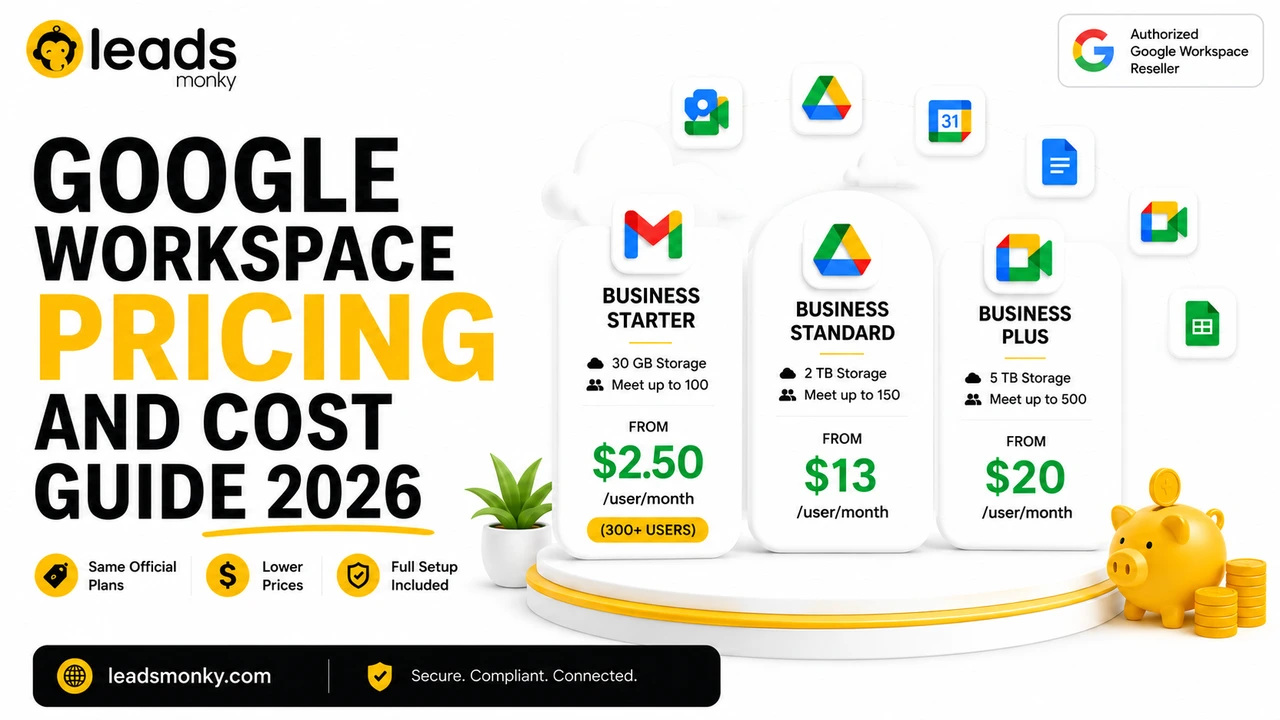
Google Workspace’s official pricing runs $8 per user per month for Business Starter, $18 for Business Standard, and $28 for Business Plus, billed annually, with every tier including Gmail, Drive, Docs, Meet, and Google Chat in that single price.
Slack’s pricing, checked against its published rates, starts free for a limited plan capped at 90 days of message history and 10 app integrations. Slack Pro runs $7.25 per user per month billed annually, or $8.75 billed monthly, and removes the history and integration caps. Slack Business+ runs $15 per user per month annually, or $18 monthly, adding single sign on, compliance data exports, and a higher uptime guarantee. Slack Enterprise+ has no published price and requires contacting sales.
Compared side by side, a team on Google Workspace Business Starter already has messaging included in its $8 per user cost. Adding Slack Pro on top brings the combined cost to roughly $15.25 per user per month at annual billing, which is a real number worth having in front of you before assuming you need both. As an authorized Google Workspace reseller, Leads Monky prices Business Starter from $2.50 to $3 per user per month depending on user count, which changes that combined math meaningfully if Slack is a genuine requirement for your team rather than a default add on.
💡 Need help setting up Google Workspace?
We’re certified Google partners offering 64% off + free professional setup ($2,000 value). Used by 1000+ companies.
Get your quote →Third Party App Integrations: Where Slack Still Leads
If your team’s daily workflow runs through tools like Salesforce, Jira, GitHub, or Figma, Slack’s integration depth is a real, practical advantage, not just a marketing point. Slack notifications, approvals, and updates from these tools can surface directly in a channel with minimal configuration, and Slack’s workflow builder lets non technical users automate simple processes without code.
Google Chat’s integrations lean toward Google’s own ecosystem, which is a strength if your team already lives in Docs, Sheets, and Drive, and a limitation if your critical tools sit outside Google’s platform. Building the same kind of cross tool automation in Google Chat typically requires Google Apps Script or a tool like Zapier rather than a native, pre built connection. This isn’t necessarily a worse approach, but it does shift the work from configuration to light development, which matters if nobody on your team has the time or inclination to build it.
Worth noting specifically: Slack’s workflow builder allows non technical staff to create simple automations, like routing a form submission into a specific channel or posting a daily reminder, without writing code. Google Chat doesn’t have a directly comparable no code workflow tool built in, which is a real gap for operations heavy teams that lean on this kind of light automation regularly.
When Google Workspace Alone Is Enough
If your team communicates mostly internally and doesn’t depend on deep third party integrations, Google Chat inside your existing Workspace subscription typically covers the need without paying for a second messaging tool. This applies especially to small teams under roughly 20 to 30 people, where channel structure and integration depth matter less than simply having a reliable place to message and share files alongside email and documents.
Honest limitation: if your team already has strong habits built around Slack, forcing a switch to save the cost of a second subscription can cost more in disruption than it saves in license fees. Tool switches carry real adoption friction that a pricing comparison alone doesn’t capture.
When You Need Both
Running Google Workspace for email, documents, and storage, with Slack layered on top specifically for messaging, is a common setup for teams whose work depends on integrations Google Chat doesn’t natively support. This isn’t a failure to pick one platform, it’s matching each tool to what it’s actually built for.
If you’re in this position, the practical question isn’t Workspace versus Slack, it’s whether the Slack subscription cost is justified by integrations you’d otherwise have to build manually. For a team already paying Slack Pro rates per user, that’s a real ongoing cost worth revisiting periodically as your tool stack changes, not a decision to set once and forget.
Admin Control and Security: A Less Talked About Difference
Buying decisions tend to focus on messaging features and price, but for any business handling client data or operating under compliance requirements, admin control is worth comparing directly.
Google Workspace’s admin console is unified across every product in the suite. Security policies, user provisioning, and data controls set for Gmail and Drive apply consistently to Google Chat as well, since it’s one platform rather than a bolted on integration. For a business already managing its team through the Workspace admin console, adding Google Chat introduces no new administrative surface to learn.
Slack’s admin controls live in their own separate system, which is reasonable given it’s an independent product, but it does mean IT or operations staff are managing two sets of user permissions, security policies, and offboarding procedures instead of one. Slack’s compliance and data residency features, such as SAML based single sign on and data exports, are gated to the Business+ tier and above, not included on Pro. If your business has specific compliance requirements, confirm which Slack tier actually includes the control you need before assuming Pro covers it.
Neither approach is inherently more secure. The practical difference is operational: one admin console to manage everything, versus two separate systems that need to be kept in sync, particularly around offboarding when an employee leaves and both accounts need to be disabled.
Migrating or Switching: What Actually Moves
If you’re currently on one platform and considering the other, what actually transfers is worth understanding before you commit to a switch.
Moving from Slack to Google Chat. Message history generally does not migrate automatically between the two products, since they use different underlying data structures. Some third party migration tools exist, but most businesses treat a Slack to Google Chat move as a fresh start for messaging rather than a full historical migration, archiving old Slack data separately rather than importing it.
Moving from Google Chat to Slack. The same limitation applies in reverse. Files stored in Google Drive and linked in Google Chat conversations remain in Drive regardless of which chat tool you use going forward, which softens the impact somewhat, but chat history itself typically doesn’t carry over cleanly.
Running both without a full migration. For businesses that decide to add Slack alongside an existing Google Workspace subscription, no migration is needed at all, since the two operate independently. This is the most common path in practice: existing Workspace usage continues unchanged, and Slack is introduced specifically for the messaging and integration needs it covers better.
Honest limitation: whichever direction you’re considering, budget time for user adoption regardless of technical migration complexity. The bigger cost in most platform switches is retraining habits, not moving data.
Google Workspace and Slack solve different problems, and the better question is whether Google Chat, already included in your Workspace subscription, covers your team’s actual messaging needs, or whether your workflow genuinely depends on Slack’s third party integration depth. For most small teams without heavy tool dependencies, Google Chat is enough. For teams built around Jira, Salesforce, or similar platforms, Slack earns its separate subscription cost. Leads Monky is an authorized Google Workspace reseller serving 1,000+ companies across the USA, UK, UAE, Pakistan, and India, with Business Starter pricing from $2.50 per user per month. Visit Google Workspace Official Page to see current plans.
FAQs
Does Google have a Slack equivalent?
Yes. Google Chat is included with every Google Workspace plan and offers channel based messaging, direct messages, and file sharing similar to Slack’s core experience, at no additional cost beyond the Workspace subscription.
Is Slack part of Google or Google Workspace?
No. Slack is an independent product owned by Salesforce, not affiliated with Google. Google’s own equivalent product is Google Chat, included in Google Workspace.
Is Google Workspace cheaper than Slack?
Google Workspace includes Google Chat at no extra cost within its $8 to $28 per user monthly pricing. Slack is priced separately, from free up to $15 per user per month for Business+ billed annually, on top of whatever else you’re paying for email and documents.
Can I use Slack and Google Workspace together?
Yes, and many teams do. Google Workspace typically handles email, documents, and storage, while Slack handles messaging and third party integrations. The two are commonly run side by side rather than treated as a choice between one or the other.
Is Google Chat as good as Slack?
For core internal messaging, the experience is comparable. Slack’s advantage is a much larger third party integration ecosystem, over 2,600 apps in its directory, and features like Slack Connect for external collaboration that Google Chat doesn’t match natively.
Which is better for a small business, Google Workspace or Slack?
For most small businesses without heavy third party tool dependencies, Google Workspace alone, using Google Chat for messaging, typically covers the need without paying for a separate messaging subscription. Slack becomes more worthwhile once your team’s workflow depends on its integration ecosystem specifically.
Ready to Fix Your Cold Email?
What you get:
- ✓ Complete infrastructure: 30 emails + 10 domains
- ✓ 10,000 personalized emails monthly
- ✓ First consultations in 5–6 weeks