
Quick Answer
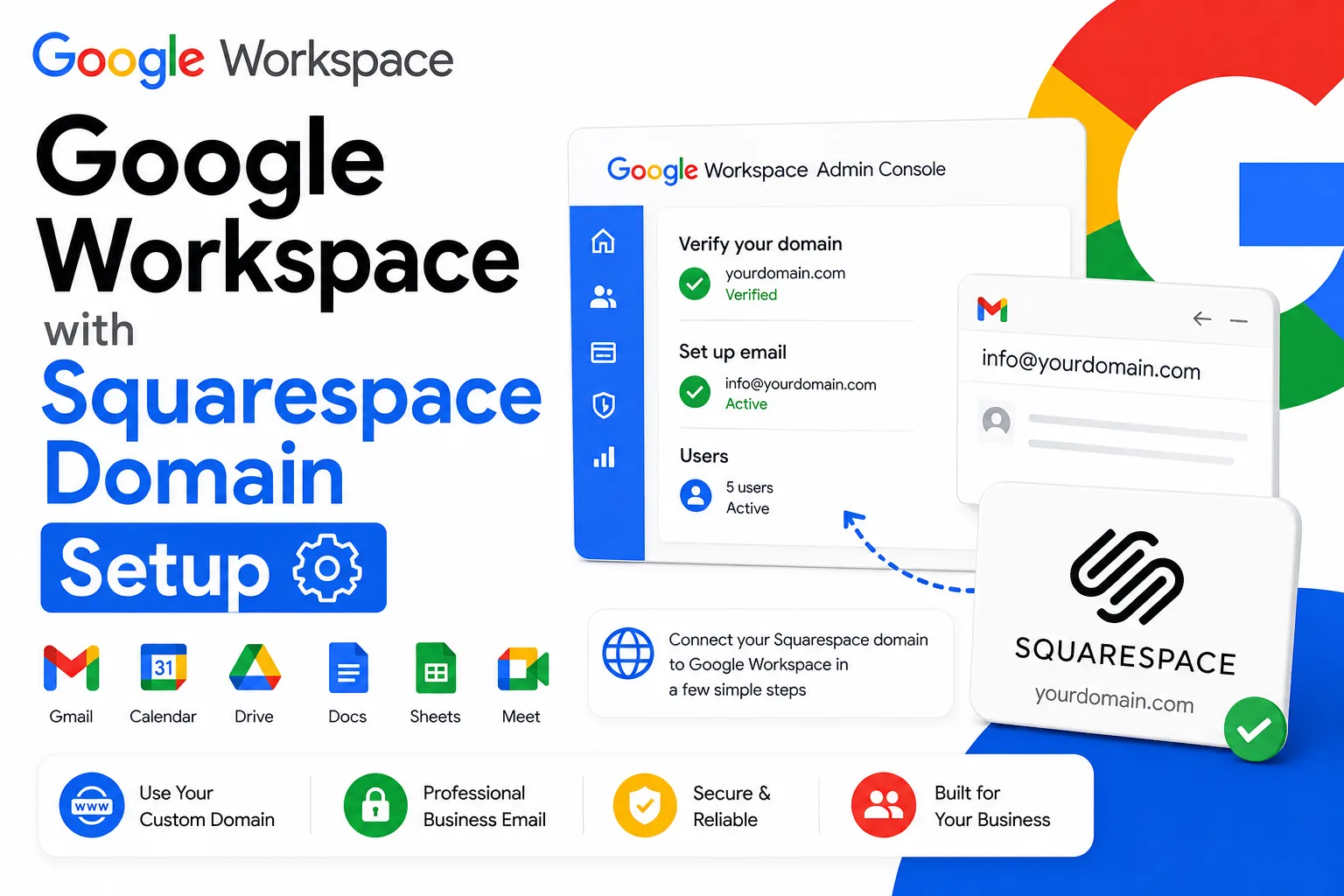
Setting up Google Workspace with a Squarespace domain depends on how you’re buying Workspace. If you sign up for Workspace directly through Squarespace using a Squarespace domain, MX records are added automatically. If you already have, or separately purchase, a Google Workspace account and want to connect it to a Squarespace-registered domain, you’ll verify ownership with a TXT record, then add Google’s MX record manually using Squarespace’s built-in Google Workspace preset.
Setting up Google Workspace with a Squarespace domain isn’t a single process, which is where a lot of confusion starts. If you buy Google Workspace new, directly through your Squarespace account, using a Squarespace-registered domain, the MX records needed for email to work are added automatically as part of signup. If you already have a Google Workspace account, bought directly from Google or through a reseller, and want to point a Squarespace domain at it, you’ll need to verify ownership and add the MX record yourself through Squarespace’s DNS settings. This guide covers both paths clearly, plus the current, correct MX record values, since some existing guides still reference an older record format Google has since simplified.
Which Path Applies to You

The setup steps depend entirely on whether you’re buying Workspace new through Squarespace or connecting a Workspace account you already have. Getting this distinction right first saves you from following the wrong set of instructions.
If you haven’t purchased Google Workspace yet and want to buy it directly through Squarespace, Squarespace handles domain verification and MX record setup automatically as part of that signup flow, described in the first path below. If you already have a Google Workspace account, whether purchased directly from Google or through an authorized reseller like Leads Monky, and you’re connecting it to a domain registered with Squarespace, you’ll follow the second, manual path.
💡 Need help setting up Google Workspace?
We’re certified Google partners offering 64% off + free professional setup ($2,000 value). Used by 1000+ companies.
Get your quote →Path 1: Buying Google Workspace New Through Squarespace
If you’re signing up for Workspace for the first time using a Squarespace domain, the process is mostly automatic.
- From your Squarespace account, go to the Google Workspace setup flow and start a new signup, using your Squarespace domain.
- Complete the purchase. Squarespace emails you a temporary password for your new Workspace account.
- Sign in to the Google Admin console with that temporary password and accept the terms of service.
- Set a new password for the account.
- Squarespace automatically adds the required MX records to your domain’s DNS settings during this process.
This path only works if your domain isn’t already associated with an existing or legacy Google Workspace, G Suite, or Google Apps account. If it is, you’ll need to free up the domain from that previous account before starting a new signup.
Path 2: Connecting an Existing Google Workspace Account to a Squarespace Domain
If you already have a Google Workspace account and want to use a Squarespace-registered domain with it, the setup is manual but straightforward.
Step 1: Verify domain ownership.
- In the Google Admin console, go to Account, then Domains, then Manage domains, and click Verify domain.
- Choose the TXT record verification method and copy the code Google provides.
- In Squarespace, go to Website, then Domains, and select the domain you’re connecting.
- Go to DNS settings and add a new TXT record with the code Google gave you.
- Return to Google and click Verify.
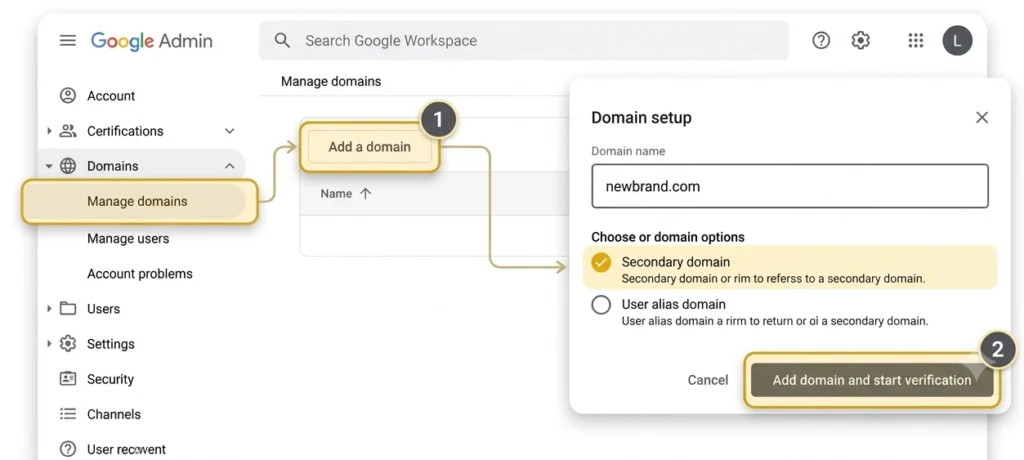
Step 2: Clear out old email records.
Before adding new MX records, remove anything left over from a previous email provider. In Squarespace’s DNS settings, find and delete any existing MX, DKIM, or SPF records, along with any email forwarding rules tied to the old provider. Skipping this step is the most common reason Google Workspace email stops working even after the new records are added correctly, since conflicting MX records can prevent mail from routing properly.
Step 3: Add the Google Workspace MX record.
- In Squarespace’s DNS settings, look for the Add Preset option.
- Select Google Workspace MX from the list. Squarespace fills in the correct record automatically.
- Save the change.
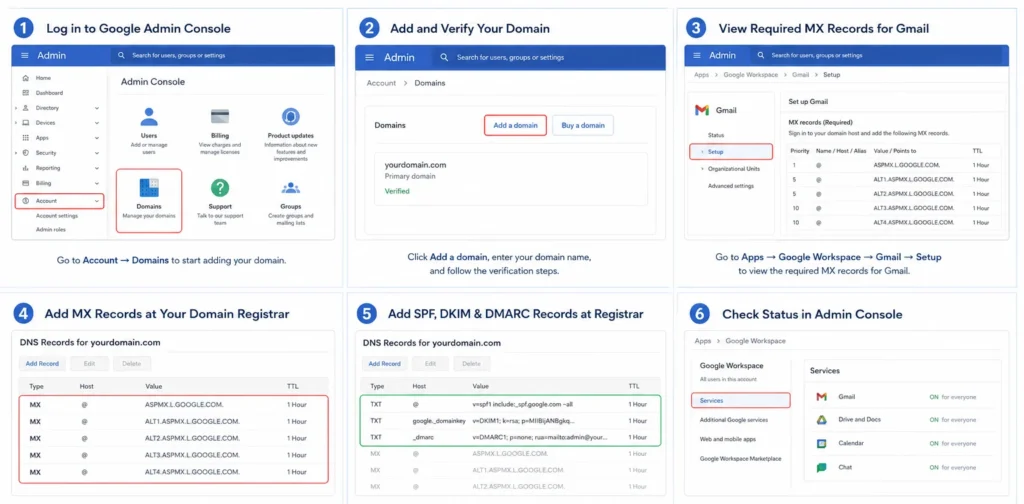
If a preset option isn’t available for your situation, you can add the record manually instead: Type MX, Host left blank or set to @, Priority 1, and Value set to smtp.google.com. This is Google’s current, simplified MX setup, a single record rather than the longer list of ASPMX-prefixed records older guides sometimes still reference.
Step 4: Activate Gmail.
Return to the Google Admin console and click Activate Gmail for the domain. Mail will begin routing once the MX record has propagated.
Common Errors and How to Fix Them
Email stops working after adding new MX records. This usually means an old MX or email-related record wasn’t fully removed. Delete all MX, DKIM, and SPF records tied to the domain, including the new ones you just added, then re-add the current Google Workspace MX record cleanly.
“Couldn’t add Google Workspace MX preset” error in Squarespace. This is a known, occasionally reported issue in Squarespace’s own support forum. If it happens, try adding the record manually using the values above rather than the preset, or contact Squarespace support directly if the manual attempt also fails.
Domain uses custom nameservers instead of Squarespace’s own. If your Squarespace domain has been pointed at a third-party nameserver, DNS changes need to be made wherever those nameservers actually point, not inside Squarespace’s own DNS panel, since Squarespace no longer controls the authoritative DNS for that domain in this configuration.
Special characters in the domain name. Google Workspace signup through Squarespace doesn’t support domains containing accented or special characters, such as ü, é, or ñ. This is a hard eligibility requirement rather than something to troubleshoot around.
Trying to sign up through Squarespace when the domain already has a Workspace account. Signing up for Workspace through Squarespace only works for domains with no existing or legacy Google Workspace, G Suite, or Google Apps history. If you hit this specific block and the domain genuinely should be available, you’ll need to request that Google free up the domain from whatever account it’s currently tied to before a new Squarespace signup will succeed, which is a separate process from anything covered in the manual MX setup path above.
How Long Setup Actually Takes
Squarespace’s own guidance allows up to 48 hours for DNS changes to fully process, while Google’s documentation cites up to 72 hours as the outer window for MX record propagation specifically. In practice, most domains see mail flowing correctly well before that, but a pending status shortly after adding a record is normal and not necessarily a sign something is wrong.
Conclusion
Setting up Google Workspace with a Squarespace domain comes down to knowing which of the two paths applies to you. Buying Workspace new through Squarespace handles MX records automatically. Connecting an existing account requires a TXT verification step, clearing old email records, and adding Google’s current single MX record, either through Squarespace’s built-in preset or manually. Leads Monky is an authorized Google Workspace reseller serving 1,000+ companies across the USA, UK, UAE, Pakistan, and India, and can help with account setup and domain configuration if you’re purchasing Workspace separately from Squarespace. Visit leadsmonky.com/google-workspace to get started.
FAQs
How do I connect an existing Google Workspace account to a Squarespace domain?
Verify domain ownership with a TXT record in the Google Admin console, remove any old email-related DNS records in Squarespace, then add Google’s MX record using Squarespace’s Google Workspace preset or manually with the value smtp.google.com at priority 1.
Does Squarespace add Google Workspace MX records automatically?
Only if you purchase Google Workspace directly through Squarespace using a Squarespace domain. If you already have a Workspace account from Google or another provider, you need to add the MX record yourself.
Why did my email stop working after I added Google Workspace MX records in Squarespace?
This is almost always caused by old MX, DKIM, or SPF records from a previous provider that weren’t removed. Delete all existing email-related records, including the ones you just added, and re-add the current Google Workspace MX record cleanly.
What is the correct MX record for Google Workspace now?
A single record: Type MX, Host blank or @, Priority 1, Value smtp.google.com. This replaced the older set of multiple ASPMX-prefixed records some guides still show.
Can I use Google Workspace with a Squarespace domain that uses custom nameservers?
Yes, but DNS changes need to be made wherever those custom nameservers actually point, not inside Squarespace’s own DNS panel, since Squarespace doesn’t control DNS for a domain pointed at outside nameservers.
How long does it take for Google Workspace to start working on a Squarespace domain?
Squarespace allows up to 48 hours and Google up to 72 hours for DNS changes to fully propagate, though most domains see email working well before that outer window.
Ready to Fix Your Cold Email?
What you get:
- ✓ Complete infrastructure: 30 emails + 10 domains
- ✓ 10,000 personalized emails monthly
- ✓ First consultations in 5–6 weeks