
Quick Answer
Google Vault is not a backup solution, it’s an eDiscovery and archiving tool for legal and compliance purposes, a distinction most comparisons get wrong. For actual backup and recovery, from Gmail deletions, ransomware, or accidental data loss, businesses typically use Google Takeout for free, manual exports, or a dedicated third-party tool like Veeam Backup for Google Workspace, Backupify, Acronis, Spanning, or CloudAlly for automated, ongoing protection.
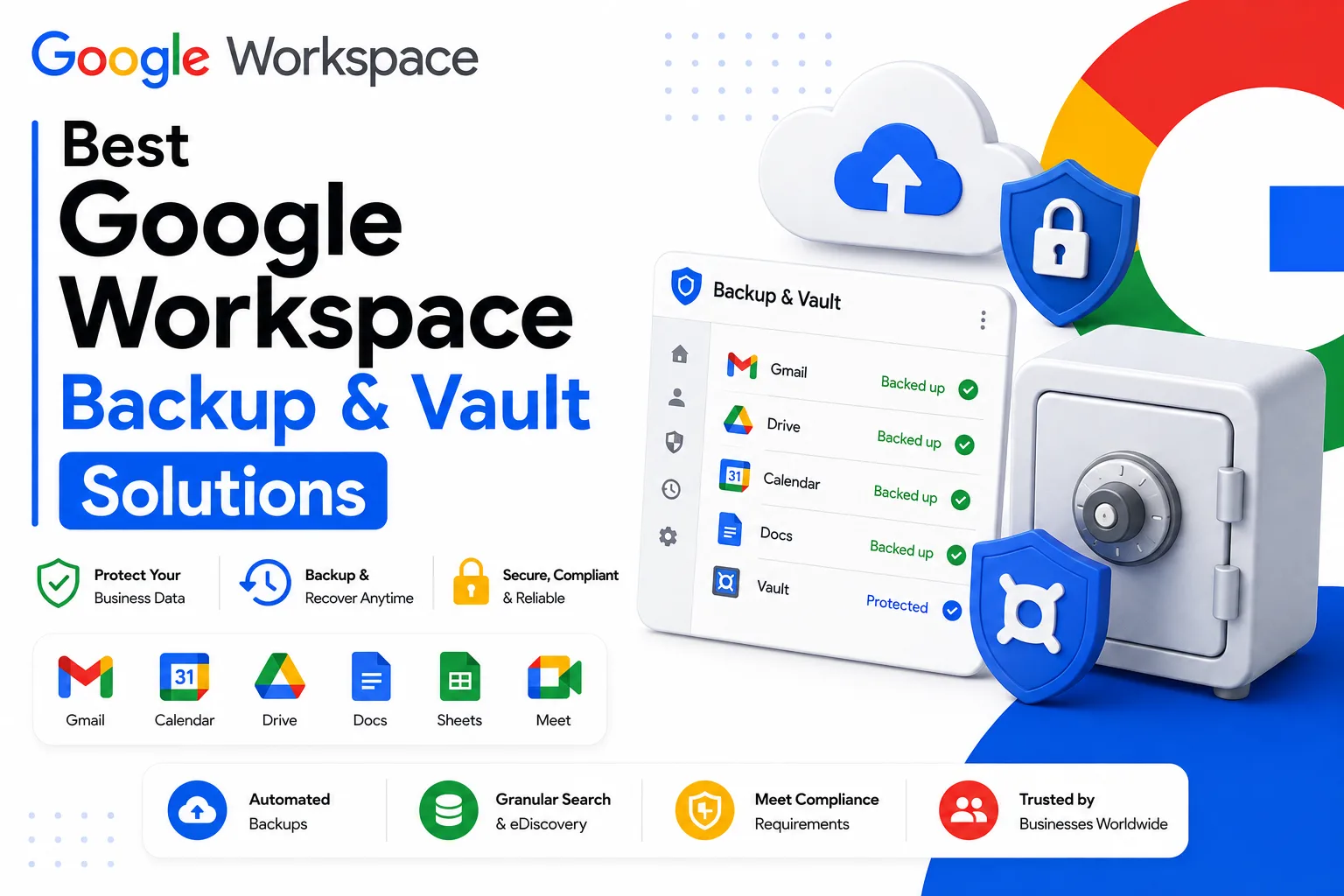
Google Workspace backup and vault solutions get confused with each other constantly, and the confusion has a real cost: businesses that assume Google Vault is backing up their data are often not protected the way they think they are. Vault is a compliance and eDiscovery tool, built to retain and search data for legal purposes, not to restore an accidentally deleted file or recover from a ransomware attack. Real backup, in the sense of automatic, versioned, restorable copies of your data, comes either from Google’s own manual export tool, Takeout, or from a dedicated third-party service built specifically for that job. This guide clarifies what Vault actually does, walks through the real backup options, and compares the third-party tools that come up most often in this space.
Google Vault Is Not a Backup Tool

Google Vault is an eDiscovery and archiving tool built for legal holds, compliance, and data retention, not a backup and recovery product, despite frequently being described as one. This distinction shows up consistently across independent sources covering Google Workspace data protection, which is a strong signal it’s a genuine, common point of confusion rather than a minor technicality.
Vault retains, indexes, and lets you search and export data according to retention rules an admin sets, which is exactly what’s needed for a legal investigation or regulatory audit. What it doesn’t offer is what most people actually mean by “backup”: no granular restore of a single accidentally deleted file, no rolling back an entire account to a specific point in time, and no protection against ransomware or malicious deletion. Vault’s retention rules are also based on Google’s own defined policies, not a fully independent, versioned copy of your data stored separately from Google’s own infrastructure.
What Google Vault Actually Does Well
Vault’s real strength is legal and regulatory, not operational recovery. It lets administrators place a legal hold on specific users’ data, preventing deletion even if the user tries to remove it themselves, and search across Gmail, Drive, Chat, and other services for content relevant to litigation, an audit, or an internal investigation. Exports come out in standard formats, MBOX for Gmail, for example, suitable for legal review or handing over to outside counsel.
For businesses with genuine compliance requirements, Vault is worth having configured correctly regardless of whether you also run a separate backup tool. The two solve different problems and are commonly used together rather than as alternatives to each other.
💡 Need help setting up Google Workspace?
We’re certified Google partners offering 64% off + free professional setup ($2,000 value). Used by 1000+ companies.
Get your quote →Google Takeout: The Free, Manual Option
Google Takeout lets any user, or an admin exporting on behalf of the organization, download their own data, Gmail, Drive, Calendar, Contacts, and more, as a downloadable archive. It’s free and covers a wide range of Workspace data.
What Takeout isn’t is an automated backup system. Each export is a manual, one-time snapshot rather than a scheduled, ongoing process, and there’s no built-in versioning or point-in-time restore. For an occasional manual backup, or migrating data to another account, Takeout works well. For ongoing protection against accidental deletion or ransomware across an entire organization, it’s not a substitute for a dedicated tool, since nothing about it runs automatically or continuously.
Real Third-Party Backup Solutions
Several established vendors build dedicated backup products specifically for Google Workspace, each with a slightly different focus.
Veeam Backup for Google Workspace (a distinct product from Veeam’s separate Google Cloud Platform infrastructure backup tool) covers Gmail, Drive, Calendar, and Contacts with automatic, continuous backup and both individual file and full account restore. Veeam offers a free tier with limitations for smaller scale use, alongside paid standalone and broader multi-cloud licensing options for larger deployments.
Backupify, owned by Datto, is one of the longer-established names in this space, offering automated backups multiple times per day across Gmail, Drive, Calendar, and Contacts, with a focus on fast deployment and responsive support according to independent review comparisons.
Acronis combines backup with broader cyber protection features, positioning itself less as pure backup and more as a combined backup and security product, which can matter if ransomware protection specifically is a priority alongside data recovery.
Spanning and CloudAlly are both established, dedicated SaaS backup providers frequently mentioned alongside Backupify as core options in this category, each offering automated, independently stored backups of core Workspace data outside Google’s own infrastructure.
Afi.ai is a newer entrant focused specifically on SaaS backup, including Google Workspace, positioning itself around simplified deployment and ransomware-specific recovery scenarios.
Pricing across these tools is typically charged per user per month, in a range that varies by vendor and feature tier rather than a single standard rate, so getting a current quote directly from the vendor for your specific user count is more reliable than relying on a published starting price that may not reflect your actual plan.
Quick Comparison
| Solution | What It Actually Is | Automated? | Independent Storage? |
|---|---|---|---|
| Google Vault | eDiscovery and compliance archiving | Retention based, not backup cycles | No, data stays within Google’s own retention system |
| Google Takeout | Manual data export | No, one-time per export | Yes, once downloaded |
| Veeam Backup for Google Workspace | Dedicated third-party backup | Yes | Yes |
| Backupify | Dedicated third-party backup | Yes | Yes |
| Acronis | Backup plus broader cyber protection | Yes | Yes |
| Spanning / CloudAlly | Dedicated third-party backup | Yes | Yes |
Is There a Free or Open Source Google Workspace Backup Option?
Honest limitation: there isn’t a widely used, actively maintained, purpose-built open source backup product for Google Workspace the way there is for some other categories of software. The closest option most technically capable admins reach for is GAM, an open source command line tool for managing and scripting actions against a Workspace domain, which can be used to script regular data exports as a form of DIY backup.
This approach works, but it requires real technical setup and ongoing maintenance, writing and scheduling the export scripts yourself, handling storage of the exported data securely, and maintaining the scripts as Google’s APIs change over time. For a technical team comfortable with that ongoing maintenance burden, it’s a genuinely free option. For most businesses, the maintenance cost ends up comparable to or higher than a modestly priced dedicated tool, once the actual time involved is accounted for.
What Happens to Deleted Data Without a Backup Tool
Understanding Google’s own default retention behavior helps explain why a separate backup matters. When a user deletes an email or file, it typically moves to Trash first, where it remains recoverable for a limited period, generally around 25 to 30 days, before being permanently deleted from Google’s systems. Once that window closes, the data is genuinely gone from Google’s side, not just hidden from the user.
This default window is reasonable for accidental deletion caught quickly, but it doesn’t cover slower-to-notice scenarios: a departing employee who deletes files before leaving and nobody notices within the recovery window, a ransomware attack that encrypts or deletes data across many accounts at once, or a compliance requirement to retain data far longer than Google’s default trash window allows. These are exactly the scenarios where an independent, third-party backup, stored outside Google’s own retention system entirely, provides protection that neither Google’s default behavior nor Vault’s compliance-focused retention actually covers.
Backup Considerations for Regulated Industries
Businesses in healthcare, finance, legal, or other regulated industries often need both Vault and a dedicated backup tool simultaneously, not as a choice between them. Vault handles the compliance side, legal holds, audit-ready search, and retention aligned to regulatory requirements. A separate backup tool handles operational recovery, ensuring that data is actually restorable in the event of loss, independent of whether that loss was accidental, malicious, or infrastructure related.
Skipping the backup layer because Vault is already configured is a common and understandable mistake, since the two tools sound similar on the surface and are often bundled together conceptually in vendor marketing and casual conversation. In practice, a regulated business relying on Vault alone for both purposes may find, during an actual incident, that Vault’s compliance-oriented export process is slower and less granular than what an operational recovery situation actually needs.
Start with what you’re actually protecting against. Ransomware recovery, accidental deletion by a departing employee, or general operational safety net each point toward slightly different priorities, like faster point-in-time restore versus broader security features layered on top of backup.
Confirm the backup is stored independently of Google’s own infrastructure. A backup that lives entirely inside the same ecosystem it’s meant to protect against doesn’t fully address scenarios like a compromised admin account being used to delete data broadly.
Check restore granularity specifically. Being able to restore a single file or email, rather than only a full account, matters more often in practice than a worst case full restore scenario.
Don’t assume Vault covers this need if you already have it configured. Since Vault and dedicated backup solve different problems, having Vault set up for compliance doesn’t reduce the case for a separate backup tool if operational recovery is the actual concern.
Common Mistakes
Assuming Vault is your backup strategy. This is the single most common and consequential mistake in this space, given how often Vault gets described informally as backup even though it isn’t built for that purpose.
Relying solely on Google Takeout for ongoing protection. Takeout is useful for a one-time export, not a substitute for an automated, scheduled backup process across an entire organization.
Not testing restores. A backup that’s never been tested for actual restoration is an unverified assumption, not a working safety net. Running a test restore periodically is the only way to confirm a backup tool is actually working as expected.
Conclusion
Google Workspace backup and vault solutions solve genuinely different problems, and the businesses that get caught out are usually the ones that assumed Vault covered both. For compliance and legal holds, Vault, configured correctly, does its job well. For actual recovery from accidental deletion, insider threats, or ransomware, a dedicated third-party tool, or at minimum regular Google Takeout exports, is what’s actually protecting your data. If you’re still getting your Google Workspace environment set up and want help configuring it correctly from the start, Leads Monky is an authorized Google Workspace reseller serving 1,000+ companies across the USA, UK, UAE, Pakistan, and India. Visit Leads Monky Google Workspacespace Page to see current plans.
FAQs
Is Google Vault a backup solution?
No. Google Vault is an eDiscovery and archiving tool for legal holds and compliance, not a backup and recovery product. It lacks granular restore, point-in-time account rollback, and ransomware protection.
What is the difference between Google Vault and Google Takeout?
Vault retains and lets admins search and export data for legal and compliance purposes, based on retention rules. Takeout is a manual, one-time export tool for downloading your own data, not an ongoing or automated process.
What are the best third-party Google Workspace backup tools?
Established options include Veeam Backup for Google Workspace, Backupify, Acronis, Spanning, and CloudAlly, each offering automated, independently stored backups with varying focuses on speed, ransomware protection, or broader cyber protection features.
Is there a free way to back up Google Workspace?
Google Takeout is free but manual, not automated. For a free ongoing approach, some technical teams use GAM, an open source command line tool, to script regular exports, though this requires real setup and maintenance.
Does Google Workspace protect against ransomware automatically?
Google’s infrastructure is highly reliable against outages, but it doesn’t automatically protect against a compromised account being used to delete or encrypt data. A dedicated backup solution stored independently of Google’s own systems is what actually protects against this scenario.
Are Veeam Backup for Google Workspace and Veeam Backup for Google Cloud the same product?
No. Veeam Backup for Google Workspace protects Gmail, Drive, Calendar, and Contacts specifically. Veeam Backup for Google Cloud targets Google Cloud Platform infrastructure. They’re separate products despite the similar naming.
Ready to Fix Your Cold Email?
What you get:
- ✓ Complete infrastructure: 30 emails + 10 domains
- ✓ 10,000 personalized emails monthly
- ✓ First consultations in 5–6 weeks