
Quick Answer
Google Workspace hidden costs typically push your real monthly bill 2 to 3 times higher than the published per-user price. The most common causes are inactive licenses still being billed, shared inbox addresses counted as paid users, forced storage upgrades, overlapping SaaS tools that Workspace already replaces, unexpected Google Cloud Platform charges, and premium support fees added on top of the base subscription. Most of these costs are controllable once you know where to look. A 15-minute monthly audit of your Admin Console typically uncovers $100 to $300 in monthly waste for small and medium teams.
Google Workspace hidden costs are the reason so many businesses end up with bills significantly higher than the per-user price they signed up for. The advertised rate covers your license. What it does not cover is the accumulation of inactive accounts, shared inbox licenses that aliases would eliminate, forced storage upgrades, redundant SaaS tools that Workspace already replaces, unexpected Google Cloud Platform charges, and premium support fees that Google sells separately. This guide breaks down every hidden cost category, explains how to find and eliminate each one, and shows what your true annual Google Workspace cost should look like once the waste is removed.
Why Your Google Workspace Bill Is Higher Than Expected
The per-user price on Google’s pricing page is the floor, not the ceiling. For most businesses, the actual monthly cost lands significantly above that number — not because Google is being deceptive, but because the per-user model creates several compounding cost drivers that are easy to miss if nobody is actively monitoring the account.
Official Google Workspace pricing 2026 starts at $8 per user per month for Business Starter and $18 per user per month for Business Standard on annual billing. Those are the numbers most businesses use when budgeting. What the budget rarely accounts for is the gap between licensed users and active users, the cost of shared inboxes that do not need separate licenses, storage overages that force plan upgrades, and premium support tiers that Google prices separately from the base subscription.
The good news is that most Google Workspace hidden costs are directly controllable. They accumulate through inaction, not through deliberate billing decisions by Google. A structured monthly review of your Admin Console is the most effective tool for keeping actual costs aligned with expected costs.
Hidden Cost 1: Inactive Licenses Still Being Billed

Inactive licenses are the single largest source of avoidable Google Workspace spend for most businesses.
Every user account on your Google Workspace subscription bills at the full per-user monthly rate regardless of whether that person logs in. Former employees whose accounts were never removed, test accounts created during onboarding and forgotten, contractor accounts from projects that ended months ago — all of these continue generating charges until they are manually deleted.
For a 30-person team, eight inactive accounts at Business Standard pricing adds $144 per month at current rates — over $1,700 per year — in pure waste with no business value.
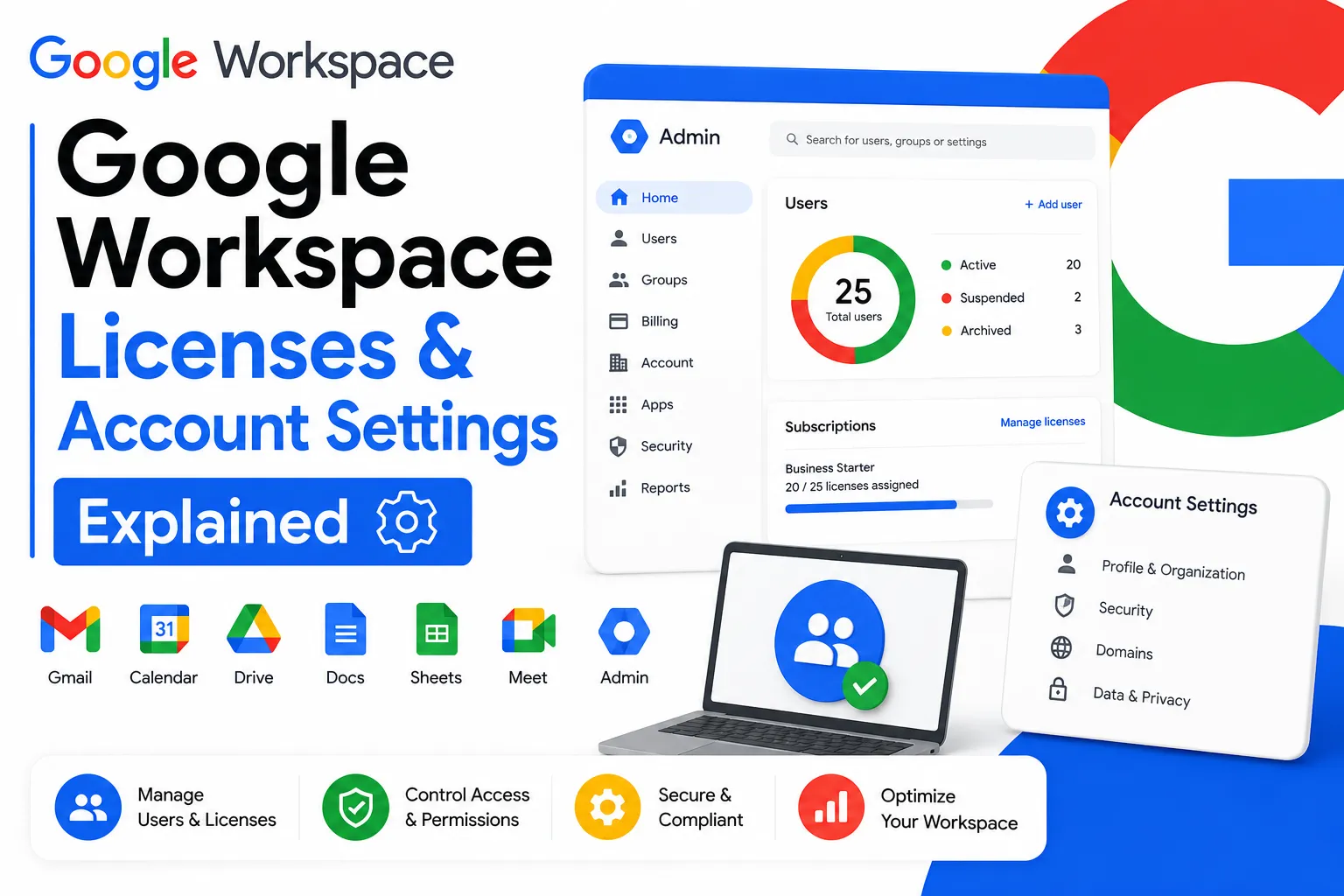
How to find inactive accounts: Sign into your Admin Console at admin.google.com. Navigate to Reports, then the Login Audit report. Filter by last login date over 30 days ago. Any account that has not been accessed in 30 days or more warrants investigation. Delete confirmed inactive accounts immediately and set a monthly calendar reminder to repeat the check.
This single task, done consistently each month, is typically the highest-return action available for reducing Google Workspace costs without changing anything about how your team works.
Hidden Cost 2: Shared Inbox Licenses That Aliases Eliminate
Every email address on your Google Workspace domain counts as a paid user — unless you use email aliases instead.
Addresses like info@, support@, billing@, and noreply@ are standard in most businesses. If these are set up as separate user accounts, each one bills at the full per-user monthly rate. A 10-person business with five shared inboxes is paying for 15 users, not 10.
Email aliases solve this entirely. An alias routes incoming messages to a main inbox without requiring a separate license. Aliases are available on every paid Google Workspace plan at no extra charge and take minutes to configure through the Admin Console.
Before purchasing any new shared inbox account, check whether an alias on an existing account would serve the same purpose. For most shared inboxes used primarily for receiving mail rather than sending as a distinct identity, an alias is functionally equivalent and costs nothing.
Hidden Cost 3: Storage Upgrades Triggered by the 30 GB Ceiling
Business Starter’s 30 GB pooled storage limit forces upgrades far sooner than most teams anticipate.
When a team’s pooled storage reaches capacity, Google disables new email sending and receiving, blocks new file creation in Drive, and prevents Meet recording. The 30-day warning period creates urgency that typically results in an immediate plan upgrade rather than a considered storage audit.
The jump from Business Starter to Business Standard at official Google Workspace pricing doubles the per-user monthly cost — from $8 to $18 — adding $100 per month for a 10-person team. That is $1,200 per year in additional spend, often triggered by a storage situation that could have been resolved differently.
Before upgrading due to storage pressure, run this check first: deleted files in Google Drive continue counting toward storage until the trash is emptied. Many teams discover that emptying trash alone recovers 20 to 40% of their total storage. Beyond that, compressing large video files before uploading, archiving old project folders to cheaper external storage, and removing duplicate files typically extends Business Starter viability significantly before an upgrade becomes genuinely necessary.
Hidden Cost 4: Overlapping SaaS Tools Workspace Already Replaces
Most teams paying for Google Workspace Business Standard or higher are also paying for tools that their Workspace subscription already covers.
The overlap is consistent across small and medium businesses. Zoom at $15 per user per month for video meetings — while Google Meet on Business Standard supports 150-participant calls with recording included. Google Chat replaces Slack at $8.75 per user per month for most team messaging needs. Google Drive with 2 TB pooled storage per user on Business Standard eliminates the practical need for Dropbox at $12 per user per month for most teams.
A 15-person team carrying all three alongside a Business Standard subscription is spending approximately $540 per month on tools that their Workspace subscription already provides. Eliminating that overlap saves $6,480 per year without removing any functionality from the team’s workflow.
The practical test: run Google Meet exclusively for two weeks instead of Zoom. Use Google Drive instead of Dropbox. Use Google Chat for team messaging. Most teams find the transition straightforward and the overlap becomes immediately apparent.
Hidden Cost 5: Google Cloud Platform Charges Running Unnoticed
If any team member has connected Google Workspace to developer tools or cloud services, unexpected Google Cloud Platform charges may be accumulating without anyone noticing.
Google Cloud Platform billing is completely separate from Google Workspace billing. Firebase projects, BigQuery datasets, Cloud Storage buckets, and API projects created during integrations, migrations, or development work continue running and billing until they are manually stopped. These charges do not appear on your Workspace invoice — they appear on a separate GCP billing account that many business owners never review.
How to check: visit console.cloud.google.com and navigate to Billing, then the Cost Table. Review every active service for current usage and charges. Set up budget alerts with notification thresholds — Google will not proactively warn you when charges accumulate. Delete any services that are no longer in active use.
Hidden Cost 6: Premium Support Fees on Top of the Base Subscription
Google’s standard support tier, included in all base Workspace plans, provides email-based assistance with response times that typically run several hours.
For teams that need faster resolution — particularly for issues affecting email delivery, admin console access, or security configurations — Google sells enhanced support tiers separately. Enhanced Support starts at approximately $30 per user per month. Premium Support runs $50 to $80 per user per month at the higher end.
For a 20-person team, Enhanced Support adds $600 per month — $7,200 per year — on top of the base subscription cost. This is a legitimate cost for teams that genuinely need priority response times, but it is one that many businesses do not factor into their initial Workspace budget.
Authorized resellers that include 24/7 expert support as part of their standard service eliminate this cost entirely. Leads Monky includes direct support access with every plan — no separate support tier required, no additional monthly charge.
Hidden Cost 7: The Annual Contract User Count Trap
Annual billing saves money — but it comes with a user count constraint that creates waste when team size decreases.
On an annual Google Workspace commitment, you cannot reduce the number of licensed users mid-year. You can add users at any time, but the minimum license count is locked at whatever you committed to at the start of the annual term.
A team that commits to 25 annual licenses in January and reduces to 15 employees in July continues paying for 25 licenses through December. At Business Standard pricing through Leads Monky, those 10 unused licenses cost $130 per month — over $700 in unnecessary spend across the remaining contract period.
This is not a reason to avoid annual billing if your team size is stable. But it is a reason to be conservative when choosing your initial user count commitment. Starting with your current active headcount rather than anticipated future headcount prevents overpaying if growth plans change.
How to Audit Your Google Workspace Costs in 15 Minutes
Run through this checklist monthly. Each step takes two to three minutes and most teams find actionable savings every time.
Step 1: Go to Admin Console, then Reports, then Login Audit. Filter accounts by last login over 30 days. Identify and delete inactive accounts.
Step 2: Go to Admin Console, then Directory, then Users. Count total licensed users. Compare against your actual active employee headcount. Flag any discrepancy.
Step 3: Go to Admin Console, then Storage. Review usage by user. Identify anyone near or over their allocation before a forced upgrade becomes urgent.
Step 4: Review your list of paid SaaS tools. Check whether any overlap with Google Meet, Google Drive, or Google Chat functionality your Workspace subscription already provides.
Step 5: Visit console.cloud.google.com and review GCP Billing, then Cost Table. Delete any unused services and set budget alert thresholds.
Step 6: Check your current Workspace support tier. If you are paying for Enhanced or Premium Support, confirm whether the response time improvement justifies the cost versus a reseller that includes support as standard.
How to Reduce Google Workspace Cost Without Reducing Functionality
Remove inactive users immediately. This is the highest-return action available and takes under 10 minutes. Set a monthly reminder and treat it as a standard finance task alongside your other recurring expenses.
Switch shared inboxes to email aliases. Any address used primarily for receiving mail does not need a separate license. Configuring aliases through the Admin Console eliminates these charges permanently.
Clean storage before upgrading plan tier. Empty Drive trash, remove duplicates, archive old project files externally. Address the accumulation before committing to a higher-cost plan.
Audit overlapping tools quarterly. Assign one person to run a quarterly review of all active SaaS subscriptions against what Google Workspace already provides. Cancel confirmed overlaps.
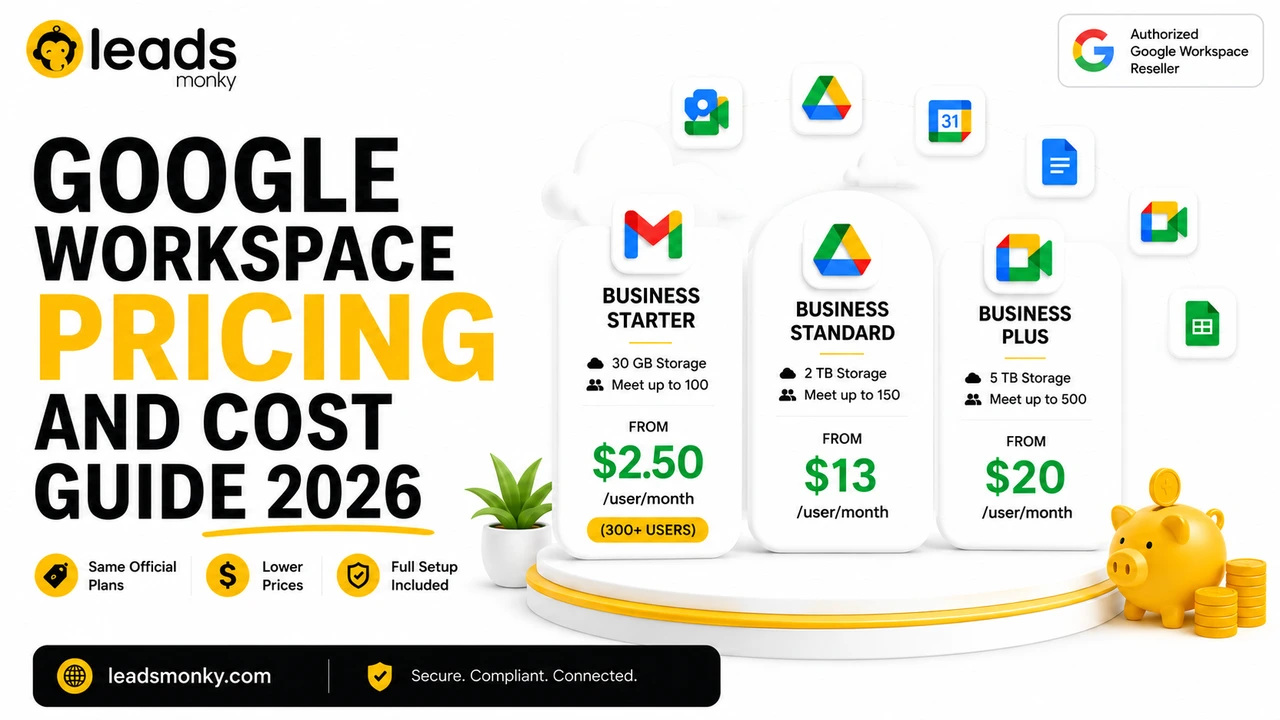
Consider authorized reseller pricing for Business Starter. Teams of 15 or more users can access the same Business Starter plan at $3/user/month through certified resellers like Leads Monky versus Google’s official price of $8/user/month — a permanent 62.5% reduction with professional DNS setup included at no extra charge. Official Google Workspace Starter plan price is $8/user/month, but Leads Monky offers it from $2.50/user/month when you have 300 or more users. Visit Leads Monky Google Workspace Page for current pricing details.
💡 Need help setting up Google Workspace?
We’re certified Google partners offering 64% off + free professional setup ($2,000 value). Used by 1000+ companies.
Get your quote →Common Mistakes That Cause Google Workspace Costs to Spiral
Never removing departing employee accounts on the same day they leave. Every week of delay is billed at full rate. Offboarding should include an immediate Admin Console account deletion as a non-negotiable step in your process.
Creating new user accounts for shared inboxes without checking alias options first. The default assumption should always be that a new inbound address is an alias, not a new account. Only create new accounts when a distinct sending identity with its own storage is genuinely required.
Committing to annual billing with inflated user counts. Choosing your anticipated 12-month headcount rather than your current active headcount locks in overcharge risk for the entire contract year. Start conservatively.
Ignoring GCP billing because it is separate from Workspace billing. These two billing streams are entirely independent. Developer integrations, migration tools, and API projects create GCP charges that will not appear on your Workspace invoice under any circumstances.
Upgrading storage tier before running a storage audit. The upgrade to Business Standard from Starter is often triggered by storage warnings that a 30-minute cleanup would resolve. The audit should always happen before the upgrade decision.
Conclusion
Google Workspace hidden costs follow a predictable pattern across most businesses: inactive licenses accumulate quietly, shared inboxes get licensed when aliases would work, storage warnings trigger upgrades before cleanup is attempted, and redundant SaaS tools continue billing alongside Workspace features that already replace them.
None of these costs are inevitable. They are the product of inaction, and a structured monthly review of your Admin Console is sufficient to keep them under control. Most teams that run their first proper audit find $100 to $300 in recoverable monthly spend within 15 minutes.
For teams of 15 or more users on Business Starter, authorized reseller pricing through Leads Monky reduces the per-user rate from Google’s official $8/user/month to $3/user/month permanently — with DNS setup and 24/7 support included. Leads Monky is trusted by 1,000+ companies for reliable Google Workspace solutions across the USA, UK, Pakistan, India, and UAE. Visit Leads Monky Google Workspace Page to see pricing specific to your team size.
Frequently Asked Questions
What are the most common Google Workspace hidden costs?
The most common hidden costs are inactive licenses for former employees and contractors still being billed, separate user accounts for shared inboxes that aliases would cover at no cost, forced plan upgrades from storage pressure, redundant SaaS tools that Workspace already replaces, unexpected Google Cloud Platform charges from forgotten integrations, and premium support fees added on top of the base subscription.
How do I find inactive Google Workspace licenses?
Go to Admin Console, navigate to Reports, then the Login Audit report. Filter by last login date over 30 days. Any account with no recent login warrants investigation. Delete confirmed inactive accounts immediately and repeat this check monthly to prevent ongoing waste.
Can I use email aliases instead of paying for shared inbox accounts?
Yes. Email aliases route incoming messages from addresses like info@, support@, or billing@ to an existing user’s inbox at no extra cost. They are available on all paid Google Workspace plans and eliminate the need for separate paid licenses for shared inboxes used primarily for receiving mail.
Does Google Workspace have hidden storage costs?
Business Starter’s 30 GB pooled storage limit is a real constraint that forces plan upgrades if storage is not actively managed. Before upgrading, empty Drive trash, delete duplicate files, and archive old projects. These steps often resolve the storage pressure without requiring a more expensive plan tier.
Can I reduce my Google Workspace users mid-year on annual billing?
No. Annual billing locks your user count for the full contract year. You can add users at any time but cannot reduce below your committed minimum until the annual term renews. If your team size may decrease, choose your initial user count conservatively or opt for monthly billing despite the higher per-user rate.
Are Google Cloud Platform charges included in my Workspace bill?
No. Google Cloud Platform billing is completely separate from Google Workspace billing. Charges from Firebase, BigQuery, Cloud Storage, and other GCP services appear on a separate billing account. Review console.cloud.google.com regularly and set budget alerts to catch unexpected charges early.
What is the cheapest way to reduce Google Workspace costs for a growing team?
Remove inactive accounts monthly, configure email aliases for shared inboxes, audit storage before upgrading plan tiers, cancel SaaS tools that Workspace already replaces, and for teams of 15 or more on Business Starter, compare authorized reseller pricing against Google’s direct rate. Combining these steps typically reduces monthly spend by $100 to $300 for small teams.
Ready to Fix Your Cold Email?
What you get:
- ✓ Complete infrastructure: 30 emails + 10 domains
- ✓ 10,000 personalized emails monthly
- ✓ First consultations in 5–6 weeks