Quick Answer
Google Workspace vs free Gmail comes down to ownership, administration, and scale. Free Gmail is a personal account tied to one individual, with 15GB of shared storage and no admin controls. Google Workspace runs on your own domain, gives a business admin console to manage users and security, and starts at 30GB of pooled storage per user, with full Gemini AI access opening up at the Business Standard tier and above.
Google Workspace vs free Gmail comes down to who the account belongs to as a team grows, not which version has a nicer interface. A free Gmail account, the one most people already have, is tied to an individual and capped at 15GB of shared storage across Gmail, Drive, and Photos. Google Workspace runs the same familiar apps on a business’s own domain, with an admin console controlling users, security, and data, and storage starting well above the free tier. The apps look almost identical day to day. What changes underneath is ownership, administration, and how much of Google’s AI features are actually included. This guide breaks down each difference precisely.
What Free Gmail Actually Includes

A free Gmail account gives an individual a personal @gmail.com address, 15GB of storage shared across Gmail, Drive, and Google Photos, and access to Docs, Sheets, Slides, Meet, and Calendar under that same personal account. There’s no cost, no trial period, and no expiration, which makes it a genuinely capable option for personal use or a very early stage side project with no team to manage.
What free Gmail does not include is any administrative layer. There’s no way to centrally manage multiple users, enforce security policies across a team, or recover a former user’s files if the account itself is closed. It’s built for one person’s use, not an organization’s.
💡 Need help setting up Google Workspace?
We’re certified Google partners offering 64% off + free professional setup ($2,000 value). Used by 1000+ companies.
Get your quote →What Google Workspace Adds
Google Workspace is the same core apps, Gmail, Drive, Docs, Sheets, Slides, Meet, and Calendar, running under a business’s own domain instead of @gmail.com, with an admin console layered on top for managing users, security, and data across the whole organization.
The practical difference shows up in three places: a professional email address on your own domain, an admin who can add or remove users, reset passwords, and enforce security policies, and data that belongs to the organization rather than any single employee. None of this changes how Gmail or Docs actually look or feel to use day to day, which is why the gap between the two is easy to underestimate until you actually need the administrative layer.
Custom Domain and Professional Email
Free Gmail addresses end in @gmail.com, which is fine for personal use but reads as less credible for business communication, particularly in client facing industries like consulting, legal services, or B2B sales where a generic address can undercut trust before a conversation even starts.
Google Workspace requires a domain you own, giving every user an address like name@yourbusiness.com. This is available starting on the lowest paid tier, Business Starter, and is one of the few features with no equivalent on the free side at any storage or AI tier.
Storage: Free Gmail vs Every Workspace Tier
Free Gmail accounts share 15GB across Gmail, Drive, and Google Photos combined, a limit that can fill up faster than expected once photo backups and email attachments are counted together.
| Tier | Storage |
|---|---|
| Free Gmail | 15GB shared across Gmail, Drive, and Photos |
| Workspace Business Starter | 30GB pooled per user |
| Workspace Business Standard | 2TB per user |
| Workspace Business Plus | 5TB per user |
Even the entry level Workspace tier roughly doubles the free storage allowance, and the jump to Standard is substantial. For any team handling large attachments, shared drives, or extensive Drive based file storage, this alone often justifies the move well before admin controls become the deciding factor.
Admin Control and Data Ownership
This is the difference that matters most once more than one person is involved, and it’s the part free Gmail structurally cannot offer regardless of storage or features.
A free Gmail account is tied to the individual who created it. If that person leaves a company, changes roles, or simply loses access to their own account, whatever lived in that inbox and Drive, client correspondence, shared documents, project files, leaves with them or becomes inaccessible. There’s no organizational admin who can step in, reset access, or transfer ownership cleanly.
Google Workspace accounts belong to the organization, not the individual. An admin can reset passwords, transfer a departing employee’s files to someone else, enforce security policies like two factor authentication across every user, and maintain a consistent view of who has access to what. For any business beyond a single founder working alone, this is typically the single biggest practical reason to move off free Gmail, more than any feature comparison.
Gemini AI: What’s Actually Free vs Paid
This is one of the most commonly overstated differences in comparisons of the two, so it’s worth being precise. Google Gemini is not entirely locked behind a paid Workspace plan.
Personal Gmail accounts can access certain Gemini features, including Help Me Write in Gmail, at no charge in the US through a free Google AI plan, separate from a Workspace subscription entirely. What free accounts don’t get is deep integration across Docs, Sheets, Slides, Meet, and Chat with shared organizational context, which is where Workspace’s AI advantage actually lives.
On the Workspace side, Business Starter includes only limited Gemini access, mainly Help Me Write style features in Gmail, similar in scope to what’s available free. Full Gemini integration across every core app opens up specifically at Business Standard and above. If AI features are a primary reason for upgrading, Business Starter alone may not deliver a meaningfully different AI experience than a well configured free account, and that distinction is worth knowing before assuming any paid plan unlocks full Gemini access.
Security and Compliance Features
Free Gmail includes standard account security like optional two factor authentication, but nothing enforceable across a team, since there’s no team structure to enforce it on.
Google Workspace gives admins tools free Gmail has no equivalent for: enforced two factor authentication across the organization, audit logs showing account activity, data loss prevention rules on higher tiers, and the ability to configure retention and eDiscovery settings relevant to legal or compliance needs. For any business handling client data, financial information, or regulated information, these admin level controls are typically a requirement rather than a nice to have, and free Gmail simply has no path to providing them.
Pricing: Google Workspace vs “Free”
Google Workspace has no permanent free tier for business use. There is a 14 day trial available on paid plans, but it is time limited, not an ongoing free option the way free Gmail is.
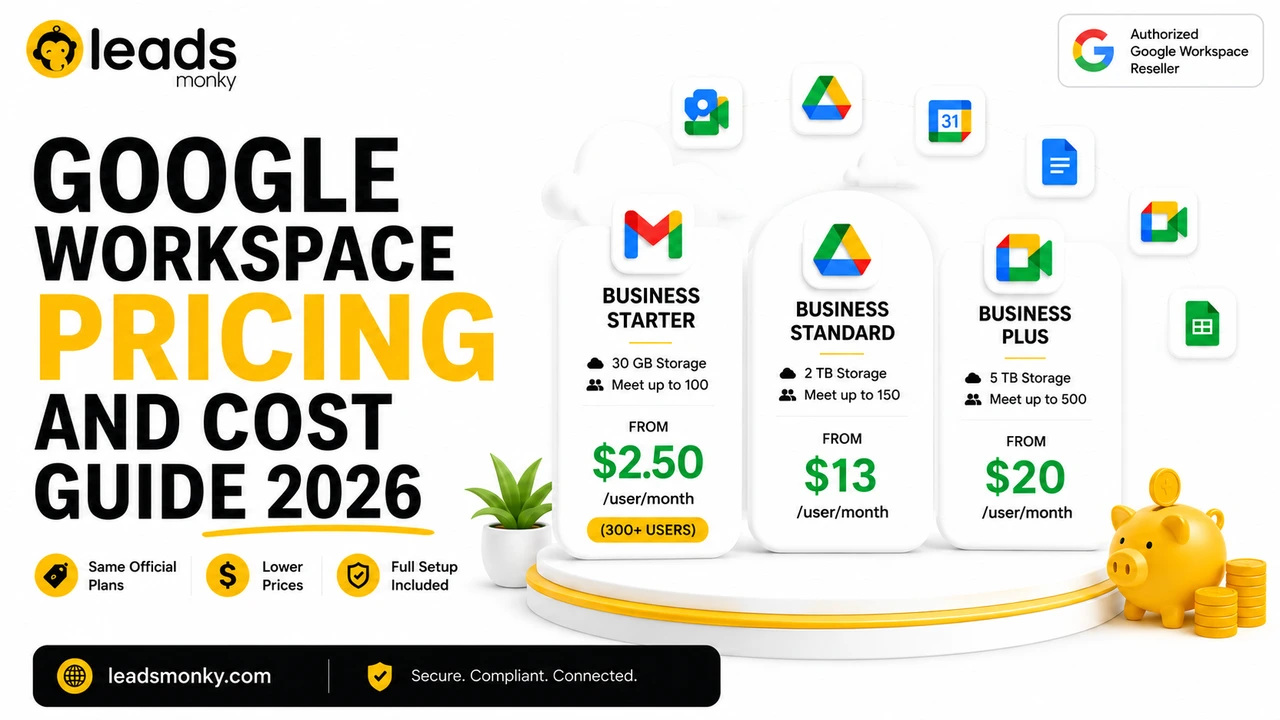
Official Google Workspace pricing runs $8 per user per month for Business Starter, $18 for Business Standard, and $28 for Business Plus, billed annually. As an authorized Google Workspace reseller, Leads Monky prices Business Starter from $2.50 to $3 per user per month depending on user count, Standard at $13, and Plus at $20, no hidden charges and no extra taxes.
Weighed against free Gmail’s zero cost, the calculation isn’t really about whether $2.50 to $8 per user is expensive in isolation. It’s about whether the admin control, storage, and custom domain are worth that monthly cost for your specific situation, which for any team beyond a single person is usually a clear yes.
When Free Gmail Is Still the Right Choice
Honest limitation: free Gmail remains a genuinely reasonable choice in a few specific situations, and upgrading to Workspace too early mainly buys storage and AI depth without solving a real problem.
If you’re a solo user with no team to administer, no client facing domain requirement, and your current 15GB of storage isn’t a constraint, Workspace’s core advantages, the admin console and multi user management, simply don’t apply yet. Selling through a marketplace like Etsy or a platform that already handles customer communication for you also reduces the need for a custom domain address specifically.
Collaboration and Sharing: Where the Two Diverge in Practice
Both free Gmail and Google Workspace support real time editing in Docs, Sheets, and Slides, and sharing files with anyone by email address. The apps themselves don’t change based on which account type you’re using, which is part of why the difference is easy to underestimate at first glance.
What changes is control over that sharing at scale. On a free account, file sharing settings are managed individually, file by file, by whoever owns each document, with no organization wide policy to fall back on. On Google Workspace, admins can set default sharing permissions across the organization, restrict external sharing to approved domains only, and use Shared Drives, a feature not available on free accounts, where files belong to a team rather than any single member and remain accessible even if the person who added them leaves.
Shared Drives specifically address one of free Gmail’s structural weaknesses directly: on a personal account, a Drive folder shared with colleagues still technically belongs to whoever created it, and if that person’s account becomes inaccessible, so does their content. A Shared Drive has no single owner in that sense, which matters more than it sounds like until the day someone actually leaves the team.
Support: What Happens When Something Breaks
Free Gmail support is limited to Google’s public help center and community forums. There’s no dedicated contact for account issues, and account recovery for a free personal account can be a slow, self service process if something goes wrong, like a lockout or a compromised account.
Google Workspace includes actual customer support as part of the subscription, with the specific channels and response commitments varying by plan tier. For a business depending on email for daily operations, having an actual support contact rather than a public forum thread is a meaningful practical difference, particularly during an urgent issue like a locked admin account or a suspected security breach.
Migrating From Free Gmail to Google Workspace
For a business that started on free Gmail and later moves to Workspace, existing email, contacts, and Drive files generally need to be migrated rather than automatically carrying over, since the underlying accounts are structurally different even though the interface looks the same.
Most Workspace resellers, including setup services bundled with a subscription, handle this migration as part of onboarding, moving existing mail history and files into the new organizational account. The process typically takes anywhere from a few hours to a couple of days depending on mailbox size, and planning the switch during a lower activity period, rather than mid project, reduces the disruption of the transition.
When You Need to Upgrade
The signals that it’s time to move off free Gmail are less about revenue milestones and more about specific operational needs showing up. A second person needing shared access to files or a common inbox, a client or vendor question about whether you’re a “real business,” a compliance requirement you can’t meet without admin level controls, or simply outgrowing 15GB of shared storage are all concrete triggers, more useful than a generic “when your business grows” rule of thumb.
Conclusion
Google Workspace vs free Gmail isn’t really a features contest, since the core apps are nearly identical either way. The real difference is who owns the account, who can administer it, and how much storage and AI depth come included. Free Gmail remains a solid choice for individual use with no team to manage. For any business with more than one person, client facing communication, or compliance needs, the admin control and ownership Workspace provides is typically worth the monthly cost. Leads Monky is an authorized Google Workspace reseller serving 1,000+ companies across the USA, UK, UAE, Pakistan, and India, with Business Starter pricing from $2.50 per user per month. Visit Leads Monky Google Workspace Page to see current plans.
FAQs
Is Gmail still free in 2026?
Yes. Personal Gmail accounts remain free with no announced plans to change that, offering 15GB of storage shared across Gmail, Drive, and Photos.
Is Google Workspace ever free?
No, not on an ongoing basis for business use. Google Workspace offers a 14 day trial on paid plans but has no permanent free tier. A free Gmail account never automatically converts to Workspace.
What is the difference between Google Workspace and G Suite?
They’re the same product under different names. G Suite was rebranded to Google Workspace in 2020, with the same core apps and a similar structure, just updated branding and evolving features since.
Does Google Workspace include Google Voice?
Google Voice is a separate product from core Google Workspace plans, though it can be added to eligible Workspace editions for an additional cost, or purchased as a standalone service. It is not bundled into Business Starter, Standard, or Plus by default.
How many email addresses do you get with Google Workspace?
Each paid user license includes one primary email address on your domain. You can add more addresses through user licenses, free domain aliases for existing users, or shared mailbox setups like Gmail delegation or Google Groups, all without needing a separate email product.
Is free Gmail secure enough for a small business?
For an individual with no sensitive shared data, it’s reasonably secure with standard account protections available. For a team handling client information, financial data, or anything requiring enforced security policy across multiple users, free Gmail lacks the admin level controls most small businesses eventually need.
Ready to Fix Your Cold Email?
What you get:
- ✓ Complete infrastructure: 30 emails + 10 domains
- ✓ 10,000 personalized emails monthly
- ✓ First consultations in 5–6 weeks