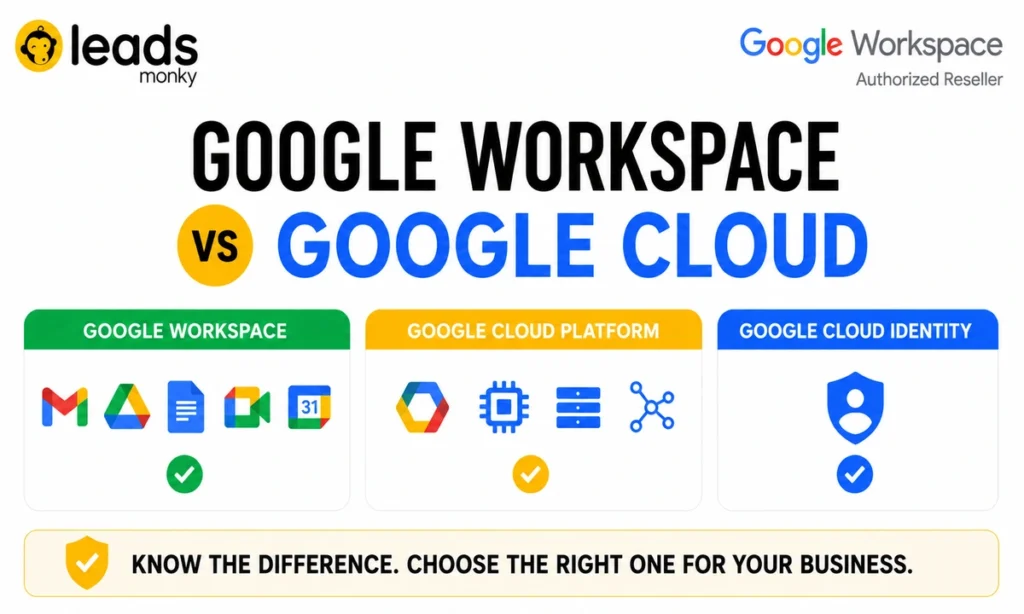
Google Workspace and Google Cloud are two completely different products that happen to share a name and that confusion costs businesses real money every year.
Workspace is a productivity suite for your team: Gmail, Google Drive, Docs, Meet, and Calendar, all under one subscription. Google Cloud Platform is developer infrastructure for building and hosting applications the equivalent of Amazon Web Services. Most businesses only ever need Workspace.
This guide untangles all three products in the family Workspace, Google Cloud Platform, and Google Cloud Identity in plain English, so you know exactly which one to buy before you spend a cent.
Quick Answer
- Google Workspace is a subscription-based productivity suite Gmail, Drive, Docs, Sheets, Meet, and Calendar built for employees who need to communicate and collaborate every day.
- Google Cloud Platform (GCP) is developer infrastructure virtual machines, storage buckets, networking, and databases built for teams who build, host, and run software applications.
- Google Cloud Identity is an identity and access management service it controls who logs into what, enforces security policies, and manages user accounts across your organisation.
- Most businesses only need Google Workspace. GCP is for developers. Cloud Identity is for IT admins managing complex access scenarios.
Skip understanding this distinction and you risk paying for infrastructure your team will never use or, worse, setting up your whole business on a platform that has no email, no calendar, and no document tools.
What Is Google Workspace?
Google Workspace is Google’s all-in-one productivity suite for business teams. Every plan gives each employee a professional email address on your own domain, cloud-based document tools, video conferencing, and shared file storage all from a single subscription.
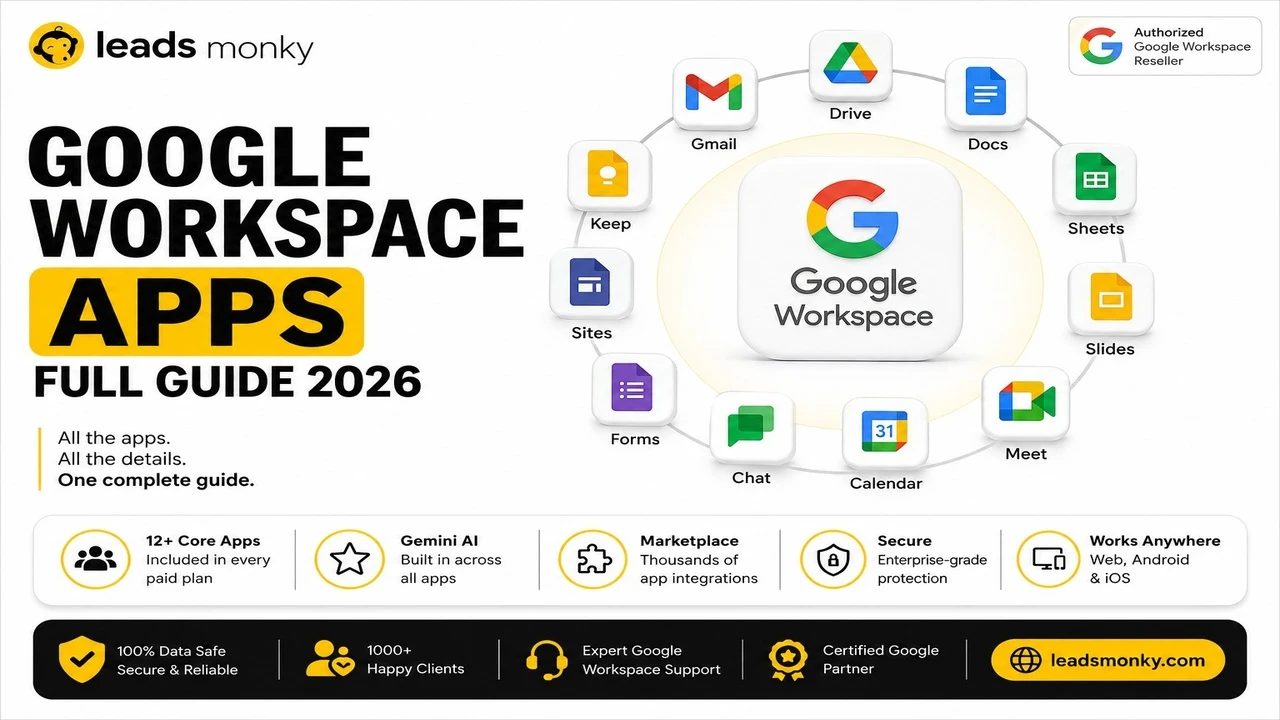
The core apps are Gmail, Google Drive, Google Docs, Google Sheets, Google Slides, Google Meet, Google Calendar, and Google Chat. As of 2026, every paid Workspace plan also includes Gemini AI features meeting summaries, writing assistance, and a semantic intelligence layer built directly into the apps.
Think of it this way. Workspace is your entire digital office. It is where your team sends emails, writes proposals, runs client calls, stores contracts, and schedules meetings. Everything is in the cloud, which means any device, any location, no local software required.
For most small and medium businesses, Workspace handles every single productivity need they have.
GOOGLE WORKSPACE 2026
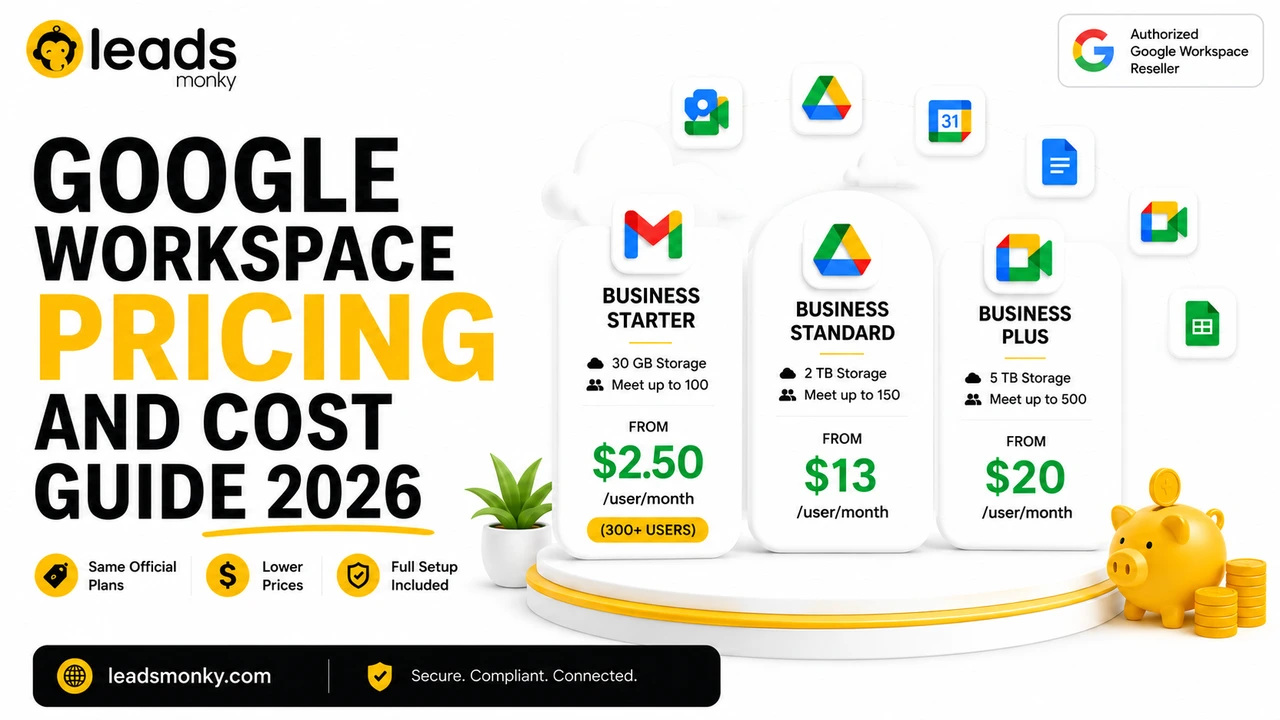
| Plan | Direct from Google | Via LeadsMonky (Reseller) |
| Business Starter | $7/user/month | $3/user/month |
| Business Standard | $14/user/month | $14/user/month |
| Business Plus | $22/user/month | $21/user/month |
What apps are included in Google Workspace?
Every Google Workspace plan includes the full suite of productivity tools. Gmail handles professional business email on your own domain. Google Drive gives each user cloud file storage. Docs, Sheets, and Slides replace Word, Excel, and PowerPoint with real-time collaborative editing. Google Meet handles video conferencing. Google Calendar manages scheduling. Google Chat covers team messaging.
Higher-tier plans add features like enhanced video meeting recordings, larger shared drives, eDiscovery tools, and increased storage per user. The Business Standard plan, for example, unlocks meeting recordings and 2TB of pooled storage per user versus the 30GB cap on Business Starter.
If your team needs to communicate, write documents, share files, and run video calls, Workspace covers all of it.
Who is Google Workspace designed for?
Workspace is built for anyone who works with people not anyone who builds software. It is the right product for a five-person consulting firm, a 200-person retail operation, a medical practice that needs HIPAA-compliant email, a nonprofit running volunteer coordination, and everything in between.
What it is not built for: developers who need to spin up virtual servers, host a web application, or manage large-scale data pipelines. That is a completely different product which brings us to Google Cloud Platform.
What Is Google Cloud Platform?

Google Cloud Platform (GCP) is Google’s infrastructure-as-a-service offering for developers and IT teams the direct equivalent of Amazon Web Services. It is where you build, host, and run applications. It is not where your team does their daily work.
GCP includes Compute Engine (virtual machines), Cloud Storage (object storage buckets for large-scale data), Cloud SQL (managed databases), App Engine (application hosting), and a full suite of networking, security, and data tools. If you have heard of AWS S3, EC2, or RDS those are the Amazon equivalents of Google’s Cloud Storage, Compute Engine, and Cloud SQL.
A business using GCP is typically doing one of three things: hosting a customer-facing web application, running data analytics pipelines, or managing complex cloud infrastructure for a technical product. The overwhelming majority of small businesses are not doing any of these things.
What does Google Cloud Platform include?
GCP is a suite of over 100 individual infrastructure services. The ones most relevant to businesses who find themselves accidentally researching it are: Compute Engine for running virtual servers, Cloud Storage for storing large files and application data, Cloud SQL for hosted databases, and Cloud Identity for user management.
None of these are productivity tools. There is no email client in GCP. No document editor. No calendar. No video conferencing.
This is the most important point in this entire guide, so it bears saying plainly: you cannot use Google Cloud Platform instead of Google Workspace to run your business communications.
Does a typical small business need Google Cloud Platform?
Almost certainly not. If your business does not build software, host a web application, or manage technical infrastructure you have no use for GCP.
Practitioners who work with SMBs report that the most common reason a small business owner ends up researching GCP is simple name confusion. They searched “Google Cloud for business,” found GCP, and spent an hour trying to figure out where the email setup is. It does not exist there. The email lives in Workspace.
If your developer or technical co-founder needs GCP for a specific application great, that is a legitimate use. But that subscription is separate from, and completely independent of, the Workspace subscription your team uses for daily work.
What Is Google Cloud Identity?
Google Cloud Identity is Google’s identity and access management (IAM) service a tool for IT admins to control who can log into what, enforce security policies, and manage user accounts across an organisation.
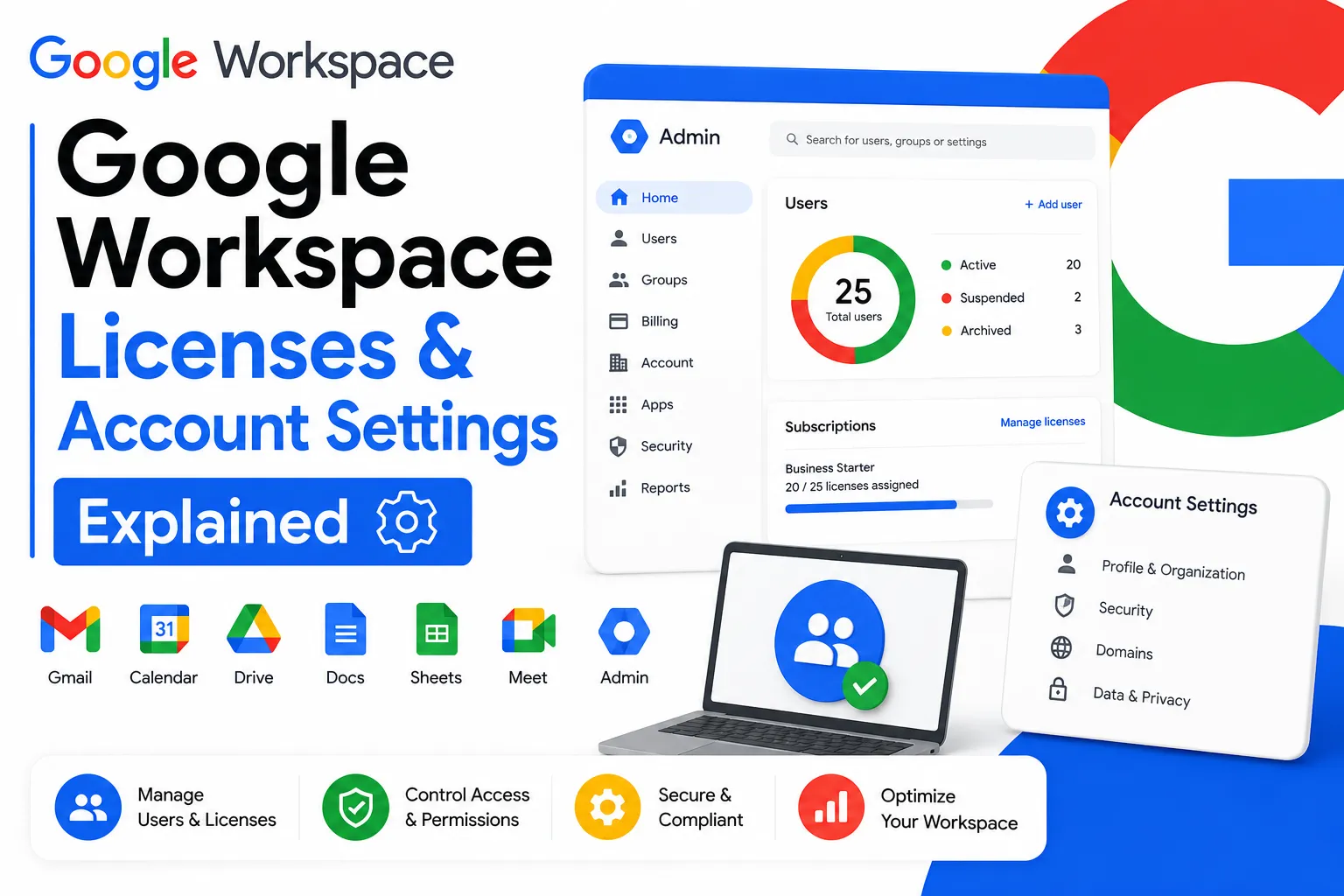
It sits between Workspace and GCP in the Google product family. When you sign up for Google Workspace, you get an admin console that already handles identity creating users, managing passwords, enforcing multi-factor authentication. Cloud Identity is the standalone version of that same infrastructure, available without a full Workspace license.
Here is where it gets practically useful for businesses.
Google Cloud Identity free tier vs paid
Cloud Identity has a free tier that allows you to create user accounts with a company domain without paying for a full Workspace license. Those accounts can then be used to log into third-party applications (like Salesforce or Slack) through Google’s SSO, or to access GCP services, without those users needing Gmail, Drive, or any of the Workspace apps.
The free tier supports basic identity management. The paid Cloud Identity Premium tier adds advanced mobile device management, endpoint security, and deeper audit logging typically relevant for mid-size companies with IT compliance requirements.
When should you use Cloud Identity instead of Workspace?
This is the scenario that almost no competitor blog explains, and it saves businesses real money.
Consider a business with 20 full-time employees on Workspace and 5 contractors who only need to access one internal web application. Giving those contractors full Workspace licenses at $7 per user per month costs $35/month for accounts they will use for one purpose. Instead, those contractors can receive a Cloud Identity free tier account giving them a company-domain login and SSO access to that application, with no Workspace license cost at all.
The honest caveat: Cloud Identity in isolation is only useful if you have an IT admin who understands SSO configuration and directory management. For most small businesses without dedicated IT staff, this complexity is not worth optimising for. If you need your team to have email and tools, buy Workspace. Full stop.
Google Workspace vs Google Cloud Platform: The Core Difference
Google Workspace is the office. Google Cloud Platform is the electrical system running the building. Most businesses only ever interact with the office.
Here is the complete comparison:
| Google Workspace | Google Cloud Platform | Google Cloud Identity | |
| Purpose | Productivity suite for employees | Developer infrastructure | Identity and access management |
| Primary user | Every employee | Developers, IT teams | IT admins |
| Key products | Gmail, Drive, Docs, Meet, Calendar | Compute Engine, Cloud Storage, Cloud SQL | User accounts, SSO, MFA, MDM |
| Has business email? | Yes | No | No |
| Has team file sharing? | Yes (Google Drive) | No (Cloud Storage is different) | No |
| Pricing model | Per user, per month | Pay-as-you-go usage | Free tier / per user premium |
| Typical business use | Daily team communication and collaboration | Hosting apps, running databases, data pipelines | Managing logins and access policies |
| Needs for most SMBs? | Yes | Rarely | Only with IT complexity |
Most businesses searching “Google Workspace vs Google Cloud” are trying to decide which one to buy. In the vast majority of cases, the answer is Workspace and only Workspace.
Google Drive vs Google Cloud Storage: They Are Not the Same Thing
Google Drive is the file storage tool built into every Workspace plan. Google Cloud Storage is a completely separate developer product inside GCP and confusing the two leads to some genuinely bad purchasing decisions.
When you see a comparison site listing Google Cloud Storage starting at $0.02 per month, that price refers to object storage billed per gigabyte a developer tool for storing application data like images, videos, and database backups at scale. It is not a team file-sharing tool. There is no “open a document” interface. No version history your accountant can click through. No shared folder your sales team can access from their phone.
Google Drive, by contrast, is exactly what most people imagine when they think of cloud file storage for a business. Files live in folders. Your team can view, edit, and comment in real time. Permissions are set per file or per folder. It integrates directly with Docs, Sheets, and Slides.
Comparing the $0.02/GB Cloud Storage price to a Workspace subscription is a category error — like comparing the cost of a generator to the cost of renting an office. They do not serve the same purpose.
If your team needs to share and collaborate on files, they need Google Drive which comes with every Workspace plan. They do not need Google Cloud Storage.
Do I Need Both Google Workspace and Google Cloud?
The honest answer: most businesses need only Google Workspace. But some legitimately need both and those are two very different situations.
If your business has employees who need email, documents, and collaboration tools → Workspace only.
If your business has developers building a web application and employees doing daily work → both, but as completely separate subscriptions serving completely separate teams.
If your business runs complex data infrastructure or has applications hosted on Google’s servers → GCP alongside Workspace, managed by different people for different purposes.
The scenario where you need only GCP and not Workspace is genuinely rare for a standard business. GCP has no tools for daily business communication. You would still need something to handle email and most companies in that position use Workspace alongside GCP anyway.
And here is the honest limitation: this guide cannot tell you exactly what combination your business needs if you have a complex technical environment. If your IT team is managing SSO across multiple cloud platforms, device management policies, and custom application access that is a conversation for a Google Workspace specialist or cloud architect, not a blog post.
How Much Does Google Workspace Cost vs Google Cloud?
These two products are priced on completely different models and you cannot compare them directly.
Google Workspace is priced per user, per month. You pay a flat rate for each person on your team, and every user gets the full suite of productivity tools included in their plan. The pricing is predictable. You know exactly what you will pay each month.
Google Cloud Platform is priced on usage. You pay for the compute power you consume, the storage you use, the data you transfer, and the services you run billed down to the second in some cases. A small application might cost a few dollars a month. A data-intensive enterprise workload can run into thousands.
Comparing them is like comparing a monthly office lease to a utilities bill. They work on fundamentally different models because they serve fundamentally different purposes.
For Google Workspace specifically, the direct Google pricing is not your only option.
Official Google pricing for Workspace Business plans:
- Business Starter: $7 per user per month
- Business Standard: $14 per user per month
- Business Plus: $22 per user per month
But there is another way. Authorised Google Workspace resellers offer the same plans same features, same Google admin console, same support at lower prices. Leads Monky’s Google Workspace reseller pricing currently starts at $3 per user per month for Business Starter, with DNS setup and email authentication included. That is less than half the direct Google price for the same product.
For a 10-person team on Business Starter, that difference is $480 per year. Real money, for the exact same product.
Common Mistakes Businesses Make When Comparing These Products
1. Buying Google Cloud Platform expecting to find Gmail and team tools inside it. This is the most expensive mistake and the most common one. GCP has no email client, no calendar, no document editors designed for everyday business use. If someone on your team is trying to set up business email through GCP, stop them. Workspace is the product they need.
2. Treating Google Drive and Google Cloud Storage as the same thing. When businesses see comparison sites listing Cloud Storage at $0.02/month, they assume it is cheap file storage for their team. It is not. It is developer infrastructure. Your team’s shared files belong in Google Drive, which is already included in every Workspace plan.
3. Paying full Google retail price for Workspace without checking reseller options. Google sells Workspace directly. Authorised resellers also sell it often at significantly lower per-user pricing, sometimes with onboarding and technical setup included. Most businesses discover this only after renewing at full price for a year or more.
How to Choose Between Google Workspace, Google Cloud, and Google Cloud Identity
Work through these five conditions in order:
1. Your team needs business email, shared documents, video calls, and file storage. → Buy Google Workspace. That is exactly what it is built for.
2. You are building or hosting a web application, or need cloud infrastructure. → Set up a Google Cloud Platform project. This is separate from Workspace.
3. You have contractors or staff who need company login credentials and SSO access, but do not need email or Drive. → Give those users a Google Cloud Identity free tier account instead of a full Workspace license.
4. You have both employees doing daily work AND developers managing infrastructure. → You likely need both Workspace and GCP running as separate subscriptions for different teams.
5. You need Google Workspace but want to pay less than the direct Google price. → Buy through an authorised Google Workspace reseller. You get the same product with the same Google support, at a lower per-user rate.
Most small businesses land squarely at condition 1. Start there.
Conclusion
Google Workspace and Google Cloud Platform are not competitors they are completely different products built for completely different people. Workspace is for your team’s daily work. GCP is for your developers’ technical infrastructure. And Google Cloud Identity sits in between, managing access for businesses with more complex IT environments.
For the vast majority of businesses searching this comparison, Google Workspace is the right answer. It handles email, documents, file sharing, video conferencing, and team communication everything a functioning business team needs, for a predictable monthly cost per user.
And if you are going to buy Workspace, there is no reason to pay the full retail price directly through Google. As an authorised Google Workspace reseller, Leads Monky offers Business Starter from $3 per user per month the same product, the same admin console, same Google-backed reliability, with DNS setup and email authentication included. Contact info@leadsmonky.com to get started.
Frequently Asked Questions
Is Google Workspace the same as Google Cloud?
No. Google Workspace is a productivity suite Gmail, Drive, Docs, Meet, and Calendar designed for business teams. Google Cloud is a developer infrastructure platform for building and hosting applications. They share a brand name but serve completely different purposes. Most businesses need Workspace, not Google Cloud Platform.
What is Google Cloud Identity and is it free?
Google Cloud Identity is Google’s identity and access management service. It controls user logins, enforces multi-factor authentication, and manages app access policies. It has a free tier that lets you create user accounts with a company domain without purchasing Workspace licenses useful for contractors or staff who only need SSO access to specific applications, not full productivity tools.
Can I use Google Cloud Platform instead of Google Workspace for business email?
No. Google Cloud Platform has no email client, no calendar, and no document editors for everyday business use. It is developer infrastructure, not a productivity suite. If you need business email on your own domain, you need Google Workspace not GCP.
What is included in Google Workspace?
Every Google Workspace plan includes Gmail, Google Drive, Google Docs, Google Sheets, Google Slides, Google Meet, Google Calendar, and Google Chat. Higher-tier plans add features like meeting recordings, larger storage allocations, and advanced security and compliance tools. All current plans include Gemini AI integration for writing assistance and meeting summaries.
What is the difference between Google Drive and Google Cloud Storage?
Google Drive is the team file-sharing and collaboration tool included in every Workspace plan where your team saves documents, spreadsheets, and presentations. Google Cloud Storage is a developer product inside GCP for storing large-scale application data like images, videos, and database backups. They are priced and designed for completely different purposes and cannot substitute for each other.
How much does Google Workspace cost per user?
Google sells Workspace directly at $7 per user per month for Business Starter, $14 for Business Standard, and $22 for Business Plus. Authorised resellers offer the same plans at lower rates LeadsMonky’s Business Starter pricing currently starts at $3 per user per month, with DNS setup included.
Do I need both Google Workspace and Google Cloud Platform for my business?
Most businesses need only Google Workspace. You need both only if your business has employees using productivity tools AND developers managing cloud infrastructure or hosted applications. In that case, both products run as completely separate subscriptions serving completely different teams they do not replace each other.