Quick Answer
Choose Zoho Workplace if your team wants lower software cost, built in office apps, Zoho Mail, Zoho CRM alignment, and a privacy focused ecosystem. Choose Google Workspace if your team wants Gmail, Google Drive, Google Meet, Gemini AI, stronger third party integrations, easier user adoption, and better familiarity for remote teams. For most small businesses, Zoho Workplace wins on cost. Google Workspace wins on adoption, integrations, productivity speed, and professional email familiarity. Skipping the pricing and workflow comparison can lock your business into the wrong tool, which usually means paying for apps your team does not fully use.
“`htmlZoho Workplace Vs Google Workspace is not just a question of which email app looks better. It is a real business decision around pricing, storage, team collaboration, AI, security, customer support, and how your team already works. Zoho gives small businesses an affordable workplace suite with email, office apps, chat, and strong privacy positioning. Google Workspace gives teams Gmail, Drive, Meet, Docs, Gemini, and the most familiar collaboration experience in the market. This guide compares both options clearly so you can choose the right platform without guessing.
Zoho Workplace Vs Google Workspace Comparison Table

| Feature | Zoho Workplace | Google Workspace |
|---|---|---|
| Best for | Budget focused teams and Zoho users | Teams that want Gmail and Google apps |
| Email app | Zoho Mail | Gmail |
| Office apps | Writer, Sheet, Show | Docs, Sheets, Slides |
| Cloud storage | Zoho WorkDrive | Google Drive |
| Chat | Zoho Cliq | Google Chat |
| Meetings | Zoho Meeting | Google Meet |
| Calendar | Zoho Calendar | Google Calendar |
| AI | Zoho Zia | Google Gemini |
| CRM connection | Strong with Zoho CRM | Needs third party CRM |
| Free plan | Available for Zoho Mail in select cases | Trial only for Workspace |
| Best strength | Lower cost and Zoho ecosystem | Familiarity, integrations, adoption |
| Best fit | Small teams already using Zoho | Growing teams, agencies, remote teams |
What Is Zoho Workplace?
Zoho Workplace is a business productivity suite that combines email, files, office apps, chat, meetings, calendar, and team collaboration tools.
It is designed for companies that want a connected software environment without paying for several separate subscriptions. The main apps include Zoho Mail, Zoho WorkDrive, Zoho Writer, Zoho Sheet, Zoho Show, Zoho Cliq, Zoho Meeting, Zoho Connect, and Zoho Calendar.
The biggest advantage is ecosystem fit.
If your business already uses Zoho CRM, Zoho Books, Zoho Projects, Zoho Desk, or Zoho Campaigns, Zoho Workplace feels natural. Your email, contacts, documents, and customer data can live inside the same business software family.
A small team that handles sales in Zoho CRM and client communication in Zoho Mail may not need Google Workspace at all. That team can reduce software switching and keep work inside one ecosystem.
What Is Google Workspace?
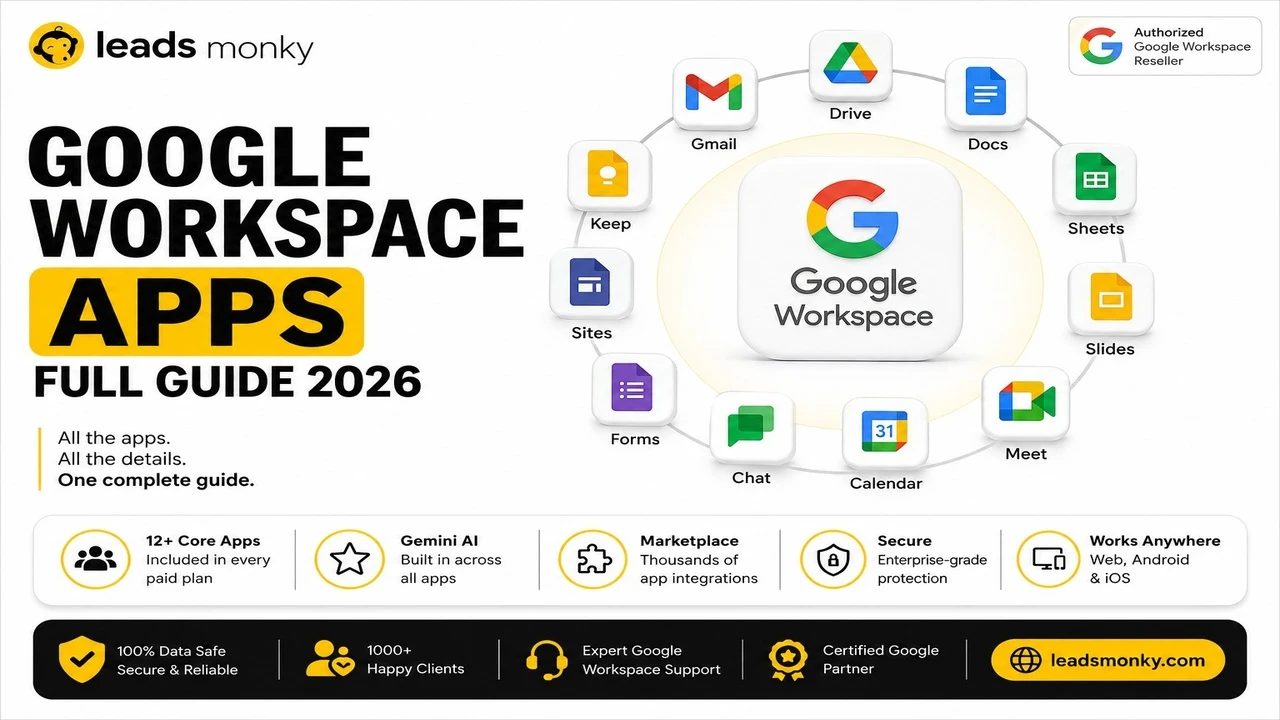
Google Workspace is Google’s business productivity suite with Gmail, Google Drive, Google Docs, Google Sheets, Google Meet, Google Calendar, Google Chat, and Gemini AI features.
Its biggest strength is not just the apps. It is adoption. Most employees, clients, freelancers, and agencies already know Gmail, Drive links, Docs comments, Sheets sharing, and Meet calls.
That matters more than people think.
A team can buy the most powerful suite in the world, but if the staff avoids using it, the software becomes wasted spend. Google Workspace usually has a smaller training gap because users already know how the tools behave.
For businesses that work with clients, vendors, remote employees, content teams, sales teams, or agencies, Google Workspace often feels easier from day one.
Zoho Mail Vs Google Workspace For Business Email
Zoho Mail is good for affordable professional email, while Google Workspace is stronger when Gmail familiarity and third party workflows matter.
Zoho Mail gives businesses custom domain email, admin controls, calendar, tasks, notes, and a clean ad free email experience. It works well for companies that want business email without paying more for Google’s full collaboration ecosystem.
Google Workspace gives you Gmail for business. That means your team works inside the same Gmail experience most people already use personally and professionally. For client communication, hiring, sales, document sharing, and agency work, Gmail often reduces friction.
The honest truth is simple.
Zoho Mail can handle professional email well. Gmail is usually easier to adopt, easier to integrate, and easier for non technical teams to trust.
Zoho Workplace Pricing Vs Google Workspace Pricing
Zoho Workplace usually costs less at the entry level, while Google Workspace costs more when purchased directly from Google.
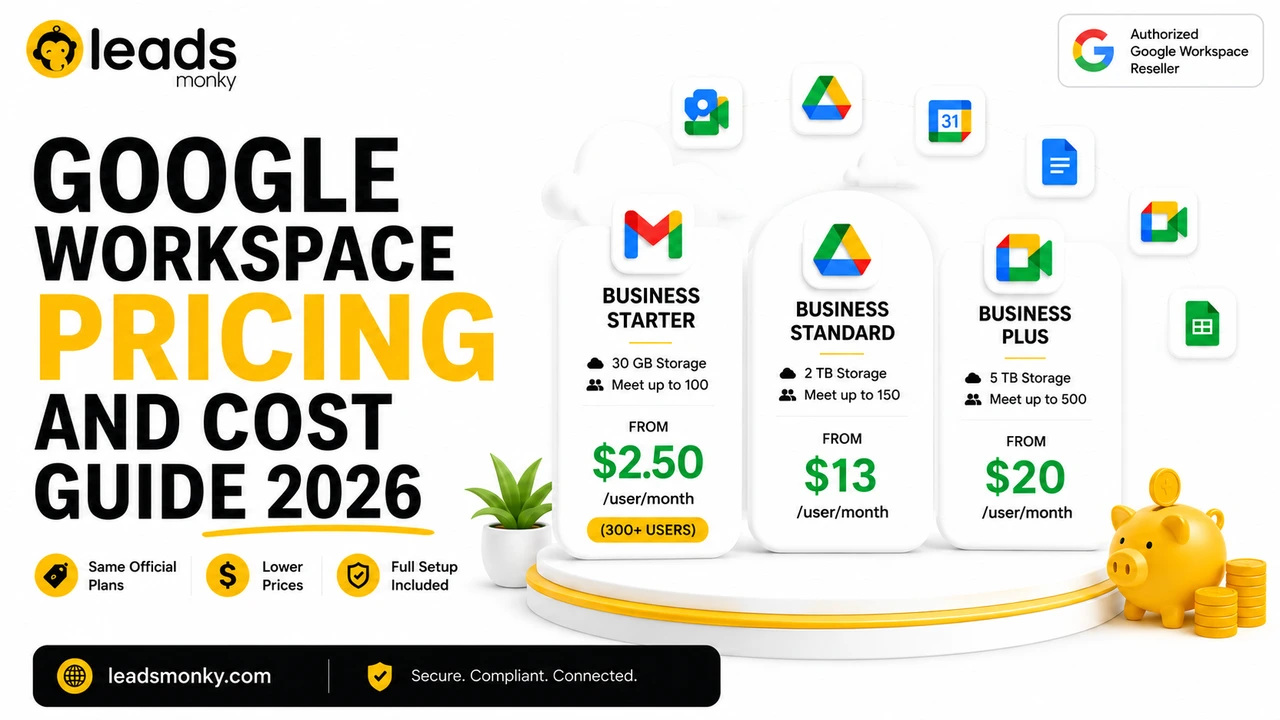
Google’s current public USD guidance lists Business Starter at $8.40 per user per month on Flexible Plan, Business Standard at $16.80, and Business Plus at $26.40. Google also lists annual or fixed term pricing at $7, $14, and $22 per user per month.
Zoho Workplace pricing is more cost focused. Zoho’s Workplace Standard plan includes enterprise grade custom email, 30 GB mail storage per user, WorkDrive team storage, Zia AI assistant, migration support for larger teams, Trident desktop experience, mobile and desktop apps, identity management, and collaboration tools.
Here is the practical pricing comparison using Google Flexible Plan pricing and Leads Monky pricing.
| Plan | Official Google Flexible Price | Leads Monky Price | Monthly Saving |
|---|---|---|---|
| Starter, below 300 users | $8.40 per user | $3 per user | Save $5.40 per user |
| Starter, 300 plus users | $8.40 per user | $2.50 per user | Save $5.90 per user |
| Business Standard | $16.80 per user | $13 per user | Save $3.80 per user |
| Business Plus | $26.40 per user | $20 per user | Save $6.40 per user |
Official Google Workspace Starter Flexible Plan pricing is $8.40 per user per month, but Leads Monky offers Business Starter from $3 per user per month for below 300 users. For 300 plus users, the Starter plan drops to $2.50 per user per month.
No hidden charges. No extra taxes. The price you see is the price you pay.
💡 Need help setting up Google Workspace?
We’re certified Google partners offering 64% off + free professional setup ($2,000 value). Used by 1000+ companies.
Get your quote →Why Leads Monky Is A Better Value If You Choose Google Workspace
Leads Monky is useful when you want Google Workspace but do not want to manage setup, DNS records, migration, and billing alone.
Buying directly from Google gives you the license. Buying through an authorized Google Workspace reseller like Leads Monky gives you the same Google Workspace environment with guided setup and lower monthly pricing based on the plan and user count.
Leads Monky is trusted by 1,000 plus companies for Google Workspace solutions, business email setup, migration, and ongoing support, according to your updated company rules.
This matters most when a business needs professional email quickly.
A founder can buy Google Workspace and still get stuck on domain verification, MX records, SPF, DKIM, DMARC, mailbox migration, aliases, and user setup. Leads Monky removes that setup burden and keeps the pricing clear.
For Google Workspace setup, visit Leads Monky Google Workspace reseller at:
Productivity Apps: Google Docs Vs Zoho Writer And More
Google Workspace is stronger for fast collaboration, while Zoho Workplace is better when your work sits inside Zoho’s wider business software ecosystem.
Google Docs, Sheets, and Slides are extremely familiar. Multiple people can edit, comment, approve, and share files with very little training. Google Drive sharing also feels natural for agencies, consultants, and remote teams.
Zoho Writer, Sheet, and Show are capable office apps. They are especially useful when paired with Zoho CRM, Zoho Books, Zoho Projects, or Zoho WorkDrive. Zoho also highlights Microsoft Office file compatibility, which helps teams move existing Word, Excel, and PowerPoint files into Zoho Workplace.
Choose Google if your team collaborates heavily with outside people.
Choose Zoho if your internal workflow already lives inside Zoho.
AI Comparison: Google Gemini Vs Zoho Zia
Google Gemini is stronger for general productivity, while Zoho Zia is stronger when your team already uses Zoho business apps.
Gemini works across Google apps such as Gmail, Docs, Meet, and other Workspace tools depending on your plan and availability. Google’s own Workspace pricing page now mentions Gemini AI assistant in Gmail on Starter and broader Gemini assistant access in apps like Gmail, Docs, and Meet on higher plans.
Zoho Zia fits Zoho’s ecosystem. It can support email, documents, CRM context, analytics, and business data depending on the Zoho products your company uses. For a team running sales, accounting, projects, and customer support inside Zoho, Zia can feel more connected to business operations.
The better AI depends on where your work happens.
If your documents, meetings, and inbox live in Google, Gemini makes more sense. If your customer records and operations live in Zoho, Zia deserves serious attention.
Security And Privacy Comparison
Both platforms take business security seriously, but their positioning is different.
Zoho emphasizes privacy, secure cloud infrastructure, built in MFA, SSO, Directory, spam control, and an ad free promise. Zoho’s own page also says its Workplace platform includes email, files, chat, office suite, conferencing, and a privacy first enterprise grade infrastructure.
Google Workspace focuses on enterprise grade security, admin controls, storage, Google Vault on higher plans, eDiscovery, secure custom business email, and strong account protection. Business Plus includes advanced features such as eDiscovery and higher storage limits.
For most small businesses, both are secure enough when configured properly.
The real security gap usually comes from bad setup, weak passwords, missing MFA, incorrect DNS records, poor access control, and unmanaged user accounts.
Zoho Workplace Vs Google Workspace For Small Business
Zoho Workplace is better for cost conscious small businesses, while Google Workspace is better for small businesses that want smoother adoption and client collaboration.
A startup with five to fifteen employees may choose Zoho Workplace because it covers email, documents, chat, and storage at a lower cost. If that startup also uses Zoho CRM or Zoho Books, the decision becomes even stronger.
A service business, agency, real estate team, sales team, or remote company may prefer Google Workspace because clients already understand Google Drive links, Gmail threads, Calendar invites, and Meet calls.
This is the decision framework I would use:
Choose Zoho if your main goal is reducing software cost.
Choose Google if your main goal is reducing work friction.
Cost matters. But wasted time also has a cost.
Zoho Workplace Vs Google Workspace For Cold Email
Google Workspace is usually the better option for cold email because Gmail infrastructure, user familiarity, and outreach tool compatibility are stronger.
Cold email success depends on more than the email platform. You also need correct SPF, DKIM, DMARC, domain separation, gradual sending volume, clean inbox setup, and reliable sending behavior.
Zoho Mail can work for business email, but many outreach teams prefer Google Workspace because tools like Instantly, Smartlead, Lemlist, and Mailshake commonly support Google accounts smoothly.
If configuring DNS authentication feels overwhelming or you want it done correctly from the start, Leads Monky handles Google Workspace setup including SPF, DKIM, and DMARC configuration as part of its email infrastructure support.
Common Mistakes When Comparing Zoho And Google Workspace
The biggest mistake is comparing only monthly price and ignoring workflow fit.
A lower monthly price does not automatically mean better value. A higher priced tool does not automatically mean better performance. The right answer depends on user habits, app ecosystem, integrations, admin needs, and migration complexity.
Common mistakes include:
Choosing Zoho only because it costs less.
Choosing Google only because it is more famous.
Ignoring migration effort.
Forgetting storage limits.
Not checking third party integrations.
Comparing Zoho Mail with Gmail instead of comparing the full workplace suite.
Skipping DNS setup and email authentication.
A team of five may save money with Zoho. A team of fifty may save time with Google. Both outcomes can be correct.
Final Verdict: Which One Should You Choose?
Choose Zoho Workplace if you want a lower cost workplace suite and your business already uses Zoho apps. Choose Google Workspace if you want Gmail, Drive, Meet, Gemini, easier adoption, and stronger third party collaboration.
Zoho Workplace is a serious Google Workspace alternative. It gives small businesses a strong set of email, storage, office, chat, meeting, and intranet tools at a competitive price.
Google Workspace is still the safer choice for teams that collaborate with clients, run remote operations, depend on familiar tools, or need smooth integration with modern sales and marketing platforms.
For most businesses comparing Zoho Workplace Vs Google Workspace, the answer is not about which brand is bigger.
It is about which platform your team will actually use every day.
If you choose Google Workspace and want lower pricing with setup support, Leads Monky can help you get started with professional business email, migration, DNS setup, and ongoing support.
FAQs
Is Zoho Workplace better than Google Workspace?
Zoho Workplace is better if your business wants lower pricing and already uses Zoho apps. Google Workspace is better if your team wants Gmail, Google Drive, Google Meet, Gemini AI, and easier collaboration with clients or external teams.
Is Zoho Mail better than Google Workspace?
Zoho Mail is a strong low cost business email option. Google Workspace is better when you want Gmail, Google Calendar, Google Drive, Docs, Meet, and stronger third party integrations in one business suite.
Is Zoho Workplace cheaper than Google Workspace?
Zoho Workplace is usually lower priced at the entry level. Google Workspace costs more when bought directly, but reseller pricing through Leads Monky can reduce the monthly cost for eligible businesses.
What is the main difference between Zoho Workplace and Google Workspace?
The main difference is ecosystem. Zoho Workplace connects deeply with Zoho apps like CRM, Books, and Projects. Google Workspace focuses on Gmail, Drive, Docs, Meet, Calendar, Gemini, and broad third party adoption.
Which is better for small business, Zoho or Google Workspace?
Zoho is better for small businesses that need lower software cost. Google Workspace is better for small businesses that value Gmail familiarity, easy sharing, client collaboration, and faster team adoption.
Is Zoho an Indian company?
Yes. Zoho Corporation is widely known as an Indian multinational technology company that builds cloud based business software. It is strongly associated with products like Zoho Mail, Zoho CRM, Zoho Books, and Zoho Workplace.
Can I move from Zoho Mail to Google Workspace?
Yes. Businesses can migrate email, contacts, calendars, and users from Zoho Mail to Google Workspace. The process should include mailbox backup, domain verification, MX record changes, SPF, DKIM, DMARC, and user testing before final switch.
Ready to Fix Your Cold Email?
What you get:
- ✓ Complete infrastructure: 30 emails + 10 domains
- ✓ 10,000 personalized emails monthly
- ✓ First consultations in 5–6 weeks