
Quick Answer
Yes, for most small to mid-size teams that need professional email and real-time collaboration, Google Workspace is worth it. It’s reliable, easy to set up, and includes Gmail, Docs, Sheets, Meet, and Gemini AI in one subscription. It’s a weaker fit if you need Excel-level spreadsheet depth or heavy offline access.
Google Workspace shows up in search results constantly, but most reviews online either read like marketing copy or quote pricing that hasn’t been accurate since 2025. This review looks at what actually holds up after real use: where Google Workspace genuinely earns its reputation, where it falls short of Microsoft Office, and who it’s actually worth the money for.
This isn’t a feature list copied from Google’s own pricing page. It’s based on what independent reviewers and real users consistently report once they’ve used it for a few months, not just signed up for a trial.
What Google Workspace Actually Includes

Google Workspace is a paid email and productivity suite built around Gmail, Drive, Docs, Sheets, Slides, Meet, and Calendar, all running under your own domain. It replaces a patchwork of separate tools (email hosting, file storage, video calling, document software) with one subscription and one admin console.
The interface for Gmail, Docs, and the rest is nearly identical to the free personal versions most people already know. What changes is the layer underneath: admin controls, security policies, data retention, and a professional email address instead of @gmail.com.
💡 Need help setting up Google Workspace?
We’re certified Google partners offering 64% off + free professional setup ($2,000 value). Used by 1000+ companies.
Get your quote →Where Google Workspace Genuinely Delivers
Real-time collaboration is the feature that consistently earns the strongest praise across independent reviews, and it holds up. Multiple people can edit the same document simultaneously, changes save automatically, and version history lets you roll back without losing work.
Beyond collaboration, a few other strengths show up repeatedly:
- Setup is genuinely fast. Connecting an existing domain and getting a professional email address running typically takes well under an hour.
- Gmail’s spam filtering is strong, and the interface feels familiar to nearly everyone from day one.
- Storage is generous on the mid and upper tiers, with files created in Docs, Sheets, and Slides not counting against the storage limit at all.
- Gemini AI is now built into every paid plan rather than sold separately, with meeting summaries, writing help, and data analysis available depending on your tier.
One specific, citable example worth noting: a 5-person team switching from emailing document versions back and forth to shared Google Docs can realistically save several hours per week in version-chasing alone, since there’s no more “which file is the latest one” confusion.
Where Google Workspace Falls Short
Docs, Sheets, and Slides are genuinely less capable than Microsoft Word, Excel, and PowerPoint, and this isn’t a minor nitpick. Independent reviewers who’ve used both extensively report real gaps in formatting flexibility and advanced spreadsheet formulas, not just stylistic preference.
Honest limitation worth stating directly: if your work depends on complex Excel models, heavy formatting control in Word, or advanced PowerPoint animation, Google’s tools will likely frustrate you. They’re built for speed and collaboration, not feature depth.
Other real weaknesses worth knowing before you commit:
- Offline access exists but is limited. You can edit documents offline and changes sync once you’re back online, but it’s not a true offline-first experience the way locally installed software is.
- Managing multiple Google accounts (a personal account alongside a work one) can be genuinely annoying, since the browser doesn’t always default to the account you actually want.
- Video call quality in Google Meet is solid but not universally considered best-in-class. At least one experienced reviewer who tested it extensively for business use ended up switching back to Zoom for call quality, despite using Workspace for everything else.
- File compatibility with Microsoft formats works most of the time, but formatting can shift slightly when converting complex Word or Excel files, which matters if you regularly exchange files with Microsoft-using clients.
Is Google Workspace Worth the Cost
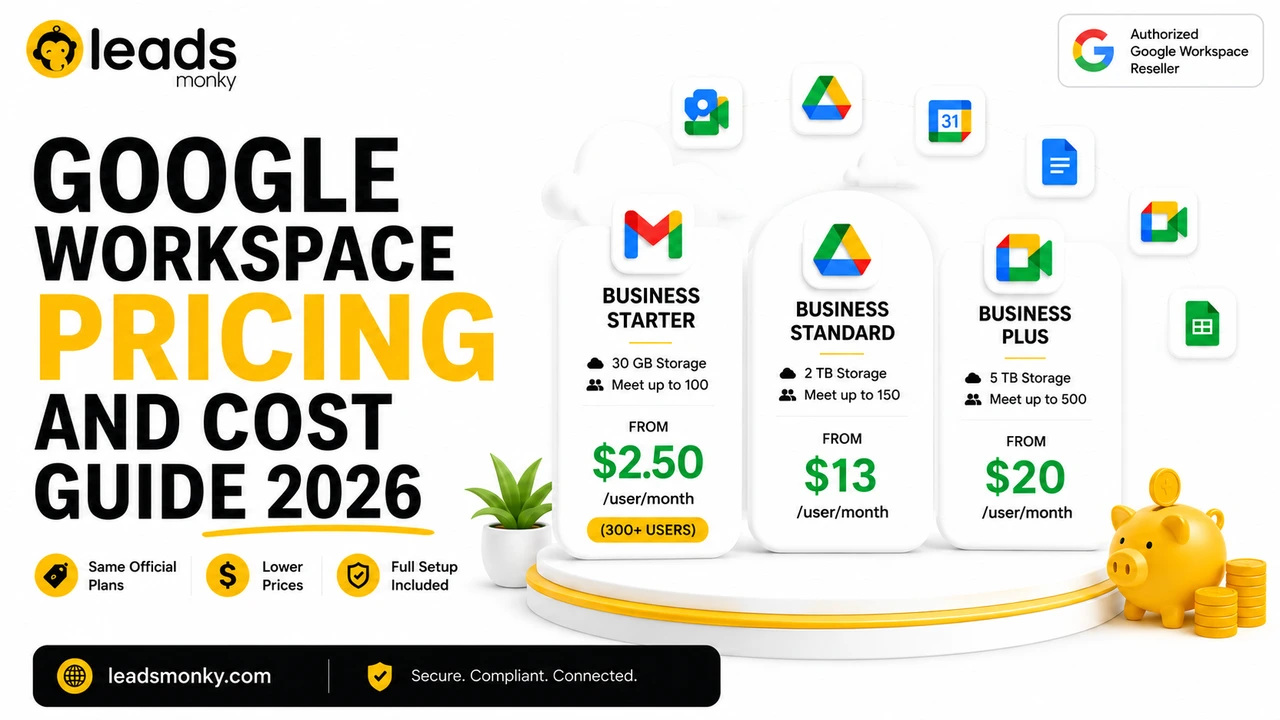
For a small team that collaborates daily, the cost is easy to justify against the time saved. For a solo user who just wants basic professional email, it’s a more marginal decision. Official Google pricing for Business Starter runs $8 per user per month, scaling up to $18 for Business Standard and $28 for Business Plus, all of which now include Gemini AI.
The honest answer to “is it worth it” really depends on team size and how much you rely on real collaboration versus working solo. A freelancer sending a low volume of emails each day may not need everything Workspace offers. A team of five or more sharing documents, scheduling meetings, and managing shared files daily will likely see the cost pay for itself in time saved within the first month.
One thing worth checking before paying list price directly: Leads Monky, an authorized Google Workspace reseller, offers the same official plans at a lower per user rate with setup support included. No hidden charges. No extra taxes. The price you see is the price you pay.
Who Should Use Google Workspace, and Who Should Skip It
Google Workspace is a strong fit for collaboration-heavy small and mid-size teams, and a weaker fit for users with deep desktop software requirements. Based on the actual strengths and gaps covered above, here’s a practical breakdown.
Good fit:
- Teams of 3 or more who regularly share and co-edit documents
- Businesses that want professional email without managing their own mail server
- Remote or hybrid teams that rely heavily on video calls and shared calendars
- Anyone who wants Gmail’s interface and reliability with a custom business domain
Worse fit:
- Heavy Excel users building complex financial models with advanced formulas
- Teams with frequent offline work in areas with unreliable internet
- Businesses that already have deep Microsoft 365 integrations and don’t want to migrate
- Solo users who genuinely just need a basic, low-volume professional email address
Common Questions People Ask Before Switching
- Is Google Workspace worth it for one person? It can be, mainly for the professional email address and domain credibility, but a solo user with basic needs may find a simple email hosting plan cheaper without losing much.
- Do I need Google Workspace for my business email? Not strictly. You can run business email through other providers. Workspace earns its cost mainly through the collaboration tools layered on top, not the email itself.
- Are the disadvantages of Google Workspace dealbreakers? For most small teams, no. The real limitations (offline access, Excel-level spreadsheet depth) only matter if your work specifically depends on those things.
Conclusion
Google Workspace earns its reputation where it matters most for small teams: fast setup, reliable email, and genuinely useful real-time collaboration. It falls short of Microsoft Office for deep document and spreadsheet work, and offline access remains a real limitation rather than a minor footnote. For a collaboration-heavy team of three or more, it’s worth it. For a solo user with simple needs, it’s worth a closer look at whether you actually need the full suite. If you do move forward, Leads Monky, an authorized Google Workspace reseller, can get you set up on current plans at a lower per user cost than buying direct.
FAQs
Is Google Workspace worth it for a small business?
Yes, for most small businesses with 3 or more people who collaborate on documents and email regularly. The time saved from real-time collaboration typically justifies the cost within the first few months.
Is Google Workspace worth it for one person?
It depends. The professional email address and domain credibility have real value, but a solo user with light needs may find a simpler, cheaper email hosting option sufficient.
What are the main disadvantages of Google Workspace?
The most consistently reported weaknesses are reduced spreadsheet and document formatting depth compared to Microsoft Office, limited offline access, and occasional friction managing multiple Google accounts.
Do I need Google Workspace for my business email specifically?
No, business email can run through other providers. Google Workspace’s real value comes from the collaboration tools bundled alongside the email, not the email service alone.
Is Google Workspace better than free Gmail for a business?
Yes, for any organization, since free Gmail has no admin controls, no custom domain, and no centralized security or data management across users.
Does Google Workspace include Gemini AI in the review price?
Yes. Gemini AI is included on every paid plan as of 2025, with basic access on the entry tier and full access across more apps on Business Standard and above.
Ready to Fix Your Cold Email?
What you get:
- ✓ Complete infrastructure: 30 emails + 10 domains
- ✓ 10,000 personalized emails monthly
- ✓ First consultations in 5–6 weeks