
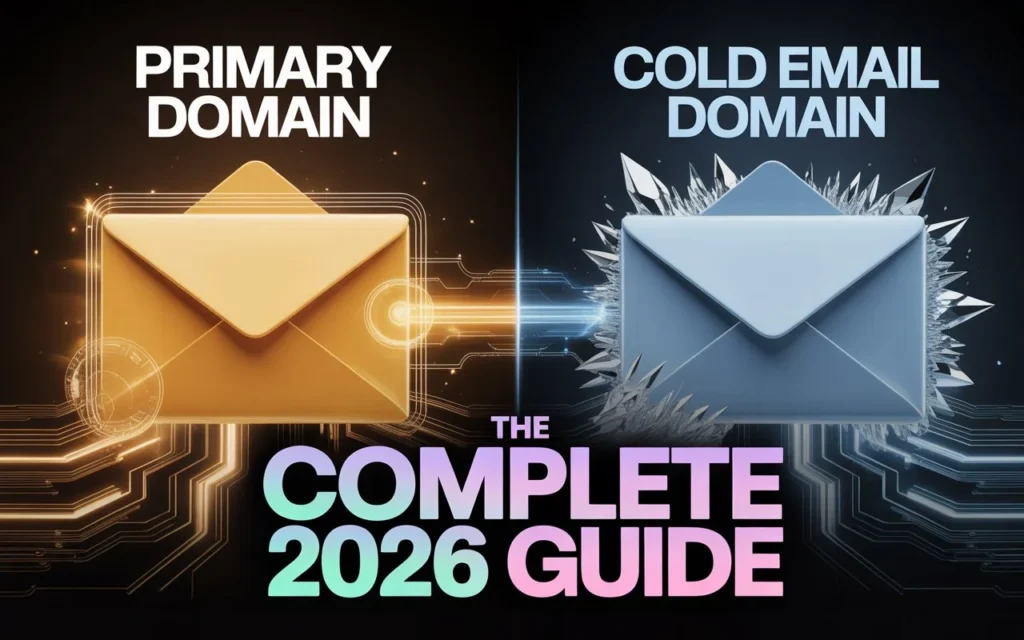
Should you send cold emails from your primary business domain?
No. Not ever. Not even once.
Here is the problem most founders and sales teams run into: they assume cold outreach is just email, and email is email. So they fire up a campaign from john@theircompany.com, watch the clicks come in then spend the next three months dealing with customer emails that go straight to spam.
This guide breaks down exactly what a primary domain is, what a cold email domain is, why they must stay permanently separated, and how to set up a clean cold email infrastructure that actually scales.
1. What Is a Primary Domain?
Your primary domain is the web address that represents your business the one on your website, your business cards, your invoices, and every email your team sends to clients.
Examples: yourcompany.com, yourstartup.io, youragency.co
Your primary domain handles everything that keeps your business running:
- Customer support and service emails
- Sales conversations with existing clients
- Transactional emails order confirmations, invoices, password resets
- Internal team communication
- Official partner and vendor correspondence
Here is the part that matters for email: Google, Microsoft, and every major email provider maintains a sender reputation score for your domain. This score is built up over months and years of positive sending behavior people opening, replying to, and not marking your emails as spam.
That reputation determines whether your emails reach the inbox or go to the spam folder. Damage it, and every single email from your domain suffers not just your cold outreach, but your receipts, your client updates, your HR messages, everything.
Your primary domain reputation is one of the most valuable and fragile digital assets your business owns.
2. What Is a Cold Email Domain?

A cold email domain is a completely separate domain bought and configured exclusively for outreach to prospects who have not yet opted in to hearing from you.
Think of it as a protective buffer between your cold outreach activity and your core business operations.
Example setup for a company called Acme Corp:
| Purpose | Domain |
| Primary business operations | acmecorp.com |
| Cold email outreach #1 | tryacmecorp.com |
| Cold email outreach #2 | getacmecorp.com |
| Cold email outreach #3 | acmecorp.io |
The cold email domain runs its own independent email accounts, its own DNS authentication records, and its own sender reputation. If it gets flagged or blacklisted, it has zero impact on acmecorp.com.
This is the fundamental principle: risk isolation. Your business operations and your prospecting activity should never share the same domain.
3. Primary Domain vs Cold Email Domain: Key Differences
| Primary Domain | Cold Email Domain | |
| Purpose | All business communications | Outbound prospecting only |
| Audience | Existing clients, partners, team | Cold prospects who don’t know you yet |
| Risk level | Extremely high do not risk it | Contained and replaceable |
| Warmup needed | Already established | Yes 3 to 6 weeks minimum |
| If blacklisted | Business-critical damage | Abandon and replace in days |
| Cost | Existing asset | ~$12/year per domain |
| Volume limits | Keep sending natural and low | Up to 50 emails/day per account |
The core difference is what happens when something goes wrong. With a cold email domain, “something going wrong” means you spin up a new one. With your primary domain, it means your entire business communication infrastructure is broken.
4. Why You Should Never Use Your Primary Domain for Cold Outreach
The Blacklist Scenario Is Not Hypothetical
Here is what actually happens when a cold email campaign goes wrong on a primary domain.
You launch an outreach sequence from john@yourcompany.com. The prospect list has some stale contacts. A few people mark it as spam. Gmail notices the spike in complaints. Within 24 to 48 hours, your domain’s sender reputation score drops.
Now every email from yourcompany.com starts landing in spam folders. Not just the cold emails the invoice you sent a client yesterday, the proposal your sales director sent this morning, the customer support reply your team sent an hour ago. All of it. Spam.
Recovering from a domain blacklisting can take weeks. Some blacklist databases take months to delist a domain. A small number of them never delist at all.
The 0.3% Threshold Is Easier to Hit Than You Think
Google’s spam complaint policy for Gmail which governs where your emails land for the majority of business recipients enforces a spam complaint rate below 0.3%.
Do the math on a typical cold outreach campaign:
- 1,000 emails sent from your primary domain
- 3 people click “mark as spam” = 0.3% threshold reached
- 4 complaints = you’re over the limit
Three people out of a thousand. That is all it takes to begin damaging deliverability for your entire domain.
Domain Reputation and SEO Are Connected
This point almost never appears in cold email guides, but it is real.
When a domain accumulates spam-associated signals blacklist entries, authentication failures, spam trap hits it can negatively affect how Google’s crawlers and quality systems evaluate the domain overall. A domain flagged across email reputation databases can see reduced organic search visibility over time.
Using your primary domain for cold email doesn’t just risk your email deliverability. It risks your SEO investment too.
There Is No Easy Recovery
Unlike most marketing mistakes, a damaged domain reputation cannot be undone by:
- Switching to a different email address at the same domain
- Waiting a few weeks for things to “reset”
- Sending an apology email or unsubscribe campaign
Once your primary domain is blacklisted, the only reliable solution is to rebuild your business identity on a new domain which means losing brand equity, breaking existing links, redirecting your website, and notifying every client of the change.
This is a complete business disruption for something that costs $12 a year to prevent.
Cold email infrastructure cost calculator
See exactly what your setup costs before you spend a dollar
Leads Monky sets up your complete cold email infrastructure including domains, DNS authentication, warmup, and Google Workspace accounts at 50% off direct pricing.
Get set up5. How Separate Cold Email Domains Protect Your Business
Risk Isolation
When you send cold emails from tryacmecorp.com instead of acmecorp.com:
- Spam complaints hit only the secondary domain
- Any blacklisting is contained to the outreach domain
- Your primary domain remains clean for client communications
- A burned secondary domain can be abandoned and replaced within a few days
Compare that to the alternative: one bad campaign destroys the domain your entire business runs on.
Sending Volume That Scales
A single domain has natural daily limits for cold email. Pushing beyond those limits triggers spam filters because the sending pattern looks unnatural.
Here is how multiple cold email domains change the math:
Single primary domain approach:
- Safe maximum: 30 to 50 emails per day total
- Reaching 500+ emails per day: not possible without triggering filters
Multiple secondary domain approach:
- 5 cold email domains × 3 accounts each = 15 accounts total
- 50 emails per account per day × 15 accounts = 750 emails per day safely
- Distribute across domains and the sending pattern looks completely normal
Each domain behaves like an independent business sending moderate email volume which is exactly what email providers expect from legitimate senders.
Freedom to Test Without Consequences
Secondary domains let you run experiments that would be suicidal from a primary domain:
- Aggressive subject line tests
- High-volume A/B campaigns
- New market or persona targeting
- Unfamiliar prospect lists
If a test campaign generates complaints, the secondary domain absorbs it. Your primary domain never knows it happened.
6. How to Choose the Right Cold Email Domain
Stay Close to Your Brand Name
Your cold email domains should be instantly recognizable as related to your company. Recipients who look up your domain before replying and many will need to connect what they see with who emailed them.
If your primary domain is acmecorp.com, good secondary domain choices include:
- tryacmecorp.com
- getacmecorp.com
- acmecorphq.com
- myacmecorp.com
- acmecorp.io
- acmecorp.co
Avoid these patterns:
- acme-deals.biz looks promotional and untrustworthy
- awesomeproducts.net no brand connection
- acme123.online looks like a throwaway domain
Prospects who see a completely unrelated domain in the “from” field are far less likely to reply and far more likely to mark the email as spam.
Choose the Right Domain Extension
Not all extensions carry equal deliverability weight. According to email deliverability research from Mailgun and Postmark, the following extensions perform best for cold outreach:
- .com the gold standard; highest inbox rates
- .io strong reputation in B2B and tech sectors
- .co professional, widely recognized
- .net trusted, long established
Extensions to avoid for cold email:
- .biz historically associated with spam
- .info frequently flagged by spam filters
- .xyz, .online, .click high spam association; many filters automatically deprioritize these
For geographic targeting: Country-code extensions like .co.uk or .com.au can actually improve engagement when emailing prospects in that region, as the domain appears locally relevant.
Set Up Domain Redirects
Every cold email domain you register should redirect to your primary website.
Here is why this matters: a significant number of prospects who receive a cold email will open a new browser tab and type in your sending domain to verify you are a real business. If they land on a parked domain, an error page, or a generic placeholder, that is an immediate trust signal failure.
The solution: Configure a simple 301 redirect from each secondary domain to your main website.
Prospect receives email from john@tryacmecorp.com → types tryacmecorp.com into browser → automatically redirected to acmecorp.com → sees your professional website → trust maintained.
This takes five minutes to set up in your domain registrar and prevents a surprisingly common trust failure.
7. How to Set Up Your Cold Email Infrastructure Step by Step
Step 1: Calculate How Many Domains You Need
Start with your outreach volume target and work backwards.
| Daily sending target | Accounts needed | Domains needed |
| Up to 150 emails/day | 3 accounts | 1–2 domains |
| 150–500 emails/day | 10–12 accounts | 4–5 domains |
| 500–1,000 emails/day | 20–25 accounts | 7–10 domains |
| 1,000+ emails/day | 25+ accounts | 10–15 domains |
Each domain should have a maximum of 2 to 3 email accounts. Each account should not exceed 40 to 50 outbound emails per day after warmup is complete.
Cost estimate for a mid-volume setup (500 emails/day):
| Item | Cost |
| 10 domains at $12/year each | $120/year |
| 20 Google Workspace accounts at $6/month each | $1,440/year |
| Total annual cost | ~$1,560/year |
Compare that cost against the revenue risk of burning your primary domain.
Step 2: Configure DNS Authentication Records
Proper DNS configuration is what separates a professional cold email setup from one that goes straight to spam. These three records are mandatory not optional.
SPF (Sender Policy Framework)
SPF tells receiving mail servers which servers are authorized to send email on behalf of your domain. Without SPF, your emails fail a basic legitimacy check.
For Google Workspace accounts, your SPF record looks like this:
v=spf1 include:_spf.google.com ~all
Add this as a TXT record in your domain’s DNS settings.
DKIM (DomainKeys Identified Mail)
DKIM adds a cryptographic signature to every email you send. Receiving servers verify this signature to confirm the email was genuinely sent by you and was not tampered with in transit.
In Google Workspace Admin Console: Apps → Google Workspace → Gmail → Authenticate email → Generate new record. Use 2048-bit key length for maximum security.
DMARC (Domain-based Message Authentication, Reporting and Conformance)
DMARC tells receiving servers what to do when an email fails SPF or DKIM checks. It also sends you reports about authentication failures, which is valuable for monitoring.
Start with monitoring mode:
v=DMARC1; p=none; rua=mailto:dmarc@yourdomain.com
After 2 to 4 weeks of clean sending, graduate to p=quarantine, then p=reject for maximum protection.
All three records SPF, DKIM, and DMARC must be configured before you send a single email from a cold domain. Skipping any of them guarantees poor deliverability.
Step 3: Warm Up Every Domain Before Sending
A brand-new domain has no sender history. Sending hundreds of emails from a new domain immediately looks exactly like what spam operations do which is why email providers penalize it heavily.
The warmup process builds a positive sending history gradually.
Recommended warmup schedule:
| Days | Emails per account per day |
| Days 1–3 | 5–10 |
| Days 4–7 | 15–20 |
| Days 8–14 | 25–30 |
| Days 15–21 | 35–40 |
| Days 22–30 | 45–50 |
Do not skip this. Do not rush it. A domain that was not properly warmed up will underperform for weeks even after you try to fix it.
Warmup tools that automate this process:
- Warmup Inbox sends and receives emails automatically from a network of real accounts
- Lemwarm (by Lemlist) similar approach with engagement simulation
- Instantly has a built-in warmup feature tied to your outreach campaigns
These tools build positive engagement signals sends, opens, and replies from real accounts which establish a clean sending history before your real campaigns begin.
Step 4: Monitor Domain Health Continuously
Once live, track these metrics weekly for every cold email domain:
| Metric | Healthy target |
| Deliverability rate | Above 95% |
| Bounce rate | Below 2% |
| Spam complaint rate | Below 0.1% (Google’s warning threshold is 0.3%) |
| Open rate | 30–45% for B2B cold email |
| Reply rate | 5–10% for a well-targeted campaign |
Tools for monitoring:
- Google Postmaster Tools free, shows domain reputation and spam rate data directly from Gmail’s perspective
- MXToolbox checks blacklist status across major databases
- Mail-Tester.com tests your authentication setup and spam score before sending
Check these dashboards weekly. If a domain’s complaint rate starts climbing, pause outreach from it immediately and investigate before it crosses the blacklist threshold.
8. Common Mistakes That Destroy Domains Fast
Skipping the Warmup Period
The most common and most damaging mistake. A team registers five domains on Monday, sets up accounts on Tuesday, and blasts a list of 2,000 contacts on Wednesday. By Thursday, every domain is flagged.
The warmup period is not optional. Three weeks minimum. Four to six weeks for optimal results.
Using Generic Sender Names
Emails sent from info@, sales@, outreach@, or hello@ trigger two negative responses: spam filters flag them as mass-send addresses, and human recipients see them as impersonal.
Research from Yesware and HubSpot consistently shows personal-name addresses outperform generic addresses significantly on open rates. Use real first names or at minimum, names that sound like real people.
Sending to Unverified Lists
Purchased or scraped lists have high rates of invalid addresses. High bounce rates are almost as damaging to your domain reputation as spam complaints. Every email that hard-bounces tells the receiving server something is wrong with your sending practices.
Verify every list through a tool like ZeroBounce, NeverBounce, or Hunter.io before sending. Remove invalid addresses before the first email goes out.
Ignoring Authentication Setup
No SPF, DKIM, and DMARC means no authentication. No authentication means failed verification checks. Failed verification checks mean spam folders. This is not probabilistic it is how email routing works.
Configure all three records before sending anything. Then verify them using MXToolbox or Google’s Admin Toolbox.
Not Rotating Domains
Even healthy cold email domains accumulate sending history over time. Rotating in new domains periodically retiring older ones before they degrade keeps your overall deliverability strong.
Think of cold email domains as consumable infrastructure, not permanent assets.
9. FAQ: Primary Domain vs Cold Email Domain
Can I send a small number of cold emails from my primary domain?
Technically, yes. Practically, no. Even low-volume cold outreach from your primary domain carries real risk a single bad list or a high spam complaint rate from 20 emails can begin degrading your domain’s reputation. Cold email domains cost $12 per year. The cost of protecting your primary domain is effectively zero.
How many cold email domains do I actually need?
Fewer than 100 emails per day: 2 to 3 domains. Between 100 and 500 per day: 3 to 7 domains. Between 500 and 1,000 per day: 7 to 15 domains. Each domain should run 2 to 3 accounts sending a maximum of 40 to 50 emails per account per day.
Should I use subdomains instead of separate domains?
No. A subdomain like mail.acmecorp.com or outreach.acmecorp.com is still part of your primary domain’s reputation infrastructure. If the subdomain gets blacklisted, your primary domain is affected. Only fully separate domains provide genuine risk isolation.
How long does domain warmup take?
Minimum three weeks for basic reputation establishment. Four to six weeks for a solid, stable reputation. Rushing this will cause your domains to underperform for weeks afterward. There is no shortcut that works.
What happens if one of my cold email domains gets blacklisted?
You pause sending from that domain immediately, identify the cause (bad list, technical misconfiguration, or engagement issue), and spin up a replacement domain while the original recovers or gets retired. This is exactly why the separation strategy exists one blacklisted domain means one paused campaign, not a business-wide deliverability crisis.
Does sending from multiple domains look suspicious to email providers?
No — as long as each domain is properly authenticated, warmed up gradually, and sending at moderate volume. Multiple domains sending moderate volumes is the normal behavior of a legitimate business with multiple teams or product lines. It is one domain blasting thousands of emails per day that looks suspicious.
Is cold email still effective in 2026?
Yes. B2B cold email remains one of the highest-ROI outbound channels when list quality is high, personalization is genuine, and infrastructure is set up correctly. The fundamentals have not changed what has changed is that email providers are stricter about authentication and spam signals, which is exactly why proper domain separation matters more than ever.
10. The Bottom Line
The question is not “should I use my primary domain for cold email?” The answer to that is simply no.
The real question is how much your primary domain is worth to your business and whether that value justifies spending $12 a year on a secondary domain to protect it.
Your primary domain powers every customer interaction, every transaction confirmation, every internal communication, and the organic search rankings you have spent months building. Exposing it to cold email risk is not a calculated trade-off. It is an unnecessary gamble.
Cold email domains are cheap, replaceable, and purpose-built to absorb the inherent risk of outbound prospecting. Set them up correctly with proper authentication, a full warmup period, brand-adjacent naming, and domain redirects and they become the foundation of a prospecting system that can scale to hundreds of daily emails without ever touching your core business infrastructure.