Quick Answer
Google Workspace is Google’s paid suite of business tools, including Gmail, Drive, Docs, Sheets, Meet, and Calendar, sold under your own company domain instead of a generic @gmail.com address. It was called G Suite until October 2020, when Google rebranded it. There is no free version, but every paid plan includes a 14 day trial.
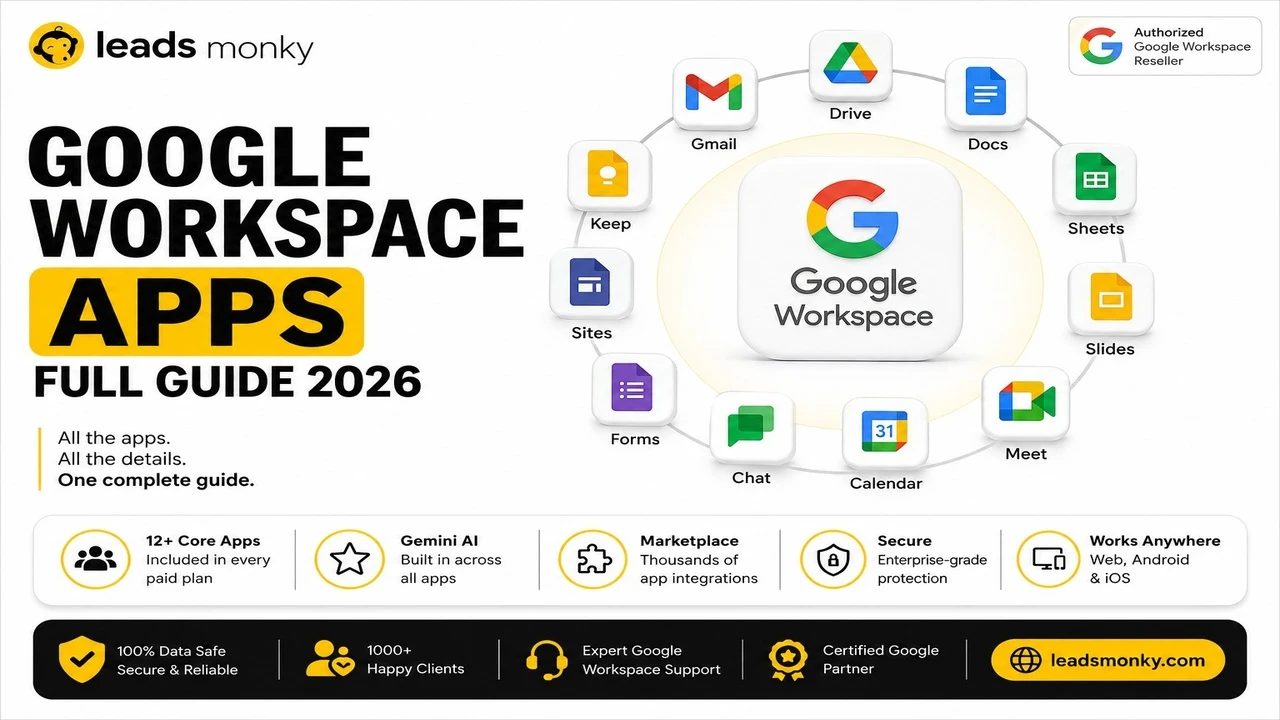
Google Workspace is a paid suite of business tools from Google, built around Gmail, Drive, Docs, Sheets, Slides, Meet, and Calendar, all running under your own company domain instead of a generic @gmail.com address. Instead of buying separate software for email, file storage, video calls, and document collaboration, Google Workspace bundles all of it into one subscription with shared admin controls. It was called G Suite until 2020, which is why some people still search for both names interchangeably.
This guide covers what’s actually included, how it differs from the free Gmail you might already use, what it used to be called, and how to tell whether your organization already has it.
What’s Actually Included in Google Workspace

Google Workspace includes a fixed set of core apps on every plan, with storage, meeting size, and security features expanding as you move up tiers. The core apps are Gmail, Drive, Docs, Sheets, Slides, Meet, Calendar, and Chat, all working under your company’s domain name.
Practically, this means your team gets professional email addresses (you@yourcompany.com), shared cloud storage that doesn’t disappear when someone leaves the company, video meetings with a participant cap that grows with your plan, and real time document editing where multiple people can work on the same file simultaneously.
One specific thing that surprises new users: Gmail in Google Workspace looks and works almost identically to personal Gmail. The interface is the same. What’s different is the administration layer underneath it, the domain it runs on, and the security and compliance tools an admin can apply across every account in the organization.
💡 Need help setting up Google Workspace?
We’re certified Google partners offering 64% off + free professional setup ($2,000 value). Used by 1000+ companies.
Get your quote →Google Workspace vs Free Gmail: What Actually Changes
The core difference between Google Workspace and free Gmail is administration and ownership, not the day to day interface. A free Gmail account is tied to you personally. A Google Workspace account is tied to your organization, with an administrator who controls every user on that domain.
Concretely, that means a Workspace admin can reset passwords, enforce two factor authentication, set data retention policies, recover a departed employee’s files and emails, and manage every user from a single console. None of that exists on a free Gmail account, because there’s no organization layer to manage.
The other practical difference is the email address itself. Free Gmail gives you @gmail.com. Google Workspace lets you use your own domain, which matters for how professional your business looks to clients and partners, even though the underlying Gmail interface is nearly identical either way.
What Was Google Workspace Called Before
Google Workspace was called G Suite from 2016 to 2020, and before that, Google Apps for Your Domain starting in 2006. Google rebranded G Suite to Google Workspace on October 6, 2020, as part of a broader push toward tighter integration between the individual apps rather than treating them as a loose bundle.
If you signed up years ago and your invoices or old documentation still say G Suite, that’s not an outdated or discontinued product. It’s the same service under its previous name. The features, pricing structure, and admin console have evolved since, but there was no migration required when the rename happened. Existing accounts simply started showing the new branding.
The Other “Workspace” in Google Drive: A Different Thing Entirely
Google Drive has a small organizational feature also called Workspace, and it has nothing to do with the business product this guide describes. This is a genuinely confusing naming collision, and it trips up a fair number of people searching for information about either one.
The Drive feature lets you group files from different folders into a named collection, without moving or duplicating the actual files, similar to a set of shortcuts. You’ll find it under a Workspaces section in the Drive sidebar, and you can create multiple ones, each holding up to a limited number of files. It’s a personal organization tool. It does not involve a domain, an admin console, billing, or any of the business features described elsewhere in this guide.
If you searched for “what is a workspace in Google Drive” expecting an explanation of the business suite, this is likely the feature you actually encountered, and it’s worth knowing the two are unrelated despite sharing a name.
How to Tell If You Already Have Google Workspace
The fastest way to check is your email address: if it ends in your company’s domain rather than @gmail.com, you’re very likely on Google Workspace already. A second reliable check is visiting admin.google.com. If you can sign in and see an Admin console, your organization has Google Workspace, and you may even be the admin.
For employees who aren’t admins, asking whoever manages IT or who originally set up company email is the most direct way to confirm. There isn’t a setting inside Gmail itself that explicitly states “you are using Google Workspace,” since the interface looks the same as a personal account either way. The domain and the existence of an admin console are the real signals.
How Much Does Google Workspace Cost
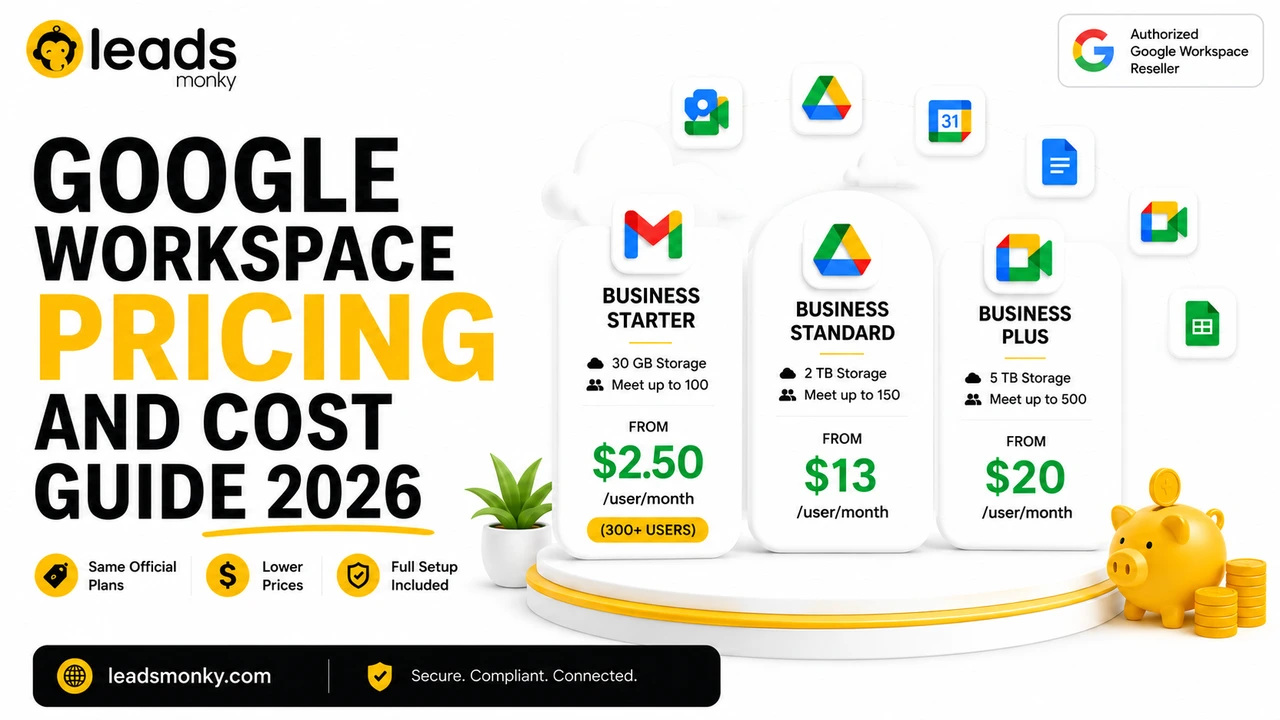
Google Workspace has no free tier, but every plan includes a 14 day free trial, and pricing starts at a few dollars per user per month for the entry tier. Pricing scales up through Business Standard and Business Plus as storage, meeting capacity, and security features expand, with custom Enterprise pricing above that.
Gemini AI is included on every paid plan now rather than sold as a separate add-on, with fuller access opening up on Business Standard and above. One honest limitation worth flagging here: published prices online vary quite a bit depending on whether you’re looking at flexible monthly billing, annual commitment pricing, or rates through an authorized reseller, so a number you see in one place may not match another. Authorized resellers like Leads Monky offer the same official plans at a lower per user rate with setup support included, which is worth checking before paying Google’s list price directly.
Common Mistakes People Make About Google Workspace
- Assuming it’s the same as personal Gmail with a fancier name. The apps look similar, but the admin layer, domain ownership, and data controls are fundamentally different.
- Confusing the Drive “Workspace” feature with the actual product. One organizes files for an individual. The other is an entire business suite with billing and admin controls.
- Thinking there’s a free version. There isn’t. There’s a free trial, which is a different thing entirely.
- Assuming G Suite and Google Workspace are different, unrelated products. They’re the same service. Google simply renamed it in 2020.
- Not knowing whether they personally have it. Checking the domain in your email address answers this faster than searching for an explanation.
Conclusion
Google Workspace is Google’s business version of the productivity apps most people already know, sold as a paid subscription under your own domain with real admin controls behind it. It was called G Suite until 2020, it has no free tier, and it shares a name with an unrelated Google Drive feature that confuses plenty of first time searchers. If you’re deciding whether to set it up for your own business, Leads Monky, an authorized Google Workspace reseller, can walk you through current plans and pricing.
FAQs
Is Google Workspace the same as G Suite?
Yes. Google rebranded G Suite to Google Workspace on October 6, 2020. It’s the same underlying product family under a new name.
Is there a free version of Google Workspace?
No. Google Workspace has no permanent free tier. Every plan includes a 14 day free trial, after which a paid subscription is required.
How do I know if I already have Google Workspace?
Check your email address. If it ends in your company’s domain instead of @gmail.com, you’re very likely using Google Workspace. You can also try signing in at admin.google.com to see if an Admin console appears.
What is the difference between Google Workspace and Google Drive?
Google Drive is one app included inside Google Workspace, used for cloud storage. Google Workspace is the entire business suite, including Gmail, Docs, Sheets, Meet, and Calendar, not just Drive.
What is the “Workspace” feature inside Google Drive?
It’s an unrelated organizational tool that groups files from different folders into a named collection without moving them. It shares a name with Google Workspace the product, but has no connection to it.
Does Google Workspace include Gemini AI?
Yes. Gemini is included on every paid Google Workspace plan, with basic access on the entry tier and fuller access across more apps on higher tiers.
Ready to Fix Your Cold Email?
What you get:
- ✓ Complete infrastructure: 30 emails + 10 domains
- ✓ 10,000 personalized emails monthly
- ✓ First consultations in 5–6 weeks